Every phone owner knows the frustration: your charger starts fraying at the ends, sparks inconsistently, or stops working entirely—again. You are not alone. Millions face the same issue, often within months of buying a new cable. The good news? You can prevent phone charger from breaking with simple, proven techniques. From how you unplug to what kind of cable you buy, small changes make a massive difference. This guide reveals the root causes of cable failure and delivers actionable strategies from DIY fixes to smart upgrades that extend your charger is life from months to years. Whether you are using an iPhone, Android, or anything in between, these methods work across devices and budgets.
Fix How You Unplug Your Charger
Pull by the Plug, Not the Cord
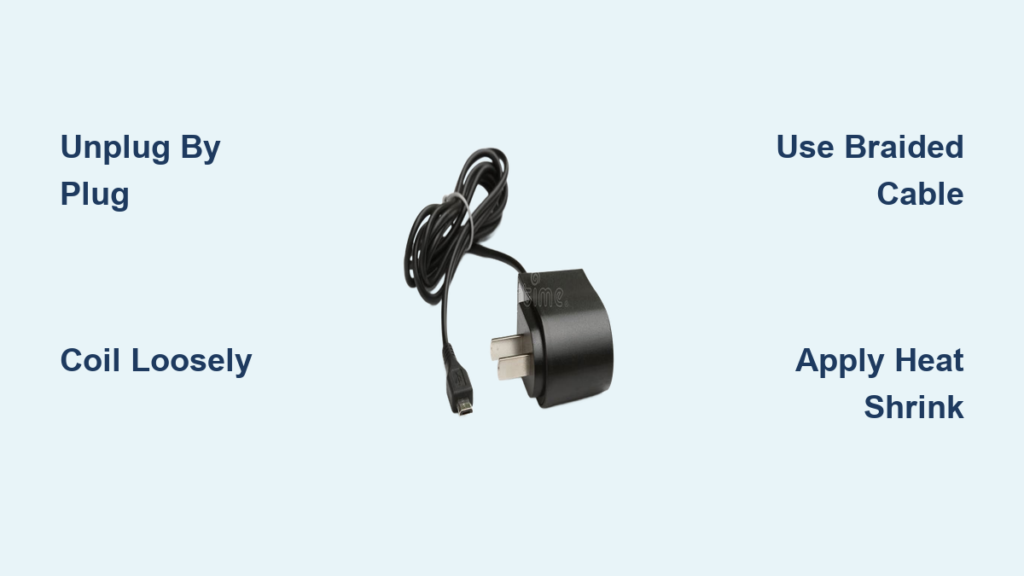
Yanking the cable by the cord is the number one reason chargers die early. This habit puts extreme stress on the internal wires right where they meet the plug, which is the weakest point. Over time, those thin copper strands snap. Instead, always grip the plug body when disconnecting. It takes one extra second but prevents cumulative damage. Make it a reflex: thumb and forefinger on the plug, not the wire.
Pro Tip: Teach kids and coworkers this habit. A single forceful yank can cause invisible internal breaks that lead to failure weeks later.
Avoid Wiggling in the Port
Wiggling the connector while unplugging adds lateral strain, which damages both the cable and your phone is charging port. Insert and remove straight, no rocking. If the plug feels tight, do not force it. Clean the port first. For iPhones, a misaligned Lightning port can result in costly repairs, so prevention is cheaper and easier.
Store Cables the Right Way
Coil Loosely, Not Tightly
Tightly wound cables kink internally, causing micro fractures in the wires. Instead, form 4 to 6 inch loops, about the size of a coffee mug. This large radius reduces strain on the conductors. Secure with a Velcro tie, not a rubber band which degrades and sticks. Avoid wrapping around your hand because it is too tight and promotes twisting.
Visual Cue: If the cable holds a kink when laid flat, it has been bent too sharply.
Use Protective Cases or Pouches
Tossing cables into bags leads to tangles, abrasion, and crushing. A zippered organizer or silicone sleeve shields against these hazards. For travelers, repurpose a small cloth pouch or even a sock. These solutions cost under ten dollars and can double your cable is lifespan.
User Hack: Label cables with colored tape or tags to avoid confusion when carrying multiple types.
Reinforce Weak Points Early

Apply Heat Shrink Tubing
This is the gold standard for DIY cable protection. Heat shrink tubing forms a durable, waterproof seal over stress zones. Use dual wall adhesive lined tubing, which melts an inner glue layer for maximum bond. Cut a 2 to 3 centimeter piece, slide it over the cable, position it at the plug base, then apply heat with a hair dryer. It shrinks tightly, preventing flex and blocking moisture.
Best For: New cables or those showing early stiffness. Once applied, it lasts years.
Try the Pen Spring Hack
Extract a spring from a retractable pen and wrap it around the cable base. It acts as a flexible exoskeleton, distributing stress over a longer section. Stretch the spring slightly before applying so it compresses against the plug housing. Cover the first 1 to 2 centimeters of the cable.
Warning: Bare metal springs can cut into insulation over time. Cover with electrical tape or heat shrink to prevent abrasion.
Wrap with Thread or Paracord
Tightly wind nylon thread, embroidery floss, or paracord inner strands around weak ends. Secure both ends with clear nail polish or fabric glue to stop unraveling. This method adds tensile strength and shock absorption. Some users report three or more years of daily use with this technique.
Pro Tip: Match thread color to your cable for a clean look.
Use Electrical Tape as a Quick Fix
For immediate protection on slightly frayed ends, wrap electrical tape tightly over the last inch of the cable and a bit onto the plug. It is cheap and easy but not permanent. Expect to reapply every few months. Best used as a stopgap before applying a longer term solution.
User Note: Black tape on black cables blends well. Avoid cheap tape that peels quickly.
Upgrade to Durable Cables
Choose Braided Nylon Over Rubber
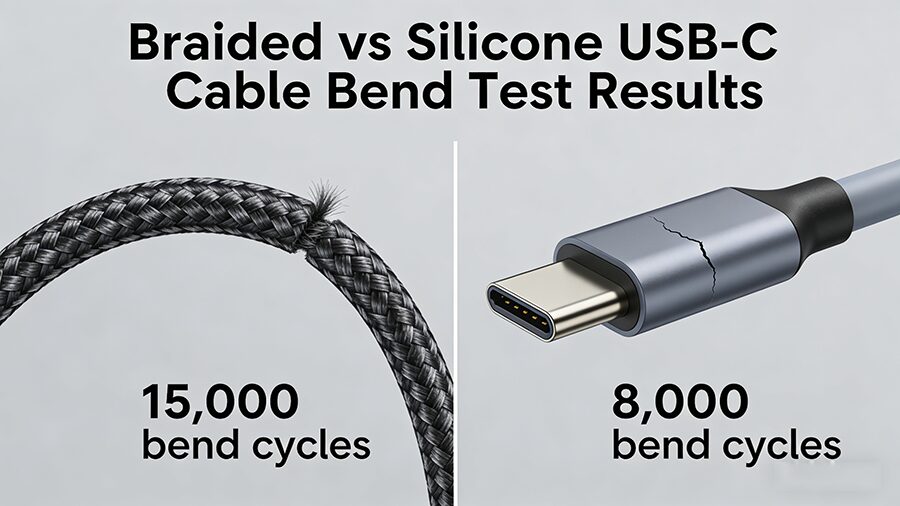
Rubber cables crack and fray fast. Braided nylon resists tearing, chewing from pets, and daily wear. It is also more flexible and tangle resistant. Look for terms like rugged, reinforced, or military grade in product descriptions.
Check for Reinforced Stress Relief
High quality cables feature thickened, flexible molding at both ends. This absorbs bending stress instead of transferring it to internal wires. Avoid cables with thin, rigid junctions because they will fail quickly.
Buy Certified, Not Cheap
Avoid three dollar no name cables. They use thin 28 to 30 AWG wires that break fast. Invest in MFi certified for iPhone or USB IF certified models for USB C. These meet safety and durability standards. Brands like Anker, Syllucid, Belkin, and UGREEN offer 2 to 5 year warranties and use 20 to 24 AWG thicker gauge wiring.
Cost vs Value: A twenty dollar cable lasting four years costs five dollars per year. Five three dollar cables over the same time cost fifteen dollars, more money, more e waste.
Top Picks by Durability
• Syllucid: 5 year warranty, ethical materials, snap ties included
• Anker: MFi certified, braided, 18 to 24 month warranty, most popular for reliability
• Belkin: Premium build, survives drops and bends
• UGREEN: Some models with Kevlar cores and lifetime warranties
User Feedback: My Anker cable still works after 3 years, unheard of with OEM.
Reduce Wear with Smart Charging
Use Magnetic Adapters
Magnetic connectors detach when tripped over, saving both cable and phone. A small magnetic tip stays in your device. The cable snaps on magnetically. Great for homes with kids or pets. Modern versions have minimal power loss.
Options: Apple MagSafe built in for iPhone 12 and later, or third party magnetic Lightning and USB C adapters that are affordable and effective.
Downside: Tips collect dust. Clean monthly with a toothpick.
Switch to Wireless Charging
Qi certified or MagSafe pads eliminate cable wear entirely. Just drop your phone to charge. Ideal for nightstands or desks. While slightly slower, modern wireless chargers support fast charging.
Caveat: The power cable to the pad still needs protection. Apply the same care principles.
Best Use: High frequency charging spots where convenience matters most.
Protect Against Environmental Damage
Keep Cables Dry
Moisture causes corrosion and insulation breakdown. Never charge near sinks, bathtubs, or in steamy bathrooms. If a cable gets wet, unplug immediately and let it dry for 24 hours before use.
Travel Tip: Use a sealed plastic bag in humid climates or near pools.
Avoid Extreme Temperatures
Heat softens insulation. Cold makes it brittle. Never leave cables in hot cars or freezing conditions. Temperatures above 140 degrees Fahrenheit or below 14 degrees Fahrenheit accelerate degradation.
Storage Tip: Keep chargers in climate controlled areas, not glove compartments or unheated garages.
Clean Ports and Connectors
Dust and lint in charging ports increase resistance and wear. Power off your phone, then gently clean the port with a wooden toothpick or anti static brush. For connectors, use a cotton swab dipped in 70 percent isopropyl alcohol.
Warning: Never use metal tools because they can short or bend pins.
Maintain and Monitor Regularly
Inspect Monthly for Early Signs
Check for fraying or discoloration at plug bases, stiffness or kinks in the cable, and intermittent charging or flickering lights. Fix early, before internal wires break. A small crack in insulation leads to total failure fast.
Rotate Multiple Cables
Using the same cable daily wears it out. Rotate 2 to 3 cables to spread the load. This simple habit can double the collective lifespan.
Example: Three fifteen dollar cables rotated monthly last longer than one used nonstop.
Replace Modular Parts, Not Whole Cables
With magnetic adapters or tip based systems, only replace the worn component. A five dollar tip is cheaper than a twenty five dollar full cable.
Leverage Warranties and Replacements
Register Your Purchase
Many brands like UGREEN, Anker, and Belkin offer extended warranties if you register online. Keep receipts and model numbers. Some cover even accidental damage.
| Brand | Warranty | Key Benefit |
|---|---|---|
| Anker | 18 to 24 months | Often honors claims beyond stated period |
| Belkin | 2 years | Covers port damage on some models |
| Syllucid | 5 years | Industry leading coverage |
| Apple | 1 year | Free replacement if defect confirmed |
Pro Tip: AmazonBasics cables are easy to return within 30 to 90 days. Test and keep only the best.
Key Takeaways for Preventing Phone Charger Breakage

You do not need all solutions, just a few key ones. Here is the layered strategy that works best. First, focus on behavior: unplug by the plug, coil loosely, and avoid damp areas. Second, apply protection: use heat shrink or commercial strain reliefs on new cables. Third, make an investment: buy one high quality braided cable from a trusted brand, it is worth every dollar. Fourth, consider a tech shift: use magnetic or wireless charging where practical. Fifth, perform maintenance: inspect monthly, clean ports, and rotate cables.
Result: Extend lifespan from 3 to 6 months to 3 to 5 years.
Most Effective Single Action: Buying a durable braided cable from a trusted brand. It is the foundation. Combine it with proper unplugging and loose coiling, and you have covered 90 percent of failure causes.
Preventing your phone charger from breaking is not about luck. It is about habit, reinforcement, and smart choices. With these strategies, you will spend less, waste less, and never scramble for a working cable again. Start today: pick one method, apply it, and watch your next charger last longer than ever.
Frequently Asked Questions About Preventing Phone Charger Breakage
Why do phone charger cables break so quickly?
The most common reason is stress at the connection point where the flexible cable meets the rigid plug. Repeated bending, yanking the cord instead of the plug, and tight coiling all accelerate internal wire fatigue. Poor quality cables with thin gauge wiring compound the problem.
Does pulling the charger out by the cord really damage it?
Yes, absolutely. Pulling by the cord puts maximum stress precisely at the weakest point, which is the junction between the cable and plug. This causes internal copper wires to break over time. Always grip the plug body when disconnecting.
What is the best way to store phone charger cables?
Coil cables loosely in 4 to 6 inch loops and secure with a Velcro tie. Avoid tight wrapping around your hand or around objects because this causes kinks and micro fractures. Store in a protective pouch or organizer, especially when traveling.
Are expensive cables worth it compared to cheap ones?
Yes. A twenty dollar cable lasting four years costs five dollars per year. Five three dollar cables over the same period cost fifteen dollars, more money and more e waste. Premium cables use thicker gauge wiring, better strain relief, and braided nylon exteriors that last significantly longer.
How can I make my existing charger last longer?
Apply heat shrink tubing to stress zones near the plug, use the pen spring hack with electrical tape covering, or wrap weak points with thread and clear nail polish. Always unplug by the connector, store loosely, and inspect monthly for early signs of wear.
Should I switch to wireless charging to avoid cable problems?
Wireless charging eliminates physical wear on cables and ports, which is helpful for high use locations like nightstands. However, the power cable connecting the pad still needs protection. Wireless charging is ideal for convenience but works best combined with proper care for your wired accessories.