If you’ve ever had your iPhone charger stop working after just a few months, you’re not alone. Most charger failures aren’t due to bad luck—they’re preventable. The weak spot is almost always the cable, especially where it meets the Lightning or USB connector. Repeated bending, yanking, and poor storage slowly destroy even the sturdiest wires. But with the right habits and tools, you can prevent an iPhone charger from breaking and make it last years instead of months.
This guide reveals proven ways to protect your charger, from simple DIY fixes to smart product upgrades. You’ll learn exactly how to stop fraying, avoid internal wire damage, and eliminate the number one cause of failure: stress at the plug ends. Whether you’re constantly replacing cables or just want to get more life from your current one, these strategies will keep your iPhone charging reliably.
Reinforce the Weak Points Where Cables Break First
The most effective way to prevent charger failure is to reinforce the areas that break first: the ends. These zones take the brunt of bending and pulling every time you plug in or unplug. Strengthening them stops fraying before it starts.
Apply Electrical Tape Strategically
Wrap electrical tape one to two inches from both the Lightning and USB ends. This simple hack adds a protective layer that resists splitting and shields internal wires. Choose black tape for a clean look, and wrap tightly in overlapping layers.
- Why it works: The vinyl insulation is flexible, durable, and resistant to heat and friction.
- Pro tip: Reapply every few months or when edges begin to lift.
- Avoid: Duct tape or masking tape because they dry out, leave residue, and don’t stretch.
Use Heat Shrink Tubing for Permanent Protection
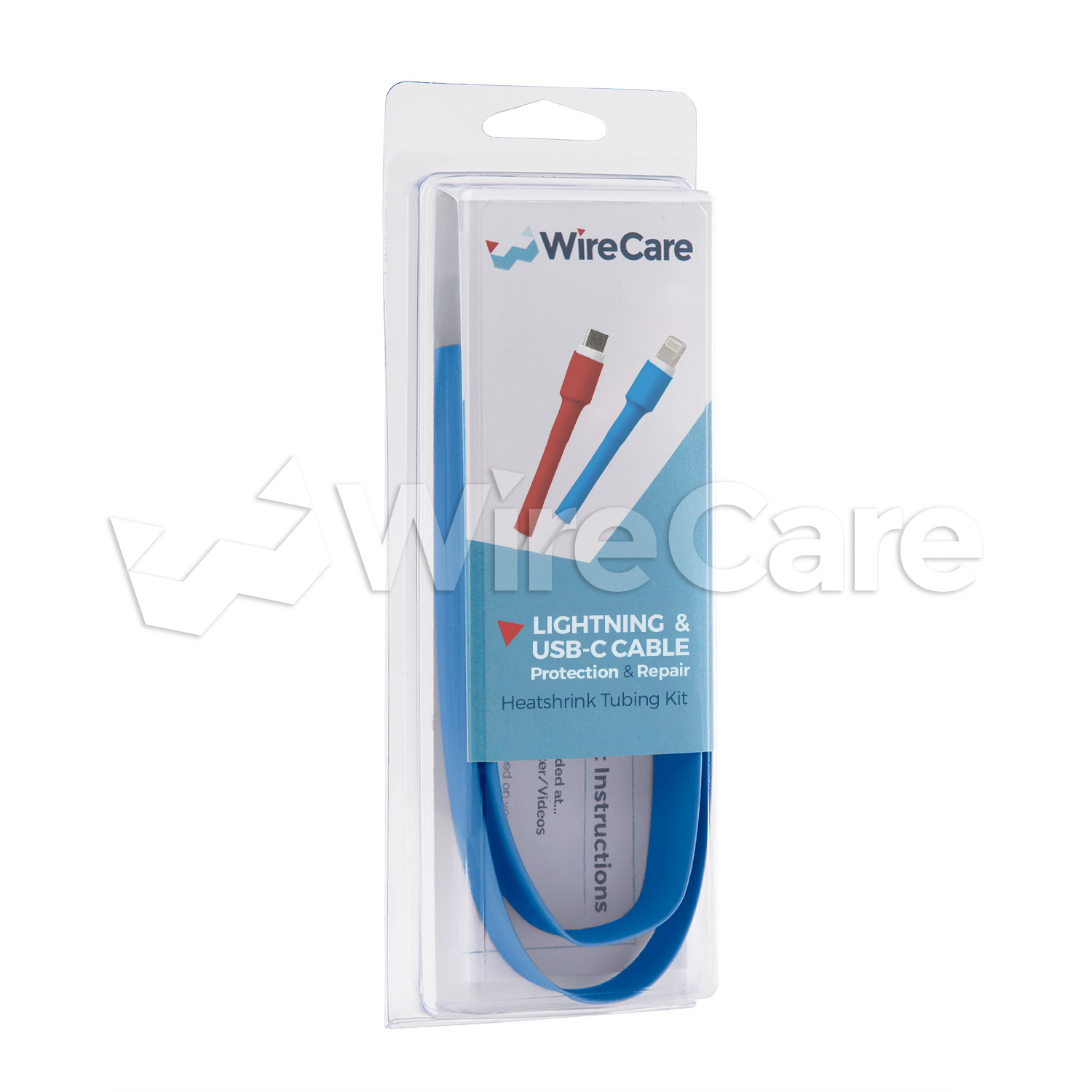
Slide heat shrink tubing over the cable ends and apply heat with a hairdryer. It shrinks snugly, creating a seamless, long-lasting shield. Unlike tape, it won’t peel or loosen with daily use.
- Best for: Preventive use—apply before any visible wear.
- How to apply: Cut tubing to one and a half inch length, slide over the cable end, then heat evenly until it conforms to the shape.
- Size guide: Use eight millimeter diameter for standard cables.
This method is ideal if you own multiple chargers and want a professional-grade fix that lasts.
Install Silicone Cable Protectors
Slip-on silicone or rubber sleeves are designed specifically for iPhone chargers. They fit over the connector joints and act as flexible strain reliefs, absorbing bend stress.
- Reusable: Move them between cables.
- Available in packs: Often sold in sets of three to five with varying sizes.
- Look for ridged designs: These offer better grip and added durability.
Use Proven DIY Protection Methods
For users who want maximum durability, DIY reinforcement methods go beyond surface protection. These solutions add tensile strength and dramatically extend cable life.
Wrap with Paracord for Extreme Durability
Paracord is incredibly strong and abrasion-resistant. Wrapping it around high-stress zones creates a rugged outer layer that protects against crushing and fraying.
- Steps: Cut two six-inch paracord pieces, melt the ends with a lighter to prevent unraveling, wrap tightly around the cable near each connector, then tuck or melt the ends to secure.
- Bonus: Available in colors so you can customize your charger.
Try the Pen Spring Method
Slide a metal spring from a pen over the cable end. When bent, the spring flexes instead of the cable, reducing strain on internal wires.
- Best for: Lightning connector base.
- Limitation: Over time, the spring may rub and wear through the sheath, so check regularly.
Despite mixed feedback, it remains a low-cost, accessible option for quick reinforcement.
Handle Your Charger the Right Way
Even the strongest cable fails fast with bad habits. How you plug in, unplug, and move your device has a direct impact on lifespan.
Never Yank the Cable
Always grip the plug, not the cord, when disconnecting. Pulling by the cable stresses solder joints and can disconnect internal wires, even if the outside looks fine.
- Consequence: Intermittent charging, flickering, or total failure.
- Fix: Train yourself to use two fingers on the plug head.
Insert Gently and Align First
Forcing the Lightning plug into the port damages both the cable tip and your iPhone’s charging port. Instead, align the connector properly and insert smoothly with no wiggling or pressure. If it doesn’t fit, flip it because Lightning is reversible. This protects delicate pins and prevents port misalignment.
Store Your Cable Without Causing Stress
How you coil and store your charger determines how long it lasts. Tight loops and knots are silent killers of internal wires.
Use the Roadie Wrap Method
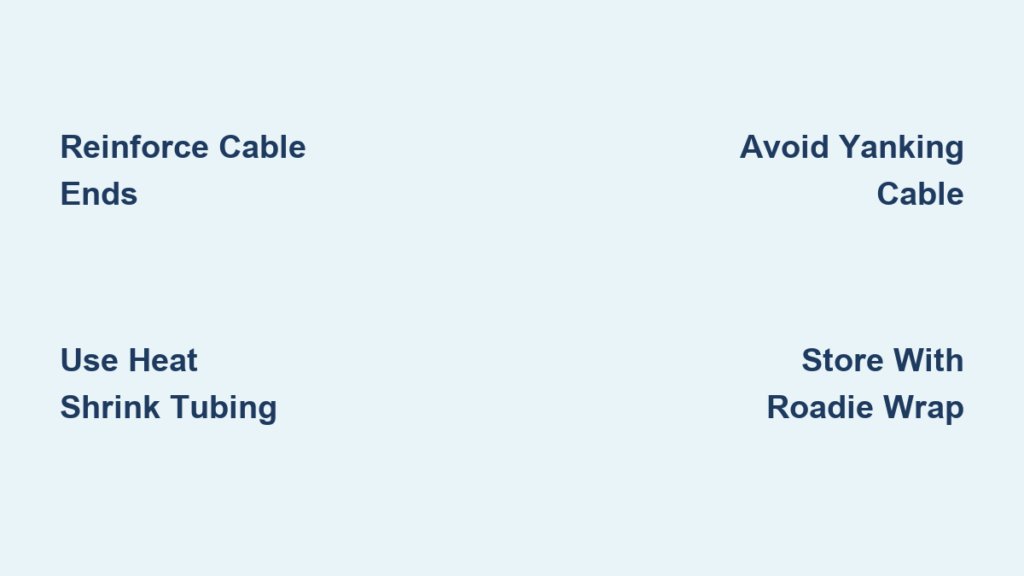
Instead of wrapping tightly around your hand, use the roadie wrap: hold the plug in one hand, loop the cable loosely over two fingers, and once fully coiled, tuck the plug into the middle loop. This keeps the cable kink-free and eliminates sharp bends.
Avoid Knots and Tight Coils
Never tie a knot or wrap the cable tightly. Each sharp bend causes micro-fractures in copper wires, leading to early failure. Use a soft Velcro tie instead to secure loose coils.
Choose a Durable Charger from the Start

The best prevention is starting with a durable cable. Not all chargers are created equal, and material and certification make a huge difference.
Buy MFi-Certified Cables Only
Always choose Apple MFi-certified chargers. Non-certified clones use cheap materials and lack safety circuitry.
- Risks of cheap chargers: Short lifespan, slow or failed charging, iPhone damage warnings, fire or overheating hazards.
Look for the MFi logo on packaging and never skip this step.
Upgrade to Nylon-Braided Cables
Replace standard rubber cables with nylon-braided versions. They resist fraying, tangling, and crushing far better.
- Rubber stock cables: Baseline lifespan, best for light use.
- Nylon-braided cables: Two to three times longer lifespan, best for daily use and travel.
- Metal-braided cables: Three to four times longer lifespan, best for heavy use with pets or kids.
Nylon-braided cables are the sweet spot: durable, flexible, and widely available.
Consider Wireless Charging Alternatives

If you constantly break chargers, the ultimate solution is to stop using them altogether.
Use Wireless Charging (Qi)
Qi wireless charging eliminates plug wear. Just place your iPhone on the pad with no insertion and no strain.
- Requirements: iPhone eight or later.
- Best for: Nightstand charging.
- Limitation: Slower than wired and generates more heat.
Use Apple-certified Qi pads to ensure safety and performance.
Try Magnetic Chargers (MagSafe)
MagSafe uses magnets to attach the charger. If you trip over the cord, it detaches harmlessly, protecting both cable and phone.
- Compatible: iPhone twelve and newer.
- Benefits: Auto-alignment, faster wireless charging up to fifteen watts, no port wear.
While more expensive upfront, it reduces long-term replacement costs.
Know When to Replace a Damaged Charger
Even with the best care, all chargers eventually wear out. Recognizing the signs helps you replace safely and avoid damage.
Replace Immediately If
- Wires are exposed: Risk of shock or short circuit.
- Charging is intermittent: Wiggling the cable starts or stops charging, which signals an internal break.
- Plug feels loose: Connector wobbles in the port.
- Smell or discoloration: Indicates overheating, so stop using immediately.
Recycle Properly
Don’t throw chargers in regular trash. Use Apple’s recycling program or a local e-waste drop-off. This recovers copper, plastic, and other materials.
Frequently Asked Questions About Preventing iPhone Charger Breakage
Why do iPhone chargers break so easily?
The most common failure point is where the cable meets the Lightning or USB connector. This area undergoes repeated bending, twisting, and stress during daily use. Internal wire damage occurs from flexing, causing microscopic fractures in copper wires that lead to intermittent charging or complete failure, even when no external damage is visible.
Does wrapping my charger in tape actually help?
Yes, electrical tape provides a protective layer that resists splitting and shields internal wires. Apply it one to two inches from each connector end. Reapply every few months when edges begin to lift. Avoid duct tape or masking tape because they dry out, leave residue, and don’t stretch as well.
Are braided cables worth the extra cost?
Yes, nylon-braided cables last two to three times longer than standard rubber cables. They resist fraying, tangling, and crushing. If you use your charger daily or travel frequently, upgrading to a braided cable is one of the best investments you can make.
What is the roadie wrap method?
The roadie wrap keeps cables kink-free by looping them loosely instead of wrapping tightly. Hold the plug in one hand, loop the cable loosely over two fingers, then tuck the plug into the middle loop to secure it. This prevents sharp bends that damage internal wires.
Can wireless charging solve my charger breakage problem?
Wireless charging eliminates physical connector wear entirely since there’s no plugging or unplugging. Qi chargers work with iPhone eight and later, while MagSafe offers faster charging and magnetic attachment for iPhone twelve and newer. This is the best solution for chronic cable breakers.
How often should I replace my iPhone charger?
Replace immediately if you see exposed wires, experience intermittent charging, notice a loose plug, or smell burning or see discoloration. Even without visible damage, consider replacing cables that are over two years old if you use them heavily.
Key Takeaways for Preventing iPhone Charger Breakage
The average iPhone charger lasts three to six months with normal use, but with these strategies, you can easily double or triple its life. Start strong by using MFi-certified, nylon-braided cables. Reinforce the ends with heat shrink tubing or silicone protectors. Always handle your charger gently by unplugging at the head, never the cord. Store it using the roadie wrap method with no knots or tight coils. For chronic breakers, consider switching to MagSafe or Qi wireless charging to eliminate port wear entirely. Stop replacing chargers every few months. Protect them, and they’ll keep your iPhone powered for years.