
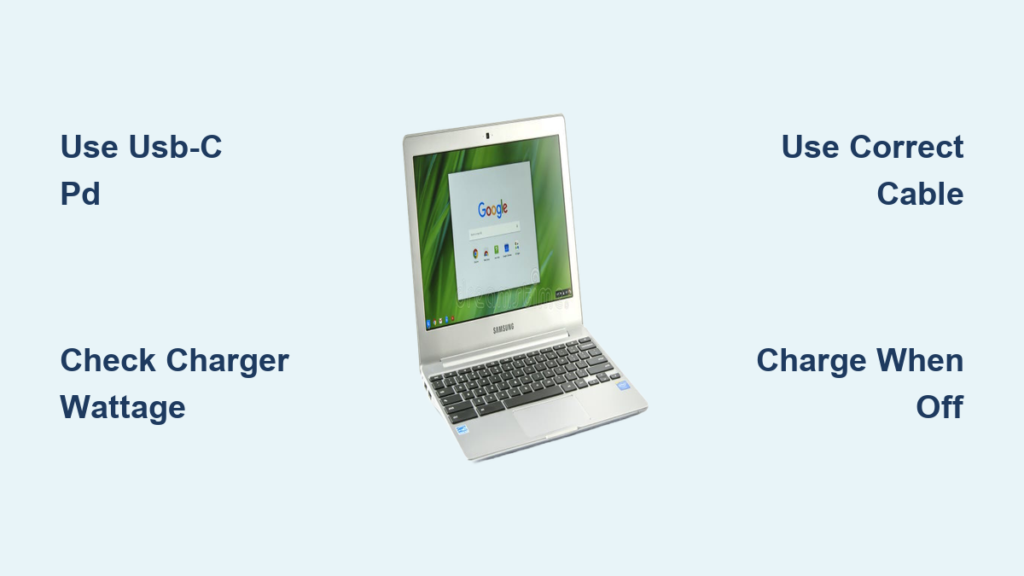
Youre out of power, your Chromebook battery is dying, and your charger is nowhere to be found but your phones fast-charging block is in hand. Can you use it to charge your Chromebook? The answer is yes, in most cases, as long as you have the right setup. Thanks to USB-C Power Delivery (PD), modern devices can safely negotiate power levels, making cross-device charging possible without damaging your Chromebook. But while its safe, its not always efficient. Many phone chargers lack the wattage needed to keep up with a Chromebooks power draw, especially during active use. This guide breaks down exactly what you need charger specs, cable types, model compatibility and how to avoid common pitfalls. Youll learn when a phone charger works, when it falls short, and what smarter alternatives exist.
Check USB-C Power Delivery Support
Before plugging in, confirm both your Chromebook and charger support USB-C Power Delivery (PD). This protocol allows devices to communicate and deliver the correct voltage and current safely. Without PD, charging wont initiate or may be extremely slow.
Verify Chromebook Charging Port
Look for a USB-C port labeled with a lightning bolt icon, which indicates it supports charging. Most Chromebooks from 2017 onward use USB-C for power, while older models with barrel jacks wont work with phone chargers. High-end models like the Acer Spin 713 (i7) or Lenovo Duet require at least 45W for optimal performance.
Confirm Charger PD Compatibility
Not all USB-C phone chargers support PD. Check the label or specs before purchasing. The minimum requirement is 5V/2A (10W) for trickle charging. The recommended range is 9V/2A (18W) or higher for usable charging. For optimal performance, look for 15V/3A (45W) or more. Fast-charging standards like Samsung 25W, iPhone 20W, or Google Pixel 18W are PD-compatible and usable in a pinch.
Use Correct USB-C to USB-C Cable
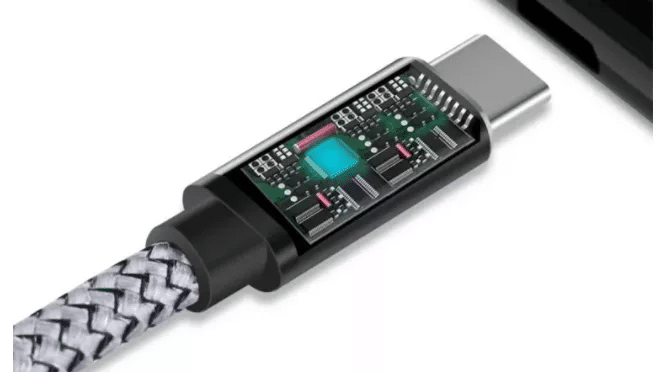
A USB-C to USB-C cable is required for charging. Do not use USB-A to USB-C cables. The cable must support Power Delivery and 3A or 5A current. Cables rated for 60W or higher should be E-Marked, meaning they contain a chip identifying their capabilities. Thunderbolt 3/4 or USB4 cables are ideal because they support up to 100W and ensure full PD functionality. Avoid cheap, unbranded cables that may limit power to 15W or fail under load.
Use 10W Charger for Trickle Charging
If you only have a low-wattage phone charger (e.g., older 10W or 12W), you can still charge your Chromebook, but only under specific conditions.
Charge Overnight When Powered Off
A 10W charger can slowly replenish battery when the Chromebook is off or in deep sleep. This method is ideal for emergency top-ups. Plug in overnight, and you’ll likely wake to a full charge. This works best on low-power models like those with Intel Celeron N4020 or MediaTek processors.
Expect No Net Gain During Use
Active usage such as web browsing, video streaming, or running apps consumes more power than a 10W charger supplies. The result is that your battery level drops even when plugged in. The system may display a warning that your Chromebook is using more power than it’s receiving.
Monitor Charging Indicator
Look for visual confirmation that charging is occurring. The battery icon should show an upward trend, and the charging light (if present) should turn on. If no indicator appears, the charger or cable likely doesn’t support PD or is below the minimum threshold required for charging.
Try 18W to 25W Fast Phone Chargers
Many modern smartphones come with 18W to 25W PD chargers, such as Samsung 25W or Google Pixel 18W blocks. These offer better performance than 10W chargers but still fall short of OEM Chromebook chargers.
Partial Charging During Light Use
With minimal tabs open and screen brightness low, an 18-25W charger may maintain or slowly increase battery. Heavy tasks like YouTube, Zoom, or multiple apps will likely exceed input power. You may see warnings prompting you to power off your Chromebook before it can charge.
Real-World User Results
One user reported a 22.5W replacement charger worked for emergency use while waiting for an OEM block. Another used a 25W Samsung charger to top up a Lenovo Duet during travel. It was slow but functional.
Best for Emergency Top-Ups
These chargers are not ideal for daily use but are reliable for short-term needs. Combine with airplane mode or low-power mode to reduce drain and improve charging efficiency.
Use 45W Plus Charger for Full-Speed Charging

For reliable, fast charging, match or exceed your Chromebooks original charger wattage. Most standard models ship with 45W, while high-end or 2-in-1s need 65W or more.
Match OEM Performance with 45W
A 45W USB-C PD charger delivers full-speed charging on most Chromebooks. Users report success with Anker 45W desktop stations and third-party blocks. Charging speed matches OEM brick when using a Thunderbolt-certified cable.
Upgrade to 65W GaN for Multi-Device Use
GaN (Gallium Nitride) chargers are compact, efficient, and ideal for travelers. A 65W GaN multi-port charger can power your Chromebook as the primary device while simultaneously charging your phone via USB-C or USB-A, plus a tablet or watch through a secondary port. One user powered an Acer Spin 713, Samsung S21 Ultra, Tab S8, and Galaxy Watch simultaneously using a trio charging pad.
Consider 100W to 140W for High-End Models
Chromebooks with Intel i7, Core processors, or detachable designs benefit from 100W or 140W GaN chargers. These handle peak loads during charging and usage. This approach is also future-proof, as one charger can handle your laptop, phone, tablet, and accessories.
Avoid Damaged or Non-PD Chargers
While USB-C PD protects your Chromebook from over-drawing power, the charger itself is at risk if used beyond its design limits.
Risks of Using Low-Quality Chargers
Poorly built chargers may overheat under sustained load. Constant stress degrades internal components and reduces lifespan. Substandard, counterfeit, or uncertified units pose a fire hazard.
Never Use Non-PD or USB-A Chargers
USB-A to USB-C cables typically max out at 12-15W, which is too low for most Chromebooks. Non-PD chargers wont trigger charging or may deliver inconsistent power. Avoid universal chargers without USB-IF certification.
Stick to Certified Brands
Use chargers from Anker, Belkin, Samsung, Google, or OEMs. Look for USB-IF certification and PD 3.0 or higher support. Avoid no-name brands sold at gas stations or discount stores.
Charge Chromebook While Off or Sleeping
When using a lower-wattage phone charger, turn off the Chromebook or let it sleep to enable effective charging.
Power Off for Best Results
With a 10-25W charger, shutting down ensures all power goes to the battery. There are no background apps, screen, or Wi-Fi consuming energy. This method is also safe for battery health, as slow overnight charging reduces heat stress.
Use Sleep Mode as Alternative
If you need quick access, close the lid and let it enter deep sleep. Power draw drops significantly, allowing even 18W chargers to make progress. Wake to find battery level increased, especially after several hours.
Disable Peripherals to Reduce Load
Unplug USB drives, mice, or hubs. Turn off Bluetooth devices. Lower screen brightness before sleeping to maximize charging efficiency.
Prevent Charger Overload with GaN Tech
GaN chargers are the smartest long-term solution for charging multiple devices, including using one block for both phone and Chromebook.
Why GaN Is Ideal
GaN technology allows high wattage in a smaller size. These chargers run cooler than traditional silicon chargers because they are more efficient. Multi-port support lets you charge your Chromebook, phone, and tablet simultaneously.
Recommended GaN Chargers
A 45W GaN charger works well for single-device fast charging. A 65W GaN charger handles Chromebook plus phone or tablet. A 100W GaN charger powers multiple high-power devices. A 140W GaN charger is ideal for travelers needing maximum versatility. For example, a 140W GaN charger powers a Chromebook while also charging an iPad and iPhone without needing to swap cables.
Long-Term Cost and Convenience Savings
Carry one charger instead of multiple bricks. This eliminates clutter at home or in bags. One user reported using the same 65W charger for 6 years across phones, tablets, and Chromebooks.
Reverse Strategy: Use Chromebook Charger for Phone
Instead of straining a phone charger to power a Chromebook, use your Chromebooks charger to charge your phone. Its faster, safer, and more efficient.
Faster Phone Charging
A 45W or 65W charger delivers full-speed PD charging to any compatible phone. It charges iPhone, Pixel, or Galaxy in record time. There is no risk because devices only draw what they need.
Reduce Device Clutter
Eliminate the need for multiple chargers. One high-wattage block handles all USB-C devices. This is ideal for travel, dorm rooms, or minimalist setups.
Extend Charger Lifespan
Chromebook chargers are built for higher loads, so using them on phones is well within safe limits. This causes less wear than pushing a small phone charger beyond its capacity.
Frequently Asked Questions About Charging Chromebook with Phone Charger
Can I safely charge my Chromebook with a phone charger?
Yes, you can safely charge a Chromebook with a phone charger as long as both devices support USB-C Power Delivery (PD). The PD protocol enables intelligent power negotiation, ensuring the Chromebook only draws as much power as the charger can safely supply. This eliminates the risk of damaging your device.
What wattage phone charger do I need to charge a Chromebook?
A minimum of 10W is required for trickle charging, though this only works when the Chromebook is off or sleeping. For usable charging during light use, an 18W to 25W fast charger is recommended. For full-speed charging that keeps up with active use, a 45W or higher charger is required.
Why does my Chromebook say its using more power than its receiving?
This warning appears when the charger wattage is too low to match the Chromebooks power consumption during active use. The battery drains even though the device is plugged in. To resolve this, either use a higher-wattage charger (45W or more) or power off the Chromebook while charging.
What cable do I need to charge a Chromebook with a phone charger?
You need a USB-C to USB-C cable that supports Power Delivery and is rated for at least 3A or 5A current. Cables rated for 60W or higher should be E-Marked. Avoid USB-A to USB-C cables, as they max out at 12-15W and wont work effectively.
Can I use my Chromebook charger to charge my phone?
Yes, this is actually the recommended approach. A 45W or 65W Chromebook charger will deliver full-speed PD charging to any compatible smartphone. Its safer and more efficient than using a phone charger for your Chromebook, and it reduces the number of chargers you need to carry.
Key Takeaways for Charging Chromebook with Phone Charger
Charging a Chromebook with a phone charger is safe and possible with USB-C Power Delivery, but performance depends heavily on wattage and cable quality. Low-wattage chargers between 10W and 25W work for trickle charging when the device is off, while 45W or higher blocks deliver full-speed results even during active use. Always use a proper USB-C to USB-C cable that supports PD, and avoid cheap or uncertified chargers to prevent safety hazards.
For the best experience, invest in a 65W GaN charger to power all your devices efficiently. These compact chargers handle your Chromebook, phone, tablet, and accessories simultaneously without overheating. Consider reversing the strategy as well: use your Chromebook charger for your phone instead. Its faster, safer, and more future-proof than the reverse. With the right setup, you can stay powered anywhere without the bulk of carrying multiple chargers.





