
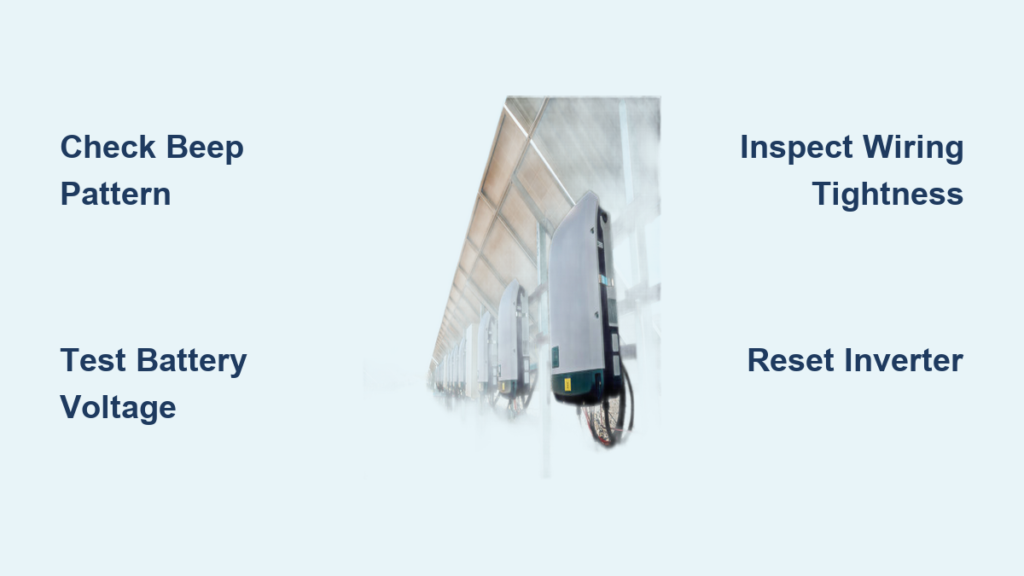
You’re not alone if your inverter starts beeping while charging. This sudden, repetitive sound can be both confusing and frustrating. But here’s the truth: inverter beeping during charging is not a random glitch. It’s a deliberate warning system designed to protect your equipment and alert you to underlying issues in your power setup. Whether you’re running a solar system, backup power, or off-grid setup, ignoring the beeps can lead to battery damage, inverter failure, or even safety hazards.
The good news? Most causes of inverter beeping are fixable with simple troubleshooting. This guide cuts through the noise and gives you a clear, step-by-step plan to diagnose, silence, and prevent inverter beeping while charging. From low battery voltage to faulty wiring and incorrect settings, we’ll walk you through every possible cause backed by technical insights and real-world fixes. By the end, you’ll know exactly what your inverter is trying to tell you and how to stop the beeping for good.
Decode Beeping Patterns First
Before grabbing tools or disconnecting cables, your first step is to listen carefully to the beep pattern. Inverters use sound like a language. Each rhythm signals a different problem. Recognizing the pattern helps you skip guesswork and go straight to the fix.
One Beep Every 5 to 10 Seconds
This is the most common warning: low battery voltage. Your inverter detects that the battery voltage has dropped below the safe threshold, usually below 11V for a 12V system. Even during charging, if the battery is weak or degraded, the inverter may continue to beep.
What to do:
- Measure battery voltage with a multimeter.
- A healthy 12V battery should read 12.6 to 12.8V when idle and 13.2 to 14.4V while charging.
- If voltage is below 12V under charge, fully recharge the battery.
- If voltage still does not rise, the battery may be sulfated or failing, especially if it is over 3 to 5 years old.
Pro Tip: A battery that reads 11.9V under load may seem charged but cannot deliver stable power, triggering repeated low-voltage alarms.
Rapid Beeping (2+ Beeps Per Second)
This urgent rhythm usually means overload or internal fault. The inverter is struggling to handle the connected load or has detected a system failure.
Quick action:
- Turn off all devices.
- Power cycle the inverter.
- Reconnect loads one by one to identify the culprit.
Continuous Beeping
A non-stop tone signals a critical fault, such as overvoltage, short circuit, or overheating. This is a red flag.
Immediate steps:
- Shut down the inverter.
- Disconnect from battery and power source.
- Check for burning smells, hot components, or swollen batteries.
- Inspect wiring and connections before restarting.
Four Beeps Every 30 Seconds
This is often normal behavior. Many inverters emit this sound when running on battery power or switching from grid to inverter mode.
Do not panic:
- Confirm if the system is in battery mode.
- If grid or shore power is available but not engaged, check transfer settings.
- Some models allow you to disable this alert via DIP switch or button hold.
Beeping Every 4 to 5 Hours
If the beep occurs like clockwork, it is likely a failed self-test alarm. The inverter ran a battery check and found the battery too weak to hold charge.
Solution:
- Fully recharge the battery.
- Test under load using a battery analyzer.
- Replace the battery if it is aged or failing, especially lead-acid units over 3 to 5 years.
Check Battery Voltage and Health

Battery issues cause over half of all inverter beeping during charging. Even if your charger is working, a weak or failing battery can trigger alarms.
Test Voltage With a Multimeter
Use a digital multimeter to get accurate readings:
| Battery State | Expected Voltage (12V System) |
|---|---|
| Fully Charged (Idle) | 12.6 to 12.8V |
| Charging (Under Load) | 13.2 to 14.4V |
| Low Voltage (Alarm Threshold) | Below 11.5V |
If your battery reads below 12V while being charged, the problem is not the inverter. It is the battery or charging system.
Perform a Load Test
A voltage test alone is not enough. A battery can show 12.5V at rest but collapse under load.
How to test:
- Disconnect inverter.
- Connect a known load, such as a 100W bulb or portable heater.
- Monitor voltage over 5 to 10 minutes.
- If voltage drops below 11V quickly, the battery is failing.
Note: Lithium (LiFePO4) batteries should maintain voltage above 13V during discharge. A rapid drop indicates BMS or cell imbalance issues.
Replace Aging Batteries
Battery lifespan varies by type. Lead-acid batteries typically last 3 to 5 years, while lithium (LiFePO4) batteries can last 8 to 10 years. If your battery is near or past this age and beeping persists, replacement is likely the fix.
Eliminate Overload Conditions
An overload happens when connected devices draw more power than the inverter can safely deliver, even during charging.
Calculate Your Total Load
Add up the wattage of all devices. A laptop uses about 60W, a fridge uses 100 to 200W with surges up to 600W, a microwave uses 800 to 1200W, and a heater uses 1500W or more.
Rule of thumb: Keep total load below 80% of the inverter’s continuous rating. For example, a 3000W inverter supports about 2200 to 2400W continuous load, not 3000W.
Disconnect and Reconnect Devices
To identify overload:
- Turn off all devices.
- Restart inverter with no load.
- Connect devices one by one.
- If beeping returns after connecting a device, that unit may be faulty or too powerful.
Warning: Some appliances like fridges and pumps have high startup surges. Your inverter may beep briefly during startup. This is normal if it stops within seconds.
Inspect Wiring and Connections
Loose, corroded, or undersized wiring is a silent killer in power systems and a top cause of false alarms.
Tighten All Terminal Connections
Loose battery or inverter terminals create resistance, causing voltage drops that mimic low battery conditions.
Steps:
- Turn off all power sources.
- Check battery terminals, inverter lugs, and charge controller connections.
- Use a torque wrench to tighten to spec, typically 5 to 8 Nm.
- Apply dielectric grease to prevent future corrosion.
Clean Corrosion From Terminals
White or green crust on terminals increases resistance and triggers alarms.
Cleaning method:
- Mix baking soda and water.
- Scrub with wire brush.
- Rinse with clean water, dry thoroughly.
- Reconnect and secure.
Verify Cable Gauge and Length
Undersized cables cause voltage drop, especially under load.
Minimum cable sizes for 12V systems:
| Inverter Power | Recommended Cable Size |
|---|---|
| Up to 1000W | 4 to 2 AWG |
| 2000W | 1/0 AWG |
| 3000W+ | 2/0 AWG or larger |
Example: A 3000W inverter draws about 250A at 12V. Two AWG wire is only rated for about 90 to 115A, which is dangerously undersized and a fire risk.
Also keep cable runs under 3 feet and as straight as possible.
Verify Charging Source Stability

Beeping during charging often points to unstable or incorrect input voltage from solar, shore power, or generator.
Test Shore Power or Generator Output
Use a multimeter to check AC input. In North America, it should be 110 to 120V. In Europe or Australia, it should be 220 to 240V. If voltage is outside this range, the inverter may not charge properly and trigger alarms.
Check Solar Charge Controller Settings
If using solar, incorrect voltage settings can cause overvoltage alarms.
Set absorption voltage correctly:
- LiFePO4 batteries: 14.2 to 14.6V
- Lead-acid (AGM or Gel): 14.4 to 14.8V
Too high? The inverter sees overvoltage and beeps. Too low? The battery does not charge fully, leading to low-voltage alarms.
Fix:
- Access charge controller menu.
- Adjust absorption and float voltages.
- Upgrade from PWM to MPPT controller for better regulation.
Confirm Inverter Is in Correct Mode
Some inverters must be set to shore power mode when plugged in. If misconfigured, they may falsely detect power issues.
Quick test: Unplug shore power. Does beeping stop? If yes, check input mode settings.
Reset and Power Cycle the Inverter
A simple reboot can clear temporary glitches or false alarms.
Perform a Full Power Cycle
- Turn off inverter using power switch.
- Disconnect both battery and AC input, shore power, or solar.
- Wait 5 to 10 minutes. This allows internal capacitors to fully discharge.
- Reconnect battery first, then AC input.
- Power on and observe.
Important: Skipping the wait time means the inverter may not fully reset.
This often clears phantom beeps caused by software hiccups or transient voltage spikes.
Disconnect External Modules
Sometimes the beeping is not coming from the inverter at all. It is from a remote display, Bluetooth adapter, or Wi-Fi module.
Isolate the Source
- Power off inverter.
- Unplug remote monitor, app dongle, or extension panel.
- Restart inverter without accessories.
- If beeping stops, reconnect one by one to find the culprit.
Real case: A user with an EcoWorthy inverter traced beeping to a faulty remote display. Removing it silenced the system immediately.
Update Firmware
Some external modules have firmware bugs that cause false alarms. Check manufacturer website for updates. Even if the inverter is silent, outdated firmware can lead to future issues.
Prevent Overheating Issues
Inverters shut down and beep when they get too hot, especially in enclosed spaces or high ambient temperatures.
Cool Down the Unit
- Turn off inverter.
- Let it cool for 30 or more minutes.
- Relocate to a shaded, well-ventilated area.
- Ensure 6 or more inches of clearance around all vents.
Clean Fans and Heat Sinks
Dust buildup blocks airflow and causes thermal shutdowns.
Maintenance steps:
- Use compressed air to blow out dust.
- Check fan operation. Listen for grinding or silence.
- Replace fan if defective, if accessible.
Pro tip: Install a small external fan in hot environments like RVs or sheds.
Address Input Voltage Problems
Beeping during charging may stem from overvoltage or unstable input from the charger or solar array.
Measure Charging Voltage
While charging, check DC input voltage at the inverter. It should be 13.2 to 14.6V for a 12V system. Above 15V? That is overvoltage and triggers continuous beeping.
Causes:
- Faulty charger
- Poor charge controller regulation
- Solar panel VOC too high for system
Adjust Voltage Settings
Temporarily lower absorption voltage to 13.8V to see if beeping stops.
If it does, the battery may be imbalanced, especially in lithium. The charge controller needs recalibration. A firmware update may be available.
Upgrade to MPPT Controller
PWM controllers offer basic regulation. MPPT models optimize voltage and current, reducing stress on the system and preventing alarms.
Replace Faulty or Failing Components
If all else fails, the issue may be internal.
Signs of Internal Failure
- Beeping with no load and full battery
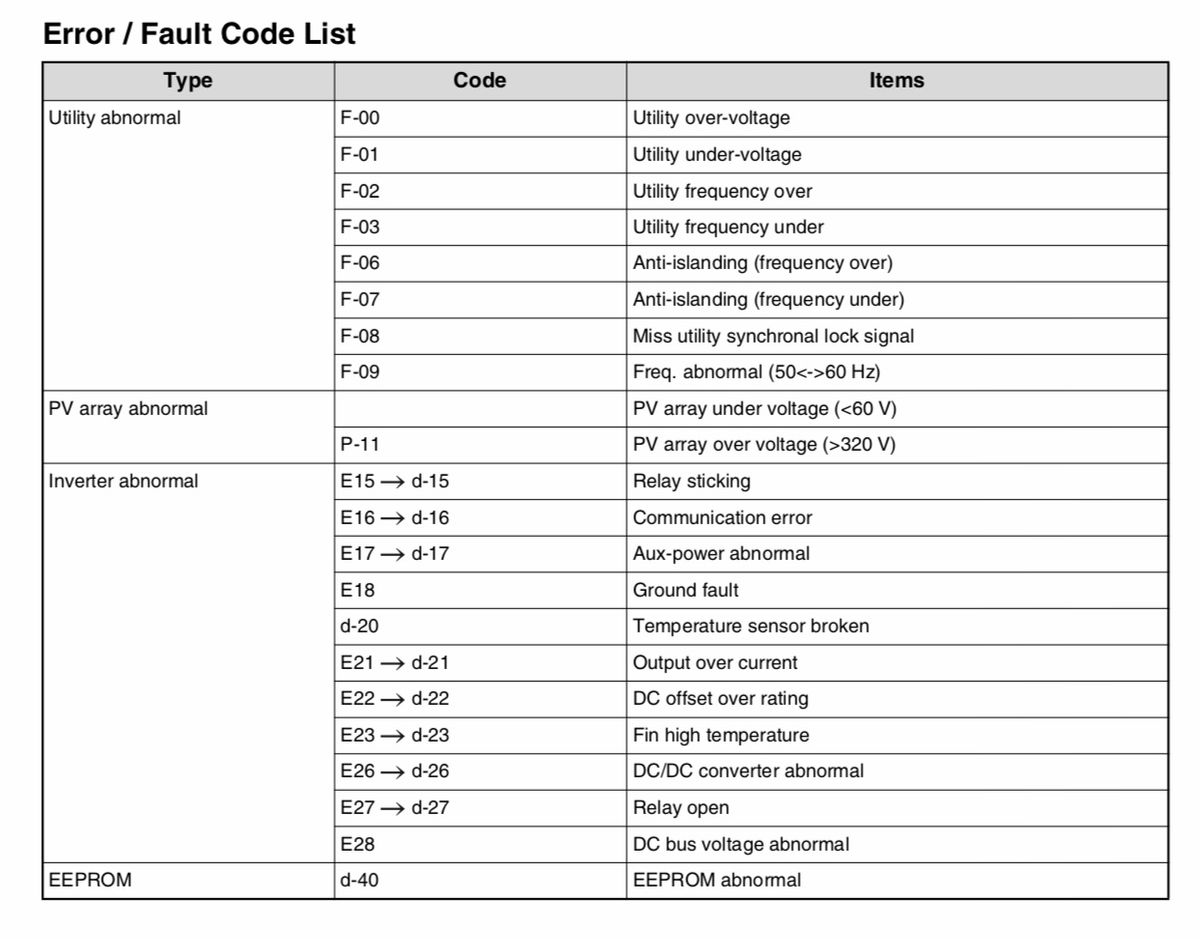
- Error codes like F01, E05, or H02
- Burnt smell, swollen capacitors, or non-spinning fan
Warning: Do not open sealed inverters unless qualified. Risk of shock or voiding warranty.
When to Call a Technician
Seek professional help if beeping persists after full troubleshooting, smoke, melting, or physical damage occurs, lithium battery is swelling or leaking, or warranty is still active. Many manufacturers offer repair services or replacements for defective units.
Silence Normal Beeping (Battery Mode Alerts)
Not all beeping needs fixing. Some models emit periodic tones to indicate battery mode or standby.
Four Beeps Every 30 Seconds
This means the inverter is running on battery power. It is a reminder, not a fault.
To stop it:
- Resume charging from shore or solar.
- Increase load slightly, such as turning on a light, to keep inverter active.
- Check the manual. Some models allow disabling via DIP switch or button hold.
Standby Mode Beeping
Low-load conditions may trigger standby alerts.
Fix:
- Adjust inverter settings to extend idle time.
- Use silent mode if available.
- Some units let you disable beeps by holding power button for 5 seconds.
Note: Always refer to your model manual. Features vary by brand, including Renogy, APC, Brinkley, and Victron.
Prevent Future Beeping: Maintenance Tips
Avoid recurring alarms with simple, regular checks.
Monthly Maintenance
- Inspect and clean all connections
- Tighten terminals
- Check cable condition
- Verify fan operation
Every 6 Months
- Test battery health under load
- Calibrate charge controller
- Update firmware if supported
Install Monitoring Tools
Use a battery monitor like Victron BMV-712 or a DC voltage meter to catch issues early. Smart inverters with app alerts can notify you before beeping starts.
Keep Spare Parts
Have on hand correct-size fuses, spare battery cables, replacement fan, and backup battery for critical systems.
Final Thoughts on Stopping Inverter Beeping
Inverter beeping while charging is a warning, not a mystery. By following this guide, you can diagnose and fix the issue in most cases. The key is to listen to the pattern, test voltage, inspect connections, and eliminate loads. With proper maintenance and compatible components, you can keep your system silent, safe, and running smoothly for years.
Frequently Asked Questions About Inverter Beeping While Charging
Why does my inverter beep every few seconds while charging?
One beep every 5 to 10 seconds typically indicates low battery voltage. The inverter is detecting that the battery voltage has dropped below the safe threshold, usually below 11V for a 12V system. Measure your battery voltage with a multimeter. If it reads below 12V while charging, recharge the battery or check for battery degradation.
Can overload cause inverter beeping during charging?
Yes. An overload occurs when connected devices draw more power than the inverter can handle, even during charging. This causes voltage sag and triggers rapid beeping. Disconnect all non-essential devices and ensure your total load stays below 80% of the inverter’s continuous rating.
How do I stop the four beeps every 30 seconds?
This pattern usually means the inverter is running on battery power, which is normal behavior. To stop it, resume charging from shore or solar power, increase the load slightly to keep the inverter in active mode, or check your manual to see if you can disable this alert via DIP switch or button hold.
Why does my inverter beep continuously when charging?
Continuous beeping indicates a critical fault such as overvoltage, short circuit, or overheating. Turn off the inverter immediately, disconnect from battery and power source, check for burning smells or hot components, and inspect all wiring before restarting.
Can loose connections cause inverter beeping?
Yes. Loose, corroded, or undersized terminals create resistance that causes voltage drops, mimicking low battery conditions. Tighten all connections to manufacturer specifications, typically 5 to 8 Nm, and clean corrosion with baking soda and water.
When should I replace my battery to stop inverter beeping?
Replace the battery if it is over 3 to 5 years old (lead-acid) or 8 to 10 years old (lithium) and beeping persists despite full charging. A battery that fails a load test, shows voltage below 11V under load, or cannot hold charge should be replaced.





