
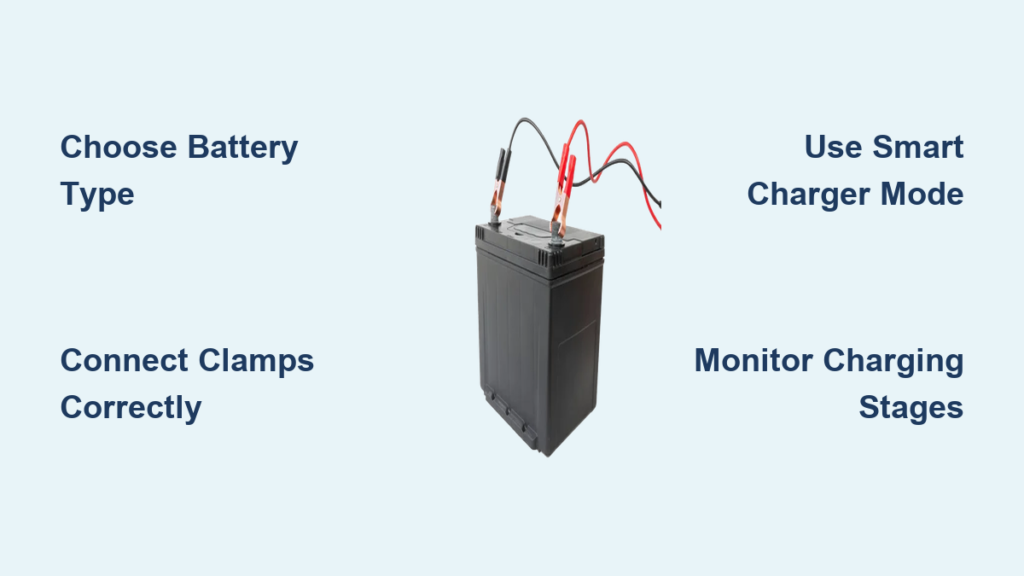
You’ve turned the key, and nothing happens. Your car, motorcycle, or RV won’t start. The culprit is likely a drained 12V battery. Whether from short trips, cold weather, or long-term storage, a dead battery is a common but fixable problem. Knowing how to use a 12V battery charger safely and effectively is essential for every vehicle owner.
This guide walks you through every stage of the charging process. You’ll learn how to select the right charger for your battery type, connect clamps safely, monitor the charge, and disconnect properly. With the right steps and precautions, you can restore your battery to full power without risking damage to yourself or your vehicle.
Choose the Right 12V Charger for Your Battery

Selecting the correct charger ensures safe, efficient charging and extends battery life. Using the wrong charger can permanently damage your battery, so always verify the chemistry before connecting.
Match Charger to Battery Type
Battery chemistry determines charging requirements. Using an incompatible charger leads to permanent damage.
• Flooded (Wet Cell): Use standard or smart chargers with bulk, absorption, and float stages. Some support equalization mode.
• AGM (Absorbent Glass Mat): Requires AGM-specific mode. Voltage must not exceed 14.7V or damage occurs.
• Gel: Needs gel setting only. Charging above 14.2V causes irreversible damage.
• Lithium (LiFePO4): Use only a lithium-compatible charger. Most lead-acid chargers are unsafe for lithium batteries.
Pro Tip: When in doubt, choose “Lead-Acid” or “Standard” mode on a smart charger. Avoid generic “12V” settings without chemistry selection.
Pick the Correct Amperage
Charger output amperage affects charging speed and battery health. The rule of thumb is that charger amperage should be about 25% of the battery’s Ah rating.
• 0.5 to 2A (Trickle/Maintainer): Ideal for long-term storage. Recharges slowly but stays safe for sensitive batteries.
• 5 to 10A (Standard): Best for home use. Fully charges most car batteries in 4 to 12 hours.
• 10 to 15A+ (Fast/Heavy-Duty): For large batteries in trucks and boats. Use sparingly to avoid heat stress.
Prioritize Smart Charger Features
Smart chargers automatically adjust voltage and current, preventing overcharge and damage. These features are essential for safe, unattended charging.
Must-have features include:
• Multi-stage charging (bulk, absorption, float)
• Battery type selection
• Reverse polarity protection
• Spark-proof connection
• Temperature compensation
• Float/maintenance mode
• Digital display or clear LED indicators
Avoid unregulated “dumb” chargers that lack safety controls. They can boil dry a battery in hours.
Prepare the Battery and Charging Environment
Safety starts before you plug in. Improper conditions lead to sparks, fumes, or fire. Taking time to prepare prevents dangerous situations.
Work in a Well-Ventilated Area
Batteries emit hydrogen gas during charging. This gas is invisible, odorless, and highly explosive.
• Charge outdoors or in an open garage.
• Never charge in enclosed spaces like a basement or closed shed.
• Keep flames, cigarettes, and sparks away from the charging area.
Warning: A single spark near a venting battery can cause an explosion.
Turn Off the Vehicle and Electrical Loads
Even when off, vehicles draw power from the 12V battery. Removing this load prevents charging problems.
• Park on level ground and engage the parking brake.
• Turn off ignition, lights, radio, and climate control.
• Remove the key or key fob from the vehicle.
• For EVs, ensure the vehicle is fully shut down, not in sleep mode.
Wear Safety Gear
Protect yourself from acid, sparks, and debris during the charging process.
• Safety glasses shield eyes from acid splashes or sparks.
• Rubber gloves prevent chemical burns from electrolyte.
• Long sleeves minimize skin exposure to battery acid.
Inspect and Clean the Battery
A damaged or dirty battery should not be charged. Taking time to inspect prevents dangerous situations and ensures efficient charging.
Check for Physical Damage
Do not charge if you see these warning signs:
• Cracks or leaks in the battery case
• Bulging or swelling (common in overcharged AGM or lithium)
• Frozen electrolyte (battery feels solid)
If frozen: Thaw completely at room temperature before charging. Never charge a frozen battery.
Clean Corroded Terminals
Corrosion appears as white or blue-green powder on the terminals. This buildup blocks conductivity and reduces charging efficiency.
Cleaning steps:
1. Mix baking soda and water (1 tablespoon per cup).
2. Apply the mixture with a toothbrush or wire brush.
3. Scrub terminals and cable ends thoroughly.
4. Rinse with clean water and dry completely.
Result: Shiny, bare metal contact ensures efficient charging.
Verify Electrolyte Level (Flooded Batteries Only)
If your battery has removable caps, check that fluid covers the lead plates. If low, add distilled water only. Never add acid. Do not overfill the cells.
Never charge a flooded battery with exposed plates because it causes permanent sulfation.
Connect the Charger Safely
This is the most critical step. Incorrect connection can fry electronics or cause an explosion. Following the correct sequence minimizes risk.
Never Plug In First
Always connect clamps before plugging into power. Why? Plugging in first energizes the clamps, increasing the risk of sparks when touching metal.
Connecting clamps first prevents sparks at the battery where hydrogen gas accumulates.
Use the Correct Connection Sequence
Follow this order to minimize spark risk and protect vehicle electronics.
Option 1: Grounded Negative (Recommended for ICE Vehicles)
- Connect the red clamp to the positive (+) terminal (marked with a red cap).
- Connect the black clamp to clean, unpainted metal on the engine block or chassis.
This method reduces spark risk near the battery where hydrogen gas accumulates.
Option 2: Direct Terminal Connection
- Connect the red clamp to the positive (+) terminal.
- Connect the black clamp to the negative (-) terminal.
This method carries higher spark risk. Only use it if no suitable ground point exists.
Option 3: Remote Charging Points (EVs and Modern Cars)
Many EVs and luxury vehicles have designated terminals under the hood instead of direct battery access.
• Red clamp goes to the remote positive point (often in the fuse box).
• Black clamp goes to chassis ground or the labeled negative post.
Check your owner’s manual because direct battery access may not be recommended for your vehicle.
Confirm Proper Connection
A smart charger provides feedback when properly connected. Look for these indicators:
• Display shows “Connected” or “Analyzing”
• Battery voltage appears on screen (12.1V indicates low charge)
• Green or blue light illuminates (no error)
Red warning light means reverse polarity or poor contact. Recheck your connections immediately.
Set and Start the Charger
With connections secure, you’re ready to begin charging safely and effectively.
Select Battery Type and Voltage
On smart chargers, choose the correct settings before starting:
• Select 12V (never 6V or 24V by mistake)
• Select chemistry: Flooded, AGM, Gel, Lithium, or Motorcycle
CTEK CS1 and similar models auto-detect battery type using APTO technology, simplifying this step.
Choose Charging Mode
If your charger offers amperage options, consider these guidelines:
• Low (2 to 5A): Safer for deeply discharged or older batteries.
• High (8 to 15A): Faster but generates more heat. Use for occasional recovery only.
• Maintain/Float: For long-term storage and maintenance.
Best Practice: Use low amperage unless time is critical.
Plug In and Power On
- Plug the charger into a grounded wall outlet.
- Turn on the charger if it has a power switch.
- Wait 2 to 3 minutes for initial analysis.
Smart chargers test battery condition before applying charge. Interrupting this process restarts the calibration.
Monitor the Charging Process
Most modern chargers are “set and forget,” but staying alert for warning signs ensures safe completion.
Understand the Charging Stages

Smart chargers follow a three-stage process for optimal results.
Stage 1: Bulk Charge
• Delivers maximum current to the battery.
• Voltage rises from approximately 12V to 14.4 to 14.7V for AGM or 13.8 to 14.2V for Gel.
• Replenishes approximately 80% of the charge.
Stage 2: Absorption
• Holds voltage steady while current gradually drops.
• Completes the final 20% of charge.
• Typically lasts 1 to 4 hours.
Stage 3: Float / Maintenance
• Voltage drops to approximately 13.2 to 13.8V.
• Trickle current prevents self-discharge.
• Safe for indefinite connection.
Watch for Warning Signs
Stop charging immediately if you notice these danger signals:
• Rotten egg smell (hydrogen sulfide gas)
• Swelling or venting of the battery case
• Excessive heat (too hot to touch)
• Smoke or fluid leakage
These symptoms indicate internal battery failure. Disconnect immediately and move away from the area.
Disconnect in Reverse Order
Removing clamps incorrectly risks short-circuiting the system. Following the proper sequence prevents damage and injury.
Follow This Disconnection Sequence
- Unplug the charger from the wall outlet first.
- Remove the black (negative) clamp from the ground or terminal.
- Remove the red (positive) clamp last.
Never remove the red clamp first because it risks a short if the clamp touches metal during removal.
Post-Charge Battery Check
After disconnecting, verify your battery is fully charged:
• Test voltage with a multimeter.
• 12.6 to 12.7V indicates a fully charged battery.
• Below 12.4V means the battery still needs more charge.
• Reinstall caps if removed.
• Apply dielectric grease to terminals to prevent future corrosion.
Charge Different Vehicle Types

Different vehicles have unique charging needs. Understanding these differences ensures proper care.
Charging in ICE Vehicles
Standard vehicles use 45 to 80Ah lead-acid or AGM batteries. Common causes of drain include forgotten lights, short trips, and parasitic electrical draw.
• Best charger: 5 to 10A smart model with AGM mode.
• Charge time for mild drain: 30 to 60 minutes to start the vehicle.
• Charge time for fully dead: 6 to 12 hours for a full charge.
Tip: After jump-starting, use a smart charger to assess whether the battery holds charge properly.
Charging EV 12V Batteries
Electric vehicles rely on a separate 12V battery to power critical systems. This battery starts control modules, unlocks doors, and wakes up the main traction battery.
• Failure consequence: The vehicle won’t start even with a full main battery.
• Access point: Use remote terminals under the hood (check your manual).
• Recommended charger: Smart model with AGM support.
Used EV Buyers: Ask about the 12V battery age. A weak 12V battery can mimic serious electrical faults.
Long-Term Storage Charging
To prevent sulfation during vehicle inactivity, proper maintenance charging is essential.
• Use a trickle or maintainer charger.
• Connect in float mode for safe, long-term connection.
• Leave attached for months without concern.
Ideal choices: CTEK MXS 5.0 or Optima Digital Maintainer for storage applications.
Troubleshoot Charging Issues
When charging fails, the problem may be the battery rather than the charger. Understanding common issues helps diagnose problems.
Battery Won’t Accept Charge
Possible causes include:
• Internal short or open cell
• Severe sulfation (crystals blocking charge acceptance)
• Physical damage or dry-out
Smart charger stuck on “Analyzing”? This often indicates a dead or severely damaged battery.
Charger Shows Error Codes
Common LED indicators and their meanings:
• Flashing red: Reverse polarity detected.
• Red light with beep: Poor connection or bad battery.
• Yellow light: Charging in progress (normal).
• Green light: Fully charged or in float mode.
Consult your charger’s manual for model-specific error code explanations.
After Jump-Start: What Next
A jump-start gets you moving, but it doesn’t fix the underlying problem. Follow these steps after any jump-start:
- Drive at least 20 to 30 minutes to allow the alternator to charge the battery.
- Connect to a smart charger to test charge retention.
- If the battery won’t hold charge, test the alternator and check for parasitic draw.
Alternator check: Engine running voltage should measure 13.8 to 14.7V.
Prevent Common Mistakes
Avoid these errors to protect your battery and vehicle from damage.
Mistake: Connecting Backward
Risk: Sparks, blown fuses, and ECU damage.
Fix: Use chargers with reverse-polarity alarms that prevent output when connected incorrectly.
Mistake: Charging in Enclosed Spaces
Risk: Hydrogen gas buildup causes explosion.
Fix: Always charge in open, ventilated areas.
Mistake: Leaving a Dumb Charger Connected
Risk: Overcharge leads to dry-out and fire.
Fix: Use only smart chargers for unattended charging.
Mistake: Using Wrong Battery Mode
Risk: Gel batteries undercharge, while AGM or lithium batteries overcharge.
Fix: Double-check the chemistry setting before starting.
Mistake: Routing Cables Under the Hood
Risk: Cables get pinched by moving parts.
Fix: Keep cables clear of hinges, belts, and fans.
Key Takeaways for Using Your 12V Battery Charger
A well-maintained battery lasts 4 to 6 years. Following these habits ensures maximum battery life and reliability.
Charge Regularly During Inactivity
Vehicles stored for more than two weeks should be connected to a maintainer. This prevents sulfation and capacity loss that occurs from prolonged discharge.
Keep Terminals Clean
Inspect terminals every three months. Clean at the first sign of corrosion to maintain optimal conductivity.
Use Float Mode for Storage
Smart chargers automatically switch to safe voltage in float mode. No need to disconnect or monitor constantly.
Replace When Needed
Watch for these signs of battery failure:
• Slow engine crank
• Frequent jump-starts required
• Voltage below 12.0V at rest
• Swelling or leakage visible on the battery case
Recycle old batteries at auto parts stores or designated recycling centers.
Frequently Asked Questions About 12V Battery Chargers
Can I use the same 12V charger on my EV and gasoline car?
Yes, if the charger supports AGM mode, which most EVs use for their 12V batteries. Use a smart charger with AGM mode and ensure compatibility with remote charging terminals.
How long does it take to charge a dead 12V battery?
A 2A trickle charger takes 12 to 24 hours. A 5A charger completes the job in 6 to 10 hours. A 10A charger takes 4 to 8 hours. Fully depleted batteries charge slower to avoid stress.
Is a trickle charger the same as a 12V charger?
A trickle charger is a type of 12V charger that delivers 0.5 to 2A. It’s designed for maintenance and storage, not for reviving dead batteries.
Can a 12V charger damage car electronics?
Only if misused. Reverse connection, incorrect voltage settings, or leaving an unregulated charger connected for days can cause problems. Smart chargers are safe for modern vehicles.
Do EVs need a 12V charger even though they plug in?
Yes. The main battery charging does not automatically charge the 12V battery. A separate 12V charger may be needed after long storage periods.
What size 12V charger should I buy for home use?
A 6 to 10A smart charger with AGM and maintenance modes is ideal for most home users. This size handles cars, SUVs, and light trucks effectively.





