
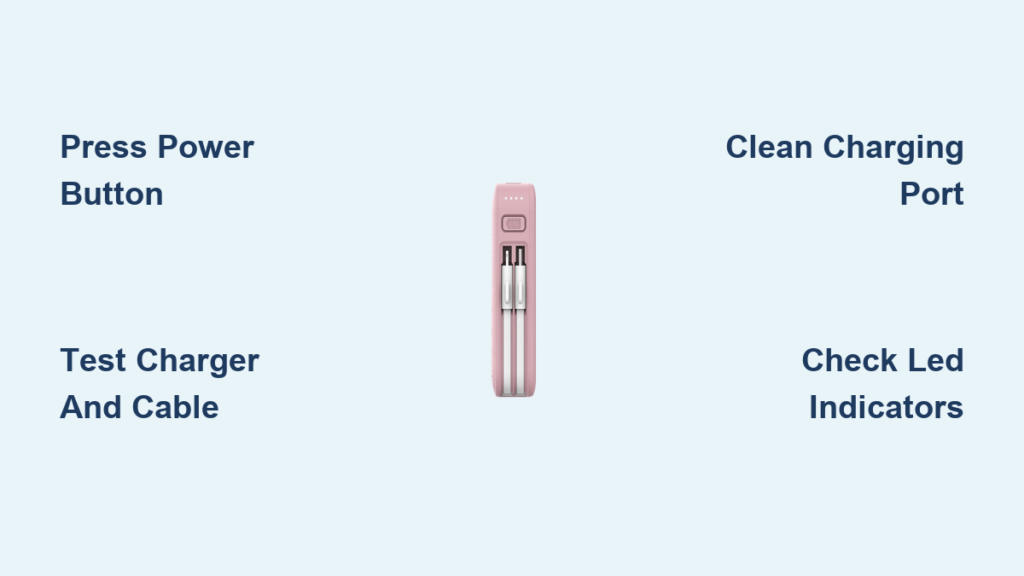
You plug in your MyCharge power bank, but nothing happens—no lights, no response, no charge. You’re not alone. A growing number of users report their MyCharge power banks suddenly stop charging after months of reliable use. Whether it’s a model with built-in cables or a USB-C version, this failure can be frustrating, especially when you depend on it for travel, work, or emergencies.
The good news: many MyCharge charging issues are fixable with simple troubleshooting. The root cause is often not a dead battery but something preventable—like a faulty cable, a forgotten button press, or a deeply drained lithium-ion cell. In this guide, we’ll walk you through proven steps to revive your device, avoid common mistakes, and know when it’s time to contact support or recycle responsibly.
You’ll learn how to diagnose the problem in under 10 minutes, use the right tools, and extend your power bank’s life for years. Let’s get your MyCharge back in action.
Press and Hold the Power Button for 3 Seconds
Activate Charging on Built-In Cable Models
One of the most overlooked causes of a MyCharge power bank not charging is failing to manually activate it. Many MyCharge models—especially those with integrated cables (Lightning, micro-USB, or USB-C)—require a manual power button press to initiate charging.
Simply plugging in the device does not automatically start the charging process.
- Press and hold the power button for at least 3 seconds.
- Look for LED indicators to light up solidly (not blinking).
- This action wakes up the internal smart circuitry, which may be in sleep mode after prolonged inactivity or deep discharge.
✅ Pro Tip: Try holding the button while the unit is plugged in. Some models only respond when connected to a power source.
Skipping this step is the #1 reason users believe their power bank is dead. Always attempt this reset before assuming hardware failure.
Test Your Charger, Cable, and Power Source
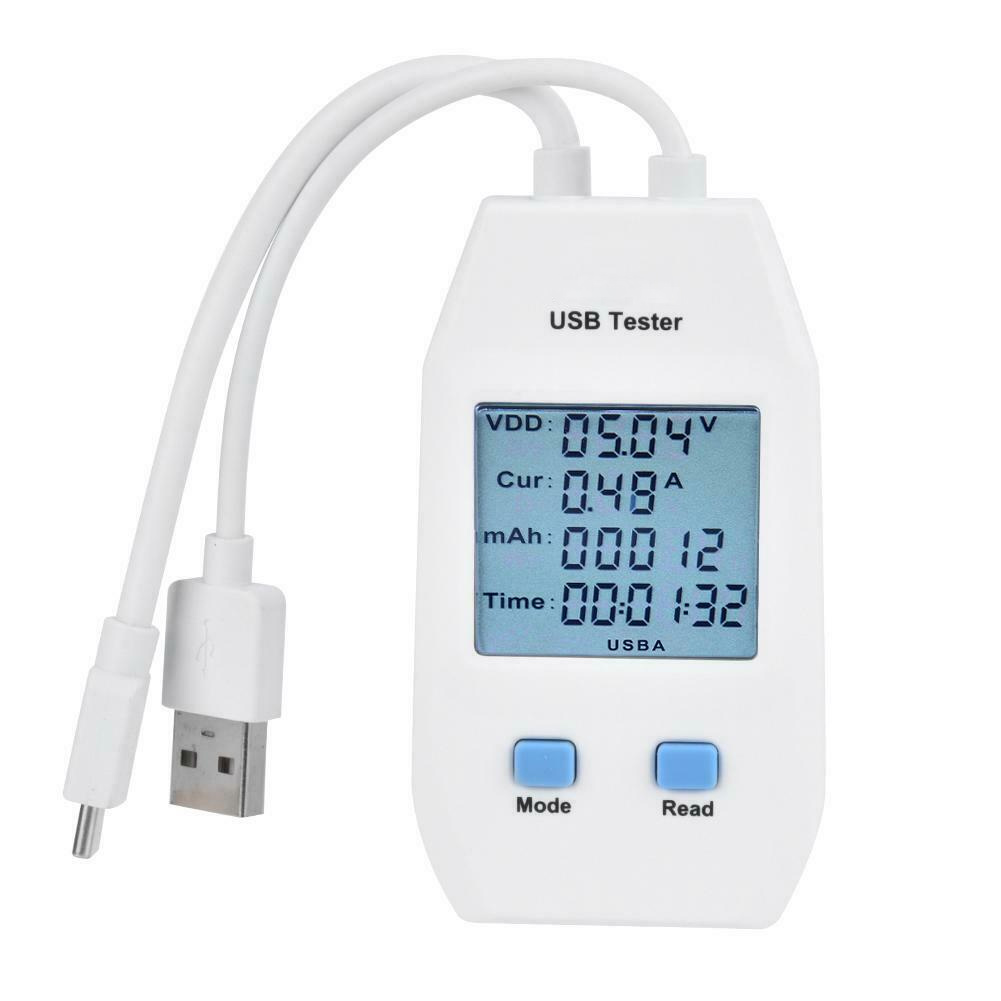
Rule Out Faulty Accessories First
Did you know? Over 60% of “dead” power banks aren’t broken—they’re just connected to a weak or faulty charging setup. Before concluding your MyCharge is defective, eliminate external causes.
Use a Known-Good Wall Charger
- Use a 5V/2A or higher-rated USB wall adapter (like the one that came with your smartphone).
- Avoid low-power sources such as:
- Older computer USB ports (often 500mA)
- Unbranded or dollar-store chargers
- Power strips with unstable output
✅ Best Practice: If the charger powers your phone quickly, it should charge your MyCharge. Test it on your phone first.
Swap Cables and Ports
- Try the original cable that came with your MyCharge, if available.
- Test with different combinations:
- USB wall adapter + original cable
- Laptop USB port
- Car charger
- Different USB-C or micro-USB cable (if applicable)
⚠️ Warning: Third-party or uncertified cables often deliver inconsistent voltage, triggering the power bank’s protection circuit and halting charging.
Verify the Outlet Works
- Plug in another device (like a lamp or phone) to confirm the outlet is live.
- Try a different room or bypass surge protectors temporarily.
- For international travel, ensure plug adapters are used—no voltage converter needed, as MyCharge wall-plug models support 100–240VAC.
One user reported success only after switching from a laptop USB port to a wall charger—proving the issue was insufficient power delivery, not the device.
Inspect and Clean the Charging Port
Remove Debris Blocking the Connection
Dirt, lint, pocket fluff, or corrosion can block the charging port, preventing proper contact—even if the cable appears to be plugged in.
Check for Obstructions
- Shine a flashlight into the input port (micro-USB, USB-C, or AC prong housing).
- Look for:
- Visible lint or dust
- Bent or damaged pins
- Discoloration or corrosion
Even a small piece of debris can disrupt the electrical connection.
Clean Safely Without Damage
- Use a dry, soft-bristled toothbrush to gently dislodge particles.
- Or use short bursts of compressed air (like from a can of air duster).
- Avoid:
- Metal tools (can scratch or short circuits)
- Liquids (water or alcohol can corrode internal components)
- Excessive force
After cleaning, reconnect and press the power button again. A simple blockage might be all that’s stopping the charge.
Interpret LED Indicator Behavior Correctly
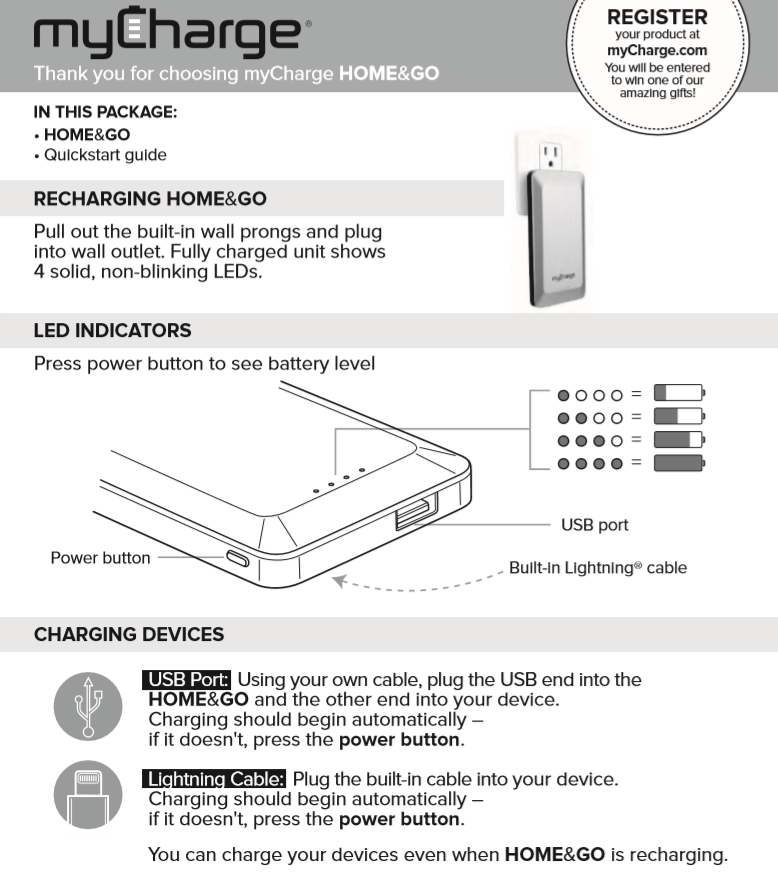
Diagnose the Problem by Watching the Lights
The LED indicators on your MyCharge power bank are your diagnostic dashboard. Their behavior reveals what’s happening inside.
| LED Status | What It Means |
|---|---|
| Solid light(s) | Charging normally |
| Blinking light(s) | Low battery or interrupted charge |
| No lights | No power detected or deep discharge |
| All lights flash then turn off | Overcurrent, short circuit, or protection triggered |
Allow Time for Deep Discharge Recovery
If your power bank has been at 0% for weeks or months, the lithium-ion battery may enter a deep discharge (sleep) state. In this mode, it won’t respond immediately.
- Leave it connected to a strong wall charger (5V/2A) for 5–10 minutes.
- Some units take up to 30 minutes to show any LED activity.
- Do not unplug after 30 seconds—patience is key.
⚠️ Don’t give up too soon. A silent unit may still be slowly recovering.
Assess Battery Health and Age
Determine If Natural Degradation Is the Cause
MyCharge power banks are built to last at least 500 full charge cycles. After that, battery capacity declines due to normal wear.
One full cycle = draining from 100% to 0% and recharging. Ten 10% charges = about one cycle.
Signs of Battery Wear
- Takes significantly longer to charge
- Holds less charge than before
- Dies quickly when powering devices
- Fails to charge after long storage
If your unit is over 1–2 years old and heavily used, battery degradation may be the real issue—not a defect.
Prevent Deep Discharge During Storage
Store at 50% Charge to Extend Lifespan
Storing your MyCharge power bank at 0% or 100% for months can permanently damage the battery.
Best storage practices:
– Charge to 50% before storing
– Recharge every 3–6 months
– Store in a cool, dry place (20–25°C / 68–77°F)
– Avoid hot cars, freezing temps, or humid environments
A power bank stored at 0% for too long may never wake up.
Match Charger to Your MyCharge Model
Use the Right Input Method for Your Version
Not all MyCharge models charge the same way. Know your type:
| Model Type | Charging Method | Input Specs |
|---|---|---|
| Wall-plug models | Foldable prongs | 100–240VAC, 50/60Hz (worldwide compatible) |
| USB-input models | micro-USB or USB-C | 5V input, 2A recommended |
Use Plug Adapters Abroad—No Converter Needed
If traveling, you only need a physical plug adapter (e.g., Type A to Type C/E). The internal circuitry handles voltage conversion.
- Ensure prongs are fully seated in the outlet.
- Loose connections prevent charging.
Reset a Dormant MyCharge Power Bank
Perform a Hard Reset to Revive Circuitry
When your power bank seems completely dead, a hard reset can clear temporary circuit locks caused by deep discharge or power surges.
Steps:
1. Plug into a 5V/2A wall charger
2. Press and hold the power button for 10 seconds
3. Release and wait 1 minute
4. Try charging again
This often reactivates units that appear unresponsive.
Try Multiple Charging Combinations
Persistence pays off. Some users report success only after:
- Testing 3–5 different charger and cable combos
- Leaving each attempt for 10–15 minutes
- Watching for delayed LED activation
One verified user’s unit started charging only on the fourth try with a high-output charger.
File a Warranty Claim with MyCharge Support
Get Help for Units Under One Year Old
If all troubleshooting fails and your power bank is less than 12 months old, you may be covered under warranty.
Warranty covers:
– Manufacturing defects
– Sudden charging failure with no physical damage
– Malfunction after minimal use
How to Submit a Claim
- Go to myCharge.com
- Click Support > Submit a support ticket
- Provide:
– Proof of purchase (receipt or order confirmation)
– Detailed description of the issue
– Photos or videos if requested
Units bought directly from myCharge.com are automatically registered.
⏳ Allow 1–3 business days for a response.
Know Your Return Options
- Unused units: Return to retailer (Target, Best Buy, etc.) with original packaging.
- Used or damaged units: May not be returnable, but still eligible for warranty review.
- Third-party sellers (Amazon, Walmart) follow their own policies—check seller guidelines.
Recycle Your MyCharge Power Bank Responsibly
Dispose of Lithium-Ion Batteries Safely
If your power bank is beyond repair and out of warranty, do not throw it in the trash.
Lithium-ion batteries are hazardous waste and can overheat or catch fire if damaged.
Find a Recycling Drop-Off
- Visit Call2Recycle.org
- Enter your ZIP code to find a local e-waste drop-off
- Use bins at:
- Best Buy
- Staples
- Municipal recycling centers
🔋 Never disassemble the unit—the battery is sealed for safety.
Recycling protects the environment and may qualify you for trade-in programs.
Prevent Future Charging Failures
Use Original or Certified Cables
Third-party cables often deliver unstable power, triggering protection circuits.
- Use MFi-certified (for Apple devices) or USB-IF certified cables
- Avoid cheap, unbranded options
- Stick to original MyCharge cables when possible
Charge Every 3–6 Months During Storage
A dormant power bank dies faster than an active one.
Maintenance schedule:
– Every 3–6 months, plug in and charge to 50–80%
– Prevents deep discharge and circuit dormancy
Set a calendar reminder—this habit can double your device’s lifespan.
Avoid Extreme Temperatures
Heat and cold degrade lithium-ion batteries.
Never leave your MyCharge in:
– Hot cars (over 60°C / 140°F)
– Freezing conditions (below 0°C / 32°F)
– Direct sunlight for hours
Optimal range: 0°C to 35°C (32°F to 95°F)
Final Note: A MyCharge power bank not charging is usually not the end of the road. Start with the power button, test your charger, clean the port, and allow time for recovery. Most failures stem from user error, poor accessories, or storage neglect. If under warranty, contact support. If beyond repair, recycle responsibly. With proper care, your MyCharge can deliver hundreds of charges and years of reliable backup power.





