
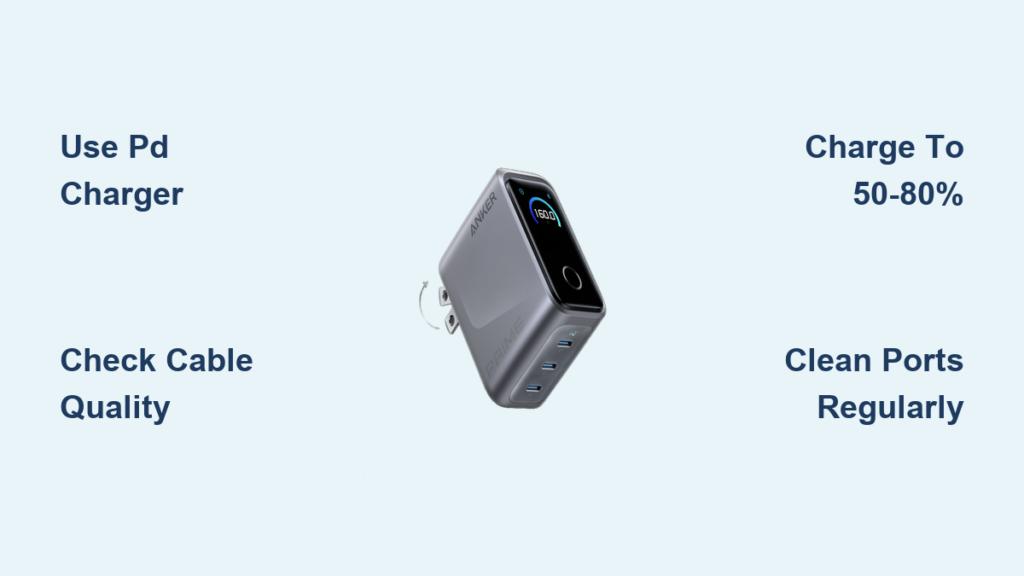
You’ve just unboxed your Anker power bank, but now what? Whether you’re charging a phone on the go or powering a laptop during travel, knowing how to use an Anker battery charger correctly ensures faster charging, longer battery life, and safer operation. These portable power stations support advanced technologies like USB Power Delivery (PD) and GaN efficiency, but they must be used properly to unlock their full potential.
Unlike basic chargers, Anker models come with smart features such as digital displays, multi-wattage ports, and automatic power detection. Without clear guidance, it’s easy to plug in the wrong cable or use a slow charger that takes all night to refill the power bank. This guide walks you through every step, from first-time setup to troubleshooting, so you get reliable performance every time.
Initial Setup: First-Time Charging
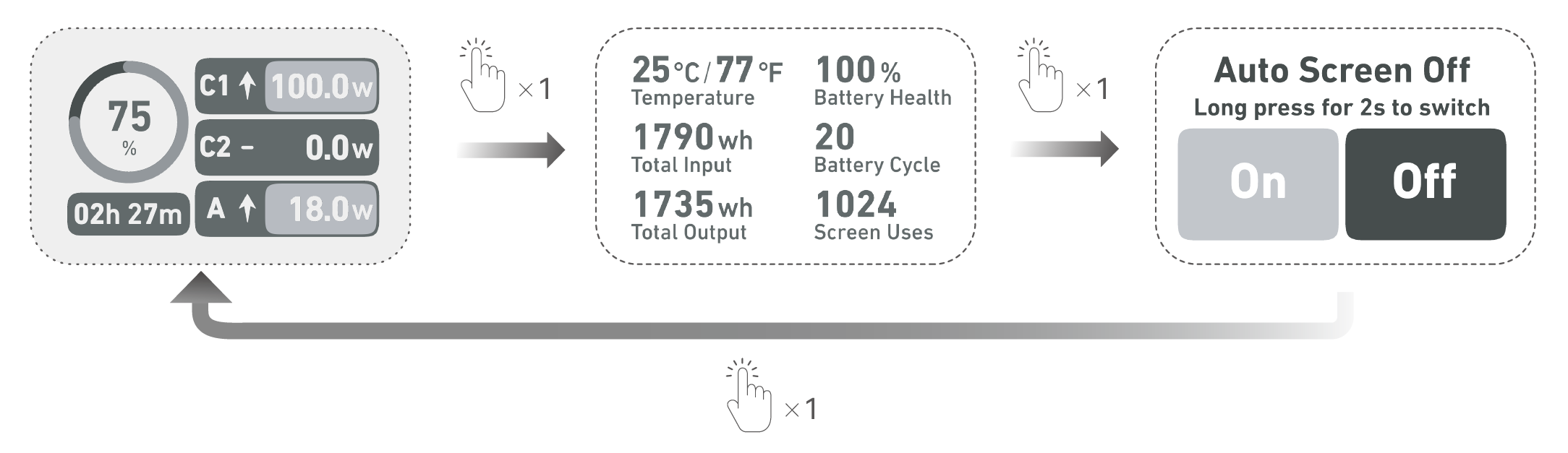
Before powering your devices, charge the Anker power bank itself to 100%. Proper initial charging calibrates the Battery Management System (BMS) for accurate battery readings and optimal long-term performance.
Check for Model-Specific Activation
Some Anker models require special steps before first use. For example, the Anker 737 Power Bank must be physically “opened” by sliding a hidden switch to activate internal circuits. Always consult the included manual to confirm activation requirements.
Other models, like the Anker Prime 26K 300W, begin charging automatically when connected. If no lights turn on, verify that the power bank isn’t already fully charged, the cable is securely inserted, and the wall adapter is functional.
Plug In Using Correct Sequence
To prevent voltage spikes, follow this sequence:
- Insert the USB-C cable into the power bank’s input port (labeled “IN”).
- Connect the other end to a PD-compatible wall charger.
- Plug the charger into a wall outlet.
Never reverse this order. Plugging the charger in first can cause electrical surges that damage internal circuitry.
Use a 18W+ PD Wall Charger
Anker power banks with USB-C input require USB Power Delivery (PD) for fast charging. Use an 18W or higher PD wall charger such as Anker PowerPort III 65W, Blitzwolf BW-S20, or any USB-IF certified PD adapter.
Avoid laptop USB ports or 5W phone chargers. These deliver only about 4.5W, resulting in extremely slow charging that takes 12 hours or longer.
Monitor Charging Status
Look for these signs that charging is active:
- LED indicators blinking or lighting sequentially
- Digital display showing increasing percentage or lightning bolt symbol
- Input port light illuminating when receiving power
Leave the power bank connected until all LEDs are solid or the display reads 100%. Even with auto-shutoff, unplug it promptly to reduce stress on lithium-ion cells.
Charging Your Devices Correctly

Once fully charged, your Anker power bank can power smartphones, tablets, laptops, and more, provided you use the right port and cable.
Match Port to Device Type
Anker power banks feature multiple output ports. Choose wisely:
- USB-C PD ports (30W, 60W, 100W+): For fast charging iPhones, Android phones, iPads, and laptops like MacBook Air or Surface Pro
- USB-A ports (5V/2.4A): For earbuds, smartwatches, older phones, and accessories
Higher-wattage ports charge faster but may not be supported by low-power devices. When in doubt, check your device’s specifications.
Use Certified Cables for Full Speed
Always use USB-C to USB-C cables for PD fast charging, MFi-certified Lightning cables for iPhones and AirPods, and Anker-branded or UL-certified third-party cables.
Low-quality cables limit power delivery, causing slow charging or disconnections. A damaged or frayed cable should be replaced immediately.
Activate Output When Needed
On some models, connecting a device does not automatically start charging. If nothing happens, press the power button once to initiate output and wait 1-2 seconds for the connection to stabilize.
Models like the Anker Nano and Prime series often activate automatically, but button activation helps reset faulty connections.
Confirm Charging Is Active
Verify both ends of the connection. On your device, look for the charging icon (lightning bolt or battery animation). On the power bank, watch for dimming LEDs indicating discharge, real-time wattage or time remaining on digital displays, or a steady or pulsing light near the used port.
If charging stops unexpectedly, reseat the cable or try a different port.
Disconnect After Full Charge
Unplug your device once it reaches 100%. Leaving it connected drains unnecessary power and increases heat buildup, which can degrade both devices over time.
Maximize Charging Speed and Efficiency

You can charge devices up to 50% faster with simple adjustments. No extra hardware needed.
Turn Off Device During Charging
Powering down your phone or tablet eliminates background app activity, screen usage, and network signals that consume energy. A powered-off device charges significantly faster than one in use.
Enable Airplane Mode
If turning off is not practical, enable Airplane Mode to disable cellular data, Wi-Fi, Bluetooth, and GPS. This reduces power draw, allowing more energy to go directly into the battery.
Avoid Using Device While Charging
Screen-on usage like browsing or gaming generates heat and counteracts charging. In extreme cases, the device may charge very slowly or not at all.
Use the Highest-Wattage Port Available
For compatible devices, use a 30W+ USB-C PD port to charge iPhones to 50% in about 30 minutes. Use 100W+ ports on Prime models to charge laptops quickly.
Check your device’s max input. Exceeding it will not damage the device because power is drawn, not pushed.
Understand Power Sharing on Multi-Port Models
When charging multiple devices, total output is shared. For example, a 300W Anker Prime can run a laptop (100W), phone (30W), earbuds (5W), and smartwatch (3W) for a total of 138W used.
But if you plug in two laptops, each might get only 60W instead of 100W. Digital displays on Nano, Z, and Prime models show real-time output, helping you manage power usage efficiently.
Recharge the Power Bank Efficiently
Recharging your Anker battery should not take all night. Many users unknowingly slow it down with poor equipment.
Use a High-Wattage PD Wall Charger
To recharge quickly, use an 18W or higher PD wall charger. Ideal options include 30W, 45W, or 65W GaN chargers like Anker PowerPort III.
Higher input means faster recharge. A 20,000 mAh power bank takes 5-6 hours with 18W PD but over 12 hours with a 5W non-PD charger.
Never Use Laptop or Hub USB Ports
These typically deliver only 2.5-5W, which is too weak to charge most Anker power banks effectively. You may see a brief flash of light, then nothing.
Stick to wall outlets with dedicated PD chargers.
Confirm Input Connection Is Secure
If the power bank is not charging, check that the cable is fully inserted. Try flipping the USB-C plug because it is reversible but sometimes loose. Clean the port with a dry toothbrush or compressed air.
Dust and lint block electrical contact, especially in frequently used ports.
Unplug After Full Charge
Even with built-in overcharge protection, leaving the power bank plugged in for hours after reaching 100% accelerates battery wear. Lithium-ion cells degrade faster under constant voltage stress.
Unplug within 30 minutes of full charge for best longevity.
Maintain Battery Health Long-Term
Anker power banks last years, but only with smart charging habits. Poor usage can cut lifespan in half.
Keep Charge Between 50% and 80%
For daily use, avoid extremes. Do not drain to 0% regularly because deep discharges strain the battery. Avoid storing at 100% because prolonged full charge increases internal resistance.
Ideal range is 50-80% for routine use.
Avoid Full Cycles Unless Calibrating
Frequent 0% to 100% cycles accelerate chemical aging. Instead, top up from 60% to 80% when needed. Only do full cycles every 3-6 months to recalibrate the BMS.
After calibration, return to partial charging.
Perform Battery Calibration Every Few Months
To ensure accurate battery percentage readings, discharge the power bank to around 20%, recharge uninterrupted to 100%, and let it rest for 10 minutes.
This helps digital displays and LED indicators reflect true capacity, especially after heavy multi-device use.
Store Properly During Inactivity
If you will not use your Anker charger for weeks, follow these steps to prevent permanent damage.
Charge to 50-60% Before Storage
Never store fully charged or completely drained. Ideal storage charge is 50-60%.
This minimizes stress on lithium-ion cells during idle periods.
Keep in Cool, Dry Place
Store at room temperature (about 68°F or 20°C). Avoid car dashboards where heat exceeds 120°F, freezers or garages where cold below freezing damages cells, and humid bathrooms or basements.
Extreme temperatures permanently reduce capacity.
Recharge Every 90 Days
Batteries self-discharge over time (about 1-5% per month). To maintain stability, recharge to about 50% every 3 months and inspect for physical damage or swelling.
This keeps the internal chemistry active and prevents deep discharge lockout.
Follow Safety and Usage Tips
Safe operation protects both you and your devices. Anker units include safety circuits, but user behavior matters.
Use Only Certified Cables and Chargers
Cheap, uncertified accessories may deliver unstable voltage, overheat, or cause fire hazards. Stick to Anker-branded or USB-IF/MFi-certified gear for guaranteed safety and performance.
Do Not Charge Overnight
While convenient, leaving the power bank plugged in overnight contributes to gradual battery degradation. Use a timer outlet or alarm to unplug after 6-7 hours.
Never Expose to Water or Heat
Anker power banks are not waterproof. Avoid rain, spills, humid environments, direct sunlight, and charging near stoves or heaters.
If the unit gets wet, power it off and let it dry completely before reuse.
Stop Use If Overheating Occurs
Discontinue immediately if the case feels hot to touch, it swells or deforms, or you smell burning or see smoke.
Contact Anker Support. Do not attempt to open or repair it yourself.
Troubleshoot Common Issues
Even high-quality power banks can have problems. Most issues are fixable with simple steps.
No Lights Turn On
Possible causes include battery fully drained, faulty cable or charger, or dirty input port.
Solutions include trying a known-working PD charger and cable, cleaning the USB-C port with a dry brush, and holding the power button for 10 seconds to force restart.
Charges Very Slowly
Likely cause is using a non-PD charger like an old 5W phone charger.
Fix by switching to an 18W+ PD wall charger, using a high-quality USB-C to USB-C cable, and avoiding laptop USB ports.
Many third-party PD-labeled chargers fail handshake protocols. Test with an Anker charger to confirm.
Only Works with Anker Chargers
This is not vendor locking. Just compatibility issues.
Anker power banks work with any PD-compliant charger, but third-party chargers may not negotiate proper wattage and low-quality cables break the PD handshake.
Solution is to use certified PD chargers and cables from reputable brands.
Overheating During Charging
Causes include poor ventilation like under pillows or blankets, high ambient temperature, or a defective unit.
Action is to unplug immediately, let cool in open air, and if problem persists, contact Anker support.
LED Blinks but No Charging
This indicates poor connection or incompatible equipment.
Try reseating the cable, cleaning the port, testing with another outlet, or using a different PD charger.
Blinking often means the power bank detects power but cannot establish stable input.
Model-Specific Usage Tips
Each Anker model has unique features. Know yours to get the most out of it.
Anker 737 Power Bank
This model must be physically opened before first use. High-speed charging works once activated. Verify the switch is slid to the on position before plugging in.
Anker Prime 26K 300W
This model can charge laptops and multiple devices simultaneously. Use the 100W+ port for MacBook or high-end Windows laptops. It is ideal for remote work, camping, and emergency backup.
Anker Nano 30W
This model features a built-in retractable USB-C cable. The digital display shows battery percentage, time remaining, and total charging hours. No need for external cables. Just plug and go.
Anker PowerCore 20000 PD
This model has max input of 18W via USB-C PD. Full recharge takes 5-6 hours with a compatible charger. It does not accept faster input like 30W or 65W, though using them is safe.
A common issue is slow charging with third-party PD chargers due to handshake failure.
Anker Z Portable Battery
This model displays exact battery percentage like 39%. A lightning bolt symbol appears when charging starts. It is compatible with any standard USB-C PD source.
Frequently Asked Questions About Anker Battery Chargers
How do I know if my Anker power bank is charging?
Look for LED indicators blinking or lighting sequentially, digital displays showing percentage increase or lightning bolt symbol, or input port light illuminating. Some models emit a beep or turn off lights when full.
What devices can I charge with an Anker power bank?
You can charge smartphones like iPhone, Samsung Galaxy, and Google Pixel, tablets like iPad and Samsung Galaxy Tab, laptops like MacBook Air and Dell XPS on 100W+ models, and accessories like AirPods, Galaxy Buds, Fitbit, and Apple Watch.
Can I charge multiple devices at once?
Yes, on multi-port models. Total output is shared among active ports. For example, a 300W power bank can charge a laptop (100W), phone (30W), earbuds (5W), and smartwatch (3W) simultaneously.
Why does my power bank only work with Anker chargers?
This is likely a handshake issue, not vendor locking. Anker power banks work with any PD-compliant charger, but third-party chargers must support USB Power Delivery, deliver minimum 18W output, and use a high-quality USB-C to USB-C cable.
How long does it take to recharge an Anker power bank?
A 20,000 mAh power bank takes 5-6 hours with an 18W PD charger but over 12 hours with a 5W non-PD charger. Actual time depends on input wattage, cable quality, ambient temperature, and battery health.
Is my Anker power bank vendor-locked?
No, Anker power banks are not vendor-locked. They do not require Anker-branded chargers to function at full speed. However, optimal performance is most reliably achieved with Anker chargers due to guaranteed PD handshake compatibility.
Key Takeaways for Using Your Anker Battery Charger
By following these steps, you will maximize speed, safety, and lifespan of your Anker battery charger. Use PD-certified gear, avoid extreme charge levels, store properly, and clean ports regularly.
For persistent issues, test with a USB power meter or contact Anker support. Most charging problems resolve by switching to a known PD-compliant charger and high-quality cable.
With proper care, your power bank will deliver reliable power for years. The 18-month warranty covers defects in materials and workmanship, giving you added peace of mind.





