
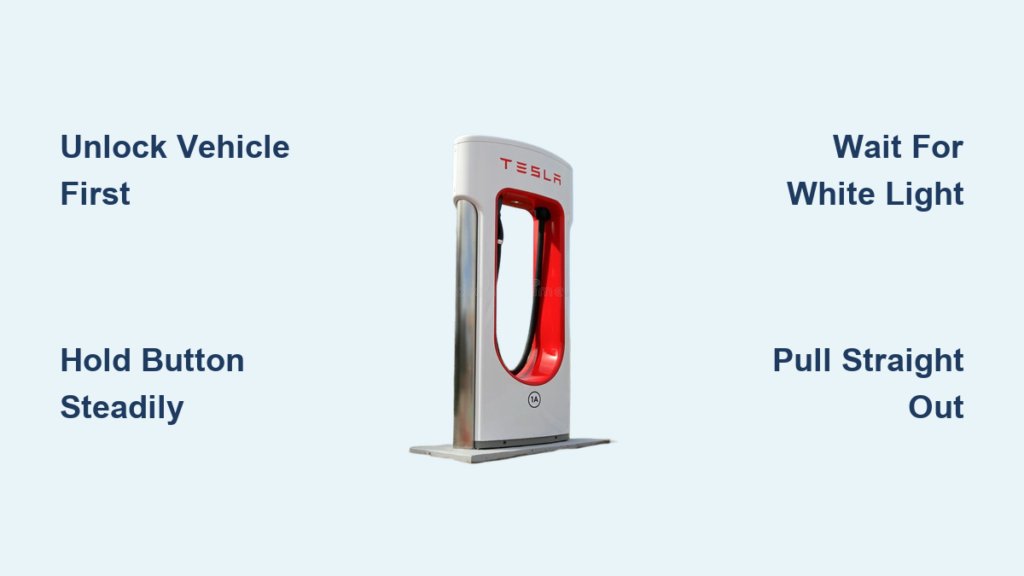
You’re ready to hit the road, but the Tesla charger won’t come out. It’s frustrating, especially at a Supercharger where every minute counts. The good news: you’re not stuck forever, and you don’t need to force it. The Tesla charger is designed to lock securely during charging and when the car is locked, but it can be safely unplugged in seconds if you know the right steps.
This guide reveals the exact steps to unplug your Tesla charger every time, including how to handle stuck connectors, emergency releases, and model-specific quirks. You’ll learn why the light color matters, why holding the button works better than tapping, and what to do when nothing seems to work.
Unlock Your Tesla Before Disconnecting
Before touching the charger, ensure your Tesla is unlocked. The charge port stays locked even after charging ends if the vehicle remains secured. The locking mechanism engages when the car is locked, charging is active, or scheduled departure is running. Even if charging has stopped, the system may keep the port locked for security.
Why the Car Must Be Unlocked
The charge port latch engages automatically to prevent unauthorized removal. This happens when the vehicle is locked, when charging is in progress, or when preconditioning is active. Even after charging completes, the port remains locked if the car is still secured.
Unlocking Methods That Work
Use any of these methods to unlock your Tesla before unplugging the charger. Press the unlock button on your key fob, tap “Unlock” in the Tesla app, approach with your Bluetooth-enabled phone, hold your key card near the B-pillar, or enter your PIN to Drive on the touchscreen. If someone else is using your Tesla, unlock the charge port remotely via the app so they can unplug.
Stop Active Charging Before Removal
If the car is still drawing power, stop charging before attempting removal. On the touchscreen, go to Controls, then Charging, and select Stop Charging. In the Tesla app, tap Controls, then Charging, and hit Stop Charging.
After stopping, the charge port light may shift from pulsing green to solid green to white or blue once unlocked. Stopping charging signals the system to prepare for disconnection. Skipping this step isn’t always a problem, but it reduces the chance of error messages or delayed unlocking.
Press and Hold the Connector Button Correctly
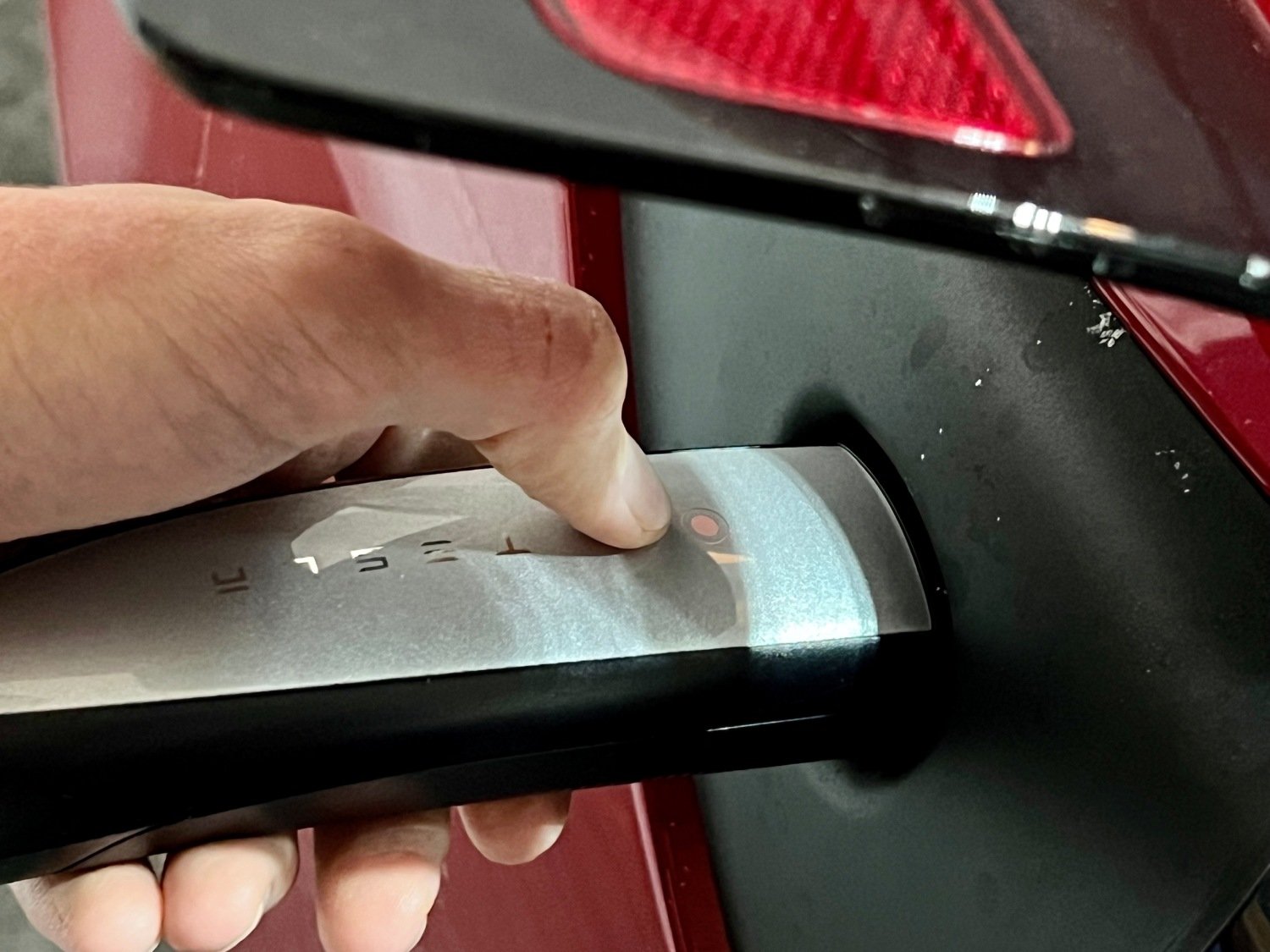
The most common reason for failed disconnection is tapping instead of holding. Locate the release button on the charging handle, usually near the Tesla logo.
Correct Release Technique
With the car unlocked, press and hold the button on the charging handle. Keep holding for one to two seconds. Watch the charge port indicator light. Green means locked or charging. Blue or white means unlocked and safe to remove.
Press and hold the button while gently pulling outward. Some users find this pull-out method helps release stiff ports. A quick press may trigger internal clicks, which is the sound of unlocking, but it may not fully retract the locking pin. Holding ensures full mechanical release. On Superchargers, early release can cause re-lock due to software delays.
Pull the Charger Straight Out
Once the light turns white or blue, remove the connector correctly. Continue holding the button. Pull the connector straight out from the port. Avoid angling or twisting, which can wear internal components.
Never yank or force the charger. This risks damaging the charge port, locking pin, or cable. After removal, the charge port door should close automatically. If it doesn’t, try relocking and unlocking the car, or use the touchscreen to close the port door. Do not manually push the door shut.
Unplugging From Home Chargers
Home charging setups follow the same rules, but with predictable patterns. The Wall Connector shows pulsing green when charging is in progress, solid green when charging is complete (but the port may still be locked), and white or blue when the port is unlocked and ready to disconnect.
Wall Connector Behavior
Features like scheduled departure, battery preconditioning, or cabin overheat protection can keep the car in a connected state even after a full charge. This is why you may see solid green but still cannot remove the connector.
Gen 2 Wall Connector Instructions
Unlock the vehicle. Press and hold the button on the handle. Wait for the charge port light to turn white. Pull straight out. Users who previously struggled report instant success after switching from tapping to holding.
Disconnecting From a Supercharger
Supercharger disconnection requires extra attention due to high-voltage systems and software sensitivity. Press and hold the button on the Supercharger wand. Do not release until the connector is fully removed.
Supercharger Unplugging Steps
Watch for color change from green to blue to white. Pull out as soon as the light turns white. Keep holding the button throughout the entire process. Avoid using Stop Charging in the car or app because many users report this triggers automatic re-engagement or red warning lights.
Tesla introduced timing delays in winter software updates. Releasing too early can cause the port to relock instantly. Continuous pressure prevents software from interrupting the unlock sequence. Tesla has acknowledged this behavior and plans to fix it in a future update.
Troubleshooting Stuck Tesla Chargers
Sometimes, even with the correct steps, the charger sticks. Common causes include the car being locked, charging still being active, button tapped instead of held, system asleep, ice or debris in the port, or a faulty locking pin.
If you hear clicks but it won’t come out, you’re likely experiencing a partial unlock, which is a mechanical issue with the locking pin. If it takes two to three tries, you may be pulling before the light turns white. If it works only after waiting, that confirms the importance of waiting for the white light.
One user fixed recurring issues simply by waiting for the white light with no hardware fault found.
Using the Manual Emergency Release
Only use the emergency cable if standard methods fail and you’re unable to access help. Use this when the charger is physically stuck, the vehicle is unresponsive, you have no key or phone access, or there’s a risk of blocking a Supercharger.
When to Use Manual Release
Only attempt if you’re certain charging has stopped. Risk of electric shock exists if power is still flowing. Open the trunk and locate the manual release cable on the rear left side, hidden behind a small trim panel. Pull the cable downward firmly, then gently pull the connector straight out.
Do not pull the cable and remove the connector at the same time. This can damage the mechanism. Avoid regular use because repeated pulling can wear or break the cable. If unsure, contact Tesla Roadside Assistance immediately.
Maintaining Your Charge Port
Prevent future issues with simple care habits. Always unlock the car before unplugging. Pull straight out, never yank at an angle. Wipe the port and connector with a dry, soft cloth monthly. Avoid moisture, dirt, or ice buildup. Never use lubricants or liquids on the port.
Signs You Need Service
If you consistently need multiple button presses, hear loud internal clicks but get no release, notice the light doesn’t change color, or feel something catching inside, schedule service. Mobile technicians can often replace the internal latch in under an hour.
Remote Control With Tesla App
You don’t need to be at the car to unplug. The app can unlock the charge port, stop charging, close the port door, and monitor status in real time. This is ideal for letting someone else unplug your car or checking if charging finished.
The app sends a wake signal to the car, which helps if the system is asleep.
Model-Specific Information
All Tesla models use the same core charge port design. The location is the rear driver’s side. The port door opens automatically when charging starts. There is no cabin release lever. The press-and-hold method works identically on Model S, Model 3, Model X, Model Y, and Cybertruck.
Final Checklist Before Unplugging
Before disconnecting, verify that the car is unlocked, charging has stopped if needed, the system is awake, you pressed and held the connector button, you waited for the white or blue light, you pulled straight out gently, and the port door closed automatically or via command.
Frequently Asked Questions About Unplugging Tesla Chargers
Why won’t my Tesla charger release?
The most common reason is that the vehicle is still locked or you only tapped the button instead of holding it. The charge port latch engages when the car is locked or charging is active. Make sure to unlock your Tesla and press and hold the connector button for one to two seconds until the light turns white or blue.
What do the charge port light colors mean?
Green means the port is locked or charging is in progress. Blue indicates the charging handle is connected and communication is established. White means the port is unlocked and ready to disconnect. Wait for white or blue before pulling the connector.
Can I use the manual release cable regularly?
No, the manual release cable should only be used as a last resort during emergencies. Regular use can wear or break the cable and damage the mechanism. If you need to use it frequently, schedule a service appointment to inspect the locking pin.
What if the charger still won’t come out after trying everything?
Try waking the car by approaching it or tapping the screen, then repeat the standard procedure. Use the Tesla app to unlock and stop charging remotely. Attempt the manual release cable only if safe. Contact Tesla Roadside Assistance immediately if the issue persists.
Does the unplugging process differ between Superchargers and home chargers?
The core procedure is the same, but Superchargers require extra attention. Hold the button continuously throughout the entire disconnect process. Avoid using Stop Charging in the car or app, as this can trigger automatic re-engagement. Home chargers may show solid green even after charging completes due to preconditioning settings.
Key Takeaways for Unplugging Your Tesla Charger
Unplugging a Tesla charger should be quick and smooth. The secret isn’t strength, it’s patience and procedure. Unlock your vehicle first, then press and hold the connector button for one to two seconds. Wait for the charge port light to turn white or blue before pulling straight out. Avoid tapping the button, forcing the connector, or pulling at an angle.
Use the Tesla app for remote unlocking when you’re away from the car. Keep the charge port clean and dry to prevent sticking. Save the manual release cable for true emergencies only. If repeated issues occur, the internal locking pin may be failing, so schedule service promptly.
Now you’re ready. Next time the charger resists, you’ll know exactly what to do.



