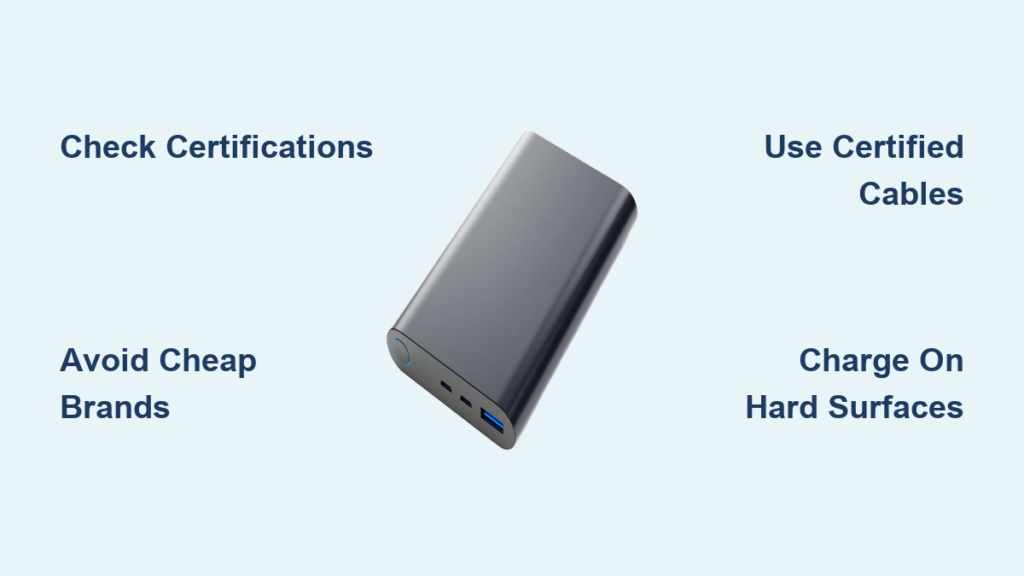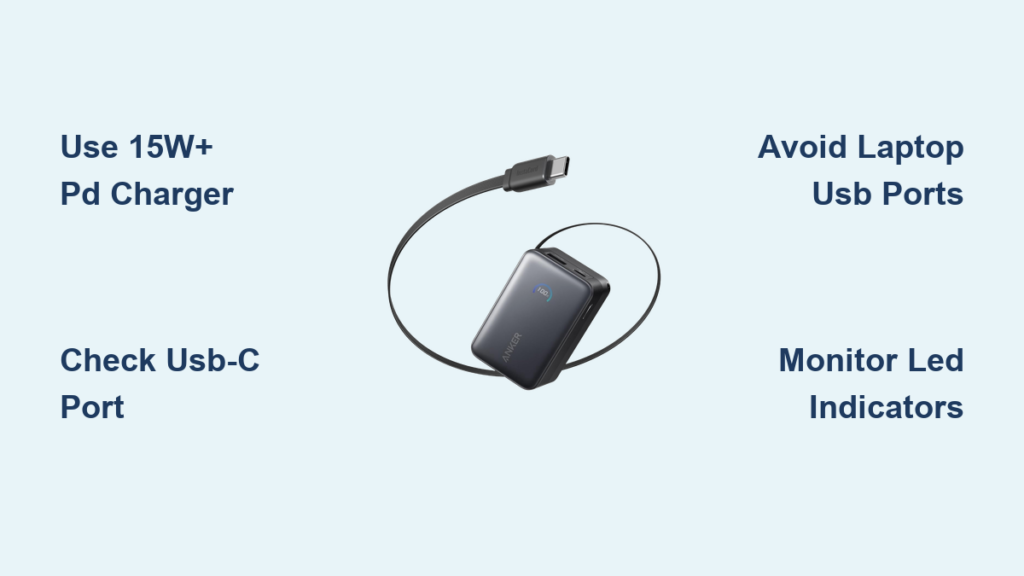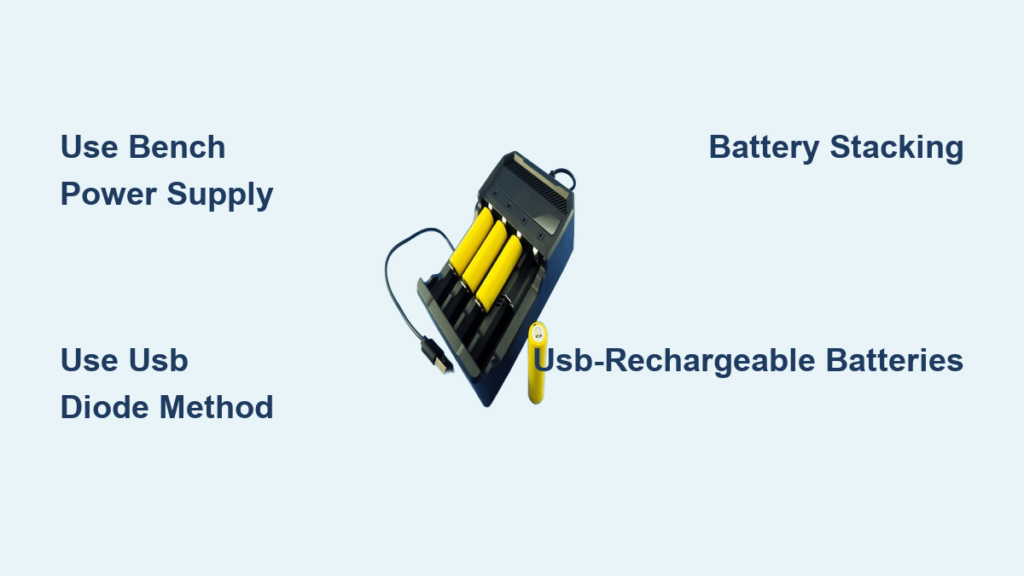
Imagine your flashlight dies during a power outage, your cordless drill stops mid-project, or your drone lands with a dead battery, and the charger is nowhere to be found. You need power now, but can you revive that rechargeable battery without its dedicated charger? The answer is: sometimes, but not without risks.
Charging a rechargeable battery without a charger is technically possible using alternative power sources and basic electronics, but it requires careful control of voltage, current, and temperature. Not all batteries can be safely charged this way, and attempting it on the wrong type, especially standard alkaline cells, can lead to leaks, overheating, or even fire. This guide covers safe, practical methods for charging common rechargeable batteries, what works, what does not, and how to do it without putting yourself at risk.
Use a Bench Power Supply for Safe DIY Charging

For those with access to lab equipment, a regulated DC bench power supply offers the most reliable way to charge rechargeable batteries without a charger. It allows precise control over voltage and current, critical for avoiding overcharging or thermal damage.
Charge Lithium-ion Cells Correctly
Lithium-ion batteries like 18650, 21700, or phone cells require a constant current, then constant voltage charging profile. Without this, they risk swelling, fire, or permanent damage.
Steps:
- Set voltage limit to 4.2 V per cell (never exceed).
- Limit current to 0.5C to 1C (for example, 1 A for a 2000 mAh cell).
- Connect positive to positive, negative to negative using insulated clips.
- Monitor voltage rising during the constant current phase and current dropping during the constant voltage phase.
- Stop charging when current tapers to approximately 10% of the initial value.
Pro Tip: For multi-cell packs like 20V power tool batteries, verify the series configuration. A 5S pack equals 5 cells multiplied by 4.2 V, giving 21 V maximum. Always double-check cell count before applying voltage.
Charge NiMH AA/AAA Batteries Safely
NiMH cells found in remotes, toys, and flashlights charge at 1.4 to 1.5 V, not their nominal 1.2 V. Overvoltage leads to gas buildup and reduced lifespan.
Recommended Settings:
- Current: 0.1C to 0.3C (for example, 100 mA for a 1000 mAh battery)
- Voltage: Up to 1.5 V per cell
- Time: 14 to 16 hours at 0.1C due to inefficiency
Warning: NiMH batteries lack built-in protection circuits. Never leave them unattended while charging.
Try a Diode Plus USB Method for Small Li-ion Batteries
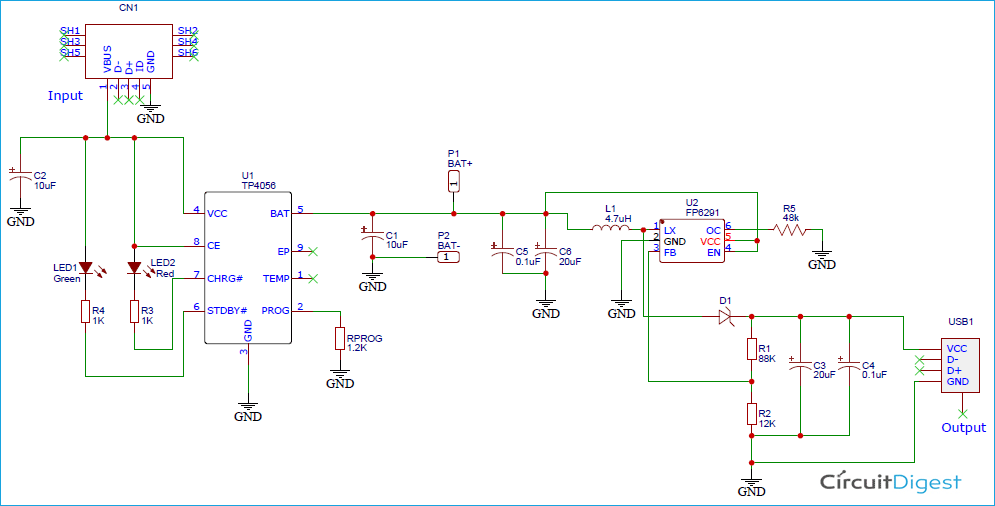
If you have a USB port and a diode, you can create a low-power workaround for charging small single-cell lithium batteries, such as those in Bluetooth earbuds or mini flashlights.
Build a Simple Voltage-Drop Circuit
A 1N4007 diode reduces 5 V USB output by approximately 0.5 V, bringing it closer to safe levels for Li-ion cells.
What You Need:
- USB power source (wall adapter or power bank)
- 1N4007 diode or similar silicon diode
- Jumper wires
- Multimeter (recommended)
How to Connect:
- Insert the diode in series on the positive wire.
- Output becomes approximately 4.5 to 4.6 V, close enough for slow charging.
- Attach directly to a 3.7 V Li-ion cell like a 14500 or 16340.
Limitations:
- No overcharge protection
- Very slow charge (takes hours)
- Only suitable for cells at 1000 mAh or less
- Not for long-term use
This method works best as an emergency boost, not a replacement for proper charging.
Transfer Power With Battery Stacking
When no external power is available, you can use charged batteries to charge a depleted one, known as battery-to-battery charging.
Use 3 AA Batteries to Charge a Li-ion Cell
Three standard AA alkaline cells in series provide 4.5 V, sufficient to charge a single 3.7 V Li-ion battery.
Steps:
- Gather 3 fresh AA batteries in series for 4.5 V total.
- Identify terminals on the target Li-ion cell (positive cap, negative base).
- Connect donor positive to recipient positive and donor negative to recipient negative.
- Monitor temperature every 5 to 10 minutes.
- Disconnect after 15 to 30 minutes for a partial charge.
Risks:
- No current limiting, so possible overheating
- Donor batteries may drain rapidly
- Risk of reverse charging if mismatched
Only attempt this with removable, unprotected cells, never inside sealed devices like phones.
Plug Into USB for Batteries With Built-In Ports
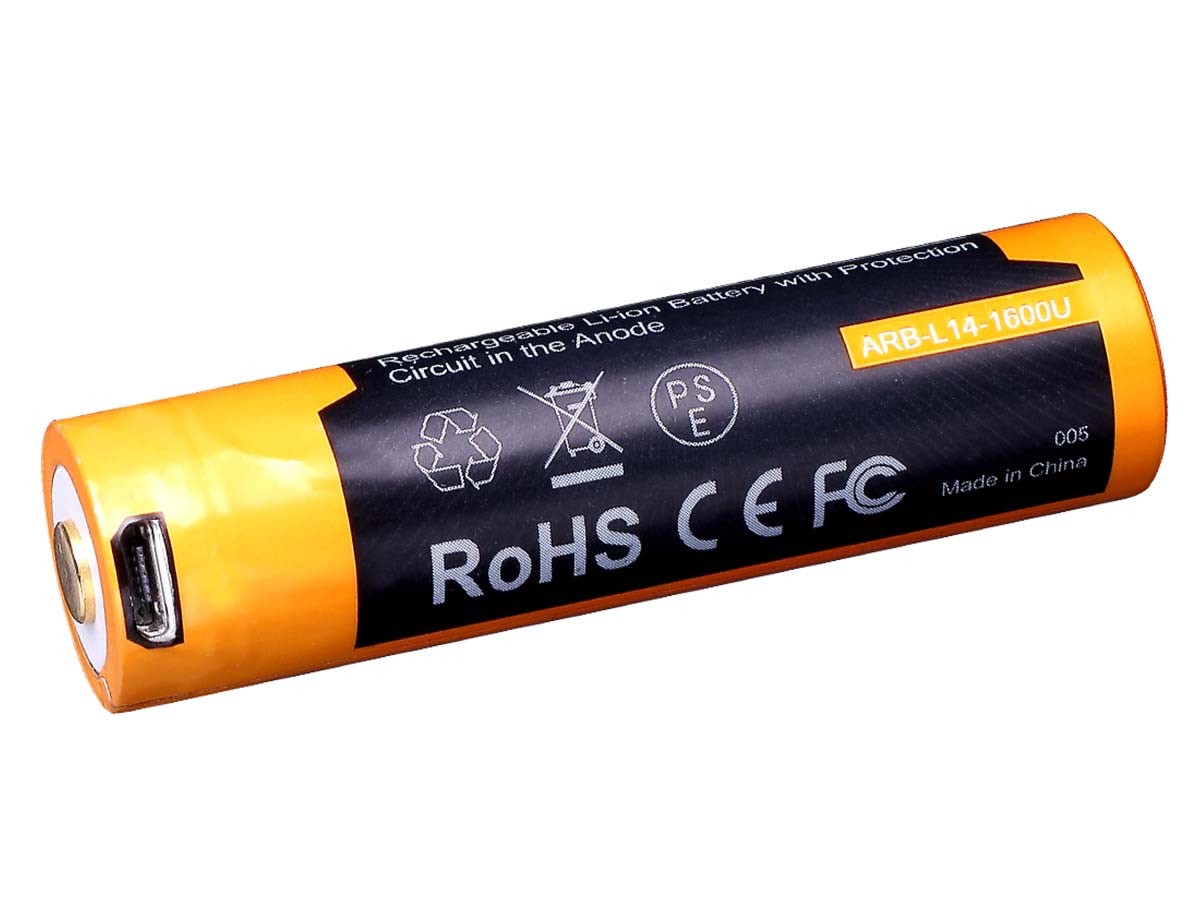
Some modern rechargeable AA/AAA batteries come with integrated USB ports, eliminating the need for a separate charger.
Use Any USB Source Safely
Batteries like Fenix ARB-L14, EBL USB, or Kentli PH5 have internal charging circuits and micro-USB or USB-C ports.
How to Charge:
- Plug directly into a wall adapter, power bank, or laptop USB port.
- Charging time is 1 to 3 hours.
- Built-in safety features prevent overcharge and short circuits.
This is one of the few truly safe ways to charge without a traditional charger because the intelligence is built into the battery itself.
Pulse-Charge for Reduced Battery Stress

Advanced users can reduce battery stress using pulse charging, which applies intermittent current bursts instead of continuous flow.
How Pulse Charging Works
The method uses 2 seconds on and 4 seconds off, with 40 to 200 pulses per second and an approximately 80% duty cycle. This minimizes heat buildup and electrolyte decomposition, especially useful for aging NiMH or RAM cells.
Equipment Needed:
- Programmable power supply
- Pulse generator or Arduino-based controller
This method is not beginner-friendly but is effective for restoring old batteries with minimal degradation.
Skip the Myths: Lemon and Rubbing Tricks Do Not Work
You have probably seen viral hacks claiming you can charge batteries with lemons or by rubbing them. These do not actually charge batteries.
Lemon Battery: Science Demo, Not a Charger
A lemon with zinc and copper electrodes generates approximately 1 V per cell, but the current is less than 1 mA, far too low to charge any real battery. Even with 10 lemons in series, you get no meaningful energy transfer. It is a fun classroom experiment, not a survival hack.
Rubbing a Battery: False Recharge Illusion
Rubbing a cold battery warms it slightly, improving internal ion mobility. What actually happens is that temperature rise reduces internal resistance, making residual charge more accessible, so the device may work for a few extra seconds. Based on the Arrhenius equation, reaction rates increase with heat, but no new energy is added. Useful for squeezing out final moments of use, but not charging.
Avoid Dangerous Shortcuts
Some DIY methods seem tempting but carry serious risks. Here is what not to do.
What Never to Attempt:
- Charge alkaline batteries in a NiMH charger, which causes gas buildup, leakage of potassium hydroxide (corrosive), and risk of rupture or explosion.
- Use high-current sources like car batteries, which deliver hundreds of amps and will melt wires, cause instant overheating, and trigger thermal runaway in Li-ion.
- Reverse polarity or hotwire devices, which destroys batteries and can fry electronics, risking permanent circuit damage, fire hazard, and loss of warranty.
Monitor With Essential Tools
If you attempt any alternative charging method, monitoring is non-negotiable.
Must-Have Safety Gear:
- Multimeter to check voltage every 10 to 15 minutes
- Infrared thermometer to detect overheating (stop if above 50°C)
- Fireproof surface like ceramic tile or metal tray
- Safety glasses and gloves to protect against leaks or sparks
- Smoke detector nearby, especially for Li-ion charging
Never leave charging batteries unattended. Even a simple USB trick can go wrong if the cell has internal damage.
Choose Safer Alternatives Instead
Before risking DIY charging, consider safer, more reliable options.
Buy a Universal Smart Charger
These auto-detect battery type and chemistry, then apply the correct charge profile.
Top Picks:
- Nitecore i2 ($25) charges AA, AAA, 18650, Li-ion
- Opus BT-C3100 ($40) has independent channels and refresh mode
- Panasonic BQ-CC17 ($18) is reliable for NiMH AA/AAA
All include overcharge protection, auto cutoff, and temperature monitoring.
Switch to USB-Rechargeable Batteries
Eliminate chargers entirely with batteries that plug directly into USB. Benefits include no lost chargers, built-in safety circuits, and fast 1 to 3 hour charge times. Ideal for Xbox controllers, flashlights, and portable gadgets.
Keep Spare Batteries Ready
Rotate between two sets, with one in use and one charging. No downtime and no improvisation needed.
Know Your Battery Type First
Not all rechargeables are equal. Using the wrong method can be dangerous.
| Battery Type | Can It Be Charged Without Charger? | Max Safe Voltage | Notes |
|---|---|---|---|
| NiMH (AA/AAA) | Yes, with current control | 1.5 V | Use 0.1C to 0.3C rate |
| Li-ion (18650, etc.) | Yes, carefully | 4.2 V per cell | Requires CC/CV profile |
| USB-Rechargeable | Yes, directly via USB | Regulated internally | Safest option |
| Rechargeable Alkaline (RAM) | Yes, with compatible charger | 1.65 V | Only 7 to 25 cycles |
| Standard Alkaline | No | N/A | Risk of leakage or fire |
Always check labels. If it does not say rechargeable, do not charge it.
Final Tips for Safe Emergency Charging
When you are forced to charge without a charger, follow these rules.
Do This:
- Use a multimeter to verify voltage
- Charge on a non-flammable surface
- Wear safety gear
- Limit charge time in burst methods
- Prefer low-current sources at 500 mA or less
Never Do This:
- Charge swollen, damaged, or leaking batteries
- Use unregulated wall adapters
- Leave batteries unattended
- Attempt to charge sealed consumer devices like iPhones
Frequently Asked Questions About Charging Batteries Without a Charger
Can I charge a rechargeable AA battery without a charger?
Yes, using a bench power supply, low-current adapter, or USB cable (if designed for it), but only with proper voltage and current control and safety precautions.
Can you recharge alkaline batteries without a charger?
Technically possible in emergencies, but strongly discouraged. Standard alkaline batteries are not designed for recharging and pose serious risks of leakage and explosion. Only rechargeable alkaline (RAM) types should be recharged.
What happens if I put alkaline batteries in a NiMH charger?
They will likely leak or overheat. NiMH chargers deliver higher current than alkaline cells can handle, leading to pressure buildup and rupture.
Does warming a dead battery bring it back to life?
Warming (in hands or pocket) can temporarily improve performance by reducing internal resistance, but it does not recharge the battery. Useful for squeezing out final minutes of use.
Can I use a phone charger to charge AA batteries?
Only if the phone charger outputs low current (300 mA or less) and you manually control charge duration. Not safe for alkaline batteries. Better to use a proper NiMH or universal charger.
Is it safe to charge a lithium battery with a bench supply?
Yes, if done correctly. Set correct voltage (4.2 V per cell maximum), limit current (1 to 3 A depending on cell), monitor throughout, and use only for short-term or emergency use.
Key Takeaways for Safe Battery Charging Without a Charger
Yes, you can charge a rechargeable battery without a charger, but should you? For occasional emergencies, methods like USB-diode circuits or battery stacking might get you through. For routine use, they are risky and inefficient. The smartest move is to invest in a universal smart charger or switch to USB-rechargeable batteries. These eliminate the need for improvisation while maximizing safety, battery life, and convenience. If you must DIY, know your battery chemistry, control voltage and current, monitor constantly, and never skip safety steps. No battery is worth a fire. Use alternative charging only when necessary, and always prioritize protection over urgency.