
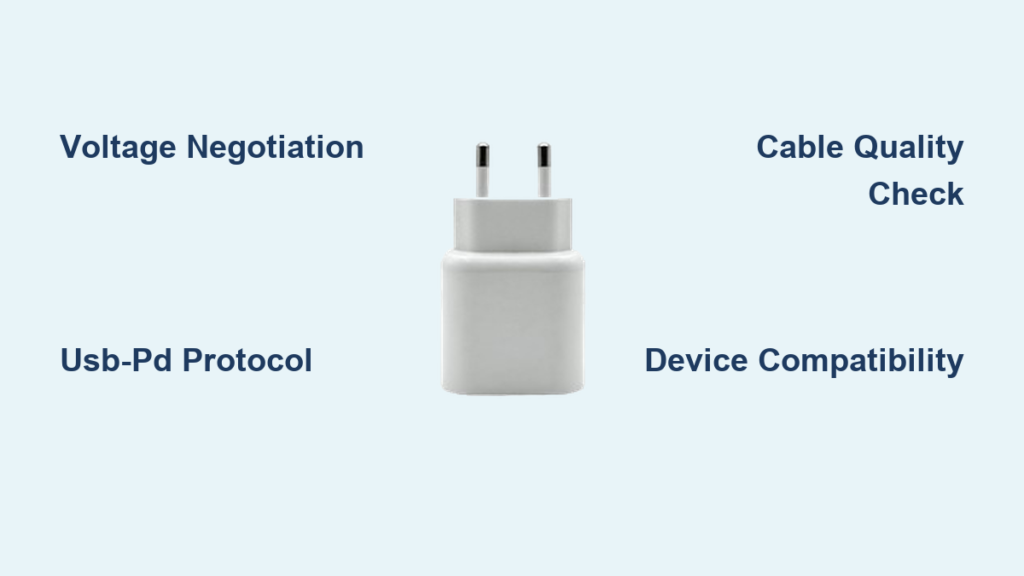
You plug in your phone, and it starts charging, simple right? But behind that seamless moment is a sophisticated system of voltage regulation, intelligent communication, and power negotiation. How does a USB charger work, exactly? It is not just about sending electricity from wall to battery. Modern USB charging involves smart circuitry, protocol handshakes, and dynamic adjustments that ensure safety, speed, and compatibility across thousands of devices.
A USB charger converts high-voltage AC power from your outlet into low-voltage DC power your phone or laptop can safely use. But it does not just dump energy into your device. It talks to it. Through built-in data lines and advanced protocols like USB Power Delivery, the charger and device negotiate the safest, fastest way to transfer power. This means the same USB-C port can charge a smartwatch at 5 watts or a gaming laptop at 240 watts automatically.
Power Conversion: From Wall Outlet to Device Battery
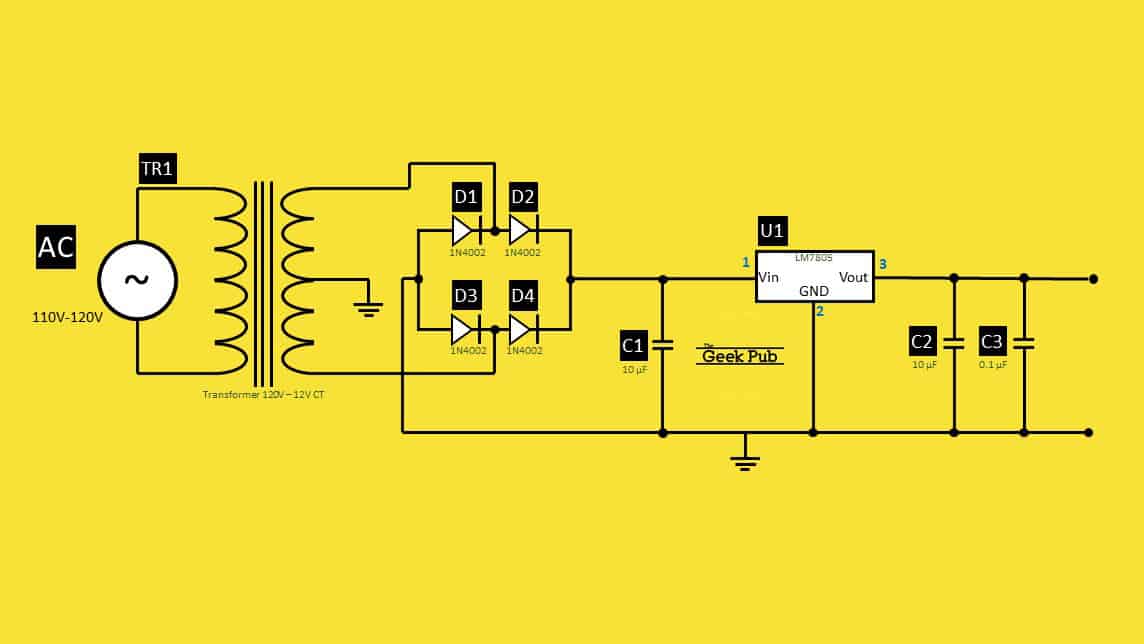
A USB charger first job is to transform the electricity from your wall outlet into something your phone can use. Household outlets supply alternating current, typically 120V in North America or 240V in Europe. But batteries store energy as direct current at much lower voltages, usually 3.7V to 4.2V. The charger bridges these two worlds.
Inside the Charger Brick
Inside every charger brick is a miniature power station that performs three essential functions. It steps down high-voltage AC using a transformer. It converts AC to DC using rectifiers. It regulates output to prevent surges or drops using switching regulators. All of this happens in a compact adapter you can hold in your hand.
Standard Output Voltages
Most USB chargers output 5 volts as a baseline. This is the universal fallback voltage for backward compatibility. But modern chargers can go higher, up to 48V, when both the device and cable support it. Higher voltages allow more wattage without increasing current, which reduces heat and energy loss in the cable.
USB-A vs USB-C: What Is the Difference

Not all USB ports deliver power the same way. The physical connector matters, especially when it comes to speed and flexibility.
USB-A: The Legacy Connector
The classic rectangular USB-A port is limited by design. It outputs only 5V with a maximum current of 1.5A, delivering 7.5W in Battery Charging 1.2 mode. There is no native support for voltage negotiation. While useful for older phones and accessories, USB-A cannot deliver the high power needed for fast charging or laptops.
USB-C: The Modern Standard
The USB-C connector changed everything. It features a reversible plug so you never have to guess which way to insert it. It supports bidirectional power flow, meaning your device can charge another device. It enables voltage negotiation via USB-PD. It can deliver up to 240W through its 24-pin design that includes a dedicated Configuration Channel pin for communication.
USB Power Delivery: How Devices Negotiate Power
Modern charging is not passive. Devices and chargers negotiate how much power to deliver, and this is the core of USB Power Delivery.
The Negotiation Steps
The power negotiation process happens in five steps. First, when you plug in, the device sends a small signal through the CC pin. Second, the charger responds with a list of supported power profiles. Third, the device picks the highest profile it can safely handle. Fourth, the charger smoothly increases output to the agreed voltage. Fifth, during charging, the device may request lower voltage if it gets hot or nears full charge.
Power Profile Examples
A charger might offer several profiles. A phone might choose 9V/2A for 18W. A tablet might select 15V/3A for 45W. A laptop might take 20V/3A for 60W. If negotiation fails with a cheap cable, the system defaults to 5V, safe but slow.
Why Some Chargers Charge Faster Than Others
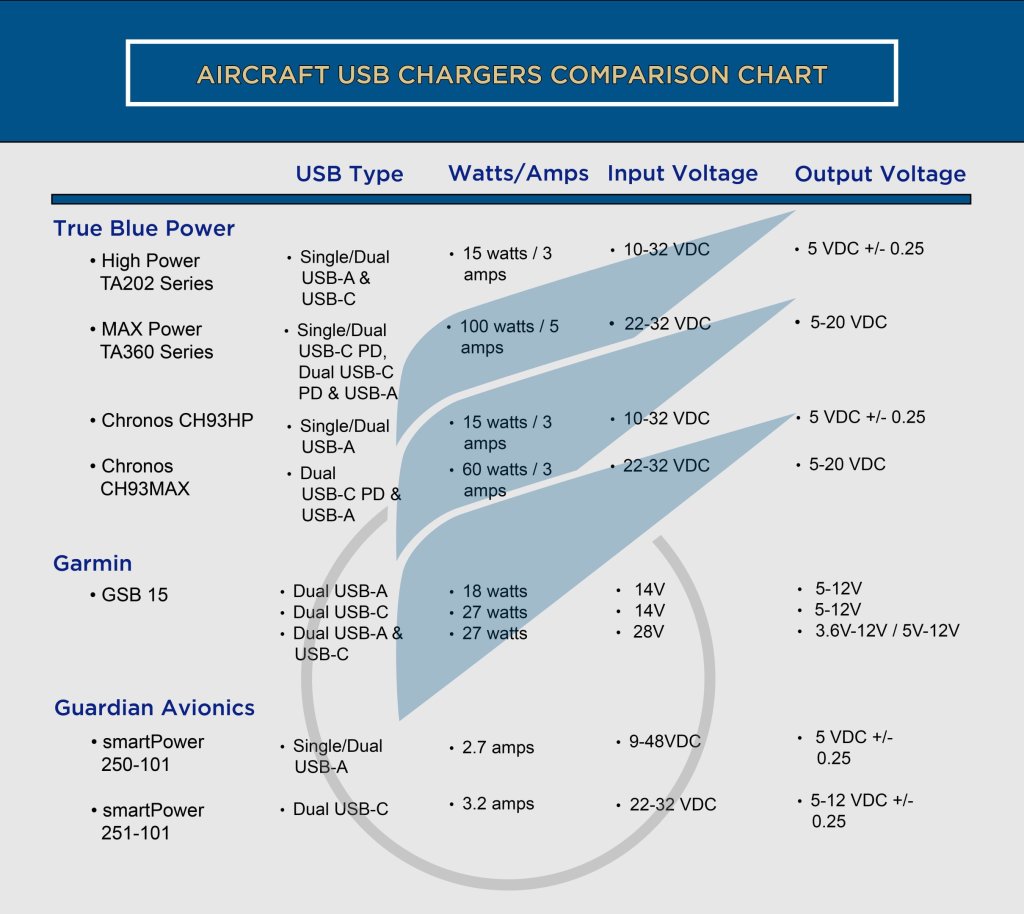
Charging speed is not just about the charger. It is an ecosystem involving the charger, the cable, and the device all working together.
Charger Wattage Matters
A basic USB-A charger delivers 5W. A fast charger delivers 18W. A USB-C PD charger can deliver 60W. An EPR PD charger can deliver 240W. Higher wattage means faster charging, but only if the device supports it.
Device Limits Power Draw
Your phone decides how much power to take. Even with a 100W charger, an older phone may only draw 5W because its battery management system is not designed for high current. An iPhone 14 supports up to 27W PD, so plugging it into a 65W MacBook charger still only draws about 27W.
Cable Quality Affects Performance
Not all USB-C cables are equal. Passive cables are simple wires with no electronics, fine for 60W. Active cables with an E-Marker chip report max power, data rate, and safety specs, required for 5A and EPR charging. Using a non-e-marked cable with a high-power charger forces a fallback to 60W.
Fast Charging: What Triggers the Fast Charging Icon
Seeing Fast Charging on your screen does not always mean you are getting the fastest possible charge.
Voltage-Based Triggers
Many phones only display the fast-charging icon when they detect 9V or higher, even if a 5V/3A charger delivers the same wattage as a 9V/1.67A charger. A 5V/3A Raspberry Pi charger may deliver more current than a 2.4A phone charger, but if it does not negotiate 9V, your phone will not show fast charging.
Proprietary Fast Charging Standards
Manufacturers use custom fast-charging standards that require specific chargers and cables to activate. Qualcomm Quick Charge boosts voltage early in the charge cycle. Samsung Adaptive Fast Charging combines PD with proprietary tuning. OnePlus Warp Charge uses high current and requires a special cable. Using third-party chargers may disable proprietary fast charging even if wattage matches.
Bidirectional Charging: Power Flow in Both Directions
USB-C with USB-PD supports reverse power flow, meaning your device can become the charger.
Real-World Examples
You can charge AirPods from your Android phone. You can charge your phone from a MacBook USB-C port. A USB-C monitor can power your laptop while displaying video. Some phones let you wirelessly charge another phone from the back. Devices automatically negotiate roles based on battery level or user settings.
Wired vs Wireless Charging: Speed Comparison
Wired charging remains the fastest option, while wireless charging offers convenience at the cost of efficiency.
Wired Charging Advantages
Wired charging achieves 90-95% efficiency with minimal heat loss. A 65W PD charger can fully charge a compatible phone in under 30 minutes. This is ideal for overnight charging, heavy use, and fast top-ups.
Wireless Charging Trade-offs
Wireless charging operates at 70-80% efficiency because energy is lost as heat. Typical Qi standard delivers 5W to 15W. Heat generation can slow charging as the phone throttles to protect the battery. This is best for nightstands, desks, and car mounts where convenience matters more than speed.
Safety: Can a Powerful Charger Damage Your Phone
A common fear is whether a 100W charger will fry a phone. The answer is no. Devices only draw the power they need.
Built-In Safety Protections
The handshake protocol ensures no power flows until negotiation completes. Overvoltage protection shuts down the charger if voltage spikes. Overcurrent protection limits current if the cable or device overheats. Short-circuit protection cuts power instantly on fault detection. Using a high-wattage charger is safe. The worst that happens is slower charging if the cable or device does not support PD.
Best Practices for Optimal USB Charging
Get the most out of your USB charger by following these practical tips.
Match Your Components
Use a USB-C PD charger, an e-marked USB-C cable, and a USB-C device with PD support. This combination unlocks the fastest possible charging.
Avoid Cheap Knockoff Chargers
Poorly made chargers may lack voltage regulation, surge protection, and safety certifications. They can overheat, damage devices, or cause fires.
Check Total Power on Multi-Port Chargers
On multi-port chargers, total output is often shared. A 60W charger with two ports may only give 30W each when both are used. Check the label for total output and per-port maximum.
Enable Fast Charging in Settings
Some phones require you to turn on Fast Charging or Adaptive Fast Charging in the battery settings.
Keep Devices Cool
Heat slows charging. Avoid charging under pillows, using your phone while fast charging, or leaving it in direct sunlight.
Reuse Chargers Across Devices
Thanks to USB-C and PD, one charger can power your phone, tablet, laptop, camera, and earbuds. Reduce e-waste by using what you already own.
The Future: USB-C and Universal Charging
The EU mandates all smartphones sold in Europe must use USB-C by 2024, with laptops following by 2026. This push aims to reduce e-waste, eliminate charger clutter, and standardize power delivery.
Extended Power Range
USB-PD 3.1 introduced EPR, enabling 28V, 36V, and 48V outputs up to 240W. Devices like the Canon R5, Nikon Z9, and high-end laptops already require EPR for full charging.
Frequently Asked Questions About USB Chargers
Does a higher wattage charger charge my phone faster?
Yes, but only if your phone supports the higher wattage. The device controls power draw, so a 100W charger will only deliver what your phone requests, typically 18W to 27W for most smartphones.
Can I use a laptop charger to charge my phone?
Yes, it is safe. Your phone will only draw the power it needs. A 65W MacBook charger will charge your phone at its maximum supported speed, not at 65W.
Why does my phone not show fast charging?
Your phone may not show fast charging because the charger does not support the required voltage, the cable lacks e-marker chips, or fast charging is disabled in your phone settings.
Do all USB-C cables support fast charging?
No. Standard USB-C cables may be limited to 3A or 60W. For fast charging above 60W, you need a certified cable with an e-marker chip.
Can a bad cable damage my device?
Yes, poor-quality cables can increase resistance, causing heat, slow charging, or damage. Always use certified cables from reputable brands.
Is wireless charging bad for battery health?
Wireless charging generates more heat than wired charging, which can slightly reduce battery lifespan over time. For fastest and safest charging, use a wired connection.
Key Takeaways for Understanding USB Chargers
The evolution of USB charging, from 2.5W on USB 1.1 to 240W on EPR, is a story of intelligence, safety, and standardization. Today’s USB chargers do not just deliver power. They negotiate it, regulate it, and adapt it in real time through protocols like USB Power Delivery.
You do not need to understand volts and amps to charge your phone. The system works automatically. Plug in, devices talk, optimal power flows, and charging begins. As USB-C becomes universal and EPR rolls out, we are moving toward a world where one cable charges everything from earbuds to electric tools.
Choose certified gear, match your components, and let the protocol do the rest. If you want the fastest charging, invest in a USB-C PD charger and an e-marked USB-C cable that matches your device capabilities.





