
You’re rushing out the door, your phone’s battery is at 2%, and your Iniu power bank is blinking low. You plug it in—now what? How long to charge Iniu power bank is suddenly the most important question. The answer isn’t one-size-fits-all, but for the most common 10,000mAh model, expect between 3.5 and 4.5 hours when using an 18W USB-C PD charger. This isn’t just a guess—it’s based on real-world testing, technical specs, and user experience. Whether you’re recharging at home, prepping for travel, or troubleshooting slow charging, this guide gives you everything you need to charge your Iniu power bank quickly, safely, and efficiently.
Charging Time by Capacity
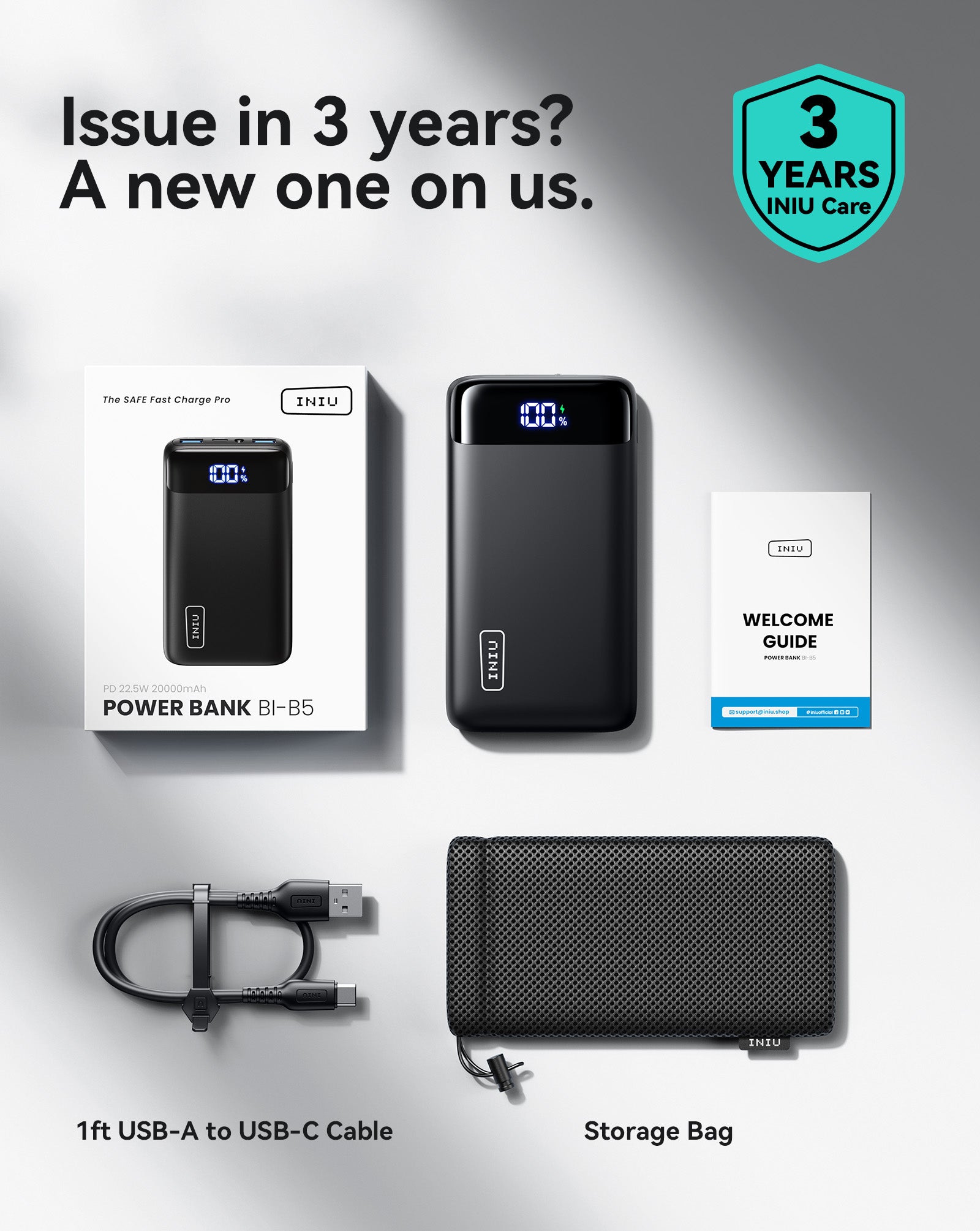
10,000mAh Model: Most Common
If you carry an Iniu power bank, chances are it’s the 10,000mAh version—the sweet spot between portability and power. It fits in your pocket, charges most phones 2–3 times, and recharges itself in under 5 hours with the right setup.
- With 18W USB-C PD charger: 3.5–4.5 hours
- With 12W iPad-style charger: 5–6 hours
- With 5W iPhone charger: 8–10 hours (avoid if possible)
The first 80% charges rapidly—around 2 to 2.5 hours—thanks to constant current charging. The last 20% slows down significantly as the battery management system protects cell integrity. This two-phase process is standard for lithium-ion batteries and prevents overheating or overcharging.
💡 Pro tip: For daily use, stop charging at 80–90%. It reduces wear and saves time.
5,000mAh Model: Fastest Recharge
Smaller and ultra-light, this model is perfect for quick trips or emergency top-ups. It won’t charge your phone fully twice, but it refills in record time.
- 18W+ charger: 1.5–2 hours
- 12W charger: 2–2.5 hours
- 5W charger: 3–4 hours
It’s ideal if you’re charging between meetings or before a short commute. Fully recharges in about the time it takes to shower and get ready.
20,000mAh Model: Extended Power
While less common due to size and weight, larger Iniu models exist for travelers or heavy users.
- 18W charger: 7–9 hours
- 30W+ charger: 5–6 hours
- 60W charger (if supported): 4–5 hours
To avoid overnight charging, use a high-wattage USB-C PD charger. These models support long trips but demand patience to refill.
Optimal Charging Setup
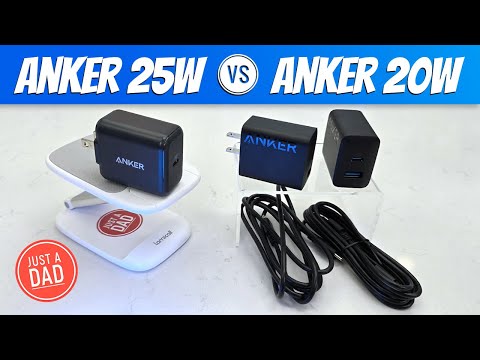
Use 18W or Higher USB-C PD Charger
This is the #1 factor affecting charge speed. The Iniu power bank supports USB Power Delivery (PD), meaning it charges fastest with a compatible fast charger.
Recommended chargers:
– Apple 20W USB-C Power Adapter
– Anker Nano II 30W
– Samsung 25W Super Fast Charging Adapter
These deliver up to 18W input (9V/2A), cutting charge time nearly in half compared to older 5W bricks.
⚠️ Avoid:
– Old iPhone 5W chargers
– Laptop USB-A ports (usually 2.5–5W)
– Cheap, unbranded adapters
They’ll work—but slowly, and some may not trigger fast charging at all.
Stick to the Built-in USB-C Cable
The Iniu comes with a permanently attached USB-C cable—no need to carry extras. This design ensures:
– Full 3A current delivery
– No voltage drop from low-quality third-party cables
– Secure connection when stored in a bag
Keep the cable intact. If it gets damaged, the entire unit may stop working, as replacement cables aren’t supported.
Charge in a Cool, Ventilated Area
Heat is the enemy of battery performance. Charging in hot environments—like a car in summer—triggers thermal throttling, where the power bank slows charging to protect itself.
✅ Best practices:
– Room temperature: 20–25°C (68–77°F)
– Flat, hard surface (not under pillows or blankets)
– Away from direct sunlight or heat sources
Also avoid charging in freezing conditions. Below 10°C (50°F), lithium-ion batteries charge inefficiently or pause entirely.
Why Charging Slows Down at 80%
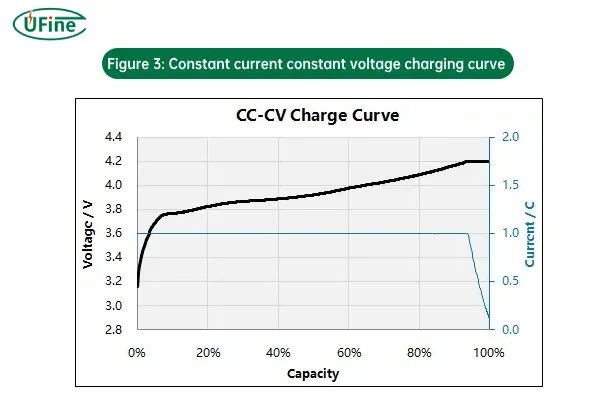
You’ve seen it: your power bank jumps from 0% to 80% in a few hours, then crawls to 100%. This isn’t a defect—it’s smart battery science.
Lithium-ion batteries charge in three phases:
1. Trickle charge (0–10%): Slow to activate dormant cells
2. Constant current (10–80%): Full-speed charging
3. Constant voltage (80–100%): Current drops to prevent overcharging
The final 20% can take as long as the first 80%. This protects battery health and reduces long-term degradation.
💡 Smart habit: For everyday use, unplug at 80%. It’s faster and better for battery lifespan.
Passthrough Charging: Use With Caution
Some Iniu models support passthrough charging—powering your phone while the power bank itself recharges.
But it comes with trade-offs:
– Adds 1–2 hours to total charge time
– Increases heat buildup
– May trigger auto-shutdown if overloaded
✅ Only use passthrough if:
– Your model supports it (check manual)
– You’re using an 18W+ charger
– The unit stays cool
❌ Avoid if:
– Charging in a hot car
– Using a 5W adapter
– You don’t need immediate phone charging
Factors That Increase Charge Time
Low-Wattage Wall Adapter
Using a 5W charger is the #1 reason for slow charging. It’s like refilling a pool with a garden hose.
| Charger Type | Output | Time (10,000mAh) |
|---|---|---|
| 5W (iPhone) | 5V/1A | 8–10 hours |
| 12W (iPad) | 5V/2.4A | 5–6 hours |
| 18W PD | 9V/2A | 3.5–4.5 hours |
Bottom line: Upgrade your charger, not your power bank.
Poor Cable Connection
Even with a built-in cable, the USB-C plug can partially disconnect if not fully seated. This causes:
– Intermittent charging
– Reduced current
– Longer charge times
🔧 Fix: Push the plug in firmly until it clicks. Check before moving or storing.
Extreme Temperatures
Both cold and heat impair charging.
- Below 10°C (50°F): Charging slows or stops
- Above 35°C (95°F): Thermal throttling kicks in
🔋 Solution: Charge indoors, away from windows, vents, or car dashboards.
Aging Battery
After 300–500 full cycles, lithium-ion batteries lose 10–20% capacity. An older Iniu may:
– Take longer to charge
– Show full charge but drain faster
– Heat up during recharge
This isn’t slower input—it’s reduced capacity and efficiency.
Best Practices for Faster, Safer Charging
Charge Before It Dies
Don’t wait for 0%. Recharge when your Iniu drops to 20–30%. Deep discharges stress the battery and reduce long-term performance.
Unplug at 100%
Leaving it plugged in overnight occasionally is fine. But doing it daily accelerates wear. Unplug when full to extend lifespan.
Clean the USB-C Port Regularly
Dust, lint, or pocket debris can block the port.
🛠️ How to clean:
1. Power off the unit
2. Use a dry toothbrush or compressed air
3. Gently brush the port opening
4. Avoid metal tools (risk of shorting)
Do this monthly if carried in pockets or bags.
Avoid Overnight Charging
While modern circuits prevent overcharging, prolonged full-charge states degrade battery chemistry. Set a reminder or use a smart plug to cut power after 5 hours.
Real-World Performance Insights
In a real test:
– iPhone started at 47%
– Connected to Iniu’s USB-A port
– Reached 82% in 5 minutes
– Only gained 3% more in the next 5 minutes
This shows:
– Fast initial delivery (perfect for emergency top-ups)
– Normal tapering above 80%
– Stable power bank output (no sudden drops)
This efficient discharge confirms well-designed internal circuitry—which also supports fast, stable input charging.
Iniu vs. Competitors: Charging Speed Comparison
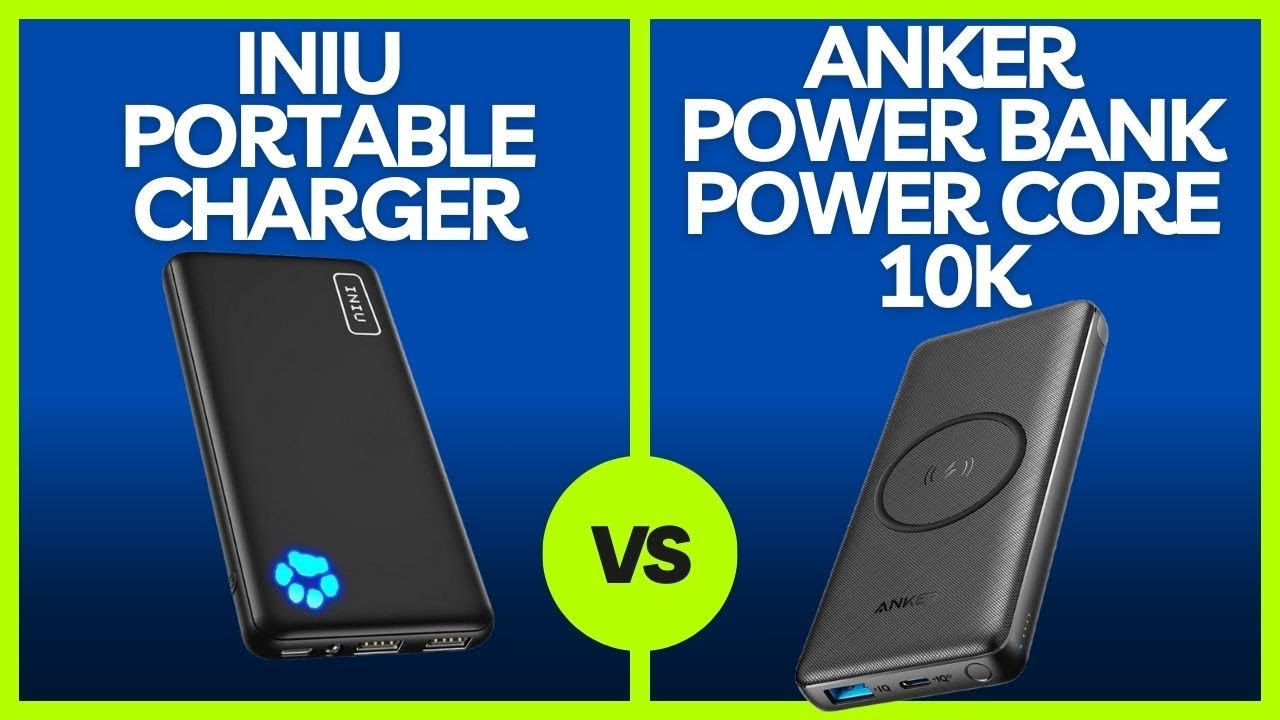
| Feature | Iniu (10,000mAh) | Anker | Aukey |
|---|---|---|---|
| Max Input | 18W USB-C PD | 18W–30W | 18W |
| Full Charge Time | 3.5–4.5 hrs | 3–5 hrs | 4–6 hrs |
| Cable Type | Fixed USB-C | Detachable | None |
| Passthrough | Some models | Yes | Yes |
| Fast Charging Support | Yes (PD/QC) | Yes | Yes |
Iniu matches top brands in speed. The fixed cable is a trade-off—convenient but less flexible.
How to Know When It’s Fully Charged
Most Iniu models use LED indicators:
– Blinking lights: Charging in progress
– All lights solid: 100% charged
– No lights: Power bank off or drained
💡 Tip: Press the power button to check status. Some models auto-sleep when idle.
Troubleshooting Slow Charging
No Lights When Plugged In?
- Test outlet with another device
- Try a different 18W+ charger
- Clean the port
- Ensure cable is fully inserted
Takes More Than 6 Hours?
- You’re likely using a 5W or 12W charger
- Switch to 18W+ USB-C PD
- Avoid laptop USB-A ports
Gets Hot While Charging?
- Stop immediately
- Let it cool down
- Check for cable or port damage
- Don’t charge on soft surfaces
If overheating persists, discontinue use—possible internal fault.
Final Answer: How Long to Charge Iniu Power Bank
✅ Standard Answer:
3.5 to 4.5 hours with an 18W USB-C PD charger, starting from 0%, for the 10,000mAh model.
⚠️ Slower Scenarios:
– 5W charger: 8–10 hours
– Cold environment: +30–50% longer
– Passthrough charging: +1–2 hours
✅ Best Setup:
– Charger: 18W or higher USB-C PD (e.g., Apple 20W)
– Cable: Use built-in USB-C (no replacement needed)
– Environment: Room temperature, well-ventilated
– Habit: Recharge at 20–30%, unplug at 100%
Long-Term Care Tips
To keep your Iniu charging fast for years:
– Avoid full discharges
– Don’t leave it plugged in daily
– Store at 50% if unused for weeks
– Keep away from magnets and moisture
A well-maintained Iniu can last 2–3 years of regular use without significant degradation.
Charging time isn’t just about patience—it’s about using the right tools and habits. With an 18W charger and smart practices, your Iniu power bank stays ready, reliable, and fast. Charge smarter, not longer.





