
Running out of battery on your phone during a commute, travel, or long workday is more than inconvenient—it can be stressful. A Xiaomi power bank offers a reliable, portable solution to keep your devices powered wherever you go. Known for their sleek design, high efficiency, and smart safety features, Xiaomi power banks are trusted by millions worldwide. But to get the most out of yours, you need to know how to use a Xiaomi power bank correctly—from initial charging to fast-charging support and long-term care.
This comprehensive guide walks you through every step: charging the power bank, connecting your devices, enabling fast charging, troubleshooting common issues, and maintaining peak performance. Whether you own a compact 10,000mAh model or a high-capacity 65W GaN version, this guide ensures you use your device safely and efficiently.
Charge the Xiaomi Power Bank Before First Use
To ensure optimal performance and battery health, always charge your Xiaomi power bank fully before using it.
Connect to a High-Output Wall Charger
Use the included USB-C or Micro-USB cable (depending on your model) and plug it into a 5V/2A or higher wall charger. Avoid low-power sources like older computer USB ports, which can take significantly longer to charge.
- Once connected, the LED indicators will flash to show charging is in progress.
- When all LEDs are solid (or the LCD screen reads 100%), the power bank is fully charged.
- A typical 10,000mAh model takes 4 to 6 hours to charge with standard 10W input.
Pro Tip: If you own a fast-charging model like the Xiaomi Power Bank 3 Pro or 65W GaN version, use a PD-compatible wall charger (e.g., 18W, 30W, or 65W) to take advantage of faster input speeds.
Use the Right Cable and Adapter
Not all cables are created equal. For best results:
– Always use a certified or original cable.
– Prefer USB-C cables for newer models—they support higher power transfer and are more durable.
– Avoid damaged or frayed cables that may slow charging or interrupt the connection.
Using a low-quality charger or cable can lead to inefficient charging and reduced battery lifespan over time.
Turn On and Check Battery Level Accurately
Knowing how much charge your power bank has left helps avoid surprises when you need it most.
Press the Power Button to Activate
Most Xiaomi power banks feature a single power button on the side or top:
– Press it once to activate the LED indicators or digital display.
– On LED models, each light represents approximately 25% charge:
– 1 light = 0–25%
– 2 lights = 25–50%
– 3 lights = 50–75%
– 4 lights = 75–100%
Some advanced models, like the 65W GaN power bank, have an LCD screen that displays the exact percentage (e.g., 87%) and real-time output (voltage and current).
Note: Certain models feature auto-sensing technology, meaning they turn on automatically when you plug in a device.
Respond to No Lights or Blank Display
If pressing the button shows no lights or a blank screen, the power bank is likely fully drained. Reconnect it to a wall charger for at least 10–15 minutes. If still unresponsive, try holding the power button for 10 seconds to reset the circuit.
Connect Your Device and Start Charging Safely
Once your power bank is charged, it’s time to power your phone, tablet, or other USB device.
Match the Correct Cable to Your Device
Use the appropriate cable for your device:
– iPhone: USB-A to Lightning (standard) or USB-C to Lightning (for PD fast charging)
– Android phones: USB-A to USB-C or USB-C to USB-C
– Earbuds, smartwatches, and tablets: Standard USB cables work well
Always use high-quality, certified cables—cheap alternatives often cause slow charging or disconnections.
Begin Charging Automatically or Manually
- Plug your device into a USB output port (USB-A or USB-C).
- Most models start charging instantly.
- If nothing happens, press the power button to manually activate output.
Warning: Many Xiaomi power banks have an auto-shutdown feature. If no current is drawn within 15–30 seconds, the unit turns off to save power. Simply reconnect or press the button again to restart.
Enable Fast Charging on Compatible Devices

High-end Xiaomi power banks support fast charging—but only under the right conditions.
Use USB Power Delivery (PD) for Fast Output
Models like the Xiaomi Power Bank 3 Pro and 65W GaN support USB Power Delivery (PD):
– Use a USB-C to USB-C cable.
– Connect to PD-compatible devices like the iPhone 15, MacBook Air, or Xiaomi 13.
– Output can reach 18W, 30W, or even 65W, cutting charging time in half.
Example: An iPhone 15 can go from 0% to 50% in about 30 minutes using PD fast charging.
Activate Quick Charge for Android Phones
For Samsung, Xiaomi, or other Android devices:
– Use the USB-A port if your model supports QC 3.0 or Adaptive Fast Charging.
– Ensure your phone supports fast charging.
– You’ll notice significantly faster charging compared to standard 5W charging.
Avoid Charging Failures
Fast charging fails if:
– You use a non-certified or damaged cable
– You connect through a USB hub or extension
– Your device doesn’t support the same protocol (PD, QC, or Turbo)
Always connect directly between the power bank and your device for best results.
Charge Two Devices at Once with Dual Ports

Many Xiaomi power banks feature dual output ports, allowing you to charge multiple devices simultaneously.
Plug Into USB-A and USB-C Together
- Use USB-A + USB-C (or dual USB-A on older models) to charge a phone and earbuds, for example.
- Total output is shared—e.g., a 5V/3.6A max power bank might deliver 2.4A to one device and 1.2A to another.
Expect Slower Speeds When Charging Multiple Devices
While convenient, dual charging reduces speed per device. For fastest results:
– Charge one device at a time when speed matters.
– Prioritize your phone or tablet on the USB-C (PD) port.
Note: Xiaomi’s smart IC technology prevents overload and adjusts power delivery safely based on each device’s needs.
Recharge the Power Bank After Use
After draining your power bank, recharge it promptly to keep it ready for next use.
Use USB-C for Fast Recharging
Newer models support bidirectional fast charging:
– Recharge via USB-C input at up to 18W, 30W, or 65W.
– A 10,000mAh power bank can recharge in 2–3 hours with 30W input.
Example: The Xiaomi 65W GaN power bank recharges itself quickly using a 65W wall charger—ideal for frequent travelers.
Avoid Deep Discharge Cycles
Don’t let your power bank drop to 0% regularly:
– Deep discharges stress the lithium battery.
– Recharge when only 1–2 LED bars remain.
Best practice: top it off after each use to extend battery life.
Follow Safety and Maintenance Best Practices
Protect your investment with proper care and smart habits.
Keep Away From Extreme Temperatures
- Avoid leaving the power bank in hot cars (>60°C) or freezing conditions (<0°C).
- High heat accelerates battery degradation.
- Charging in cold weather may slow or stop.
Fact: Most Xiaomi power banks operate safely between 0°C and 40°C.
Store at 50–80% Charge for Long-Term Use
If storing for weeks or months:
– Charge to about 60% before storage.
– Avoid storing at 0% or 100% for long periods.
– Recharge every 3 months to prevent deep discharge.
Clean USB Ports Regularly
Dust or lint can block connections:
– Use a dry toothbrush or compressed air to clean gently.
– Never use metal objects or liquids.
Troubleshoot Common Xiaomi Power Bank Issues

Even reliable devices can have hiccups. Here’s how to fix them.
Power Bank Won’t Turn On
Cause: Battery fully depleted
Fix: Recharge with a wall adapter for 10–15 minutes. Try holding the power button for 10 seconds to reset.
No Power Output
Cause: Auto-shutdown or faulty cable
Fix: Press the power button manually or try a different cable/device.
Slow Charging
Cause: Low-power source or shared output
Fix: Use a wall charger (not a laptop), replace old cables, and charge one device at a time.
Overheating During Use
Cause: Fast charging or high ambient temperature
Fix: Disconnect and let it cool. Stop use if excessively hot—this could indicate a fault.
Blinking LEDs or Error Lights
Cause: Internal error or short circuit
Fix: Fully discharge, then fully recharge. If blinking continues, contact Xiaomi support.
Know Air Travel Rules Before Flying
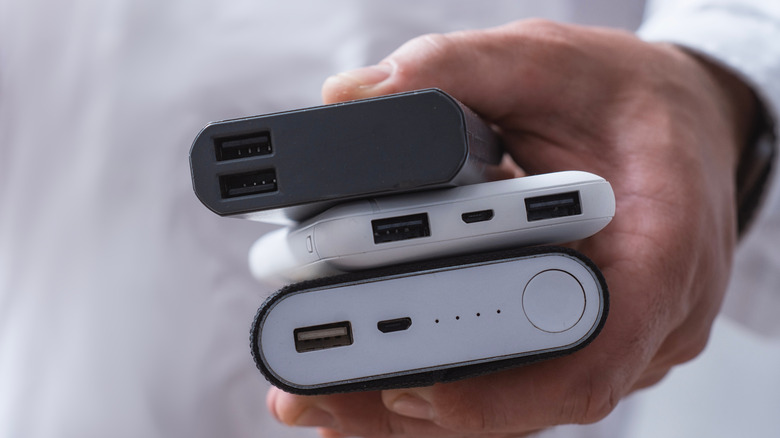
You can bring Xiaomi power banks on planes—but follow airline rules.
Carry-On Only, Never in Checked Luggage
- Lithium batteries pose a fire risk—must be in carry-on bags.
- Keep it in your backpack or handbag.
Check the 100Wh Airline Limit
- Most airlines allow power banks up to 100Wh without approval.
- Example: 27,000mAh ≈ 99.9Wh — usually allowed.
- Models above 100Wh (e.g., some 30,000mAh units) need airline permission.
Tip: Carry the product label showing mAh, voltage, and Wh for security checks.
Match Your Power Bank to Your Device
Choose the right port and cable based on what you’re charging.
| Device | Charging Tip |
|---|---|
| iPhone | Use USB-C to Lightning with PD models for 20W fast charging |
| Samsung/Android | Use QC 3.0 via USB-A or USB-C for fast charging |
| MacBook Air | Only possible with 45W+ PD models like the 65W GaN |
| Earbuds/Smartwatches | Use low-current mode—press power button twice on some models |
Maximize Lifespan and Performance
With proper care, your Xiaomi power bank can last 500+ charge cycles.
Follow the 50% Storage Rule
- Store between 40% and 80% charge.
- Avoid full 0% or 100% storage for long periods.
Use Genuine Accessories
- Fake cables or chargers may damage the circuit.
- Stick to original or MFi-certified cables.
Reset Occasionally
Every few months:
– Drain completely.
– Recharge to 100%.
– Helps recalibrate the battery indicator.
Choose the Right Model for Your Needs
Not all Xiaomi power banks are the same. Pick based on your usage:
- Mi Power Bank 3 (10,000mAh): Compact, great for daily use
- Power Bank 3 Pro: Fast charging for iPhone and Android
- 30,000mAh Model: Long trips, multiple charges
- 65W GaN: Charges laptops—perfect for business travelers
Final Note: Using a Xiaomi power bank is simple once you know the basics—charge it first, use the right cables, enable fast charging when possible, and store it properly. With built-in safety features, LED indicators, and support for PD and QC protocols, it’s a reliable companion for daily use, travel, or emergencies. Follow these tips to keep it working efficiently for years.





