You’re packing for a weekend trip when you realize your Anker power bank is dead. That sinking feeling hits as you wonder: “How long until this 10,000mAh lifesaver is ready?” You plug it in with your old phone charger, only to discover it’ll take all night. The harsh truth? Anker power bank 10000mah charging time isn’t fixed—it swings wildly from 2.6 to 21 hours depending entirely on your charger. This critical detail separates travelers who stay powered from those stranded with dead devices.
Most users waste hours charging their Anker power banks simply because they don’t understand the charger-power bank relationship. Your 10,000mAh Anker unit contains a 37Wh lithium-ion battery that charges at wildly different speeds based on input power. Forget overnight myths—we’ll reveal exactly how to slash your charging time using the right equipment. By the end, you’ll know precisely which charger to grab for your next adventure and avoid the common mistakes that double your wait.
Why Your Charger Choice Makes or Breaks Anker 10K Charging Speed
That tiny USB port on your Anker power bank accepts vastly different power levels, directly controlling your charging time. A mismatched charger creates a bottleneck where your power bank literally can’t accept energy faster than the input allows. For example, using a 5W charger on a power bank capable of 30W input is like trying to fill a swimming pool with an eyedropper—you’ll eventually get there, but why suffer? The 37Wh battery capacity requires specific wattage to charge efficiently, with real-world times varying up to 300% based solely on your wall adapter.
Exact Charge Times for Anker 10,000mAh Power Banks by Charger Type

30W PD Charger: 4-4.5 Hours for Full Power (Fastest Option)
When you pair your Anker power bank with a 30W USB-C Power Delivery charger, you unlock the absolute minimum charging time. This combination delivers energy at the maximum rate your power bank’s circuitry allows, turning a dead 10,000mAh unit into a fully charged companion in under 4.5 hours. Look for the “PD 3.0” logo on chargers—this isn’t just marketing fluff but the technical standard that enables rapid charging. Pro tip: Charge your power bank while it’s turned off for the fastest results, as active LED indicators consume precious energy during the process.
18W PD Charger: 6.5 Hours for Balanced Charging Efficiency
Many users mistakenly believe 18W chargers significantly outpace lower-wattage options, but the data tells a different story. An 18W PD charger still requires 6.5 hours to fully charge a standard Anker 10,000mAh power bank—nearly 50% slower than a 30W solution. This “middle ground” charger works adequately for overnight top-ups but becomes frustrating when you need power urgently. If you already own an 18W charger, use it for routine maintenance charging, but never rely on it when time matters.
10W (5V/2A) Charger: 4-5 Hours for Reliable Standard Charging
Surprisingly, a basic 10W charger (5V/2A output) often outperforms 18W PD chargers for certain Anker models, delivering full charge in 4-5 hours. This works because older Anker power banks without USB-C PD input max out at 10W acceptance. Check your power bank’s input specs—if it only lists “5V/2A” without PD support, that $5 charger from your junk drawer might be your fastest option. Always verify your specific model’s capabilities before investing in expensive chargers.
Avoid 5W Chargers: 7-10+ Hours of Wasted Time
That free Apple 5W charger or aging USB port on your laptop? They’re power bank killers. Using a 5W (5V/1A) source forces your Anker 10,000mAh unit into a glacial 7.4-10+ hour charge cycle—theoretically possible in 7.4 hours (37Wh ÷ 5W), but real-world inefficiencies push it beyond 10 hours. Worse, these low-wattage chargers generate excessive heat during extended use, accelerating battery degradation. If you must use one, monitor temperature closely and never leave it unattended.
3 Critical Factors That Secretly Slow Your Anker Power Bank Charging
Charger Compatibility Mismatches That Waste Hours
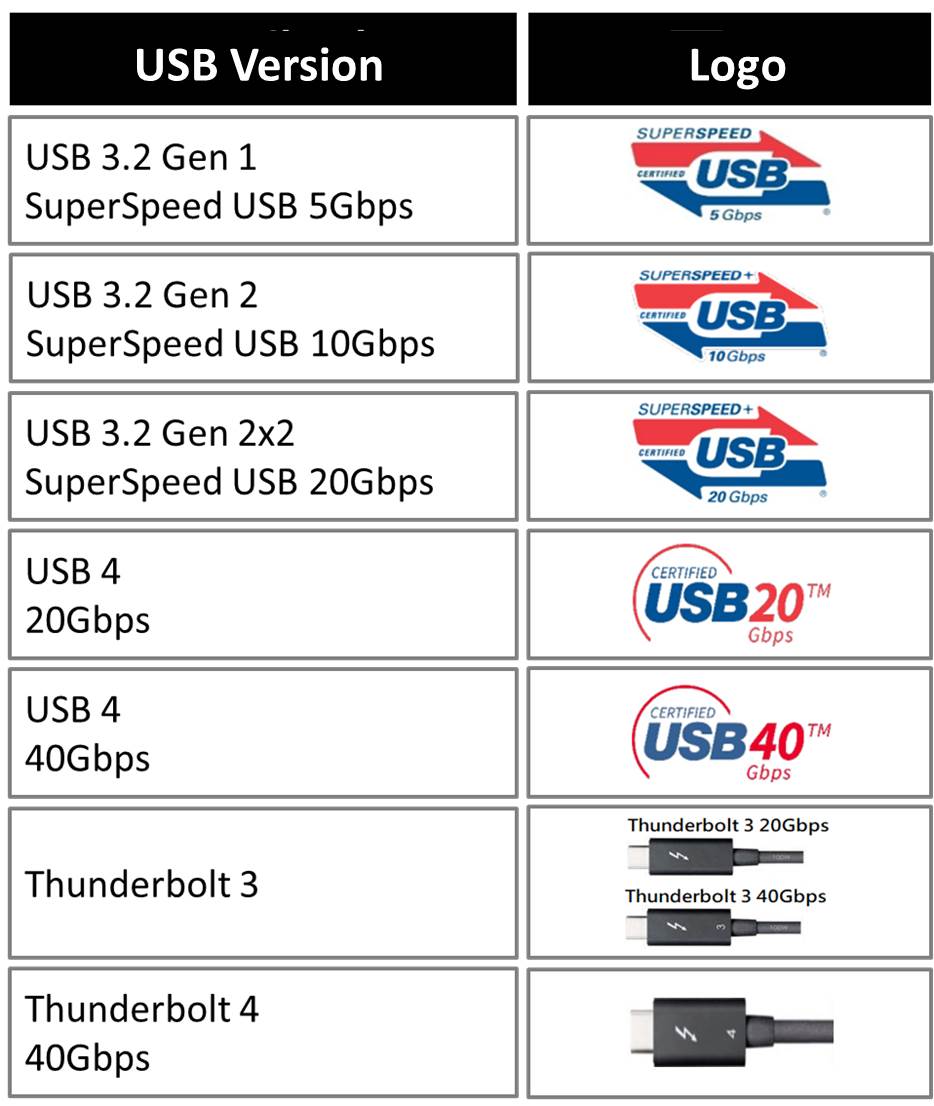
Many users assume “any USB-C charger works,” but Anker power banks require specific protocols. A 30W GaN charger won’t deliver fast charging if your power bank only supports Qualcomm Quick Charge (QC) instead of Power Delivery (PD). Check your power bank’s input label: “Input: 5V/3A, 9V/2.22A, 12V/1.67A” indicates PD support, while “Input: 5V/2.4A” suggests QC. Using mismatched chargers forces the unit into slow 5V charging mode regardless of wattage.
Cable Quality: The Invisible Charging Bottleneck
That frayed micro-USB cable from 2015? It’s sabotaging your charging speed. Poor cables can’t handle high currents, causing voltage drops that trigger the power bank’s safety cutoffs. For PD charging, you need certified USB-C to USB-C cables rated for 3A/60W. Test your cable by feeling it during charging—excessive warmth indicates resistance that slows charging. Always use Anker’s included cable or MFi-certified alternatives.
Battery Degradation in Older Power Banks
After 500+ charge cycles, your Anker power bank’s lithium-ion cells lose capacity and charging efficiency. An aging unit might take 25% longer to charge while delivering less power. Notice these warning signs: frequent overheating during charging, sudden capacity drops (e.g., showing 50% then dying immediately), or swollen casing. If present, replace your power bank—continuing to use degraded units risks fire hazards.
How to Slash Your Anker 10K Charging Time by 60%
Step-by-Step: Activate Maximum Charging Speed
- Verify PD support: Check if your power bank has “PD” or “Power Delivery” on its specs
- Grab a 30W+ PD charger: Anker’s own Nano II 30W charger delivers optimal results
- Use USB-C to USB-C cable: Ensure it’s rated for 60W+ (look for E-Marker chip certification)
- Power down the bank: Turn off all output ports before charging
- Monitor temperature: Keep below 40°C (104°F)—move to cooler spot if warm
Following these steps consistently achieves the 4-4.5 hour charging time for compatible models. For non-PD models, stick with 10W chargers for the 4-5 hour sweet spot.
Environmental Hacks for Faster Charging
Charge your Anker power bank at room temperature (20-25°C / 68-77°F) for peak efficiency. Cold environments (<10°C) slow chemical reactions inside the battery, while heat (>35°C) triggers thermal throttling. Never charge in direct sunlight or enclosed spaces—place it on a wooden surface away from carpets. During summer, avoid leaving it in hot cars where temperatures exceed 50°C (122°F), which can permanently damage cells.
Real-World Scenarios: What to Expect When It Matters Most

Rushing Before a Flight? Use 30W PD for Emergency Top-Ups
When you’ve got 90 minutes before boarding, plug into a 30W PD charger. Your Anker 10,000mAh power bank will gain approximately 25% charge per hour—enough for one full smartphone recharge. This beats the 5W charger’s meager 7% per hour, which would barely power your earbuds.
Overnight Charging Strategy That Actually Works
For reliable morning readiness, pair your power bank with an 18W PD charger at bedtime. The 6.5-hour cycle ensures full charge by 7 AM if plugged in by 12:30 AM. Place it on your nightstand away from bedding to prevent overheating—never under pillows where trapped heat degrades batteries.
Safety First: When to Retire Your Aging Anker Power Bank
Replace power banks showing these red flags:
– Physical swelling (won’t sit flat on surfaces)
– Excessive heat during normal charging (too hot to touch comfortably)
– Rapid capacity loss (drops from 100% to 20% in minutes)
– Over 2 years old with daily usage
Older units pose fire risks due to unstable lithium-ion chemistry. Modern alternatives like Anker’s Magnetic Battery 10,000mAh solve these issues with 2.6-hour charging via 20W USB-C PD and superior thermal management.
Your Anker 10,000mAh Charging Time Cheat Sheet
| Charger Type | Output | Charging Time | Best For |
|---|---|---|---|
| 30W PD Charger | 30W | 4-4.5 hours | Emergency top-ups |
| 10W Charger | 5V/2A | 4-5 hours | Older non-PD models |
| 18W PD Charger | 18W | 6.5 hours | Overnight routine charging |
| 5W Charger | 5V/1A | 7-10+ hours | Avoid entirely |
Stop gambling with your power bank charging time. Your Anker power bank 10000mah charging time hinges entirely on matching the right charger to your specific model—30W PD for modern units, 10W for older models. Ditch the 5W chargers that waste half your day, and never ignore warning signs from aging units. For the ultimate solution, consider Anker’s Magnetic Battery 10,000mAh that charges in just 2.6 hours. Remember: With the correct 30W PD setup, you’ll gain enough power for two smartphones in the time it takes to brew coffee. Invest in one quality charger today, and reclaim hours of your life every month—your next adventure won’t wait for a dead power bank.