
You plug in your onn portable charger, but the lights do not stay on. Nothing happens. Frustrating? Absolutely. Many users face this exact issue, especially when they assume the USB-C port charges the device, only to find it does not work. The truth is, how to charge an onn portable charger depends entirely on your model. Some use Micro USB, others use USB-C, but not all ports are for charging in. Using the wrong one leads to zero results.
This guide cuts through the confusion with clear, step-by-step instructions based on real user experiences and technical specs. You will learn how to identify your model, use the correct charging port, avoid common mistakes, and troubleshoot when your power bank will not charge. Whether you own an 8000 mAh or 20,000 mAh onn power bank, this is your definitive resource to get it powered up and working reliably.
Identify Your Onn Model First
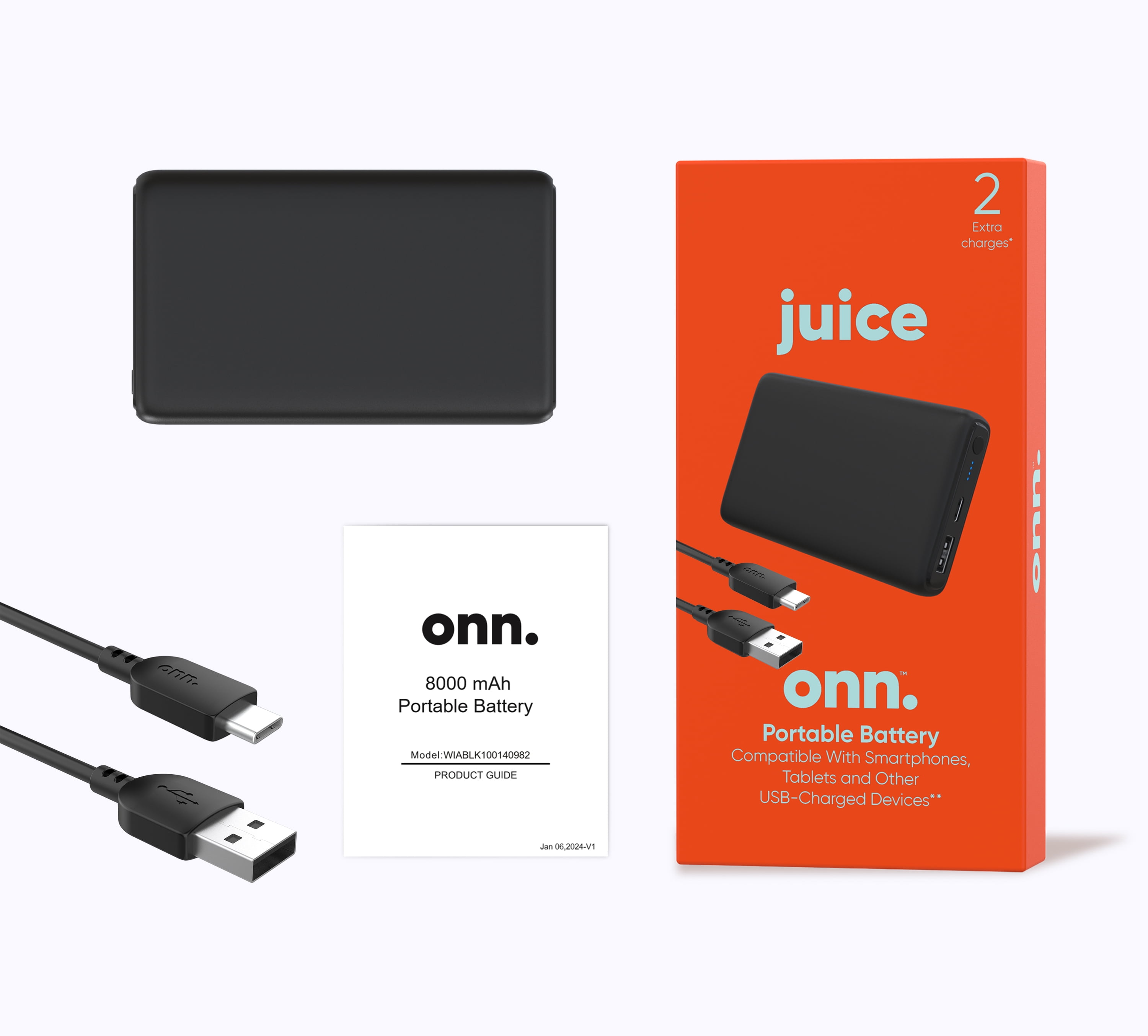
Before plugging anything in, confirm your model. Onn power banks vary significantly in charging input, and guessing wrong wastes time.
Check Label or Packaging
Look for these details on your device or packaging:
• Capacity (e.g., 8000 mAh, 20,000 mAh)
• Model number (e.g., WIABLK100139809)
• Port labels like “IN” or “INPUT”
If you still have the box, match your device to the printed specs. If not, inspect the unit closely. Some models have tiny engravings near the ports indicating function.
Why Model Matters
Different onn power banks use different charging inputs, and this matters enormously for successful charging.
• 8000 mAh models typically charge via Micro USB, not USB-C
• 20,000 mAh models usually use USB-C for input
• Using the wrong port means no charging, no matter how long you wait
Ignoring this step is the number one reason users think their charger is broken when it is just connected incorrectly.
Find the Correct Charging Port
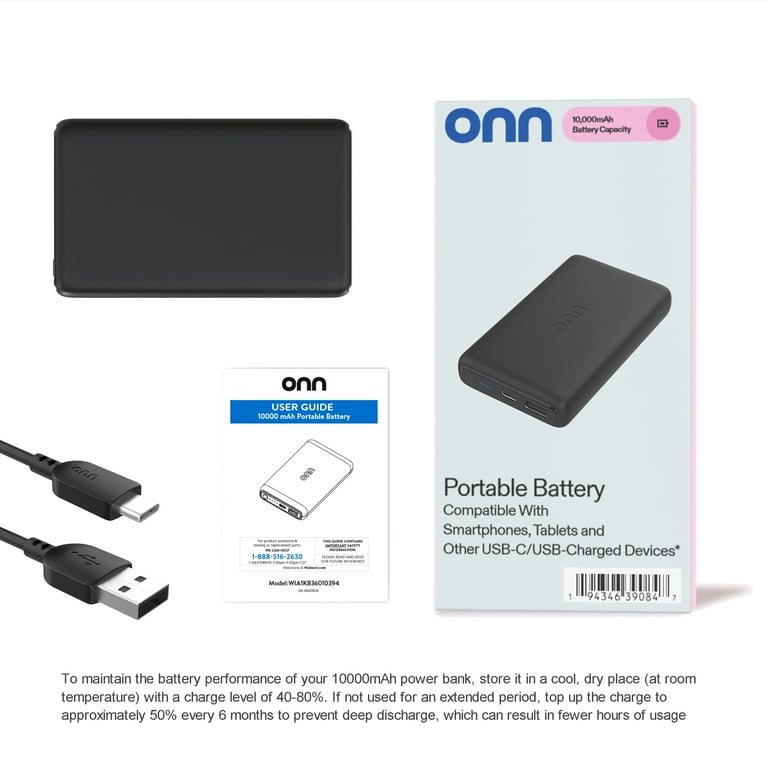
Do not assume. Many onn power banks have multiple ports, but only one is for input.
Micro USB vs USB-C: Know the Difference
8000 mAh Models: Use Micro USB
Despite having a USB-C port, this is output-only. A user confirmed: “Only the Micro USB port charges the unit.”
• Correct: Plug cable into Micro USB
• Wrong: USB-C or USB-A ports
20,000 mAh Models: Use USB-C
These use modern USB-C for input.
• Correct: USB-C cable to wall adapter
• Wrong: Attempting to charge via Micro USB
Pro Tip: Look for an “IN” label near the ports. If missing, consult the manual or packaging, or test based on known model behavior.
Avoid Output-Only Ports
USB-A ports are never for charging the power bank itself. They are only for charging your phone or other devices.
Use the Right Cable and Charger
Even with the correct port, a bad cable or weak charger can prevent charging entirely.
Choose a Working Cable
• For Micro USB models: Use a high-quality Micro USB cable known to work with other devices
• For USB-C models: Use a USB-C to USB-A or USB-C to USB-C cable that supports data and power
Warning: Cheap or damaged cables often fail to deliver consistent power. Do not trust old, frayed cables.
Power Source Matters
Plug into these sources:
• Wall adapter (5V/1A or higher) – Best for fast, reliable charging
• Computer USB port – May work but slower; some PCs disable power when asleep
• Car charger – Acceptable if output is 5V/1A or higher
Avoid these:
• Wireless chargers (onn power banks do not support wireless input)
• Low-power sources like USB hubs or keyboards
Watch for Charging Indicators
Once connected, check the LED lights. They tell you if charging started.
Normal Charging Behavior
• LEDs light up or blink when charging begins
• Some models cycle through lights as they charge
• Full charge may take 8 to 14 hours depending on capacity
What to Expect by Model
8000 mAh (Micro USB Input)
• Plug in: All four lights flash briefly
• Then: One or more stay lit during charging
• Full: All four lights solid
20,000 mAh (USB-C Input)
• Plug in: Lights illuminate and progress slowly
• Charges fully in about 10 to 14 hours with 5V/2A charger
Success Signal: Lights remain on for at least 30 seconds after plugging in.
Fix: Power Bank Lights Up Then Dies
A common failure occurs when you plug it in, one light flashes, then everything goes dark.
Possible Causes
• Deep battery discharge – Battery voltage too low to trigger charging circuit
• Faulty protection circuit – Over-discharge lock activated
• Internal hardware failure – No recovery possible
Troubleshooting Steps
Step 1: Try Different Cable and Charger
Use a known-working setup. Test with:
• A different wall adapter
• A different cable (preferably new)
• Another power source like a laptop or car charger
Step 2: Hold Power Button
Some models respond to a 10-second press of the power button to reset protection circuits.
User Hack: One owner reported success after holding the button for 15 seconds before plugging in.
Step 3: Wait 30 Minutes After Plugging In
Some deeply drained units take time to wake up. Leave it connected, even if lights go off, and check after 30 minutes or more.
Step 4: Try a USB-C PD Charger (Caution)
Only for USB-C input models:
• Use a USB-C Power Delivery charger (e.g., 18W)
• May kickstart a dead battery
• Risk: Can damage unit if not compatible. Use briefly and monitor.
If none of these work, the unit may be permanently dead.
Prevent Slow or Failed Charging
Avoid issues before they start with smart charging habits.
Never Fully Drain the Battery
Lithium-ion cells degrade faster when drained to 0%. Recharge when:
• Two lights remain
• Or battery level drops below 20%
Deep discharges can trigger irreversible protection locks.
Charge Before Storage
Storing a dead power bank risks permanent failure. Always:
• Charge to about 50% before long-term storage
• Recharge every 3 to 6 months
Avoid Extreme Temperatures
Heat and cold damage battery health:
• Do not leave in cars during summer
• Do not charge in freezing conditions
Compare Onn Models: What Works, What Does not
| Model | Input Port | Output Ports | Charging Time | Reliability |
|---|---|---|---|---|
| 8000 mAh | Micro USB | USB-A, USB-C | 8 to 10 hrs | Good if correct port used |
| 20,000 mAh | USB-C | USB-A (x2) | 10 to 14 hrs | Reliable (user-confirmed) |
| WIABLK100139809 | Unknown | Unknown | N/A | Frequent charging failure |
Key Lesson: The 20,000 mAh model has better real-world performance and modern USB-C input. The 8000 mAh model works, but only if you use Micro USB.
Handle Warranty and Returns
No official onn support? Here is what to do if your unit fails.
Return to Walmart
• Most onn electronics can be returned within 90 days
• Bring receipt and defective unit
• Walmart often replaces without question
No Receipt? Try Anyway
• Some stores accept returns with photo of purchase or account lookup
• Defective items may qualify for store credit
Responsible Disposal
If beyond repair:
• Do not throw in regular trash
• Take to Walmart electronics recycling bin or local e-waste center
Upgrade to a More Reliable Brand
Many users regret buying onn due to short lifespan.
Why People Switch
• One user said: “Charged once, then never again. Brand is garbage.”
• Another reported: “No damage, but won’t charge.”
Better Alternatives
Consider these trusted brands:
• Anker – Known for durability and safety features
• RavPower – High-capacity models with fast charging
• Aukey – Affordable yet reliable build quality
Expert Note: Spend a little more for peace of mind, especially if you rely on it for travel or emergencies.
Final Tips for Success
Get the most from your onn portable charger with these proven practices.
Always Verify Input Port
Never assume:
• 8000 mAh = Micro USB
• 20,000 mAh = USB-C
• USB-A is output only
Test Accessories First
Rule out cable and charger issues:
• Use a cable that charges your phone
• Plug into a working wall outlet
Monitor Charging Closely
First charge after long storage:
• Watch for sustained LED activity
• Check every 30 minutes for signs of life
Replace Early If Failing
If your power bank:
• Will not hold a charge
• Shows erratic lights
• Dies after one use
Then replace it. Do not risk being stranded without power.
Frequently Asked Questions About Charging An Onn Portable Charger
Why does my onn power bank not charge at all?
The most common reason is using the wrong port. Many users try to charge via USB-C or USB-A, but these are output-only on most models. Check your model: 8000 mAh uses Micro USB, while 20,000 mAh uses USB-C.
How long does it take to fully charge an onn portable charger?
Charging time depends on capacity and input current. An 8000 mAh model takes about 8 to 10 hours via Micro USB. A 20,000 mAh model takes about 10 to 14 hours via USB-C with a 5V/2A charger.
What do I do if the lights come on then turn off immediately?
This indicates a deep battery discharge or protection circuit lock. Try holding the power button for 10 to 15 seconds, then connect to a charger. If lights still die, the unit may be permanently failed.
Can I charge my onn power bank via USB-C?
Only if your model supports it. The 20,000 mAh model does charge via USB-C. The 8000 mAh model does not, despite having a USB-C port. That port is output-only on the smaller model.
Does onn offer a warranty on portable chargers?
Onn is Walmart’s in-house brand with no dedicated support portal. Most onn electronics can be returned to Walmart within 90 days with a receipt. Check your purchase location for specific return window.
Should I buy a different brand instead of onn?
Many users report reliability issues with onn power banks. Trusted alternatives like Anker, RavPower, and Aukey offer better build quality and customer support. Consider upgrading if you need reliable power for travel or emergencies.
Key Takeaways For Charging Your Onn Portable Charger
Charging an onn portable charger works if you use the right port and accessories. Model confusion causes most failures. The 8000 mAh model requires Micro USB input, while the 20,000 mAh model uses USB-C. Never attempt to charge via USB-A, as that port is output-only.
If your power bank shows lights then dies, try resetting with the power button, using different cables, or waiting 30 minutes for a deeply drained battery to wake up. However, some units fail permanently and cannot be revived.
Now that you know the differences between Micro USB and USB-C models, how to troubleshoot dead units, and when to upgrade, you are equipped to keep your power bank running or make a smarter choice next time. Check your model, verify the input port, and always use quality cables for the best results.





