
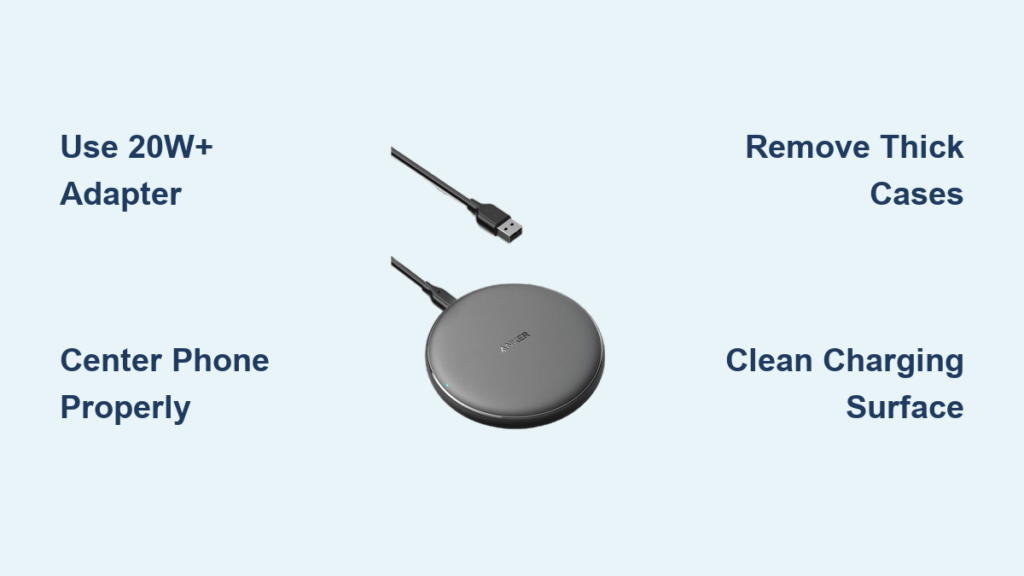
If you have just unboxed your Anker wireless charger and want to know how to get the most out of it, you are not alone. Many users switch to wireless charging for convenience, but without the right setup, charging can be slow or inconsistent. The good news is that using an Anker wireless charger is simple once you know the correct steps and pro tips. This guide walks you through setup, optimization, and troubleshooting for all major Anker models. You will learn how to achieve fast charging, avoid overheating, and keep your devices powered efficiently.
Check Device Compatibility First
Before placing your phone on the pad, confirm your device supports wireless charging. Not all phones can use Anker Qi or MagSafe technology.
iPhone Models That Work
Anker wireless chargers support these iPhone models:
- iPhone 8 and later, including iPhone SE 2nd and 3rd gen
- iPhone 12 through iPhone 16 series
MagSafe users need iPhone 12 or newer with a MagSafe-compatible Anker model like the MagGo 623 or 3-in-1 Cube for full 15 W charging. Older iPhones charge at slower Qi speeds up to 7.5 W and will not magnetically snap into place.
Android and Other Devices
Most flagship Android phones work with Anker chargers:
- Samsung Galaxy S6 and newer
- Google Pixel 3 and later
- Any Qi-enabled smartphone
AirPods with wireless charging case, AirPods Max with compatible case, and Apple Watch also charge on designated Anker models.
What Blocks Wireless Charging
Avoid these common issues that prevent charging:
- Thick or metal-backed cases that block electromagnetic induction
- Phone mounts with magnets that interfere with alignment
- Wallets or credit cards placed behind the phone
Pro Tip: Remove bulky cases during charging for faster, cooler performance.
Set Up Your Anker Charger in Four Steps

Every Anker wireless charger follows the same basic setup whether it is a single pad or a 3-in-1 station.
Step 1: Plug in the Right Power Adapter
Use a 20 W or higher USB-C Power Delivery adapter for best results. Lower-wattage adapters like old 5 W chargers limit speed. For iPhone 16 Pro Max or fastest charging, use a 30 W or 65 W USB-C PD adapter to unlock up to 25 W peak power. Connect the USB-C end to the charger, then plug into the wall. The LED light turns on when powered.
Step 2: Place Charger on a Flat Surface
Set the charger on a stable desk or nightstand. Keep it away from metal objects, out of direct sunlight, and not under pillows or blankets. This prevents overheating and ensures proper coil alignment.
Step 3: Position Phone Correctly
For Qi pads, center your phone on the charging surface. For MagSafe models, let the magnets snap your iPhone into place automatically. You will see a charging animation on iPhone and a solid blue or green LED on the charger. If nothing happens, reposition the phone or check for interference.
Step 4: Add Accessories If Supported
On 2-in-1 or 3-in-1 models, place AirPods on the rear charging spot and attach Apple Watch to the pull-out magnetic charger. Some models support AirPods Max. All devices charge simultaneously when properly aligned.
Use Model Specific Features Correctly
Anker offers several wireless charger designs. Here is how to use the most popular ones.
Anker MagGo 623 2-in-1 Charger
This model charges iPhone on the front and AirPods on the back. The magnetic snap provides perfect iPhone alignment in a compact, travel-friendly design.
How to use:
- Connect to 20 W USB-C PD adapter
- Place iPhone on front where magnets lock it in place
- Set AirPods on back charging zone
- Red LED on back confirms AirPods charging
Best for: Minimalists and travelers who want dual-device charging in a tiny footprint.
Anker 3-in-1 Cube with MagSafe
This model charges iPhone, Apple Watch, and AirPods simultaneously. The foldable design fits in pockets, and the adjustable stand allows landscape or portrait viewing.
Setup steps:
- Plug into 20 W or higher USB-C adapter
- Flip open the Apple Watch charger
- Snap iPhone onto MagSafe front
- Place Apple Watch on magnetic puck
- Rest AirPods on rear pad
Best for: Apple users who hate cable clutter and travel often.
Anker MagGo 3-in-1 Stand
This stand comes in foldable and vertical versions. Both support 15 W MagSafe charging, MFW-certified fast Apple Watch charging reaching 50% in 30 minutes, and AirPods on the bottom pad.
How to use the stand:
- Plug into high-wattage adapter
- Place iPhone on front magnetic pad upright
- Attach Apple Watch to side charger
- Set AirPods on base
The vertical design lets you answer FaceTime calls or watch videos hands-free.
Optimize Charging Speed Like a Pro

You bought a fast charger. Now make sure it delivers maximum speed.
Use a High-Wattage Adapter
Matching the right adapter to your device significantly impacts charging speed. Using a 5 W adapter will give you half the speed, so upgrade to USB-C PD.
Enable Low Power Mode
Turn on Low Power Mode to reduce background activity. This can cut charging time by up to 20 percent when the phone is idle. Go to Settings, Battery, Low Power Mode to enable it.
Prevent Overheating
Heat slows down charging and harms battery life. Avoid charging under direct sunlight, leaving phone under blankets, or using thick insulating cases. Remove your case if the phone feels warm during charging.
Keep the Surface Clean
Dust or debris on the charging pad causes misalignment. Wipe the surface weekly with a dry microfiber cloth to maintain optimal contact.
Avoid Case and Magnetic Interference
Your phone case matters more than you think for wireless charging success.
Safe Cases for Wireless Charging
These cases work well with Anker chargers:
- Thin silicone, TPU, or plastic cases under 3 mm
- MagSafe-compatible cases that provide strong magnet alignment and full 15 W speed
Cases That Cause Problems
Avoid these case types:
- Metal-backed cases that block charging entirely
- Wallet cases with cards that risk data loss and charging failure
- Thick rugged cases that slow charging and increase heat
Warning: Never place credit cards, passports, or key fobs between phone and charger. Magnets can erase data from magnetic strips.
Understand LED Indicator Lights
Anker chargers use LED lights to communicate charging status.
Common Light Patterns
Solid blue or green means charging normally. Flashing red indicates error from foreign object or misalignment. Solid red means charging stopped due to overheat or fault. Off indicates no device detected or fully charged.
What to Do If Light Is Red
When the LED shows red, remove the phone and clean the charging pad. Check for metal objects or thick case causing interference. Restart the charging process. If the issue persists, try a different power adapter.
Charge Safely and Protect Battery Health
You might wonder if wireless charging is safe for your battery long-term.
Does It Damage the Battery
No, Anker Qi-certified chargers are safe. They stop charging at 100 percent, prevent overcharging, and include temperature and voltage protection. However, frequent overnight charging causes minor battery wear from repeated topping off. Best practice is to unplug once fully charged when possible.
Can You Leave It On Overnight
Yes, but not recommended daily. While safe, constant low-level charging generates heat that degrades battery over time. Use overnight charging only when needed.
Maintain Your Charger for Long Life
With proper care, your Anker wireless charger can last three to five years.
Cleaning Tips
Wipe the surface with dry microfiber cloth weekly. Use compressed air to clean vents and ports. Never use alcohol or liquids that can damage internal circuits.
Storage Advice
Store in a cool, dry place away from humid areas like bathrooms. Fold cables loosely and never twist them tightly.
Know Your Warranty and Support
Most Anker wireless chargers come with an 18-month limited warranty covering manufacturing defects.
How to Claim Warranty
Register your product at anker.com. Keep your receipt as proof of purchase. Contact Anker support if issues arise. Some premium models offer extended coverage, so check your packaging.
Frequently Asked Questions About Anker Wireless Chargers
What iPhones are compatible with Anker wireless chargers?
Anker wireless chargers work with iPhone 8 and later, including iPhone SE 2nd and 3rd gen, and iPhone 12 through iPhone 16 series. For MagSafe 15 W charging, use iPhone 12 or newer with a MagSafe-compatible model.
How do I get the fastest charging speed from my Anker wireless charger?
Use a 20 W or higher USB-C Power Delivery adapter. For iPhone 16 Pro Max, use 30 W adapter for up to 25 W peak power. Remove thick cases and charge in a cool, ventilated area.
Can I charge my Android phone on an Anker wireless charger?
Yes, most flagship Android phones work, including Samsung Galaxy S6 and newer and Google Pixel 3 and later. Any Qi-enabled smartphone is compatible.
Is it safe to leave my phone on the wireless charger overnight?
It is safe but not recommended for daily use. Anker chargers have safety mechanisms that prevent overcharging, but continuous heat exposure can accelerate battery wear over time.
What should I do if my Anker charger shows a red LED light?
Remove your phone and clean the charging pad surface. Check for metal objects or thick cases interfering with charging. Restart the process or try a different power adapter if the problem continues.
Do I need a special case for wireless charging?
No special case is needed for basic Qi charging as long as the case is thin under 3 mm and has no metal components. For optimal MagSafe performance, use a MagSafe-compatible case for strong magnetic attachment and maximum charging speed.
Key Takeaways for Using Your Anker Wireless Charger

Anker wireless chargers deliver fast, reliable, and cable-free power when set up correctly. Use the right adapter, typically 20 W or higher USB-C PD, and place devices properly on the charging surface or let MagSafe magnets snap them into position. Avoid thick or metal-backed cases that block charging, and keep the pad clean for optimal alignment. For multi-device charging, 3-in-1 models handle iPhone, Apple Watch, and AirPods simultaneously. While overnight charging is safe thanks to built-in protections, unplugging once fully charged helps preserve battery health long-term. With proper care, your Anker charger will last three to five years. Follow these steps to maximize speed, safety, and device longevity.





