
You’re settling in for a quiet evening when a persistent, high-pitched whine cuts through the silence. It’s not loud, but it’s there, piercing through the calm. You’re not imagining it. A power strip making high-pitched noise is not normal, and while it might seem minor, it can signal anything from harmless coil whine to a dangerous electrical fault.
This guide will help you diagnose the source, determine the risk level, and take immediate action. We’ll walk through the technical causes, step-by-step troubleshooting, and expert-backed fixes so you can eliminate the noise and stay safe. By the end, you’ll know exactly what to do and when to call a professional.
Identify the Noise Source First
Before assuming the power strip is at fault, you must rule out other devices. In most cases, the buzzing isn’t from the strip itself, but from something plugged into it. This simple diagnostic step saves time and prevents unnecessary replacements.
Unplug Everything to Test
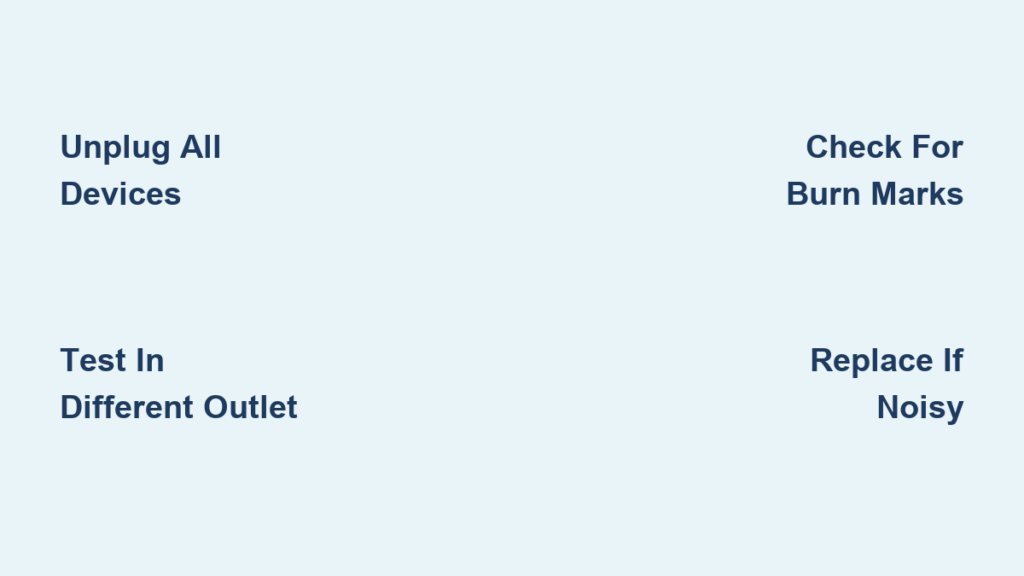
Start with a clean slate. Turn off and unplug all devices from the power strip. Listen carefully. If the noise stops, the culprit is one of the connected devices. If the noise continues, the power strip or wall outlet is likely the source.
Plug Devices Back One at a Time
Reconnect each device individually and wait 30 seconds. Listen after each addition. Common noise-makers include USB wall adapters, especially cheap or older models. LED light strips, particularly when dimmed, also frequently cause this issue. Govee and RGB lighting systems are known culprits. Switch dock chargers and desktop charging mats with built-in electronics can also generate high-pitched sounds.
One user found their desktop RGB mat was the source. Removing it stopped the whine instantly. If the noise returns with a specific device, test it on a different, high-quality power strip. If the whine follows the device, the problem is in the device, not the strip.
Common Causes of High-Pitched Noise
Understanding the root cause helps you determine whether this is a minor annoyance or a serious safety concern.
Coil Whine in Internal Components
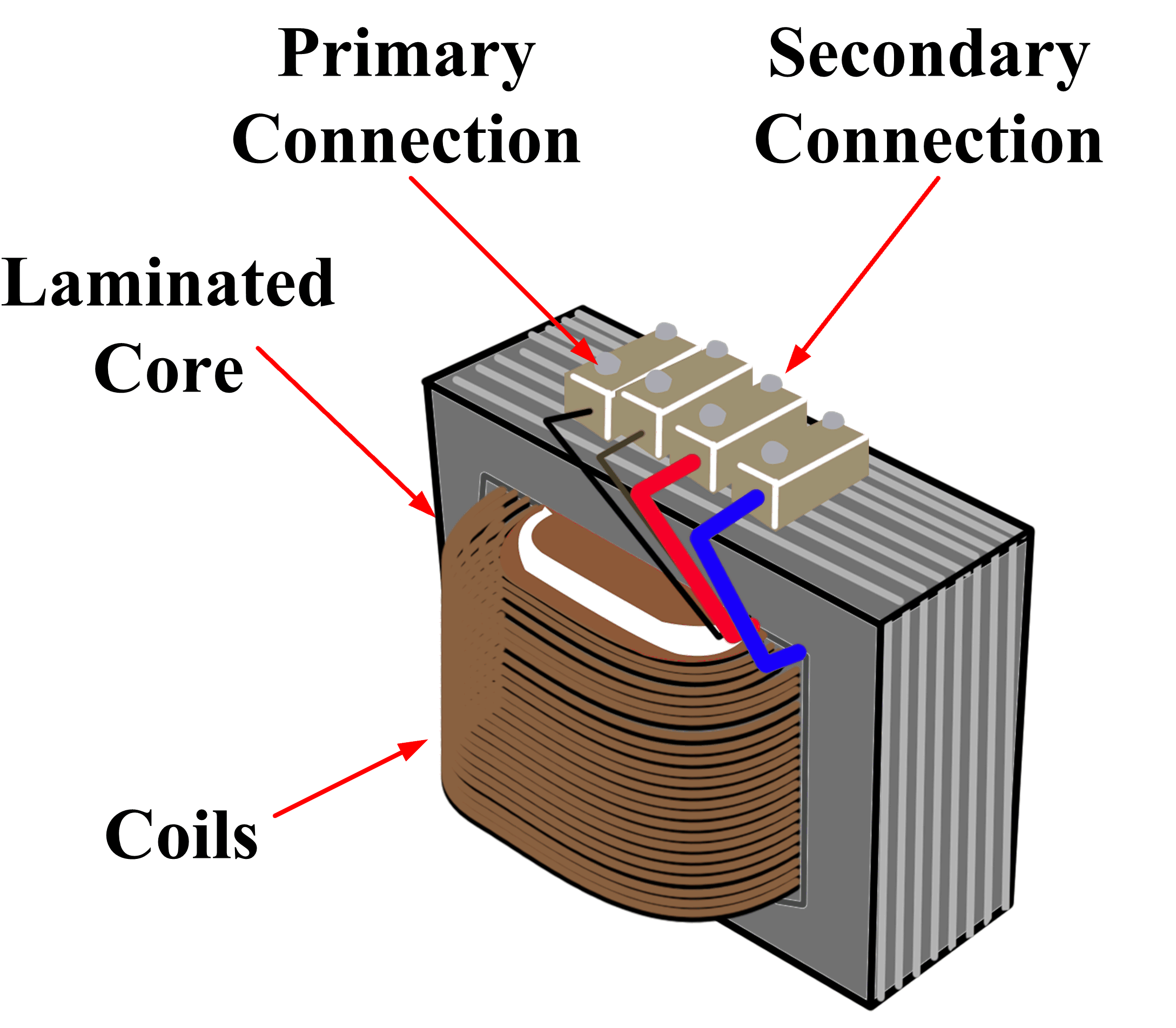
Coil whine is the most frequent technical cause of high-pitched noise in power strips. It happens when electromagnetic components like inductors, transformers, or chokes vibrate due to alternating current. The phenomenon is caused by magnetostriction in magnetic cores and Lorentz forces acting on coil windings when current fluctuates. Frequency range typically falls between 1 and 20 kHz, often within human hearing. The noise becomes more noticeable under load or with fluctuating power demands.
In the Energinie ENER017 master-slave strip, a 3 mH inductor was confirmed as the noise source. Coil whine isn’t always dangerous, but if it’s new or worsening, it may indicate component stress or failure.
Loose or Aging Internal Parts
Over time, screws, solder joints, or coil windings can loosen due to thermal cycling. This allows parts to vibrate more freely, amplifying noise. Older strips, especially those over 3 to 5 years old, are more prone to this issue. One user observed that there may be a coil inside the power strip with loose windings causing the problem.
Overloaded Circuit or Strip
Exceeding the power strip’s rated capacity increases current flow. This heats up components, intensifies electromagnetic forces, and amplifies vibration and noise. A 15A strip at 120V handles 1,800 watts maximum. Plugging in a space heater, gaming PC, and multiple chargers can easily exceed this. Overloading raises fire risk. If the strip feels warm or smells burnt, unplug it immediately.
Electrical Arcing: A Serious Hazard
Arcing occurs when electricity jumps across damaged or loose connections. It produces buzzing, crackling, or sizzling sounds. You might see visible sparks, especially in dark rooms. Watch for burn marks or melted plastic and a distinct ozone or burning smell. One user reported blue sparks behind a dorm outlet faceplate, a clear sign of arcing. Arcing is a fire hazard. If suspected, stop using the outlet and call an electrician.
Surge Protector Degradation
Surge protectors contain metal oxide varistors that absorb voltage spikes. After one or more surges, these components degrade and can develop internal cracks, cause abnormal current flow, and generate buzzing or whining. If the surge protector has worked well without a previous whine, my thought is that it has been damaged. Many surge protectors have an indicator light that turns off when protection is lost. Check yours regularly.
Device-Induced Noise: The Real Culprit

In over 70% of reported cases, the noise comes from plugged-in devices, not the power strip. This means your troubleshooting should start with the devices you’re charging or powering.
Noisy Devices to Watch For
Several types of devices are notorious for generating high-pitched noise. USB wall adapters, especially low-quality switching power supplies with vibrating transformers, frequently cause this issue. LED light strips produce noise when dimming circuits cause fluctuating current, and mid-brightness is often the worst setting. Govee lights are known for high-frequency noise in their power supplies. Switch dock chargers have high-power draw with sometimes inefficient regulation. Levitating planet lamps generate EMI and noise from their magnetic levitation circuits.
One user noticed whining only at mid-brightness on their LED strip. Full brightness silenced it completely. The fix is to upgrade to higher-quality power supplies or relocate noisy devices away from sleeping areas.
Step-by-Step Troubleshooting Guide
Follow this systematic approach to identify and resolve the issue.
Test in a Different Outlet
Plug the power strip into another wall outlet. If the noise stops, the original outlet may have loose wiring, poor grounding, or internal arcing. This is especially common in older buildings or dorm rooms.
Skip Extension Cords
Never plug a power strip into an extension cord. Poor connections or added resistance can cause voltage drop, induce electrical noise, and overheat joints. Always plug the strip directly into the wall.
Check for Physical Damage
Inspect the power strip for melted or discolored plastic. Look for burn marks on outlets or casing. Check for exposed wires and unusual smells like burnt plastic or ozone. If any are present, replace the strip immediately.
Verify Load Capacity
Add up the wattage of all connected devices and compare to the strip’s rating, usually printed on the back. If total exceeds 80% of the strip’s capacity, redistribute devices or use a higher-rated strip. Laptop chargers typically draw 60 to 90 watts. LED strips use 10 to 30 watts. Gaming PCs can use 500 to 800 watts. Space heaters draw up to 1,500 watts.
When to Replace the Power Strip
Some situations require immediate replacement rather than repair.
Replace immediately if the strip is over 3 to 5 years old. Replace if it lacks surge protection or safety certifications like UL or ETL. Replace if it feels warm during normal use. Replace if the noise is new or worsening. Replace if it shows any physical damage like melting, discoloration, or burn marks.
Multiple users reported that cheaper Amazon strips were more prone to noise than those from Micro Center or reputable brands. Choose power strips from trusted brands like Anker, APC, Belkin, or Tripp Lite. Look for surge protection of at least 1,000 joules, a built-in circuit breaker, EMI/RFI filtering, and fire-resistant housing. Avoid ultra-cheap, unbranded models that cut corners on insulation and component quality.
Advanced Fix: Repairing a Noisy Power Strip

For technically skilled users, some power strips can be repaired to eliminate noise.
Case Study: Fixing the Energinie ENER017
The problem was a 3 mH inductor that buzzed loudly due to vibration. The solution involved several steps. Replace the inductor with a matching 3 mH unit with approximately 5.5 ohms resistance. Mount it upside-down with small risers to reduce resonance. Secure it with hot glue to dampen vibrations. Upgrade capacitors to high-quality Rubicon brand. Apply additional glue for mechanical stability.
The result was complete noise elimination. A microphone test confirmed silence. Only attempt this if you’re experienced with electronics. Never open a surge protector unless you know how to safely discharge capacitors.
Prevent Future Noise and Hazards
Taking proactive steps prevents recurrence and ensures safety.
Avoid Overloading
Never exceed 80% of the strip’s rated capacity. Spread high-draw devices across different circuits. Use separate strips for heavy loads like heaters and PCs and low-power devices like chargers and lights.
Inspect Regularly
Check every 6 to 12 months for heat, discoloration, new noises, and loose plugs. Replace strips showing any of these warning signs.
Ensure Ventilation
Don’t cover strips with rugs, books, or furniture. Allow airflow to prevent heat buildup that can cause component stress and noise.
Unplug Unused Devices
This reduces load and potential noise. It also saves energy since phantom load can add up significantly over time.
Plug Sensitive Devices Directly into Wall
For audio systems, home offices, or medical equipment, use dedicated wall outlets. Avoid daisy-chaining multiple strips.
Safety Risks of Ignoring the Buzz
Ignoring high-pitched noise from a power strip can lead to serious consequences.
Electrical fire is the most dangerous risk. Overheating, arcing, or overload can ignite nearby materials. Device damage is another concern. Voltage spikes or EMI can harm computers, TVs, or audio gear. Electrical shock risk increases with exposed wiring, which raises shock risk when plugging or unplugging. EMI interference can disrupt Wi-Fi, AM radio, or audio systems.
A buzzing noise can be indicative of electrical issues that pose a serious fire hazard if ignored.
Frequently Asked Questions About Power Strip Noise
Is high-pitched noise normal in power strips?
No. While minor hums can occur in transformers, a distinct whine is not normal and should be investigated.
Can a buzzing power strip cause hearing damage?
Unlikely, but prolonged exposure to high-frequency noise near the bed may cause auditory fatigue or tinnitus in sensitive individuals.
Could the noise be from the wall outlet?
Yes. If the noise persists with different strips, the outlet itself may be faulty. Check for loose wiring or arcing, especially in older homes.
Will a circuit breaker trip from a buzzing strip?
Yes, if the noise indicates overload, short circuit, or arc fault, the breaker may trip to prevent damage.
Can LED light strips cause this noise?
Yes, especially when dimmed to mid-level brightness. The fluctuating current in dimming circuits often triggers whining in the power supply.
Should I throw away a noisy power strip?
Not necessarily. First, determine if the noise comes from the strip or a plugged-in device. If the strip itself is the source and shows no damage, you may be able to repair it or simply monitor it while using caution.
Key Takeaways for Eliminating Power Strip Noise
A high-pitched noise from your power strip deserves attention. The most common cause is actually devices plugged into the strip, not the strip itself. USB adapters, LED strips, and chargers are frequent culprits. Coil whine from internal inductors is the primary technical cause and, while sometimes harmless, can indicate component stress. Electrical arcing is dangerous and requires immediate professional attention. Never ignore buzzing that comes with burn marks, sparks, or unusual smells.
Start troubleshooting by unplugging everything. If the noise stops, plug devices back one at a time to identify the culprit. Test the strip in a different outlet to rule out wall socket issues. Replace the strip if it’s old, damaged, or shows warning signs like warmth or discoloration. Invest in quality strips from trusted brands with surge protection and safety certifications.
Don’t ignore a buzz. It can cause bigger problems. With the right knowledge, you can create a safer, quieter environment today. Whether it’s a noisy charger or a failing surge protector, act now. Your safety and sanity depend on it.





