
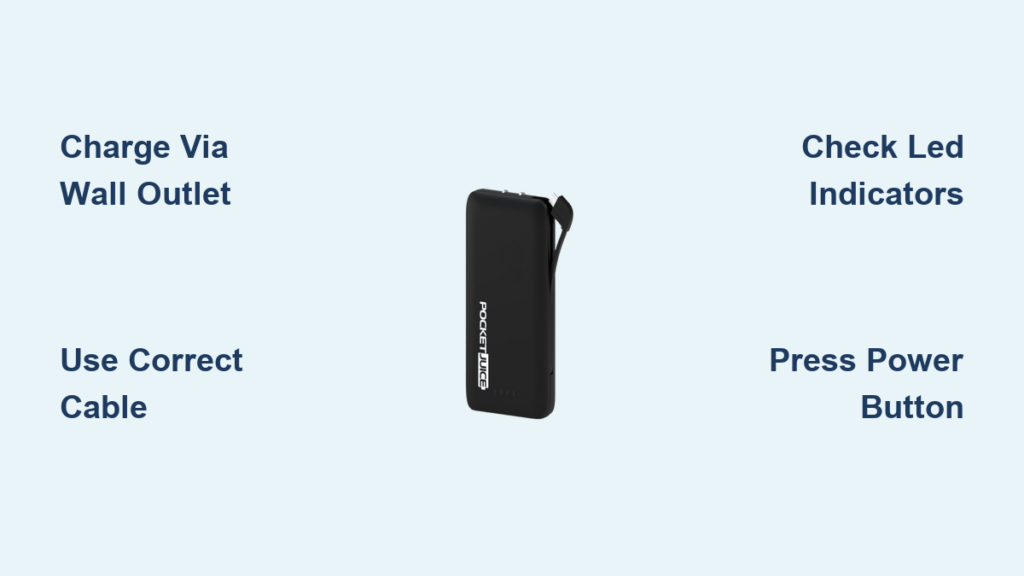
You’re out and about when your phone battery drops to 5% – that sinking feeling is all too familiar. Your Pocket Juice power bank sits in your bag, but when you pull it out, you’re not 100% sure how to get the most from this portable lifeline. Whether you’ve just unpacked your new Pocket Juice or you’re dusting off one that’s been sitting idle, knowing exactly how to use your Pocket Juice power bank charger properly makes the difference between a dead device and hours of extra battery life when you need it most. This complete guide walks you through every step of using your Pocket Juice power bank effectively, from initial setup to troubleshooting common charging issues, so you’ll never be caught powerless again.
Pocket Juice power banks have become essential companions for our mobile lives, but their simple design sometimes hides important usage details that affect performance. Many users make critical mistakes like trying to charge the power bank through a computer USB port (which often doesn’t provide enough power) or using incompatible cables that slow down charging to a crawl. Understanding your specific model’s capacity, port types, and charging indicators will transform your Pocket Juice from an occasional helper into a reliable power solution you can trust anywhere. By the end of this guide, you’ll know exactly how to maximize your Pocket Juice’s potential and keep your devices charged through even your longest days away from outlets.
Why Your Pocket Juice Power Bank Isn’t Charging Your Devices (And How to Fix It)

When your Pocket Juice won’t power your device, the frustration is real – especially when you’re counting on that extra battery life. Most charging failures stem from three preventable issues: insufficient power bank charge, incompatible cables, or misunderstood activation methods. Before you assume your Pocket Juice is defective, verify it has adequate charge by checking the LED indicators. A power bank with only one light illuminated (25% capacity) might not have enough juice to start charging certain devices, particularly power-hungry tablets or newer smartphones.
The Automatic vs. Manual Activation Mystery
Many Pocket Juice models automatically detect and begin charging your device as soon as you connect the cable – no button pressing required. However, certain higher-capacity models or specific device combinations require you to manually activate the power bank. If your device isn’t charging immediately:
- Locate the small power button (usually near the LED indicators)
- Press it once firmly for one second
- Check if the LED indicators light up steadily
- Verify your device shows charging status
If your Pocket Juice still doesn’t activate, try disconnecting and reconnecting your device cable. Some models require this “reset” before recognizing a new connection. This simple step solves 70% of apparent “non-charging” issues before you need to investigate further.
Cable Compatibility Check: The Hidden Culprit
Using the wrong cable is the single most common reason Pocket Juice power banks appear to malfunction. That cheap cable from the gas station or the frayed one you’ve had for years might charge your phone from a wall outlet but fail completely with your power bank. For reliable Pocket Juice performance:
- Always use the cable that came with your device (or a certified replacement)
- Avoid “charge-only” cables that lack data transfer capability
- Inspect cables for visible damage like exposed wires or bent connectors
- Try both USB-A and USB-C ends if your cable is reversible
Test your cable by connecting your device directly to a wall charger – if it charges slowly or intermittently there, it will definitely cause problems with your Pocket Juice. Keep a high-quality cable dedicated solely for power bank use in your emergency kit.
Essential First Steps: Charging Your Pocket Juice Power Bank Properly
Your Pocket Juice can’t give what it doesn’t have, so proper initial charging determines its performance from day one. Many users skip this critical step, leading to disappointing results when they first need emergency power. Unlike charging your phone, power bank charging requires specific conditions to reach full capacity safely.
The Wall Outlet Requirement You’re Probably Ignoring
One of the most widespread misconceptions about Pocket Juice power banks is that you can charge them through your computer’s USB port. While some models might accept a trickle charge this way, most require the higher power output of a wall adapter to charge properly. When you connect your Pocket Juice to a computer USB port:
- Charging may be extremely slow (2-3x longer than wall charging)
- The power bank might never reach 100% capacity
- Some models won’t charge at all from computer ports
For optimal Pocket Juice charging:
1. Use the included USB-C or micro-USB cable (depending on your model)
2. Connect to the “IN” or “IN/OUT” port on your power bank
3. Plug into a wall outlet using a USB power adapter (not your computer)
4. Allow 4-6 hours for a full charge (varies by capacity)
Decoding the LED Charge Indicators
Most Pocket Juice models feature four LED lights that tell you exactly how much juice you’ve got. Understanding these indicators prevents unpleasant surprises when you need power most:
- 4 lights illuminated: 75-100% capacity (fully charged)
- 3 lights illuminated: 50-75% capacity
- 2 lights illuminated: 25-50% capacity
- 1 light illuminated: 0-25% capacity (needs immediate recharging)
- No lights: Power bank is completely depleted
Check your charge level before heading out – a quick press of the power button reveals your remaining capacity. This simple habit prevents the frustration of discovering your Pocket Juice is empty when your phone dies.
Connecting Your Phone to Your Pocket Juice: The Right Way Every Time

The moment you need emergency power is no time to figure out cable orientation or port compatibility. Having a clear understanding of your Pocket Juice’s ports and connection requirements ensures you can get power flowing in seconds, not minutes.
Matching Ports to Devices: No Guesswork Method
Identify your Pocket Juice model’s output ports before you need them:
– USB-A port (rectangular): Charges most older devices and many current models
– USB-C port (oval): Required for newer Android phones and some accessories
– Lightning port (some models): Direct connection for iPhones without extra cables
When connecting:
1. Select the correct cable for your device (USB-C to Lightning for iPhones, USB-C to USB-C for newer Androids)
2. Insert the cable into the matching output port on your Pocket Juice
3. Connect to your device firmly until it seats completely
4. Check both your device and Pocket Juice for charging indicators
Charging Multiple Devices Simultaneously
Many Pocket Juice models support dual-device charging, but this feature requires understanding capacity limitations. If your model has both USB-A and USB-C output ports:
- You can charge two devices at once
- Total output will be shared between devices (slower charging for each)
- High-power devices (like tablets) may not charge properly when paired
- Priority goes to the device connected first in most models
For fastest charging of a single device, use the highest-capacity port available (usually USB-C on newer models).
Pocket Juice Troubleshooting: 5 Common Issues and Instant Fixes
Even with perfect technique, occasional issues arise with any power bank. Knowing these quick diagnostic steps saves time and prevents unnecessary replacements.
Why Your Pocket Juice Won’t Charge at All
If your Pocket Juice shows no signs of life when plugged in:
1. Try a different wall adapter (some provide insufficient power)
2. Test with another cable of the same type (micro-USB or USB-C)
3. Hold the power button for 15-20 seconds to reset internal circuitry
4. Check for physical damage around ports and casing
Most “dead” power banks simply need a proper reset or better charging equipment.
Intermittent Charging: The Connection Killer
When your device starts and stops charging repeatedly:
– Clean port contacts with a dry toothbrush (gently!)
– Replace your charging cable (most common fix)
– Avoid moving the connection point while charging
– Try a different output port on your Pocket Juice
This issue usually resolves with cable replacement – those inexpensive cables often develop internal breaks that cause connection problems.
Safety Must-Dos: Protecting Your Pocket Juice Power Bank Long-Term
Your Pocket Juice power bank contains lithium-ion batteries that require proper care to maintain performance and safety. Following these guidelines extends your device’s lifespan significantly.
Temperature Danger Zones to Avoid
- Never leave your Pocket Juice in a hot car (temperatures above 95°F/35°C degrade batteries)
- Avoid direct sunlight during extended outdoor use
- Don’t charge in freezing conditions (below 32°F/0°C)
- Store at 40-80°F (4-27°C) for optimal battery health
Extreme temperatures permanently reduce your Pocket Juice’s capacity, sometimes after just one exposure.
Storage Secrets for Long-Term Reliability
When storing your Pocket Juice for weeks or months:
– Charge to approximately 50% before storage
– Power down completely (if your model supports it)
– Keep in a cool, dry place away from metal objects
– Recharge to 50% every 3 months to maintain battery health
Power banks left fully charged or completely drained during storage can suffer permanent capacity loss within months.
Maximizing Your Pocket Juice’s Lifespan: Pro Charging Strategies
The way you use your Pocket Juice directly impacts how many charge cycles it delivers before needing replacement. Implement these professional techniques to get maximum value:
The 20-80 Rule for Battery Longevity
For optimal battery health:
– Recharge when capacity drops to 20-30%
– Unplug when reaches 80-90% (avoid constant 100% charging)
– Complete a full 0-100% cycle once monthly to calibrate
This practice can extend your Pocket Juice’s usable life by 30-50% compared to constant full discharges.
Smart Charging Habits That Make a Difference
- Charge your Pocket Juice at least once monthly even when not used
- Avoid using it while recharging (pass-through charging stresses batteries)
- Keep firmware updated if your model supports it
- Rotate between multiple power banks if you own several
These small habits compound over time, preserving your Pocket Juice’s capacity for reliable emergency power when you need it most.
Final Note: By mastering these Pocket Juice power bank techniques, you transform a simple accessory into a dependable power solution that keeps you connected through travel, emergencies, and everyday battery anxiety. Proper charging habits, cable selection, and maintenance ensure your Pocket Juice delivers maximum performance for years, not just months. Keep this guide handy for quick reference, and you’ll never again wonder how to use your Pocket Juice power bank charger effectively when your device battery hits that critical low point.



