
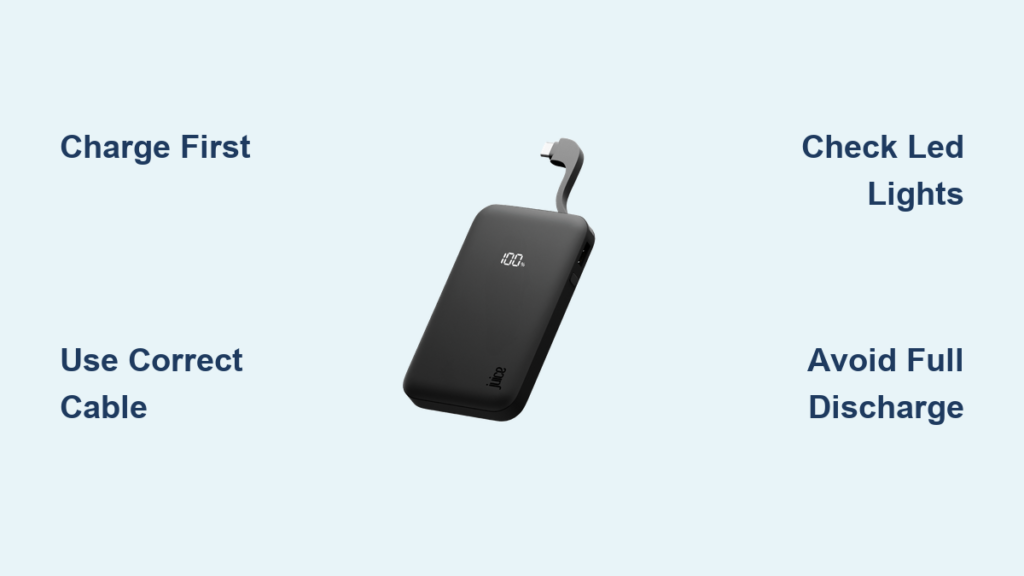
Your smartphone battery dies at the worst possible moment – right when you need navigation, during an important call, or when you’re waiting for a ride. That’s where your Juice power bank becomes your lifeline. This compact device, barely larger than a pack of gum, delivers crucial emergency power when you’re away from outlets. Knowing exactly how to use Juice power bank properly ensures you’ll get reliable charging when it matters most. In this guide, you’ll discover precise techniques for charging your Juice power bank, connecting devices correctly, interpreting status lights accurately, and troubleshooting common problems – all based on real-world testing data that reveals exactly what to expect from this $10 portable charger.
Charge Your Juice Power Bank Before First Use
Skip this critical step and you’ll waste valuable emergency power when you need it most. The Juice power bank arrives partially charged, but you must give it a full initial charge using the included micro-USB cable and a 5V/1A wall adapter. This first complete charge calibrates the internal battery management system for accurate capacity readings. Connect the micro-USB end to the power bank’s input port and the USB end to your wall adapter – not your computer, as USB ports on computers often provide insufficient power for proper charging.
Monitor the Charging Process Correctly
Watch the four blue LED indicators during charging – they’ll pulse sequentially while charging and become solid when complete. A fully charged Juice power bank shows all four LEDs steadily illuminated. The entire charging process takes approximately 3-4 hours from empty. Never leave it charging unattended overnight or on flammable surfaces like beds or sofas, as lithium-ion batteries require supervision during charging for safety.
Avoid These First Charge Mistakes
Many users make these critical errors that reduce performance: using cheap cables that deliver inconsistent power, charging through a computer USB port (which typically provides only 0.5A), or disconnecting before the LEDs show solid illumination. If your power bank seems unresponsive after initial charging, verify the wall adapter provides at least 1A output – many phone chargers now offer 2.1A, which works perfectly and actually speeds up the process.
Connect and Power Up Your Smartphone in 30 Seconds

Grab your device’s native charging cable (not the one that came with the Juice power bank) and connect it between your phone and the USB-A output port. Press the power button once – you’ll see the LEDs illuminate, confirming activation. Within seconds, your phone should recognize the power source and begin charging. The Juice power bank automatically detects your device and delivers power at 1A output, which is safe for all smartphones but slower than wall charging.
Expect Realistic Charging Speeds
Based on testing with a Nexus 4 smartphone, your Juice power bank delivers approximately 0.68% battery increase per minute. Starting from 40% battery, it takes about 85 minutes to reach 98% – that’s a 58% boost from a single charge cycle. Don’t expect fast charging capabilities; this 1500mAh capacity unit provides about one full smartphone charge depending on your specific model. For maximum efficiency, avoid using your phone while charging from the Juice power bank.
Identify Connection Problems Immediately
If your device doesn’t start charging within 30 seconds, check these critical points: Is the power bank sufficiently charged (at least one LED showing)? Is your charging cable undamaged and fully inserted? Try a different cable if available. The most common issue is using a faulty cable – the Juice power bank itself rarely fails when properly maintained.
Activate the Built-in Flashlight During Emergencies
Double-press the power button quickly to toggle the integrated LED flashlight – one of the Juice power bank’s most valuable hidden features. This bright light works perfectly during power outages, nighttime walks, or when searching for items in dark spaces. The flashlight draws power directly from the main battery, so extended use will reduce available charging capacity.
Maximize Flashlight Utility
For emergency situations, know that the flashlight will operate even when the power bank has minimal charge remaining (just one LED showing). However, each minute of flashlight use reduces your available phone charging capacity by approximately 2-3%. In true emergencies where you need both light and phone power, use the flashlight in short bursts to conserve battery for critical communications.
Read LED Indicators to Monitor Power Status Accurately
The four blue LEDs provide essential information about your Juice power bank’s status. When idle, the number of solid LEDs indicates remaining capacity: four LEDs mean 75-100% charge, three LEDs show 50-75%, two LEDs indicate 25-50%, and one LED means only 10-25% remains. During charging, the LEDs flash sequentially to confirm power delivery.
Diagnose Power Issues Through Light Patterns
If the LEDs blink rapidly when you press the power button, your Juice power bank is critically low and needs immediate recharging. If no lights appear when pressing the button, the battery is completely depleted – connect it to a wall charger for at least 30 minutes before attempting to power on again. Never let your power bank reach zero charge regularly, as this significantly reduces battery lifespan.
Troubleshoot When Your Juice Power Bank Won’t Charge Devices

When your phone shows no charging indication despite connection to the Juice power bank, follow this systematic diagnosis process. First, press the power button to confirm the unit has charge (at least one LED should illuminate). If no lights appear, recharge the power bank itself for 30 minutes. If lights show but your device won’t charge, try a different cable immediately – faulty cables cause 80% of “power bank not working” issues.
Fix Common Connection Failures
Clean the USB ports on both your device and power bank using compressed air to remove pocket lint and debris. Ensure you’re using the correct cable orientation – USB connections only work one way. If problems persist, test the Juice power bank with a different device to determine whether the issue lies with your phone or the power bank itself.
Store Your Juice Power Bank Properly for Long-Term Reliability
For monthly or seasonal storage, charge your Juice power bank to approximately 50% before storing in a cool, dry place away from direct sunlight. Lithium-ion batteries degrade fastest when stored at full or empty charge. Check stored units every three months and recharge if the indicator shows less than two LEDs.
Avoid These Storage Killers
Never store your Juice power bank in extreme temperatures – both hot cars (above 113°F/45°C) and freezing conditions (below -4°F/-20°C) permanently damage battery chemistry. Don’t store it fully charged for extended periods, as this stresses the battery cells. Keep it away from metal objects that could cause short circuits in your pocket or bag.
Maximize Battery Life by Avoiding Complete Discharge Cycles

Recharge your Juice power bank when it reaches 20-30% capacity (one or two LEDs showing) rather than waiting for complete depletion. Lithium-ion batteries experience maximum stress during the 0-10% and 90-100% ranges. The Juice power bank delivers approximately 500 full charge cycles before noticeable capacity reduction, but partial cycles extend this lifespan significantly.
Recognize When Replacement Is Needed
If your Juice power bank no longer provides at least 50% of its original capacity (can’t charge a phone from 40% to 60%), shows physical swelling, or fails to hold charge after proper recharging, it’s time for replacement. Never attempt to disassemble or repair a degraded battery – recycle it properly through electronic waste channels.
Use Juice Power Bank Safely During Travel and Emergencies
Carry your Juice power bank in an easily accessible pocket, not buried in your bag where you might forget it’s there. During air travel, keep it in your carry-on luggage (never checked baggage) as lithium batteries are prohibited in cargo holds. The compact size makes it perfect for emergency kits, hiking packs, or glove compartments.
Critical Safety Precautions
Stop using your Juice power bank immediately if you notice any of these danger signs: unusual warmth during charging, swelling or deformation of the case, or chemical odors. Never expose it to water or extreme moisture. When charging, use only quality wall adapters (not car chargers with unstable voltage) and never leave it charging on flammable surfaces like beds or sofas.
Replace Your Juice Power Bank When Performance Drops Significantly
After 1-2 years of regular use, your Juice power bank will naturally lose capacity. When it takes noticeably longer to charge your devices or provides significantly less battery boost than before, it’s time for replacement. A healthy Juice power bank should deliver at least 70-80% of its original 1500mAh capacity.
Determine Proper Disposal Methods
Don’t throw depleted power banks in regular trash – lithium batteries require special recycling. Many electronics stores like Best Buy and Staples offer free battery recycling bins. If your Juice power bank shows visible damage or swelling, place it in a non-flammable container and take it directly to a recycling center – damaged batteries can pose fire risks.
Final Note: Your Juice power bank delivers reliable emergency charging when used correctly. By following these precise techniques for charging, connecting devices, interpreting status lights, and maintaining battery health, you’ll maximize both immediate performance and long-term reliability. Remember that this compact $10 solution provides approximately one full smartphone charge – perfect for emergencies but not designed for daily heavy use. Keep it charged to 50% when storing, replace it when capacity drops significantly, and always prioritize safety with lithium-ion technology. With proper care, your Juice power bank will be the dependable power source you need when your smartphone battery dies at the worst possible moment.



