
Running low on phone battery during a drive? You are not alone. Over 60% of drivers rely on their smartphones for navigation, calls, and music, yet most do not know how to use a car mobile charger safely or efficiently. Using a car mobile charger wrong can drain your car battery, damage your phone, or even create safety risks. This guide shows you exactly how to use a car mobile charger step by step, with the right tools, techniques, and safety practices. Whether you are using a wired adapter, built-in USB port, or wireless mount, you will learn how to charge faster, protect your battery, and avoid common mistakes.
Plug Into the 12V Socket Correctly
The 12V cigarette lighter socket is the most common way to power a car mobile charger. Plugging in improperly can lead to poor contact or electrical issues that affect charging performance.
Start Engine Before High-Wattage Charging
For chargers above 30W, start the engine first. This ensures your alternator supports the power draw and prevents draining the car battery. If the engine is off, even a 12W charger can slowly deplete an older battery over hours of idle time.
Insert Charger Firmly Into Socket
Push the car charger straight into the 12V socket until it clicks or feels secure. A loose fit causes intermittent charging or overheating. If the charger wobbles, clean the socket with a dry cloth to remove dust or corrosion.
Use the Right Charger for Your Device
Match your charger output to your phone needs. iPhone or basic Android users need 12 to 18W USB-A chargers. Fast-charging phones like Pixel, Galaxy, or iPhone 15+ require 30W or higher USB-C PD chargers. Tablets and laptops need 45W to 65W USB-C PD. Using a weak charger means your phone will not charge during navigation, and a mismatched charger may not trigger fast charging at all.
Connect Devices Safely and Efficiently
How you connect your device affects charging speed, safety, and device longevity. Following the right sequence protects both your phone and your car electrical system.
Plug Charger Before Connecting Phone
Always plug the charger into the socket first, then connect your phone. This prevents voltage spikes that could damage your device. Reversing the order increases wear on the charging circuit over time.
Use Certified Cables Only
Cheap or frayed cables cause slow charging, overheating, or connection failures. Use MFi-certified cables for iPhones and USB-IF certified cables for USB-C devices. Reinforced cables work best if you frequently unplug your device. A damaged cable can expose wires, creating a short-circuit risk.
Unplug in Reverse Order
When done charging, disconnect the phone first, then remove the charger from the socket. Pulling the charger while the phone is still connected stresses the cable and port. Over time, this damages both the cable and your phone charging port.
Install Wireless Charger Mounts Properly

Wireless charging combines power and convenience, but only if set up correctly. A poorly installed mount can drop your phone or fail to charge efficiently.
Choose a Legal and Safe Mount Location
Place the mount where it does not block your view. Avoid large windshield mounts in states like California or New York where they are illegal. The mount should be within arm reach and stay out of direct sunlight to prevent overheating. Best spots include the dashboard, air vent, or center console.
Secure Suction or Clip Mounts
For suction cup mounts on dashboard or windshield, clean the surface with an alcohol wipe, press firmly, and lock the lever. For air vent clips, clip onto horizontal slats without bending them, then test stability by gently shaking. A loose mount can drop your phone during a turn or sudden stop.
Center Phone on Charging Pad
For Qi or Qi2 wireless charging, align your phone directly over the coil. Misalignment causes slow or failed charging. Qi2 magnetic alignment helps. Simply snap the phone into place. Remove thick cases over 3mm or use a slim Qi-compatible case for best results.
Charge Faster With These Pro Tips

Maximize charging speed with simple behavior changes. Small adjustments can nearly double how quickly your phone gains battery.
Turn Off Phone for 2x Charging Speed
Powering off your phone eliminates background apps, GPS, and screen use. This can double charging speed, ideal for quick top-ups during gas stops or breaks. Even switching to Airplane Mode helps significantly.
Avoid Charging in Extreme Temperatures
Cold phones below 0°C should warm up for 5 to 10 minutes before charging. Hot cars above 35°C require a sunshade. Avoid fast charging in direct sun. Extreme temperatures reduce battery efficiency and lifespan. Most phones display a temperature warning when too hot or cold.
Use Smart Charging Features
Smart chargers like ZUS or Anker models offer auto-shutoff when devices are fully charged, battery health monitoring, and parking location tracking via app. These features prevent car battery drain and extend device battery life.
Prevent Battery Drain and Overheating
Many users unknowingly damage their car or phone by ignoring basic safety rules. Taking simple precautions protects both your vehicle and your devices.
Remove Charger When Engine Is Off
Even idle chargers draw 1 to 3 watts from your car battery, enough to cause a no-start after 2 to 3 days. Unplug the charger when not in use, especially overnight or during long parking. Smart chargers with auto-shutoff reduce this risk significantly.
Monitor Charger Temperature
Check every 30 minutes. If the charger is too hot to touch, unplug it and let it cool for 10 to 15 minutes. Overheating can melt plastic components, damage your phone battery, or pose a fire hazard in extreme cases. Ensure airflow around the charger. Do not cover it with papers or seat cushions.
Never Pull Charger by the Cable
Yanking the cable strains internal wires and can expose metal conductors. Always grip the base of the charger when removing it. Damaged cables increase the risk of short circuits and electrical failures.
Optimize for Multiple Devices and Ports
Charging more than one device? Know how power is shared to avoid slow charging for all connected devices.
Understand Total vs. Per-Port Output
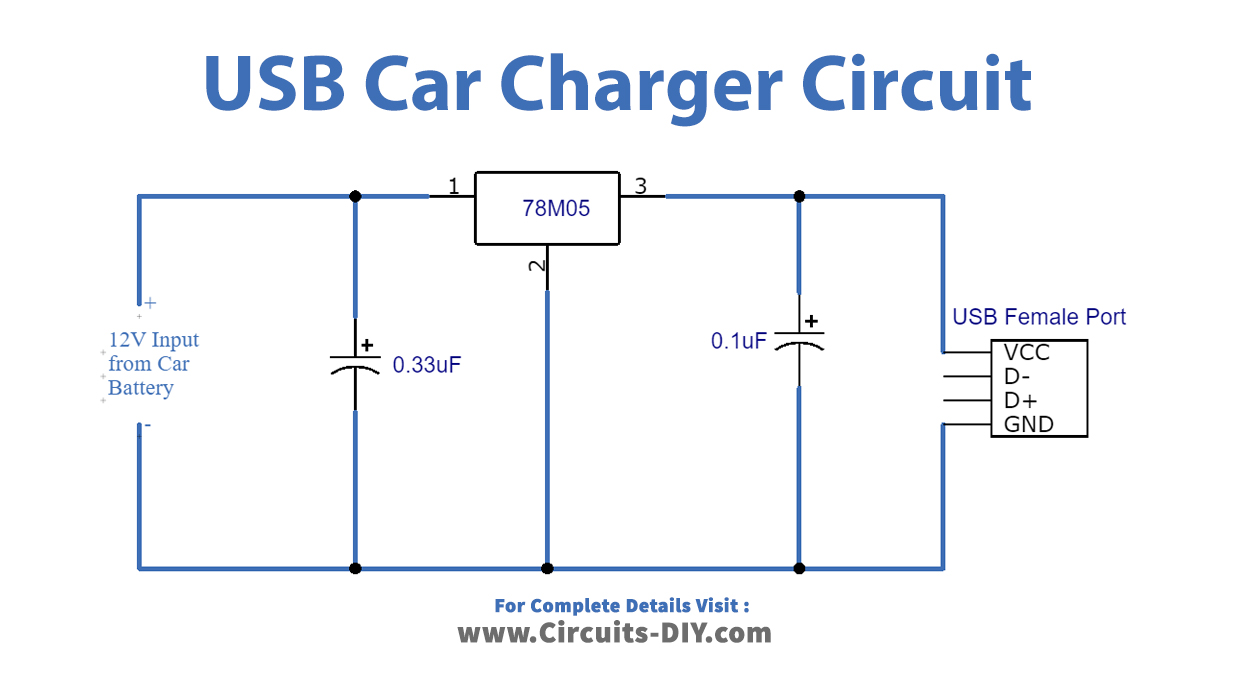
A charger labeled 30W per port may only deliver 30W total across both ports, not 60W. Always check the total maximum output. For example, a 45W dual-port charger might give 30W to a phone for fast charge and 15W to a tablet or older device.
Use Intelligent Power Distribution
High-end chargers detect device needs and allocate power efficiently. Look for terms like Smart IC detection, Dynamic power sharing, or Multi-Input Auto-Sensing. These ensure each device gets the fastest safe charge possible.
Match Charger to Your Vehicle and Devices
Not all cars and phones are the same. Choosing the right charger for your specific setup ensures optimal performance and prevents compatibility issues.
Older Cars Need High-Wattage Adapters
Vehicles before 2018 often lack USB ports or have weak ones delivering only 5W to 10W. Use a 30W or higher USB-C PD car charger plugged into the 12V socket for reliable fast charging.
Newer Cars May Have Built-In USB-C
Cars from 2020 and later like Tesla, Ford, and Toyota often include USB-C ports with 15W to 30W output. Test them first. Some only work in accessory mode or deliver slow power.
Future-Proof With USB-C and Qi2
Invest in USB-C PD chargers at 60W or higher for laptops and future phones. Choose Qi2 magnetic wireless mounts for stronger alignment and 15W charging. Multi-port hubs with USB-C, USB-A, and wireless options stay compatible as devices evolve.
Troubleshoot Common Charging Issues
Fix problems fast with these quick checks. Most charging issues have simple solutions that do not require professional help.
No Charging? Check Connection and Socket
Clean the 12V socket with a dry cloth. Try another vehicle to rule out a dead socket. Test with a different cable or device. A dirty or corroded socket is a common cause of charging failure.
Slow Charging? Upgrade Charger or Reduce Load
Replace 12W chargers with 30W or higher USB-C PD chargers. Close background apps like maps, video, and games. Remove thick phone cases for wireless charging. A weak charger cannot keep up with GPS and screen use.
Overheating? Improve Ventilation
Move charger out of direct sunlight. Unplug and cool for 10 to 15 minutes. Avoid charging while using navigation in hot weather. Heat is the enemy of both car and phone batteries.
Maintain Charger and Connections
Regular care extends charger life and ensures safety. A well-maintained charger performs better and lasts longer.
Clean Ports Monthly
Use a dry cloth or cotton swab to wipe the 12V socket, USB ports on the charger, and wireless charging pad. Dust and grime reduce conductivity and cause intermittent charging.
Replace Damaged Equipment Immediately
Discard chargers with cracked casing, loose USB ports, or frayed or bent cables. Even minor damage can lead to electrical failure or fire hazards.
Manage Cables to Avoid Hazards
Use adhesive clips or ties to keep cords away from pedals. Prevent snagging on gear shift or door. Reduce clutter. Loose cables distract and can pull devices into hot areas.
Key Takeaways for Using Your Car Mobile Charger
Using a car mobile charger correctly keeps your devices powered, protects your vehicle battery, and ensures safety on every drive. Always unplug when not in use, choose the right wattage for your devices, and install mounts legally. Upgrade to USB-C PD and Qi2 for faster, future-proof charging. With these steps, you will never run out of battery mid-trip again.
Frequently Asked Questions About Car Mobile Chargers
Does using a car charger drain the car battery?
Yes, leaving a charger plugged into the 12V socket when the engine is off can drain the car battery over time. Even idle chargers with LED indicators draw 1 to 3 watts. Unplug the charger when not in use, especially overnight or during long parking.
Can I use any USB cable for fast charging in my car?
No. Using a cheap or damaged cable causes slow charging, overheating, or connection failures. Use MFi-certified cables for iPhones and USB-IF certified cables for USB-C devices. The cable must support the fast charging protocol your phone uses.
Why is my phone charging slowly in the car?
Slow charging usually happens because of a low-wattage charger, background apps consuming power, or thick phone cases interfering with wireless charging. Upgrade to a 30W or higher USB-C PD charger, close unnecessary apps, and remove thick cases.
Is it safe to use a wireless car charger mount while driving?
Yes, if installed properly in a legal location. Choose a spot that does not block your view, such as the dashboard, air vent, or center console. Ensure the mount is secure and the phone is centered on the charging pad.
Can I charge my laptop in the car with a mobile charger?
Yes, use a USB-C PD charger with 45W to 65W output. This provides enough power for most laptops. Ensure your laptop supports USB-C charging and use a proper USB-C to USB-C cable.
What should I do if my car charger gets hot?
Unplug the charger immediately and let it cool for 10 to 15 minutes. Check that the charger has proper airflow and is not covered. If overheating persists, replace the charger as it may be defective.





