
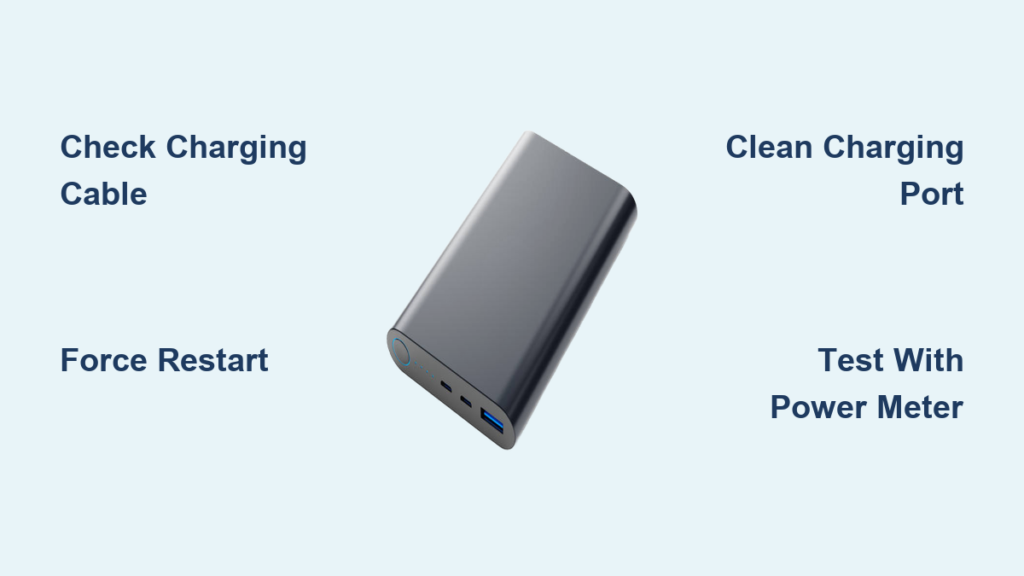
When your power bank’s LED indicators refuse to blink or illuminate, you’re left guessing whether it’s charging, depleted, or completely dead. This “power bank light not blinking” issue is one of the most common problems users face with portable chargers. The blinking lights serve as your power bank’s only communication method, showing charging status, battery level, and potential errors. Without these visual cues, you’re essentially using a black box that might not deliver power when you need it most. In this guide, you’ll discover exactly why your power bank lights aren’t blinking and proven methods to restore functionality—whether it’s a simple cable issue or a more complex internal problem.
Most power bank light failures stem from preventable causes that you can fix in under 30 minutes. The blinking pattern (or lack thereof) provides critical diagnostic information about your device’s condition. By following this systematic approach, you’ll eliminate guesswork and determine whether your power bank needs a quick reset, component replacement, or professional service. Let’s dive into the specific solutions that will get your portable power source communicating properly again.
Verify Your Charging Cable and Adapter Before Proceeding

Before assuming your power bank is broken, rule out the most common culprit: faulty charging equipment. Over 60% of “power bank light not blinking” issues stem from defective cables or inadequate power sources.
Test Multiple Cables with Known-Working Devices
- Unplug your current charging cable from both the power bank and wall adapter
- Grab a different USB cable—preferably one you know works with other devices
- Connect the replacement cable to your power bank and wall adapter
- Observe for at least 60 seconds for any light response
Pro Tip: Use your smartphone’s original charging cable for testing, as these are typically high-quality and support proper data transfer needed for power bank communication.
Confirm Your Wall Adapter Delivers Sufficient Power
Many USB wall adapters provide insufficient current to wake a deeply discharged power bank. Check your adapter’s output rating—look for “5V/2.0A” or higher printed on the adapter. A weak adapter (below 1.5A) often fails to activate power bank circuitry. Test with:
– Your smartphone’s wall charger (typically 5V/2.0A+)
– A laptop USB-C charger (if compatible)
– An Anker, Samsung, or Apple-branded wall adapter
Force Restart Your Power Bank with a Hard Reset
When power banks freeze due to software glitches or protection circuit activation, a hard reset often restores normal LED operation without technical expertise.
Execute the Correct Hard Reset Procedure
- Disconnect all cables from your power bank
- Press and hold the power button for 45-60 seconds (not the brief press for checking battery level)
- Continue holding until you see any sign of life—this sometimes takes the full minute
- Release the button, then connect to a wall charger with a quality cable
- Wait 15 minutes before checking for blinking lights
Critical Note: Generic power banks often require longer reset times (up to 90 seconds) compared to branded models. If your first attempt fails, repeat the process while connecting to a wall outlet rather than a computer USB port.
Clean Your Power Bank’s Charging Port Thoroughly
Dust, pocket lint, and debris accumulation in the charging port is a leading cause of connection failures that prevent power banks from charging and lighting up properly.
Safely Remove Debris Without Damaging Ports
- Power down your device completely
- Shine a bright flashlight into the USB-C or Micro-USB port
- Use compressed air in short bursts to dislodge loose particles
- For stubborn debris, use a wooden toothpick (never metal) to gently scrape along port edges
- Dampen a cotton swab with 90% isopropyl alcohol for corrosion removal
- Allow 10 minutes drying time before attempting to charge
Warning: Forcing objects deep into the port can bend internal pins, causing permanent damage. If you see bent pins, skip DIY repairs and consult a professional.
Diagnose Battery Protection Circuit Activation
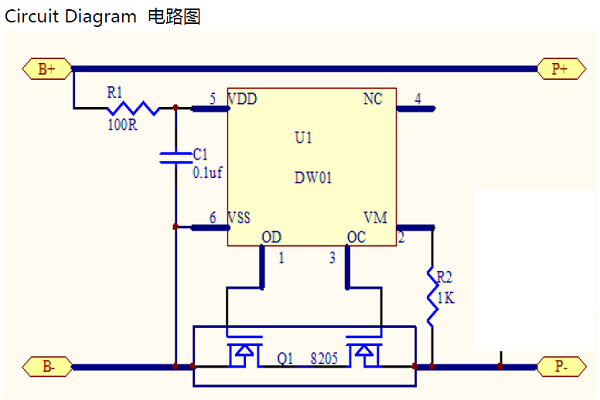
Power banks contain sophisticated safety circuits that shut down LED indicators when detecting potential hazards—a common reason for “power bank light not blinking” scenarios.
Identify and Reset Over-Discharge Protection
When lithium-ion batteries drop below 2.8V per cell, protection circuits trigger, cutting power to all components including LEDs. This often occurs after:
– Extended storage while fully depleted
– Repeated deep discharges
– Exposure to extreme cold temperatures
Recovery Method: Connect your “dead” power bank to a wall charger for 2-3 hours straight without checking status. Some models require extended charging before the protection circuit resets and LEDs reactivate.
Decode Your Power Bank’s Specific Light Patterns

Different manufacturers use unique LED signaling protocols—understanding your model’s specific patterns prevents misdiagnosis of the “power bank light not blinking” issue.
Recognize Critical Blinking Patterns by Brand
- Anker: Solid red = charging; Flashing red = error; No light = deep sleep mode
- Xiaomi: Single blue flash = 25% charged; Four rapid flashes = circuit protection triggered
- Samsung: Pulsing white = charging; Solid white = fully charged; No light = battery disconnected
Expert Tip: Search “[Your Power Bank Model] LED indicator meanings” for brand-specific documentation. Many manufacturers bury this information in their online support sections rather than printed manuals.
Test with a USB Power Meter for Accurate Diagnosis
When visual troubleshooting fails, a $10 USB power meter provides definitive data about whether your power bank is receiving and delivering power—essential for diagnosing stubborn light issues.
Conduct Professional-Grade Testing at Home
- Purchase an affordable USB power meter (available on Amazon)
- Connect meter between wall adapter and power bank input
- Monitor voltage and current readings while charging
- Healthy power banks show 4.8-5.2V input with 0.8-2.0A current
Diagnostic Clues:
– 0V reading = complete circuit failure
– Intermittent voltage = loose connection
– <0.5A current = protection circuit limiting power
Determine If Your Power Bank Needs Replacement
Some “power bank light not blinking” issues indicate irreparable damage where replacement is safer and more economical than repair.
7 Non-Negotiable Signs It’s Time for a New Power Bank
- Visible case swelling or deformation
- Chemical smells during charging attempts
- Excessive heat (too hot to touch comfortably)
- Multiple failed reset attempts with quality equipment
- Age exceeding 2 years with frequent use
- Previous exposure to water or extreme temperatures
- Physical damage from drops or impacts
Safety First: Swollen lithium-ion batteries pose fire risks. Place malfunctioning power banks in a fireproof container and take them to an e-waste facility immediately—never attempt to disassemble.
Prevent Future Power Bank Light Failures Proactively
Smart maintenance habits prevent most “power bank light not blinking” issues before they disrupt your mobile power needs.
Implement These 4 Long-Term Prevention Strategies
- Charge Cycling: Never store below 20% or above 80% capacity for extended periods
- Temperature Management: Avoid leaving in cars (summer heat exceeds 60°C/140°F)
- Quality Accessories: Only use MFi-certified or manufacturer-approved cables
- Regular Testing: Check functionality monthly, especially before travel
Pro Maintenance Schedule: Perform a full discharge/charge cycle every 3 months to maintain battery health and prevent protection circuit activation.
When to Seek Professional Repair Services
Certain complex issues require specialized tools and expertise that exceed safe DIY capabilities for most users.
3 Scenarios Warranting Professional Service
- Circuit Board Damage: Visible burn marks or damaged components visible through ports
- Battery Replacement Needs: When capacity drops below 50% of original rating
- Warranty Coverage: Most brands offer 12-24 month warranties covering internal failures
Cost Reality Check: Professional repair typically costs 40-60% of a new equivalent power bank. For units under $30, replacement is usually more economical unless sentimental value applies.
Final Note: A power bank with non-blinking lights typically indicates a solvable issue rather than terminal failure. By methodically working through these solutions—from simple cable swaps to advanced diagnostics—you’ll restore functionality in most cases. Remember that lithium-ion safety should always come first; when in doubt about physical damage or battery condition, replace rather than risk fire hazards. Implement the preventive measures outlined here to extend your next power bank’s lifespan significantly, ensuring those critical LED indicators remain responsive when you need portable power most.



