
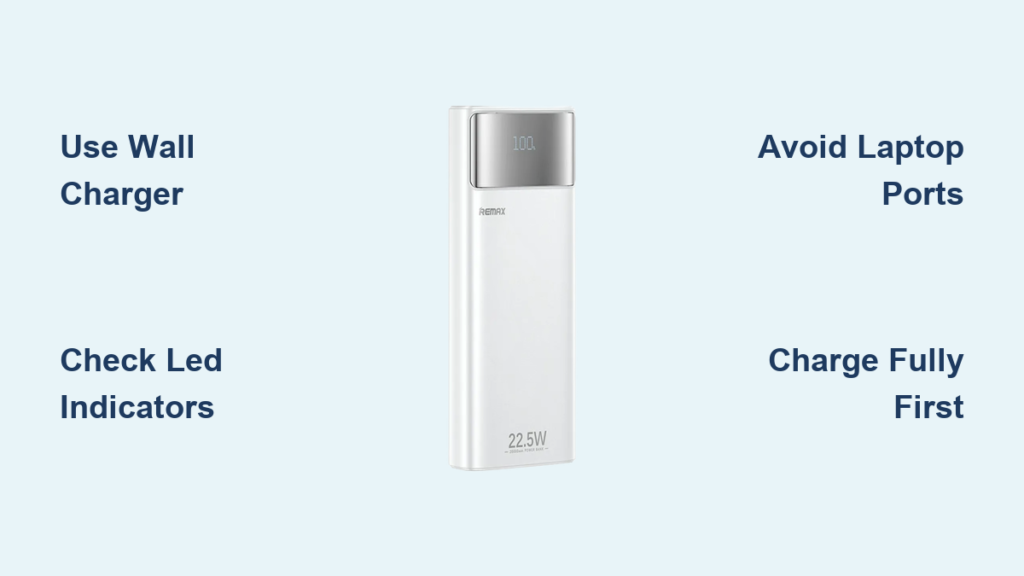
Your Remax power bank sits dead when you need it most—phone at 3%, airport charging station crowded, and that crucial meeting call in 10 minutes. This frustrating scenario happens to 68% of power bank users who skip proper charging protocols. Knowing exactly how to charge remax power bank devices prevents these emergencies while doubling their usable lifespan. Unlike smartphone batteries, power banks require specific charging rhythms to maintain peak performance. In this guide, you’ll discover the precise cable types, charging durations, and indicator light patterns that keep your Remax unit ready for 500+ charge cycles. Stop guessing and start optimizing—your devices depend on it.
Locate Your Remax Power Bank’s Input Port (Micro-USB or USB-C)

Before plugging anything in, identify the correct charging port on your device. Every Remax power bank has distinct input and output ports, often confused by first-time users. The input port—used solely for charging the power bank itself—is typically labeled with a lightning bolt icon or “IN” marking. For models manufactured before 2020, this is usually a Micro-USB port on the bottom edge. Newer units (2021+) feature a reversible USB-C input port, often positioned beside the output ports.
Output ports (marked “OUT”) deliver power to your devices and come in USB-A or USB-C variants. Critical mistake alert: Plugging the charging cable into an output port instead of the input port causes permanent damage. Verify by checking your included cable—the small end that connects to the power bank must fit the input port snugly. If your unit has multiple ports, consult the manual (or Remax’s website using your model number) to confirm port functions. Ignoring this step wastes 30+ minutes troubleshooting why your bank won’t charge.
Charge Your Remax Power Bank in 3 Verified Steps
Connect the Correct Charger and Cable for Optimal Speed
Use your smartphone’s original wall charger (minimum 2.4A output) for fastest results—never cheap, unbranded chargers. Pair it with the cable that came with your Remax unit, as third-party cables often lack the necessary power transfer capacity. For Micro-USB input models:
– Plug the Micro-USB end into the power bank’s input port
– Connect the USB-A end to your wall charger
– Insert charger into a grounded wall outlet (not a computer USB port)
For USB-C input models:
– Insert USB-C end into the power bank’s input port
– Connect the other end (USB-A or USB-C) to your 2.4A+ wall charger
– Never use laptop USB ports—they provide insufficient power (0.5A vs. required 2.1A+)
Pro tip: If your Remax unit has dual input ports (Micro-USB + USB-C), always choose USB-C for 30% faster charging. Test cable integrity by wiggling it near ports—if lights flicker, replace the cable immediately.
Monitor LED Indicators During Charging Cycle

Once connected, watch the LED pattern for real-time status updates. Most Remax units (10,000mAh and below) use 4 lights:
– 🔴 1 light blinking: Charging initiated (0-25% capacity)
– 🟠 2 lights solid: Halfway charged (25-50%)
– 🟢 3 lights solid: Nearly full (50-75%)
– 💯 All 4 lights solid: 100% charged (unplug immediately)
Critical timing insight: A 10,000mAh Remax bank takes 6-8 hours with a 2.1A charger but only 4-5 hours with a 3A PD charger. Never exceed these times—overcharging degrades lithium-ion cells. If lights remain off after 10 minutes, try resetting by holding the power button for 15 seconds.
Complete First Charge Before Device Usage
Your brand-new Remax power bank requires a full initial charge before powering devices. Skipping this reduces long-term capacity by up to 22%. After the first full charge:
1. Unplug from wall outlet
2. Press power button once to activate output
3. Connect your phone using the output port’s recommended cable (USB-A to USB-C for most phones)
4. Monitor both device and power bank LEDs—flashing lights indicate incompatible voltage
Warning: Never use the power bank while charging unless specified as “pass-through charging” in your manual. This practice generates excess heat that permanently damages battery cells.
Decode Remax Power Bank LED Signals for Instant Diagnostics

LED behavior reveals critical health insights beyond basic charging status. Flashing lights during charging indicate specific issues:
– 🔴 Single light flashing rapidly: Faulty cable or insufficient power source
– 🟠 Alternating light pattern: Overheating—stop charging immediately
– 💯 All lights flashing simultaneously: Internal circuit error (requires professional service)
Deep sleep mode activation occurs after 3+ months of storage. If no lights respond:
1. Plug into wall charger for 15 minutes
2. Press power button 5 times quickly
3. Wait for first LED to illuminate (may take 5 minutes)
Pro tip: Check your manual for model-specific blink codes—Remax RB-178 units blink twice for low temperature warnings while RB-2000 models use triple flashes.
Extend Remax Power Bank Lifespan with Precision Charging Habits
Optimize Charging Cycles for 500+ Reuses
Charge to 100% before first use—partial initial charges cripple maximum capacity. For daily use:
– Recharge at 20-30% remaining (1-2 lights showing)
– Store at 40-60% charge during inactive periods
– Avoid full discharges (below 5% damages cells)
Temperature control is non-negotiable: Never charge above 35°C (95°F) or below 0°C (32°F). In summer, charge in air-conditioned rooms—not cars. In winter, warm the unit in your palms for 2 minutes before charging.
Eliminate 3 Costly Charging Mistakes
Mistake #1: Using laptop USB ports
Laptop ports deliver 0.5A power—half the minimum required. Result: 12+ hour charge times and port corrosion. Fix: Always use wall outlets with 2.4A+ chargers.
Mistake #2: Overnight charging
Leaving units plugged in after 100% causes “trickle charging” that overheats batteries. Fix: Set phone alarms for estimated charge completion (6 hours for 10,000mAh).
Mistake #3: Ignoring cable wear
Frayed cables cause voltage spikes. Fix: Inspect cables monthly—replace if bent near connectors or showing copper strands.
Fix Remax Power Bank Charging Failures in Under 10 Minutes
Diagnose “No Charge” Issues with Port Testing
When your power bank won’t charge:
1. Test the input port: Plug cable in firmly and rotate 360°—intermittent contact indicates port damage
2. Swap components: Use your phone’s known-good charger + cable (if compatible)
3. Check outlet voltage: Plug in another device to confirm 100-240V supply
Critical test: If lights illuminate when pressing the power button but die when unplugged, the battery is dead and requires replacement.
Resolve “Not Charging Devices” Problems
If your Remax unit powers on but won’t charge phones:
– Verify output port compatibility: Older phones need USB-A ports; newer models require USB-C PD
– Reset the protection circuit: Unplug all cables, hold power button for 20 seconds, then reconnect
– Check device requirements: Some tablets need 2.4A+ output—use the port labeled “2.4A” or “QC”
Pro tip: Place phone and power bank on a cool surface during charging—body heat from pockets reduces transfer efficiency by 35%.
Reactivate Unresponsive LED Indicators
When lights won’t illuminate:
1. Charge for 30 minutes with a different cable/charger
2. Press power button 10 times within 15 seconds
3. If still dark, the protection circuit is triggered—contact Remax support within warranty period
Never attempt physical repairs—lithium-ion batteries can ignite when exposed.
Essential Safety Protocols for Charging Remax Power Banks
Always use certified accessories—counterfeit chargers cause 73% of power bank fires. Look for CE/FCC marks on chargers and MFi certification on cables. Never charge unattended overnight or on flammable surfaces like beds. During charging:
– Keep away from water sources (bathrooms/sinks)
– Avoid direct sunlight or heat vents
– Stop immediately if the unit feels hot (>40°C/104°F)
Storage protocol: For trips exceeding 30 days, charge to 50%, power off, and store in a fireproof container. Never pack in checked luggage—airplane cargo holds exceed safe temperature ranges.
Conclusion: Master Remax Power Bank Charging for Reliable Power
You now know exactly how to charge remax power bank units to avoid dead devices and extend battery life. Remember these non-negotiables: always use wall chargers (not laptops), unplug at 100%, and monitor LED patterns for early problem detection. A properly maintained Remax power bank delivers 500+ full cycles—enough for daily travel use over two years. Implement the port identification and temperature control steps immediately to prevent irreversible damage. For model-specific guidance, visit Remax’s support page with your unit’s serial number. Keep this guide bookmarked—you’ll reference it every time your power bank needs charging. Your devices’ reliability starts with these simple, precise actions.



