

You’re out and about when you realize your power bank is completely dead—and your dedicated charger is nowhere to be found. This frustrating scenario happens to everyone who relies on portable power. The good news? You don’t actually need the original charger to revive your power bank. Understanding how to charge a power bank without charger becomes essential knowledge for anyone who depends on portable power throughout their day.
Most people mistakenly believe they’re helpless without that specific wall adapter, but the reality is far more flexible. Power banks simply require the right combination of cable and power source, both of which you likely already have. This guide reveals exactly how to charge power bank without charger using everyday items you probably already own, from your laptop to your car to even solar energy. Let’s dive into practical, safe methods that actually work.
Why Your Power Bank Doesn’t Need Its Original Charger (Understanding the Basics)
Your power bank’s dedicated wall adapter serves just one purpose: providing stable electricity. The critical component you actually need is the compatible cable that connects to your power bank’s input port. Most modern power banks use either USB-C or Micro-USB inputs, while older models might have proprietary connectors.
What Every Power Bank Needs to Charge
- The Right Cable: USB-A to USB-C, USB-A to Micro-USB, or USB-C to USB-C depending on your model
- 5V DC Power Source: Any device that outputs standard 5 volts DC electricity
- Sufficient Amperage: At least 1A for small banks, 2A+ for faster charging of 10,000mAh+ models
How to Identify Your Power Bank’s Input Port
Check the side or bottom of your power bank for one of these common input ports:
– USB-C: Oval-shaped, reversible connector (most modern models)
– Micro-USB: Small trapezoid-shaped port (common on older/cheaper models)
– Proprietary: Brand-specific connector (less common today)
USB-C Power Bank Charging: Why Your Laptop Is the Ultimate Charging Solution
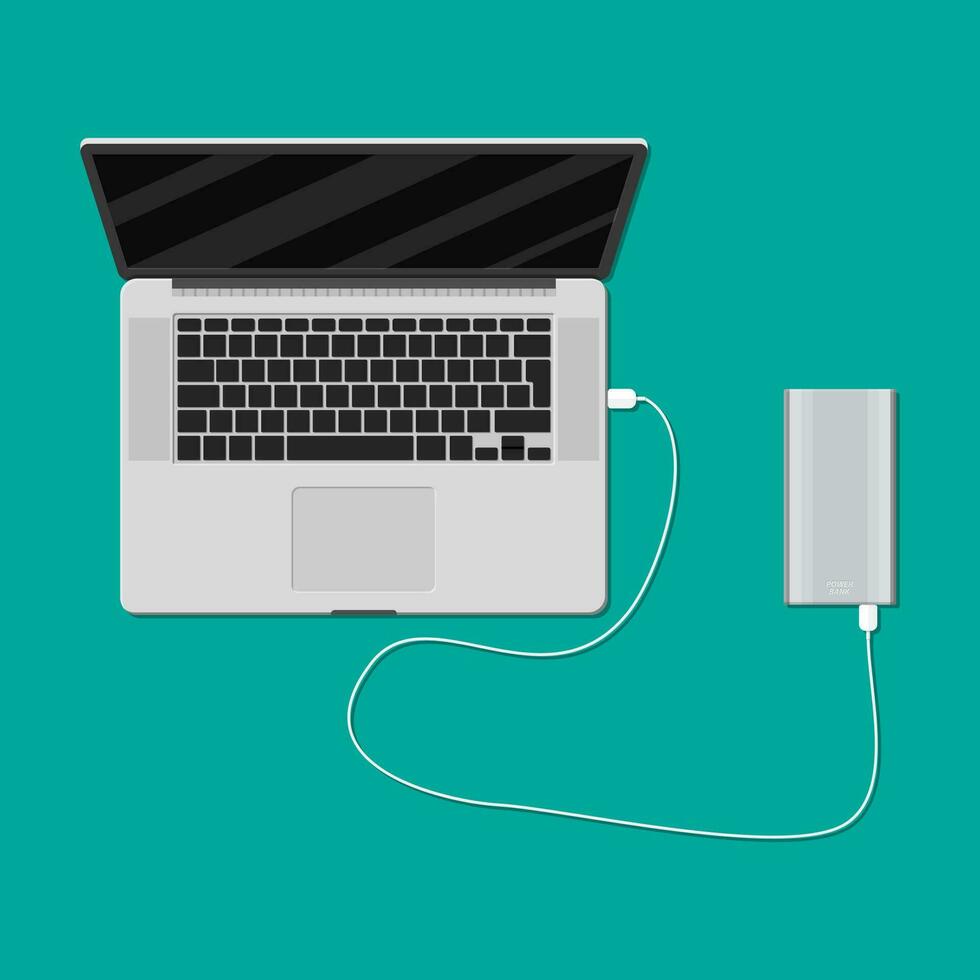
If your power bank has a USB-C input, your laptop becomes the fastest alternative charging method available. Modern laptops with USB-C ports often support Power Delivery (PD), allowing them to output significant power—sometimes up to 60W or more.
How to Charge Your Power Bank from a Laptop’s USB-C Port
- Connect your power bank to your laptop using a USB-C to USB-C cable
- Ensure your laptop is plugged into power (charging from battery drains it quickly)
- Verify charging by checking your power bank’s LED indicators
- Expect 2-4 hours to fully charge a 10,000mAh power bank with a quality laptop charger
Pro Tip: Laptops with Thunderbolt 3/4 ports typically provide the highest power output (up to 100W), making them ideal for fast power bank charging.
How to Charge a Micro-USB Power Bank Without Its Dedicated Adapter
Older power banks with Micro-USB inputs require specific attention since many modern chargers have phased out this port. The key is finding a power source that delivers adequate amperage through the correct cable.
The Smartphone Charger Trick That Works
Your smartphone wall adapter is perfect for charging Micro-USB power banks:
– Standard 5V/2.1A tablet chargers work significantly faster than phone chargers
– Avoid using low-power sources like older computer USB ports (0.5A)
– Always use a quality cable rated for power transfer, not just data
Warning: Never force a connector that doesn’t fit perfectly—this often indicates incompatibility and can damage your power bank.
Can You Use a Phone Charger for Your Power Bank? (The Amp Rating Secret)
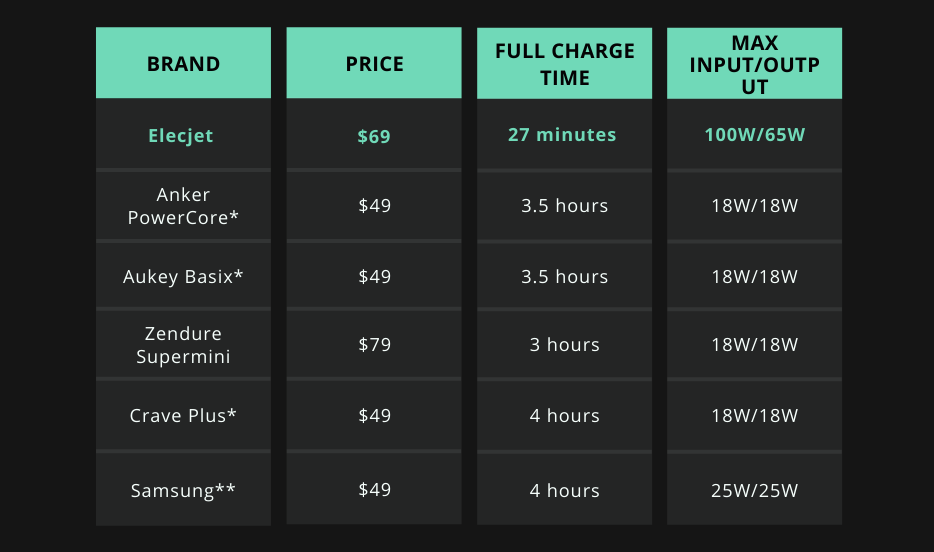
This is the most common question when learning how to charge power bank without charger. The answer is yes—but with critical caveats about amperage and compatibility.
What Amp Rating Means for Charging Speed
| Charger Type | Output | Charging Time (10,000mAh) | Safety for Power Banks |
|---|---|---|---|
| Standard Phone Charger | 5V/1A | 10-12 hours | Safe but slow |
| Tablet/Standard Fast Charger | 5V/2.1A | 5-6 hours | Ideal balance |
| Quick Charge 3.0+ | 9V/2A | 3-4 hours | Only if power bank supports QC |
| USB-C PD Charger | 20V/3A | 2 hours | Only if power bank supports PD |
Critical Safety Note: Never use a high-voltage charger (9V, 12V, 15V, 20V) unless your power bank explicitly supports that fast-charging protocol. Incompatible high-voltage chargers can permanently damage your power bank.
Car Charging Method: Transform Your Vehicle into a Mobile Power Station
Your car’s 12V socket (cigarette lighter) offers a reliable charging solution when you’re on the move. This method works whether you’re driving or parked, making it perfect for road trips or emergency situations.
Step-by-Step Car Charging Process
- Plug a standard USB car charger into your vehicle’s 12V socket
- Connect your power bank using the appropriate cable (USB-A to USB-C/Micro-USB)
- Start your vehicle or ensure the ignition is in “accessory” mode
- Monitor charging with your power bank’s LED indicators
Time Estimate: A quality 12V car charger (5V/2.4A) will charge a 10,000mAh power bank in 5-6 hours—perfect for overnight road trips.
Solar Power Bank Charging: Realistic Expectations for Off-Grid Power

Portable solar panels provide the ultimate off-grid charging solution, but understanding realistic output prevents frustration. Most compact foldable solar panels (10W-20W) work effectively with standard power banks.
What Solar Charging Can Actually Deliver
- 10W Panel in Direct Sun: 30-50% charge in 6 hours for a 10,000mAh power bank
- 20W Panel with Optimal Angle: Near full charge in 8-10 hours
- Cloudy Conditions: 10-20% charge in 8 hours (better than nothing)
Pro Tip: Charge your power bank first, then use it to charge devices—this is significantly more efficient than charging devices directly from solar.
Dangerous Power Bank Charging Myths You Should Never Try
The internet is full of risky “hacks” for charging power banks without proper equipment. Understanding why these methods are dangerous protects both you and your devices.
The 9V Battery “Hack” That Could Start a Fire
Online tutorials sometimes suggest connecting a 9V battery directly to a power bank’s input wires. This is extremely dangerous because:
– Unregulated voltage can bypass safety circuits
– Risk of short circuits causing overheating
– Potential for thermal runaway and fire
– Permanent damage to power bank’s internal circuitry
Always use regulated 5V power sources—never attempt improvised electrical connections.
Troubleshooting: Why Your Power Bank Won’t Charge from Alternative Sources
When your power bank refuses to charge from alternative sources, several common issues could be at play. Identifying the problem saves time and frustration.
No Charging Indicator Lights? Try This
- Test different cable combinations—some cables only transfer data
- Check for port debris—use compressed air or toothpick carefully
- Try “waking” the power bank—leave connected for 15-20 minutes
- Verify power source capability—use a USB tester if available
Expert Note: Some power banks require a minimum 0.5A to activate their charging circuit—very low-power sources like old computer USB ports might not trigger charging.
Power Bank Charging Time Calculator: How Long Will Alternative Methods Take?
Understanding realistic charging times prevents frustration. The formula is simple: (Power Bank Capacity ÷ Charger Output) × 1.2 (for efficiency loss).
Time Estimates for Common Scenarios
| Power Source | Output | 10,000mAh Power Bank | 20,000mAh Power Bank |
|---|---|---|---|
| Laptop USB 3.0 | 5V/0.9A | 12+ hours | 24+ hours |
| Phone Charger | 5V/1A | 10-12 hours | 20-24 hours |
| Tablet Charger | 5V/2.1A | 5-6 hours | 10-12 hours |
| USB-C PD | 20V/3A | 2 hours | 4 hours |
Remember: These times assume your power bank is completely drained—partial charges take proportionally less time.
Best Practices for Maintaining Your Power Bank’s Health When Using Alternative Chargers
Using alternative charging methods doesn’t have to harm your power bank’s longevity when you follow these critical maintenance guidelines.
Temperature Management Tips
- Never charge above 45°C (113°F)—remove from cases during charging
- Avoid direct sunlight—even when using solar panels
- Stop charging if excessively hot—let cool before resuming
Long-Term Battery Health
- Store at 40-60% charge for extended periods
- Avoid leaving at 0% or 100% for weeks
- Charge every 3 months if unused
- Replace power banks showing significant capacity loss
Mastering how to charge power bank without charger transforms you from a victim of dead batteries to someone always prepared. Whether you’re using your laptop, car, or even solar energy, the right knowledge keeps your devices powered anywhere. Remember: the cable and proper amperage matter more than the specific wall adapter. With these proven methods, you’ll never be stranded with a dead power bank again—just connect, charge, and get back to what matters.



