
Your phone dies at the airport gate. You grab your power bank, plug it in, and watch the battery percentage climb—no wall outlet in sight. But how does a power bank work? That slim rectangle isn’t just a battery; it’s a precision-engineered power station that converts, regulates, and delivers energy on demand. Understanding its inner mechanics helps you avoid cheap knockoffs, maximize charging speed, and keep your devices powered for critical moments. In this guide, you’ll discover exactly how power banks turn stored electrons into lifelines for your gadgets—and what separates a reliable charger from a fire hazard.
What’s Inside Your Power Bank: Battery, PCB & Ports Revealed
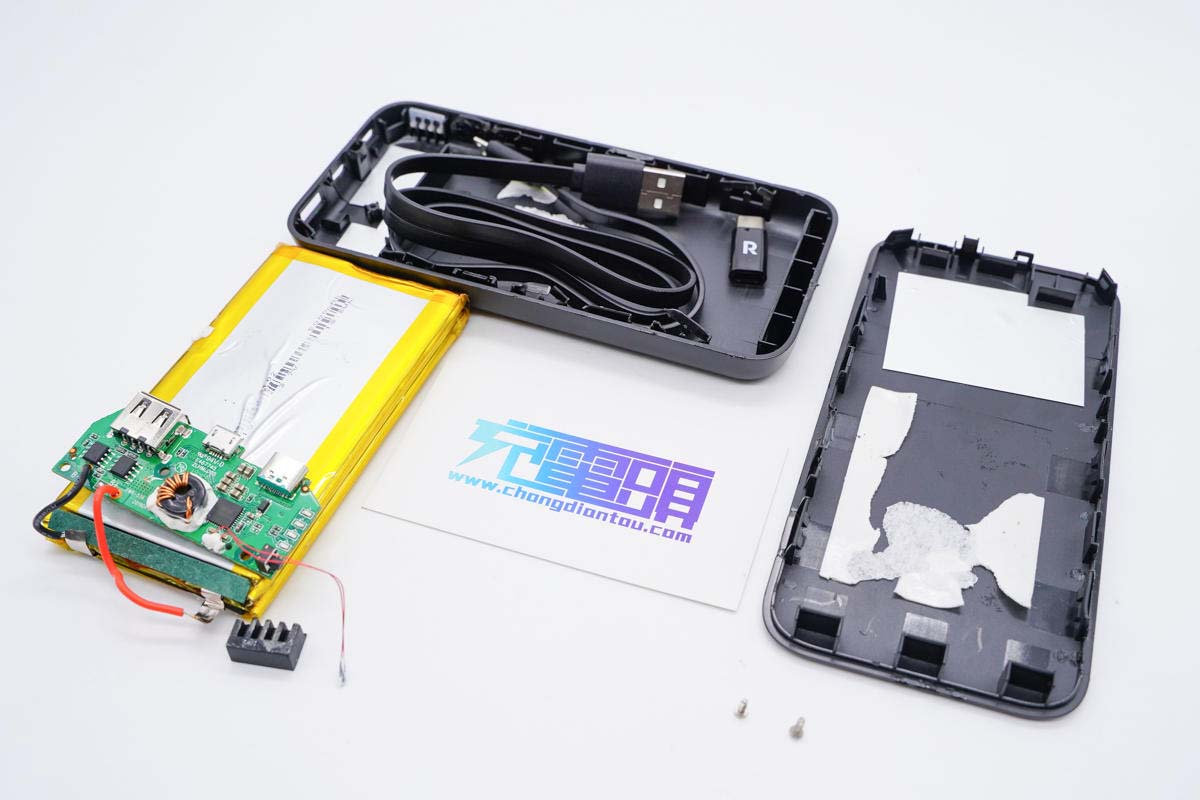
Every power bank relies on three non-negotiable components working in concert. Skip one, and you risk slow charging, device damage, or worse.
Lithium Cells: Why 10,000mAh Isn’t 10,000mAh of Usable Power
The cylindrical or pouch-style lithium cells (Li-Po or Li-Ion) store energy through chemical reactions. But here’s what manufacturers won’t highlight: voltage conversion drains 20-30% of capacity. A “10,000mAh” power bank operates at 3.7V internally, yet outputs 5V to your phone. Physics dictates:
(10,000mAh × 3.7V) ÷ 5V = 7,400mAh
That’s why your phone only gains ~2 full charges, not 3. High-quality units use Grade A cells with 90%+ energy retention after 500 cycles; cheap ones drop to 60% in 200 cycles. Always check cycle-life specs—not just mAh.
PCB: The Silent Guardian Preventing Battery Fires
The printed circuit board (PCB) is your power bank’s immune system. Without these protections, lithium cells can overheat or explode:
– Over-charge cutoff halts input at 4.2V (critical—exceeding this causes thermal runaway)
– Under-voltage lockout stops output at 2.8V to prevent cell damage
– Temperature sensors kill power if internals hit 60°C (140°F)
– Current balancing ensures multi-cell packs charge evenly
Pro Tip: Test your PCB’s responsiveness. Plug in a device while the power bank is nearly full. If it charges immediately without a 10-second delay, skip safety checks—a red flag for counterfeit units.
Input/Output Ports: Why USB-C PD Beats Old USB-A Every Time
Your port choices dictate speed and compatibility:
– Input: USB-C PD (Power Delivery) ports recharge power banks 3x faster than micro-USB. A 30W PD input refills 20,000mAh in 2.5 hours; micro-USB takes 8+ hours.
– Output: USB-C PD negotiates voltage (5V/9V/12V/20V) for laptops. USB-A maxes out at 12W (2.4A), while USB-C PD delivers 100W.
Warning: Using a USB-A cable on a USB-C PD power bank caps output at 15W—insufficient for modern laptops. Always match cable to port.
How Power Flows: From Wall Outlet to Your Phone Screen
Charging the Power Bank: Why Slow Input Ruins Battery Life
When you plug into a wall adapter, electricity enters at 5V/2A (10W). The PCB boosts this to 9V/2A (18W) for faster cell absorption—a process called switching regulation. Critical mistake: Using a 5W phone charger. This forces the PCB to work harder, generating heat that degrades cells 40% faster. Always use a 18W+ adapter for power banks over 10,000mAh.
Storing Energy: The Chemistry Behind “Idle Drain”
Lithium cells self-discharge at 1-2% monthly when idle. But poor PCB design accelerates this:
– Quality units: Drain 5% in 6 months (e.g., Anker, EcoFlow)
– Budget units: Drain 20% in 6 months due to inefficient voltage regulation
Store at 50% charge in cool, dry places—never fully charged. Extreme heat (like car dashboards) doubles self-discharge rates.
Powering Your Device: The Voltage Handshake That Prevents Meltdowns
When you connect your phone, a 3-step negotiation happens in 0.2 seconds:
1. Your device requests 5V/3A (15W) via USB Power Delivery protocol
2. The PCB verifies safety limits (e.g., “Is this a genuine iPhone?”)
3. It converts 3.7V battery output to stable 5V/3A using buck-boost circuits
Why your phone charges slowly sometimes: If the PCB detects unstable voltage (from a frayed cable), it throttles to 5V/1A (5W) as a safety reflex. Replace cables showing copper exposure immediately.
mAh vs. Wh: Why Airlines Care About Watt-Hours

The Capacity Trap: How Brands Mislead You
“20,000mAh” looks impressive—until you calculate usable energy:
| Spec | Calculation | Real Output |
|——|————-|————-|
| 20,000mAh @ 3.7V | 20Ah × 3.7V = 74Wh | 74Wh ÷ 5V = 14,800mAh |
That’s just 3 full charges for a 4,500mAh phone. Always prioritize Wh (Watt-hours)—it’s the true energy measure airlines use. IATA limits:
– ≤100Wh: Carry-on allowed (most power banks under 27,000mAh)
– 101-160Wh: Airline approval needed (rare for consumer models)
– >160Wh: Forbidden (industrial generators only)
Avoid These 3 Costly Power Bank Mistakes
Mistake #1: Using It as an Emergency Backup for Years
Lithium cells degrade when stored full or empty. A power bank left at 100% for 12 months loses 25% capacity. Fix: Discharge to 50% before storage. Top up to 60% every 6 months.
Mistake #2: Ignoring Input Power for Fast Recharging
Recharging a 20,000mAh power bank with a 10W adapter takes 8+ hours—making it useless for back-to-back trips. Solution: Buy units with 30W+ USB-C PD input. They refill in 3 hours with a compatible charger.
Mistake #3: Assuming All “20,000mAh” Models Are Equal
Counterfeits use low-grade cells with 50% actual capacity. Spot fakes:
– No brand name on PCB (only “CE” sticker)
– Feels lighter than genuine units (e.g., 380g vs. 450g for 20,000mAh)
– Output drops below 4.8V under load (test with a $5 USB meter)
Power Bank Lifespan: When to Replace Yours
Lithium cells last 300-500 full cycles before capacity drops below 80%. Signs it’s time to retire yours:
– Takes 2x longer to charge devices than when new
– Gets hot during normal use (not just fast charging)
– Shows 100% charge but dies after 10 minutes of use
Pro Tip: After 2 years of regular use, assume 20% capacity loss—even if it “seems fine.” Critical trips demand reliable gear.
Choosing Your Next Power Bank: 4 Must-Check Specs
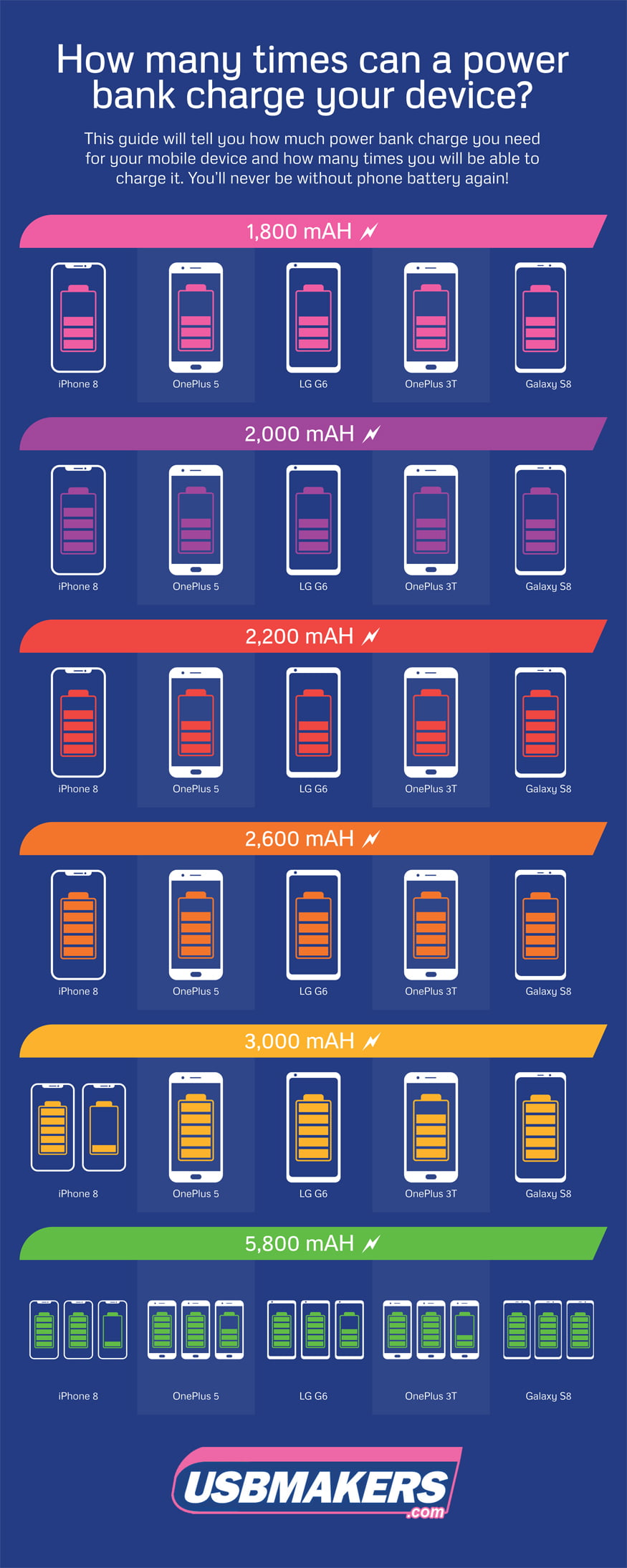
1. Output Wattage > mAh for Laptops
Most “20,000mAh” power banks only output 18W—enough for phones but not laptops. Need to charge a MacBook? Verify 45W+ USB-C PD output (e.g., 20V/2.25A).
2. Input Power Rating
Look for “30W USB-C PD Input” on the spec sheet. This refills 15,000mAh in 1.8 hours vs. 5+ hours for 10W input.
3. Safety Certifications
Only trust units with UL 2056 (US) or IEC 62133 (EU) certification—not just “CE.” These test for short circuits and overloads.
4. Cycle Life Guarantee
Premium brands (like Jackery) specify “500 cycles to 80% capacity.” Avoid units with no cycle data—they likely use recycled cells.
Why Power Banks Die Mid-Use (And How to Stop It)
Your power bank shuts off at 20%? Blame low-temperature cutoff. Lithium cells can’t discharge below 0°C (32°F). If using outdoors in winter:
1. Warm the unit in your palms for 2 minutes
2. Wrap it in insulating material (like a glove)
3. Avoid metal surfaces that draw heat away
Never force operation—this stresses the PCB and risks permanent damage.
Final Power Bank Truths You Can’t Ignore
How does a power bank work? It’s not magic—it’s voltage conversion guarded by a vigilant PCB. Remember these non-negotiables:
– Wh beats mAh for real capacity (74Wh = 20,000mAh @ 3.7V)
– USB-C PD ports are mandatory for future-proof speed
– PCB protections prevent fires—never skip safety certs
– Store at 50% charge to double lifespan
A quality power bank pays for itself by keeping you connected during blackouts, flights, or emergencies. But a cheap one risks frying your $1,000 phone. Invest in certified engineering—not just capacity numbers—and you’ll have reliable power for years. Next time yours rescues a dying device, you’ll know exactly which clever components made it possible.
Ready for more? See our guide to Choosing a Power Bank for Laptops—where we break down wattage requirements for MacBook, Dell, and Surface models.



