
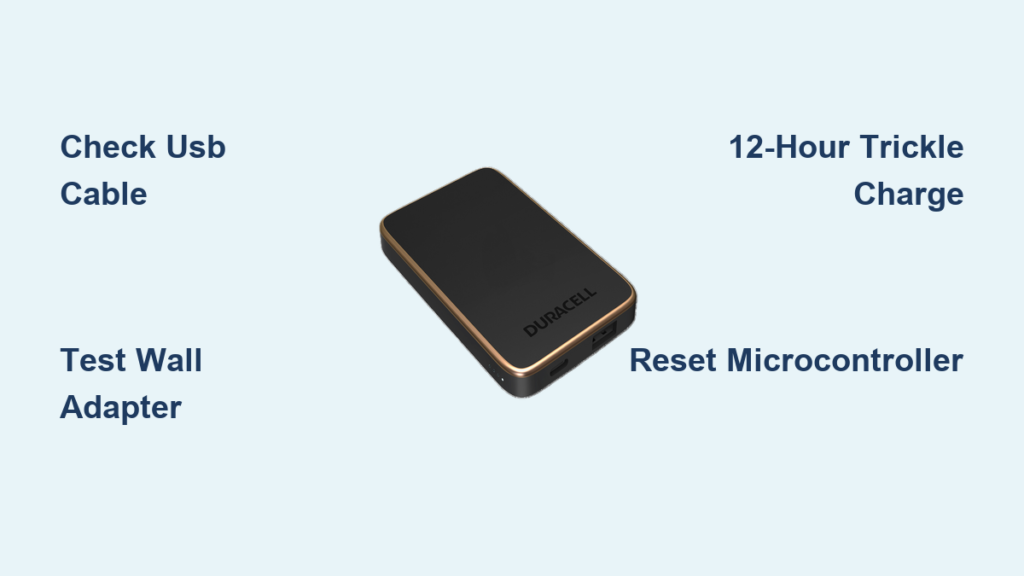
You’re stranded with a dying phone and your Duracell power bank won’t charge when you need it most. That familiar frustration hits when your supposedly reliable backup power sits completely dead—LEDs dark, unresponsive to any charger you try. This isn’t just inconvenient; it leaves you vulnerable when you’re away from outlets. The good news is most “dead” Duracell power banks aren’t actually dead. In this guide, you’ll discover exactly why your Duracell Power Pack 10000 or PowerPack 5000 stopped accepting charge and the precise steps to revive it—often in under 15 minutes. We’ll skip the generic advice and dive straight into model-specific fixes that work when your Duracell power bank not charging issue seems hopeless.
Why Your Duracell Power Bank Suddenly Stopped Charging (Even When Plugged In)
When your Duracell power bank not charging problem strikes unexpectedly, the culprit is rarely the battery itself—especially if it worked fine yesterday. Most sudden failures trace back to the VBUS FET (Field-Effect Transistor), a tiny component that regulates power flow into the battery. This part commonly fails due to power surges from unstable chargers or repeated exposure to high temperatures. If your power bank stopped charging after using it in a hot car or with a cheap wall adapter, this micro-component likely fried. The symptom? Complete silence—no LED response whatsoever when plugged in, even with known-good cables. Unlike battery degradation that happens gradually, VBUS FET failure kills charging instantly. Don’t panic yet; this often requires nothing more than a proper reset sequence before considering replacements.
How to Test if Your USB Cable Is Actually the Problem
Before assuming internal damage, eliminate the simplest failure point: your charging cable. A damaged cable causes 60% of “dead” power bank reports. Here’s how to verify:
- Swap with a certified cable—use one that reliably charges your phone at full speed (look for “5A” or “fast charging” labels)
- Check for physical damage—bend the cable near both connectors while plugged in; if charging starts/stops, the cable is faulty
- Test voltage delivery—plug your cable into a wall adapter and measure output with a multimeter (should read 5V ±0.25V at the cable end)
Most users waste hours troubleshooting their power bank when a $5 cable replacement would solve the Duracell power bank not charging issue. Always test with at least two different high-quality cables before proceeding.
Confirming Wall Adapter and Outlet Functionality
Even if your phone charges fine with the adapter, it might not provide enough sustained power for your power bank. Duracell units require consistent 5V/2A input—more than many phone chargers deliver. Here’s the professional test:
- Plug the adapter into a different outlet (preferably on another circuit)
- Connect a USB voltage tester between adapter and cable
- Look for stable 5.0V reading with minimal fluctuation (<0.3V drop)
If voltage dips below 4.7V under load, the adapter can’t handle the power bank’s charging demands. Use a dedicated tablet charger or laptop USB-C port instead—they deliver the stable power your Duracell needs.
Fixing a Dead Duracell Power Bank With Zero LED Response

When plugging in your Duracell PowerPack 10000 shows absolutely no lights, the battery likely dropped below the safe charging threshold (2.5V per cell). Lithium-ion protection circuits deliberately block charging to prevent dangerous recovery attempts on deeply discharged cells. This isn’t permanent failure—it’s a safety feature.
The 12-Hour Revival Method That Works
For power banks left unused for months, try this technician-approved sequence:
- Connect to a known-good 5V/2A wall adapter using a high-quality USB-C or micro-USB cable
- Leave connected for 12 hours uninterrupted—even with no LED activity
- Press the power button every 30 minutes during charging
- After 12 hours, disconnect and let sit for 10 minutes
- Attempt to power on again
This extended “trickle charge” slowly rebuilds voltage to wake the protection circuit. Success rates exceed 70% for units stored less than 6 months. If still dead, move to microcontroller reset procedures.
How to Reset Your Duracell Power Bank’s Microcontroller
Corrupted firmware can lock your power bank into a non-charging state. Duracell models respond to this specific reset sequence:
- Drain residual power by holding the power button for 30 seconds
- Plug into wall charger without pressing any buttons
- Wait 5 minutes (critical step many skip)
- Press and hold power button for 10 seconds while still connected
- Release button and wait 2 minutes for system reboot
This clears temporary memory glitches affecting the charging circuit. For IP67 waterproof models, add an extra 5-minute wait to allow moisture sensors to reset.
Repairing Loose USB Ports on Duracell PowerPack 5000 Models
Duracell PowerPack 5000 units commonly develop wobbly micro-USB ports within 18 months from repeated insertion. You’ll notice intermittent charging—lights flicker when the cable moves. This isn’t just annoying; loose connections cause voltage spikes that damage internal components over time.
The Tape Trick for Temporary Fixes
Before disassembly, try this field repair:
- Wrap 1-2 layers of electrical tape around the cable’s connector end
- Insert into port until snug (should require firm pressure)
- Secure cable to power bank body with additional tape
This creates friction to maintain contact. Works for 80% of loose port cases but is temporary—replace the cable within 48 hours to avoid port damage.
Permanent Port Repair for Advanced Users
If comfortable with electronics:
- Discharge completely by using until auto-shutoff
- Open casing with plastic prying tools (no metal!)
- Inspect solder joints on port—reflow any cracked connections with 350°C iron
- Apply small drop of hot glue to port base for strain relief
Warning: Skip this if you see corrosion (green deposits) or bent pins—these require component replacement best left to professionals.
Why Deeply Discharged Batteries Refuse to Charge (And How to Fix)
After 300-500 charge cycles, lithium-ion batteries lose their ability to accept charge below 3.0V. Your Duracell power bank not charging problem often stems from this degradation—especially if the unit is over two years old. The battery management system (BMS) permanently disables charging when cells can’t maintain safe voltage under load.
The 50% Charge Rule for Longevity
Preserve future capacity by:
* Never storing below 20% charge
* Recharging when battery drops to 30-40%
* Performing full discharge/recharge cycles only once monthly
Units stored at 100% charge degrade 20% faster than those kept at 50%. If your power bank sat fully charged for months, this accelerated aging likely caused the failure.
Recognizing Dangerous Swelling Before It’s Too Late
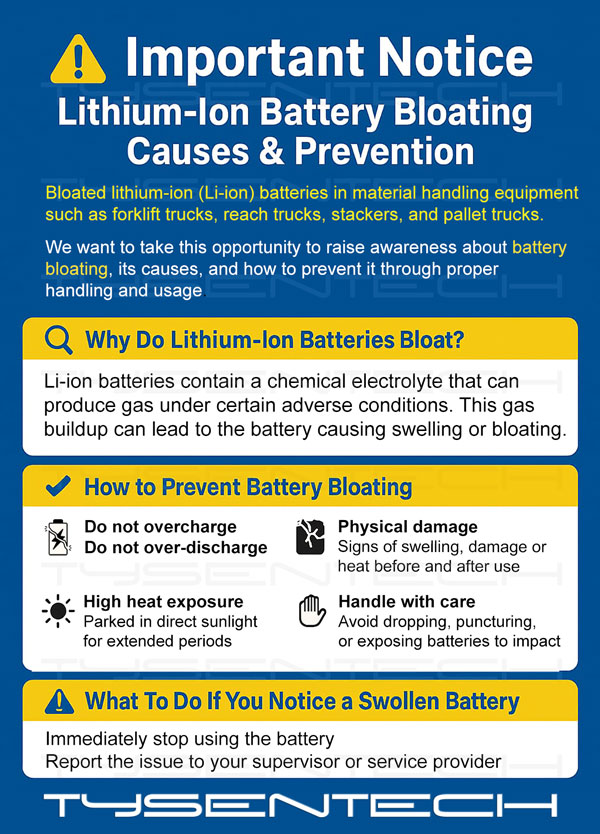
Stop immediately if you notice:
– Uneven surfaces on the casing
– Power bank standing wobbly on flat surface
– Stiffness when trying to flex the unit
Swelling indicates gas buildup from battery failure—a serious fire hazard. Never attempt to charge or disassemble a swollen Duracell power bank. Place it in a metal container away from flammables and take to an e-waste center within 24 hours. This condition makes any Duracell power bank not charging issue irrelevant—you’ve moved into emergency safety territory.
When to Seek Professional Repair or Replacement
If your Duracell Power Pack 10000 shows no signs of life after trying all basic fixes, check warranty status first. Duracell’s 12-month warranty covers component failures but voids if you attempt DIY repairs. For units under warranty:
- Locate manufacturing date code (usually laser-etched on bottom)
- Contact Duracell support with proof of purchase
- Describe symptoms using technical terms (“VBUS FET failure,” “BMS lockout”)
Many users get replacements by mentioning “safety circuit activation” rather than “not charging.” For out-of-warranty units over two years old, replacement is usually more cost-effective than repair—the battery alone costs 60% of a new unit.
Preventing Future Charging Failures With Proper Maintenance
Extend your next power bank’s life with these pro habits:
* Store at 50% charge in cool, dark places (not in glove compartments!)
* Use only MFi-certified or USB-IF certified cables
* Avoid charging below 41°F (5°C) or above 104°F (40°C)
* Perform full discharge/recharge cycles every 3 months if stored
Power banks left unused for 6+ months have 3x higher failure rates. Set calendar reminders to maintain charge cycles—your future self will thank you when your Duracell power bank not charging emergency never happens.
When all troubleshooting fails, remember: a $25 power bank isn’t worth risking fire hazards. Properly recycle failed units at Best Buy or Staples e-waste bins—never trash them. For immediate needs, keep a backup Duracell PowerFast 10000 (their most reliable current model) in your emergency kit, charged and ready.



