
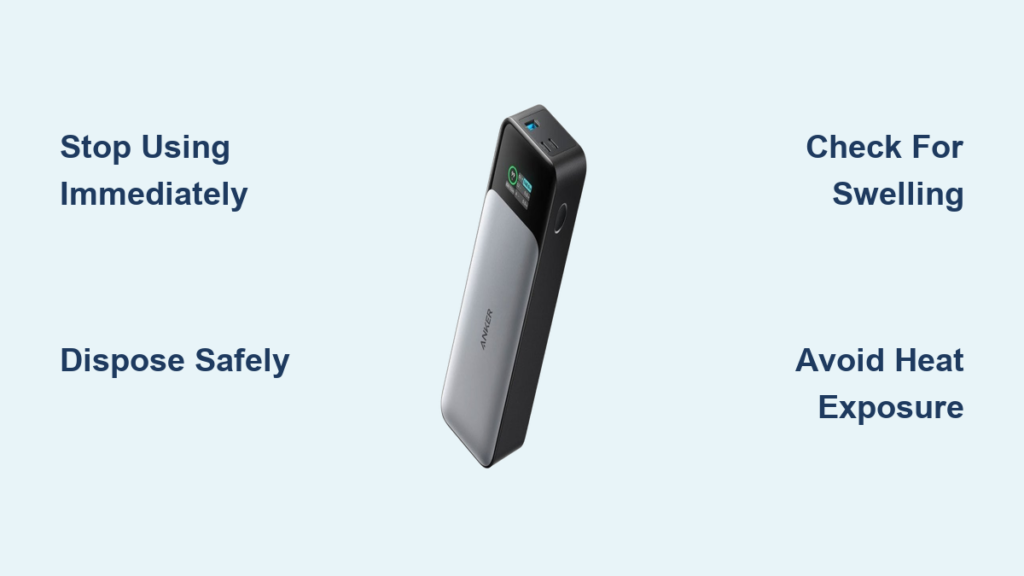
That telltale bulge in your Anker power bank isn’t just cosmetic damage—it’s a critical safety warning screaming for your attention. When your Anker MagGo or 622 power bank suddenly develops a warped, bloated appearance, you’re holding a potential fire hazard that demands immediate action. Anker power bank swelling occurs when internal lithium-ion cells fail catastrophically, generating dangerous gases that can lead to thermal runaway. Ignoring this swelling puts you at serious risk of fire, toxic fumes, or even explosion. In this guide, you’ll learn exactly why your Anker power bank swelled, the precise steps to handle it safely today, and how to prevent future disasters with your backup power sources.
Why Your Anker Power Bank Is Bulging: 4 Internal Failures
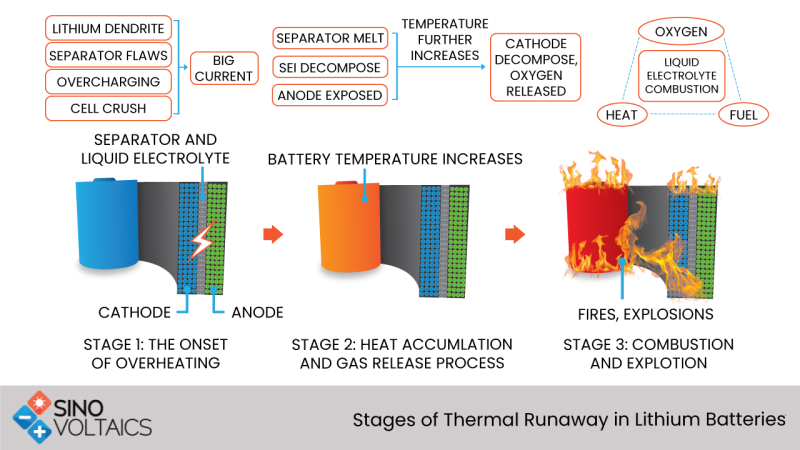
Your swollen Anker power bank isn’t malfunctioning randomly—it’s experiencing one of four specific internal failures that trigger dangerous gas buildup. Lithium-ion batteries naturally produce small amounts of gas during normal operation, but safety mechanisms should contain this. When swelling occurs, these systems have catastrophically failed.
Overcharging Damage From Faulty Battery Management
The most common swelling culprit is BMS (Battery Management System) failure allowing overcharging. When your Anker power bank’s internal circuitry fails to cut off charging at 4.2V per cell, excess voltage breaks down the electrolyte through electrolysis. This chemical reaction generates hydrogen, carbon dioxide, and other gases faster than the safety vent can release them. Users of the Anker 622 model frequently report swelling after normal charging cycles—evidence of inadequate overcharge protection in certain production batches. If your power bank feels unusually warm during charging or takes significantly longer to reach full capacity before swelling, this is likely your culprit.
Manufacturing Defects That Accelerate Swelling
Microscopic metal particles contaminating the electrolyte or separator damage during production can create internal short circuits. These tiny shorts generate intense localized heat that decomposes the electrolyte into gas. Some users report swelling in MagGo 10000mAh units after just 20 months of light use in temperature-controlled environments—pointing to manufacturing inconsistencies rather than user error. Since 2018/2019, multiple users have noted declining quality control in Anker products, with changes in component sourcing contributing to these defects. If your power bank swelled without exposure to extreme conditions or physical damage, this manufacturing flaw is probable.
Thermal Stress From Poor Heat Dissipation
Anker’s slim designs often sacrifice adequate thermal management, trapping heat during charging cycles. When you use your power bank while charging or leave it in a hot environment (like a car dashboard), internal temperatures exceed 60°C—accelerating chemical reactions that produce gas. The MagSafe-compatible models are particularly vulnerable due to their compact form factor limiting heat dissipation. If your swollen unit shows discoloration or melting near the charging port, thermal stress is almost certainly the cause. Users report that Apple’s MagSafe battery pack avoids this issue through superior thermal design—proof that better engineering prevents swelling.
Stop Using It Now: Critical First Actions for Swollen Anker Batteries
Immediate Danger Mitigation Steps (Do This in Under 60 Seconds)
When you notice swelling, your response in the first minute determines safety outcomes. Stop using the power bank immediately—any continued operation risks thermal runaway. Disconnect all cables and devices, then move the unit to a non-flammable surface away from curtains, paper, or furniture. If you detect a sweet chemical odor (sign of venting electrolyte), retreat to another room and ventilate the area. Never attempt to “deflate” the battery or puncture the casing—this triggers violent chemical reactions. Place the swollen unit in a metal container with sand if available, but prioritize getting it away from flammables above all else.
Warning Signs That Require Emergency Action
Certain symptoms indicate imminent danger requiring professional intervention. If your swollen Anker power bank exhibits any of these, evacuate the area and call emergency services:
– Visible smoke or vapor escaping the unit
– Hissing or popping sounds from internal gas release
– Surface temperature exceeding 60°C (too hot to touch)
– Leaking oily residue (electrolyte leakage)
Fire-Safe Disposal: Where to Take Your Swollen Anker Power Bank
Certified Recycling Locations That Accept Swollen Batteries
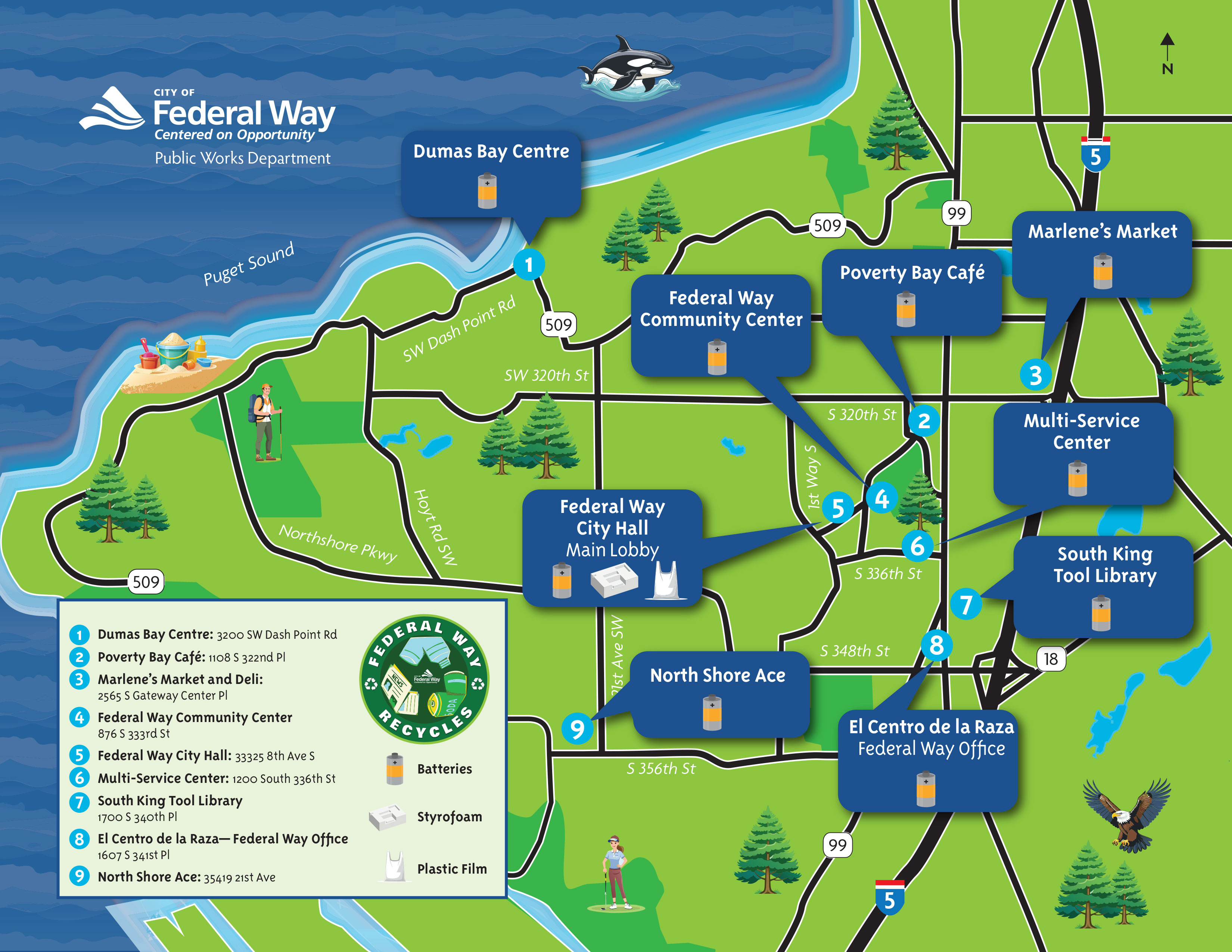
Your swollen Anker power bank requires specialized hazardous waste handling—never discard it in regular trash or standard recycling bins. Locate certified electronics recyclers using Earth911’s recycling search tool or call stores like Best Buy, Staples, or Home Depot to confirm they accept swollen batteries (many do through Call2Recycle programs). Big-box retailers typically have dedicated battery recycling bins near entrances, but call ahead to verify they’ll accept visibly swollen units. Some municipal hazardous waste facilities require appointments for lithium battery disposal—factor in 24-48 hours for scheduling when planning your disposal.
Transportation Safety Precautions You Must Follow
Transporting a swollen power bank requires specific precautions to prevent ignition. Wrap the unit in multiple layers of non-flammable material like aluminum foil before placing it in a metal container. Never transport it in your vehicle’s passenger compartment—secure it in the trunk or truck bed away from heat sources. Keep a fire extinguisher rated for electrical fires (Class C) accessible during transport. If possible, have someone accompany you who can monitor the unit for signs of increased swelling or heat during transit.
3 Temperature Control Tactics That Prevent Anker Battery Swelling

Optimal Charging Environment Setup (Under $10)
Maintain your power bank’s temperature between 10-35°C during all usage phases with these simple solutions. Charge your Anker unit on a marble or ceramic tile surface that dissipates heat 3x better than wood or plastic. Avoid charging while simultaneously powering devices—this double-duty operation generates excessive heat. For MagSafe-compatible models, remove the magnetic attachment during charging to prevent heat buildup between metal surfaces. Keep a $5 infrared thermometer handy to periodically check surface temperature—any reading above 40°C requires immediate disconnection.
Storage Conditions That Extend Battery Lifespan
Store your Anker power bank at 40-60% charge level in a cool, dry place when not in use for extended periods. Avoid leaving it plugged into wall chargers after reaching full capacity—a practice known as “trickle charging” that stresses lithium cells. The ideal storage environment maintains consistent 15-25°C temperatures; consider repurposing an old refrigerator’s vegetable drawer (set to warmest setting) as a climate-controlled storage solution. Check your power bank monthly for early swelling signs—minor bulges at the seam between casing halves indicate developing problems before complete failure.
Anker Swollen Battery Replacement: What to Say to Customer Support
https://www.anker.com/pages/warranty-service
Warranty Claim Script That Gets Results
When contacting Anker support about your swollen power bank, use this precise language to maximize replacement chances: “I have a safety-critical issue with my [model number] power bank purchased on [date]. The lithium-ion battery has swollen significantly, creating a fire hazard. I’ve discontinued use immediately per safety guidelines and need a replacement under your safety warranty.” Provide clear photos showing the swelling from multiple angles—close-ups of casing separation are particularly effective evidence. If your unit is out of the standard 18-month warranty, emphasize “safety hazard” repeatedly; Anker has granted goodwill replacements for swollen units up to 24 months old in EU markets where consumer protection laws require longer coverage.
When Anker Denies Your Claim: Next-Level Escalation
If initial support denies your replacement request, escalate strategically. Request to speak with a “warranty specialist” or “quality assurance manager” by name if possible (online forums often list effective contacts). Cite specific safety standards your unit violates (IEC 62133 for portable batteries). Mention you’ve documented the issue thoroughly and are prepared to file reports with the CPSC (Consumer Product Safety Commission) or equivalent agency in your country. Most importantly, state clearly: “I understand this is outside standard warranty, but given the serious safety implications of a swollen lithium battery, I expect Anker to handle this as a safety recall matter.” Many users report success with this approach after initial denial.
Why Your Anker Power Bank Stopped Holding Charge After Swelling
The Inevitable Capacity Loss Sequence
Swelling doesn’t happen in isolation—it follows a predictable degradation pattern that begins with reduced capacity. First, your Anker power bank delivers noticeably less runtime than when new (typically below 80% of original capacity). Next, charging behavior changes—taking longer to reach full or showing inconsistent percentage readings. Then, physical swelling appears as internal pressure builds from ongoing gas generation. By the time visible bulging occurs, the battery has already suffered irreversible damage—no amount of “resetting” or recalibration will restore safety or performance. This progression explains why users report their MagGo units stopped holding charge before developing noticeable swelling.
Why Replacement Is the Only Safe Option
Attempting to “repair” a swollen Anker power bank is extremely dangerous and technically impossible for consumers. The lithium-polymer pouch cells cannot be safely accessed without specialized equipment, and replacing individual cells requires matching exact specifications that aren’t publicly available. Even if you managed to replace the cell, the original BMS likely contributed to the failure and would cause the new cell to swell rapidly. Professional battery rebuild services aren’t cost-effective for power banks—Anker’s replacement process typically costs less than professional repair would. When you see swelling, replacement isn’t just convenient—it’s the only safe choice.
Final Safety Reminder: A swollen Anker power bank represents an active safety hazard that will not resolve itself. The moment you detect any bulging, separation at casing seams, or unusual warmth during operation, immediately discontinue use and follow the disposal procedures outlined here. While Anker has improved some models’ thermal management recently, any swollen unit must be treated as compromised. For your next power bank, consider alternatives like Baseus or Xiaomi that users report with better long-term swelling resistance, or verify specific model recall statuses before purchasing. Your safety is worth far more than the convenience of using a compromised battery—act decisively the moment swelling appears.



