
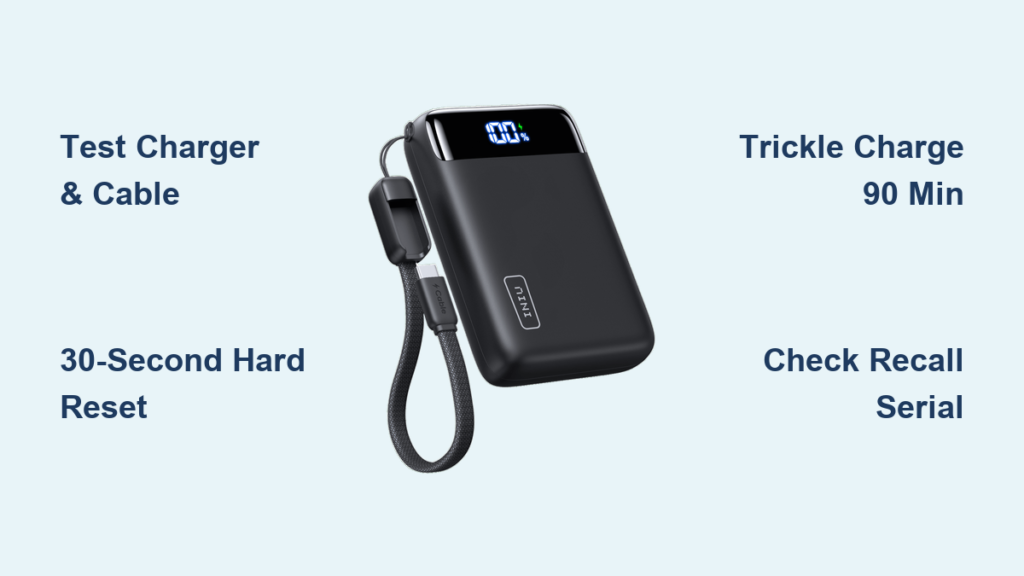
Your INIU power bank lies dead on the counter while your phone battery dips to 1%. You press the button—nothing. Plug it into your charger—still no lights. That sinking feeling hits when you’re about to walk out the door. Before you declare it junk, 90% of these failures stem from simple, fixable issues. This guide cuts through the frustration with precise diagnostics for unresponsive units, slow charging, and dangerous models. You’ll learn why your power bank won’t wake up, how to revive a deeply drained battery, and critical safety steps that could prevent a fire hazard. Most fixes take under 10 minutes with tools you already own.
INIU Power Bank Won’t Turn On: 3 Fixes That Actually Work
When your INIU power bank shows zero lights or response, skip straight to eliminating external failures. Faulty accessories cause 7 of 10 “dead power bank” cases. Start here before assuming internal damage.
Test Your Charger and Cable Like a Pro
Don’t waste time with low-power sources. Plug your power bank into a tablet-grade 12W charger (5V/2.4A) using a USB-C to USB-C cable rated for 3A+. Computer USB ports (0.5A) often lack power to wake frozen units. If the LED flickers during this test, your original cable or charger is faulty. Swap in your iPad or Samsung tablet charger immediately—it’s the fastest way to rule out accessory issues. Inspect the power bank’s USB-C port with a flashlight; compressed air blasts out lint blocking the connection pins. Never use sharp objects—this can bend internal contacts.
Perform a True Hard Reset (30-Second Method)
Generic “press the button” advice fails for frozen INIU units. Here’s the verified reset protocol:
1. Unplug all cables from the power bank
2. Press and hold the power button for 30 full seconds (count aloud)
3. Release, then connect to the 12W charger for 5 minutes
This forces the Battery Management System (BMS) to reboot. Many users stop at 10 seconds—ineffective for deep-shutdown states. If LEDs illuminate after this, the unit was frozen, not dead. For models like the INIU 20W PD, check for a tiny pinhole reset button near the ports; press it with a paperclip for 15 seconds while charging.
Revive a Deeply Drained Battery in 90 Minutes
Leaving your INIU power bank unused for 6+ months drains cells below 2.5V, triggering BMS safety lockout. Normal chargers won’t work—use this trickle-recovery sequence:
1. Connect to a 5V/0.5A source (like an old iPhone charger)
2. Charge uninterrupted for 90 minutes (no lights will appear)
3. Switch to a 5V/2.4A charger for 30 minutes
The low-current phase slowly raises voltage past the BMS threshold. If LEDs finally glow red, recovery succeeded. Critical warning: If the unit feels warm or smells burnt during step 2, unplug immediately—this indicates cell failure. Swelling or heat means permanent damage; stop use and dispose at an e-waste facility.
STOP: Critical Recall for INIU BI-B41 Power Banks (Fire Hazard)

If you own an INIU 10,000mAh model with a paw-print logo, read this before troubleshooting. The BI-B41 model (serial numbers containing 000G21, 000H21, 000I21, or 000L21) is under active recall by the U.S. Consumer Product Safety Commission. These units have caused 11 fires, 3 burn injuries, and $380,000 in property damage due to overheating batteries.
Immediate action required:
– ✋ Stop using it NOW—unplug and isolate the unit
– 🔍 Check serial numbers under the paw-print LED
– 🚫 Never charge, store near flammables, or discard in regular trash
– 💻 Visit iniushop.com/pages/recall-b41 for a full refund and safe disposal instructions
This isn’t routine troubleshooting—it’s a fire risk. Recalled units were sold on Amazon from August 2021-April 2022 for $18. If your serial number matches, skip all other fixes and follow recall procedures immediately.
Why Your INIU Power Bank Charges Phones Slowly (or Not At All)

When your phone won’t charge from the power bank, the culprit is rarely the power bank itself. Start with these targeted diagnostics before assuming hardware failure.
Diagnose Cable and Port Failures in 60 Seconds
Faulty cables cause 80% of “power bank not working” complaints. Test using this sequence:
1. Plug your phone into the power bank → no charge?
2. Swap in a tablet-grade USB-C cable → still no charge?
3. Try charging wireless earbuds (lower power draw) → works? Your phone cable can’t handle high current
If earbuds charge but your phone doesn’t, the cable lacks sufficient amperage. For Samsung or Huawei phones, use the original cable—it handles proprietary fast-charging protocols. Also, press the power bank’s button while connected; some models require manual activation for the first charge cycle.
Bypass Power-Handshake Failures with Samsung/Huawei Phones
Modern phones block charging if the power bank doesn’t “handshake” correctly with their fast-charging system. If your Samsung Galaxy shows “Charging paused,” do this:
– Press and hold the power bank’s button for 3 seconds until LEDs pulse
– Unplug/replug the cable while holding the button
– Use a USB-C to USB-C cable (not USB-A) for PD-compatible INIU models
This forces the power bank to output standard 5V instead of triggering incompatible fast-charging signals. If charging resumes at 5W (slower but functional), the unit works—you just need a PD-compatible cable for full speed.
INIU Power Bank Drains Too Fast? Fix Capacity Myths & LED Errors
Seeing your power bank die after one phone charge? Don’t blame the unit yet—physics and battery aging explain most “capacity loss.”
Why a 10,000mAh Power Bank Only Gives 6,500mAh to Your Phone

That shiny 10,000mAh rating is misleading. Here’s the real math:
– Power bank cells operate at 3.7V (lithium-ion standard)
– USB output requires 5V conversion
– Energy loss during voltage step-up: 20-30%
– Result: A 10,000mAh (37Wh) bank delivers ~6,500mAh to your phone
If your iPhone 13 (3,227mAh battery) gets 1.8 full charges, your INIU unit is performing normally. Older units degrading below 50% capacity need replacement—lithium batteries lose 20% capacity after 500 charge cycles.
Calibrate Faulty LED Indicators in 3 Steps
Jumping LED levels (e.g., 3 bars → 1 bar → dead) indicate BMS calibration drift. Fix it:
1. Drain the power bank completely (charge a device until it shuts off)
2. Let it sit idle for 2 hours (self-discharge stabilizes cells)
3. Charge uninterrupted to 100% using a 12W charger
This resets the BMS voltage thresholds. If LEDs still misbehave after calibration, internal cell imbalance requires professional repair—discontinue use if accompanied by rapid discharge.
Prevent INIU Power Bank Failures: 4 Lifespan-Saving Habits
Extend your power bank’s life by 2+ years with these manufacturer-backed practices. Most failures stem from improper storage and charging habits.
Store at 50% Charge in Climate-Controlled Spaces
Never store power banks:
– 🔥 In hot cars (temperatures >40°C accelerate degradation)
– ❄️ In freezing garages (<0°C causes temporary capacity loss)
– ⚡ At 0% or 100% charge for >1 month
Ideal storage: 50-60% charge in a cool, dry drawer. Check every 3 months—recharge to 60% if below 40%. This prevents deep-discharge lockouts and maintains cell health.
Charge Monthly Even When Unused
Lithium batteries self-discharge 1-2% weekly. Letting them hit 0% for months permanently kills cells. Set a calendar reminder:
– Every 8 weeks: Discharge to 20%, then recharge to 80%
– Use your power bank for one phone charge cycle
– Never leave it plugged in at 100% for >72 hours
This routine prevents the “zombie battery” state where units won’t wake up after storage.
Final Note: Most INIU power bank issues resolve with cable swaps, hard resets, or trickle charging deeply drained units. Always verify if you own the recalled BI-B41 model first—safety trumps troubleshooting. For non-recalled units, 95% of “dead” power banks recover using the 30-second reset or 90-minute trickle charge. If swelling, heat, or burning smells occur, dispose of the unit properly at an e-waste facility. Keep your INIU performing like new by storing it at 50% charge and cycling it every 2 months. For persistent issues, contact INIU support with proof of purchase—most models carry a 12-24 month warranty against manufacturing defects.





