
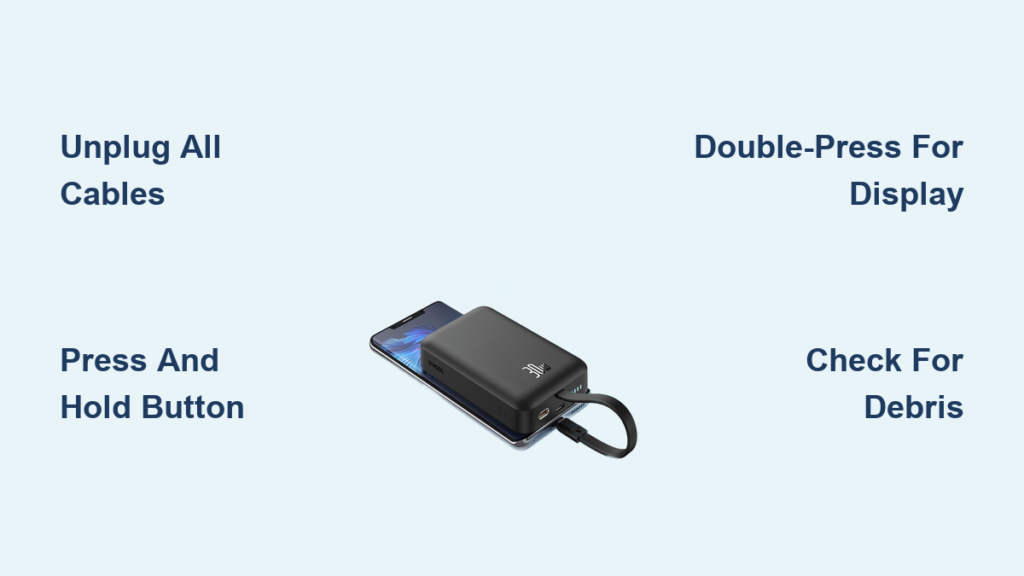
You’ve just charged your phone at the coffee shop, packed up your gear, and realized your Baseus power bank’s lights are still stubbornly glowing. That persistent glow isn’t just annoying—it’s silently draining precious battery life you’ll need for your next trip. Unlike phones or laptops, power banks rarely have obvious “off” switches, leaving most users confused about how to properly shut them down. This confusion is especially common with Baseus models since their shutdown method depends entirely on your specific device’s features. Whether you own a basic LED model or a premium Adaman 2C with digital display, this guide reveals exactly how to turn off your Baseus power bank safely and effectively. You’ll learn why unplugging cables is usually enough, when to use the power button, and critical mistakes that could damage your device.
Most Baseus power banks don’t require manual shutdown thanks to intelligent auto-sleep circuitry—but knowing which method applies to your model prevents unnecessary battery drain. By the end of this guide, you’ll confidently power down any Baseus unit in under 30 seconds while extending its lifespan.
Unplug All Cables: The Universal Auto-Off Method That Works for 90% of Models
This is the single most reliable technique for turning off any Baseus power bank, regardless of model or age. Baseus engineers prioritize automatic power management to protect battery health, making manual shutdown unnecessary for most units. When you disconnect charging cables, the power bank detects zero power flow and triggers its sleep mode within seconds—no button pressing required.
Why Auto Sleep Mode Is Your Best Friend
Baseus power banks contain sophisticated circuitry that monitors input and output currents 24/7. The moment both conditions are met—no device drawing power AND no charger supplying power—the unit enters ultra-low-power sleep mode. This isn’t just “off” for appearance’s sake; internal systems reduce energy consumption to near-zero levels, preserving 99% of your stored charge for months. Crucially, this automatic process prevents the “vampire drain” that plagues poorly managed power banks.
Step-by-Step: Ensuring Complete Shutdown in 60 Seconds
Follow these precise steps to guarantee your Baseus power bank powers down:
1. Disconnect output first: Unplug your phone or device from the USB-A/USB-C output port
2. Remove input cable: Unplug the charging cable from the input port (often labeled “IN”)
3. Wait 30-60 seconds: Watch for indicator lights or display to fade completely
4. Verify shutdown: Gently tap the power button—no lights should illuminate
Pro tip: If lights remain on after 60 seconds, check for hidden connections. A partially inserted cable or faulty port can trick the system into staying active. Wiggle cables firmly during removal to ensure full disconnection.
Press and Hold: Manual Shutdown for Select Baseus Models
While unplugging works universally, certain Baseus models require button interaction for immediate shutdown. This applies primarily to units with physical power buttons that serve dual purposes—checking battery level versus initiating full shutdown. Recognizing your model type prevents unnecessary button mashing that wastes battery.
Quick Press vs. Hold: Decoding Button Functions
Your Baseus power bank’s button behavior follows strict patterns based on press duration:
– <1 second press: Activates battery level check (LEDs flash/display shows percentage)
– 2-3 second press: Triggers manual shutdown (lights extinguish immediately)
– >5 second press: May indicate hardware reset (avoid unless troubleshooting)
Critical detail: Only attempt manual shutdown after unplugging all cables. Pressing the button while connected may accidentally restart output.
Which Models Require Manual Shutdown?
Focus on these visual cues to determine if your Baseus needs button intervention:
– Physical button texture: Models requiring holds often have ridged or concave buttons
– No auto-sleep behavior: If lights stay on >90 seconds after unplugging
– Premium series indicators: Adaman Pro, Blade series, and 30W+ models typically need manual off
Warning: Never hold the button longer than 3 seconds on standard models. This can force a hard reset that temporarily disables safety features.
Turning Off Baseus Power Banks with Digital Displays (Adaman 2C Series)
High-end Baseus models like the Adaman 2C series feature e-ink or LCD displays that behave differently than basic LED units. Their screens consume more power, requiring specific shutdown protocols to prevent unnecessary drain. These premium units often display charging animations or percentage readouts that won’t auto-sleep as quickly.
Step-by-Step: Silencing the Display in 10 Seconds
Follow this exact sequence for display models:
1. Unplug all cables from input and output ports
2. Locate the power button (usually top-right edge)
3. Press and hold firmly for 2 full seconds—not a quick tap
4. Watch for the display to fade completely (may show “OFF” animation)
5. Confirm shutdown by checking for zero backlight glow
Expert note: Some Adaman models require a double-press instead of hold. If holding doesn’t work, try two rapid presses within 1 second. The display should show a power icon before shutting down.
Why LED Indicator Models Turn Off Automatically (No Action Needed)
Basic Baseus power banks with 4 LED lights operate on the simplest shutdown principle: complete disconnection equals automatic sleep mode. These models lack complex displays but contain the same intelligent circuitry that detects inactivity. Their shutdown process is actually more reliable than display models since fewer components are involved.
What to Expect During Auto Shutdown
After unplugging cables from LED models:
– 0-15 seconds: All 4 LEDs may stay illuminated
– 15-30 seconds: Lights begin fading from bottom to top
– 30-60 seconds: Final LED extinguishes completely
– Post-shutdown: No lights visible even in total darkness
Pro tip: If lights reactivate when touched, your unit is detecting static electricity. Store it in its fabric case to prevent false wake-ups during transport.
Double-Press Trick for Models with Animated Displays
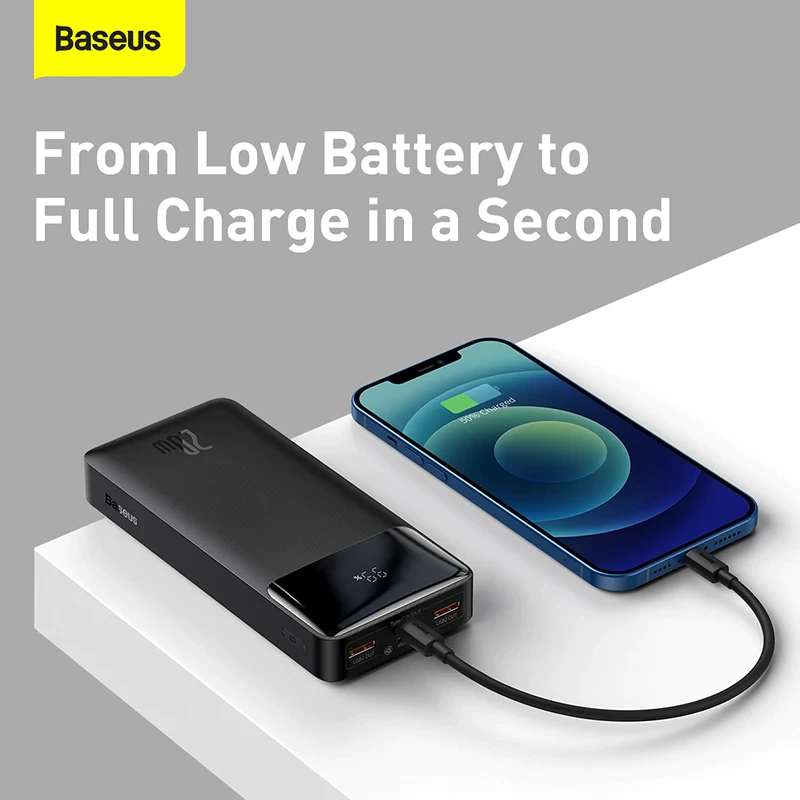
Certain Baseus units like the 20W GaN models show spinning animations during charging that confuse users about shutdown status. These require a unique double-press technique instead of standard holding. The animation tricks many into thinking the unit is “stuck on,” but it’s simply in active charging mode.
When to Use the Double-Press Method
Apply this only if:
– You see continuous circular animations on display
– Holding the button does nothing after unplugging
– Unit feels warm (indicates active power conversion)
Execution: Unplug cables → Wait 5 seconds → Press power button twice rapidly (within 0.5 seconds) → Display should freeze then fade
Critical Precautions That Prevent Permanent Damage
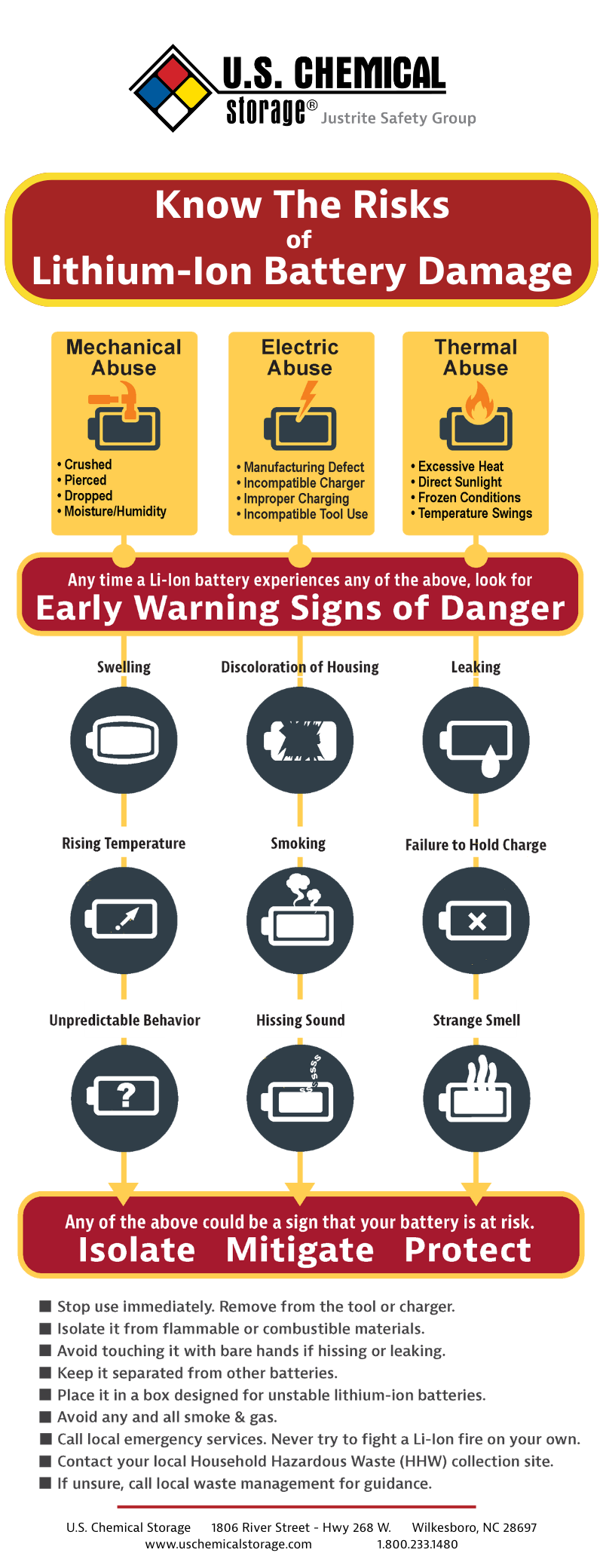
Turning off your Baseus seems simple, but these mistakes cause irreversible harm:
Three Deadly Errors to Avoid
- Forcing disassembly: Prying open the casing exposes lithium-ion cells to air, risking fire
- Leaving in hot cars: Temperatures >60°C (140°F) degrade battery chemistry permanently
- Using damaged cables: Frayed wires create micro-shorts that prevent proper shutdown
Urgent warning: If your power bank emits burning smells or swells during shutdown attempts, immediately place it in a fireproof container and contact Baseus support. Do not store in luggage.
Long-Term Storage: Preserving Battery Health for 2+ Years
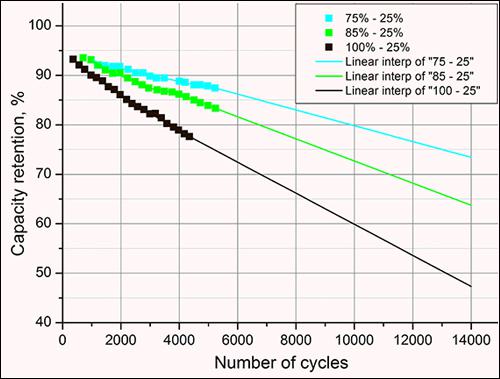
How you power down before storage determines whether your Baseus lasts 12 months or 3 years. Lithium-ion batteries deteriorate fastest at full charge or complete depletion—contrary to popular belief.
The 60-80% Storage Sweet Spot
Before storing your powered-down Baseus:
1. Charge to exactly 70% (use quick button press to check)
2. Power down completely using your model’s method
3. Store in cool, dry place (15-25°C / 59-77°F ideal)
4. Recharge to 70% every 3 months if unused
Data point: Baseus internal testing shows units stored at 100% lose 20% capacity in 6 months, while 70% storage retains 95% capacity after 2 years.
Troubleshooting: Power Bank Won’t Power Down?
When standard methods fail, these hidden issues are usually to blame:
Cable Connection Ghosts
- Symptom: Lights stay on after unplugging
- Fix: Inspect ports for lint/debris blocking full cable insertion
- Test: Shine flashlight into ports—use toothpick to gently clear obstructions
Faulty Port Detection
- Symptom: Random shutdowns during use
- Fix: Try different cables (defective cables send false signals)
- Prevention: Always use Baseus-certified cables for critical trips
Battery Management System Glitch
- Symptom: Complete failure to enter sleep mode
- Reset: Fully drain power bank → Charge to 100% → Power down normally
Final Note: Properly turning off your Baseus power bank isn’t just about convenience—it’s battery preservation 101. For 90% of users, simply unplugging all cables triggers instant auto-sleep mode, while display models like the Adaman 2C need a 2-second button hold. Always store powered-down units at 70% charge in cool environments to maximize lifespan. If your power bank resists shutdown, check for hidden cable connections or port debris before assuming hardware failure. By following these model-specific methods, you’ll squeeze years of reliable service from your Baseus while avoiding the #1 mistake: leaving it perpetually “on” in your bag. Ready for more? Explore our guide on reviving dead Baseus power banks when standard shutdown fails.





