
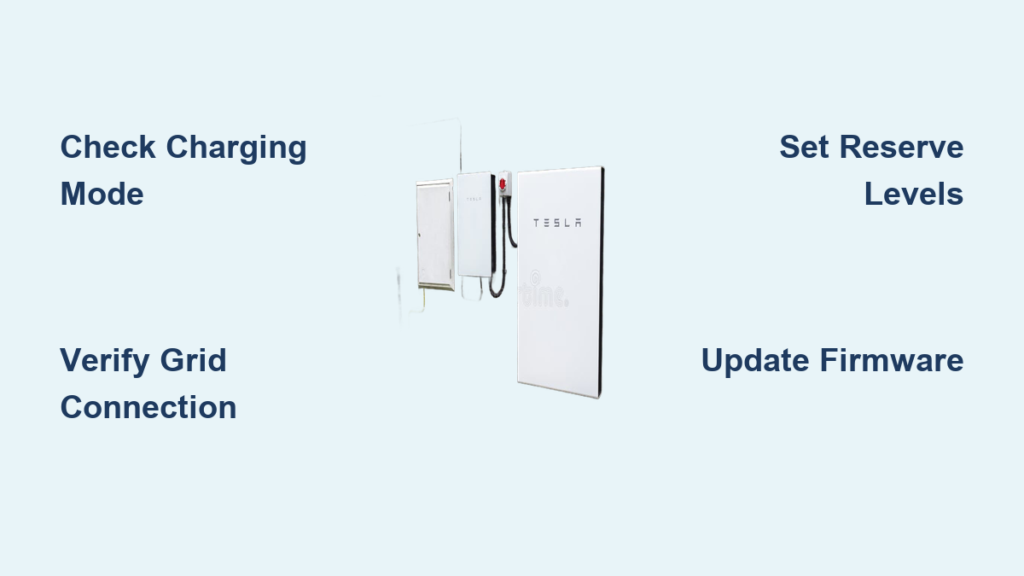
Your Tesla Powerwall sits silently in your garage, ready to power your home during outages and save you money on electricity—but only if it’s properly charged. Unlike a phone or laptop battery that you plug in directly, the Powerwall’s charging process is sophisticated and automated, which can leave new owners wondering how to ensure it’s always ready when needed. Understanding how to effectively charge your Tesla Powerwall is critical for maximizing energy independence, reducing utility bills, and guaranteeing reliable backup power.
Many homeowners mistakenly think they need to manually charge their Powerwall like a conventional battery. The reality is your Powerwall charges automatically based on your settings, but without proper configuration, you might miss out on significant savings or find yourself without backup power when the grid fails. Whether you have solar panels or not, knowing how to optimize your Powerwall’s charging behavior through the Tesla app can transform your home energy experience from merely functional to truly strategic.
Why Your Tesla Powerwall Isn’t Charging as Expected
Identifying Common Powerwall Charging Issues
When your Powerwall isn’t charging properly, the problem usually stems from one of these specific issues:
Incorrect mode selection in the Tesla app – Many homeowners leave their Powerwall in Backup-Only mode without realizing it, preventing the system from charging during normal grid operation. Self-Powered mode should be your default setting unless you have specific Time-of-Use rate considerations.
Grid connection problems – If your Powerwall shows “Island Mode” or “Grid Disconnection” in the app, it won’t charge from the grid until the connection is restored. Check your main electrical panel for tripped breakers related to the Powerwall system.
Solar production limitations – For solar-equipped homes, dirty panels, shading issues, or seasonal sun angles can reduce solar output below what’s needed to charge your Powerwall effectively. A typical Powerwall 2 requires about 4-6 hours of strong sunlight to fully charge from solar alone.
How to Diagnose Powerwall Charging Problems
When your Powerwall isn’t charging as expected, follow these diagnostic steps:
- Check the Tesla app status indicators – Look for error codes or warnings under the Powerwall section
- Verify your current charging mode – Navigate to Settings > Powerwall in the app
- Review recent energy flow patterns – Examine the 24-hour energy graph to see if solar production matches charging behavior
- Confirm grid connection status – A disconnected grid will prevent grid-based charging
- Check for software updates – Outdated firmware can cause unexpected charging behavior
If you’ve recently experienced a power outage, your Powerwall may be in “Storm Watch” mode, which temporarily alters normal charging behavior to maximize backup capacity.
Charging Your Tesla Powerwall from Solar Panels
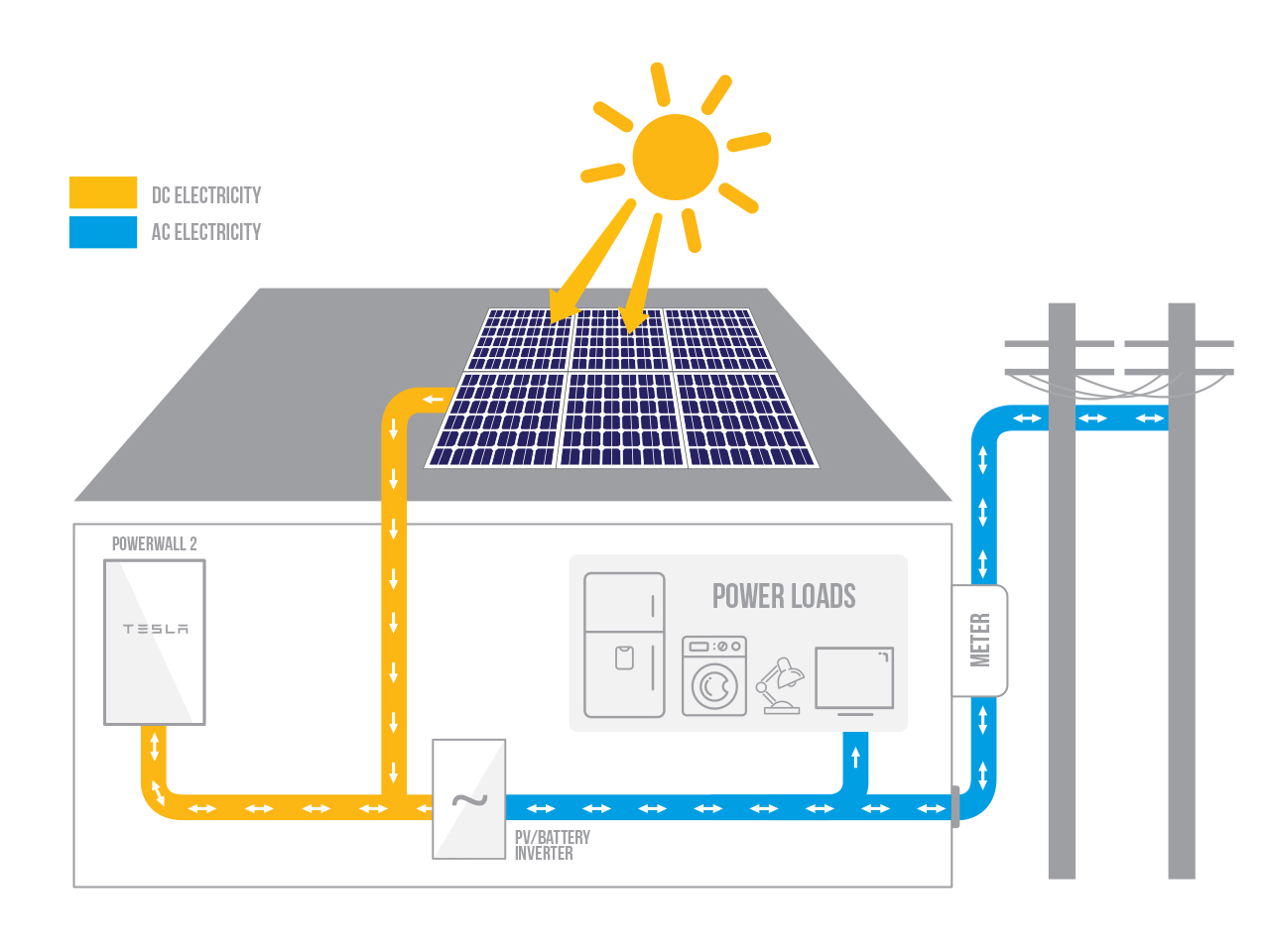
Optimizing Solar-to-Powerwall Energy Flow
Your Powerwall automatically charges from excess solar production when properly configured, but you can maximize this process with these specific actions:
Adjust your solar inverter settings to ensure it’s communicating properly with the Powerwall gateway. Some third-party solar systems require specific configuration to prioritize Powerwall charging over grid export.
Set appropriate “Reserve for Power Outages” levels in the Tesla app. While 100% might seem ideal for backup, setting it to 90-95% can actually improve charging efficiency and battery longevity. The system will maintain this reserve level while cycling the remaining capacity for daily use.
Monitor seasonal variations in your energy graph. During winter months with shorter days, you may need to temporarily reduce your reserve level to ensure the Powerwall gets fully charged during limited sunlight hours.
Troubleshooting Solar Charging Problems
When your Powerwall isn’t charging from solar as expected:
- Check for “Grid Services” participation – If enrolled, your Powerwall may be discharging slightly during the day to earn credits, which affects net charging
- Verify solar production matches consumption – Your home might be using all solar production, leaving nothing for the Powerwall
- Inspect for communication errors between solar inverter and Powerwall gateway
- Confirm no physical obstructions are blocking solar panels, especially after seasonal changes
Charging Your Tesla Powerwall from the Grid
Setting Up Time-Based Control for Grid Charging
Grid charging is essential for maximizing savings on Time-of-Use rate plans and ensuring backup readiness. Here’s how to configure it properly:
Enable Time-Based Control mode through the Tesla app by navigating to Settings > Powerwall > Mode. This setting automatically charges your Powerwall during your utility’s cheapest off-peak hours (typically overnight) and uses that stored energy during expensive peak hours.
Customize your peak/off-peak schedule to match your specific utility rates. While most utilities follow standard patterns, some have unique rate structures that require manual adjustment in the app settings.
Set appropriate charge limits – Rather than charging to 100% every night, consider setting a target of 85-90% for daily use to extend battery lifespan, while maintaining a higher reserve specifically for storm season.
When Grid Charging Becomes Critical
Certain situations make grid charging essential for Powerwall owners:
Before severe weather events – Enable Storm Watch in the Tesla app 24-48 hours before forecasted storms to ensure your Powerwall charges to full capacity from the grid
During extended cloudy periods – If solar production drops significantly for multiple days, grid charging maintains your backup capacity
For homes without solar – Grid charging becomes your primary method for load shifting and backup power
Powerwall Charging Without Solar Panels
Maximizing Value from Grid-Only Charging
Many homeowners successfully use Powerwall systems without solar, but require specific configuration:
Set aggressive off-peak charging schedules – Configure your Powerwall to charge during the absolute lowest rate periods, which may be limited to just 2-4 hours overnight depending on your utility
Adjust discharge settings to maximize savings – Program your Powerwall to power your entire home during the most expensive peak hours (typically 4-8 PM) when rates can be 2-3x higher than off-peak
Monitor actual savings – Use the Tesla app’s “Savings” tab to verify your system is delivering expected financial benefits, adjusting settings if actual savings don’t match projections
Common Mistakes with Grid-Only Powerwall Systems
Homeowners without solar often make these critical errors:
- Setting reserve too high – Maintaining 100% reserve for backup means less capacity available for daily load shifting and savings
- Ignoring seasonal rate changes – Utilities often change peak/off-peak schedules seasonally, requiring corresponding app adjustments
- Overlooking minimum usage requirements – Some utilities require minimum grid consumption to qualify for Time-of-Use rates
Optimizing Powerwall Charge Cycles for Longevity

Balancing Daily Usage with Battery Health
Your Powerwall’s lifespan depends heavily on how you manage charging cycles:
Avoid frequent 0-100% cycles – Instead, maintain a “sweet spot” between 10-90% for daily cycling, only going to 100% when necessary for storm preparation
Schedule weekly full cycles – While daily partial cycles are ideal, performing one full charge/discharge cycle weekly helps the system calibrate accurately
Adjust settings seasonally – During summer when AC usage spikes, temporarily increase your reserve level to ensure backup capacity isn’t depleted by daily cooling needs
Advanced Charging Strategies for Maximum Value
Combine with EV charging – If you own a Tesla vehicle, schedule Powerwall charging to complete just before your EV charging window begins, creating a cascading energy flow from Powerwall to vehicle
Utilize “No Grid Charging” during high solar seasons – In summer months with abundant solar, disable grid charging completely to maximize self-consumption and minimize grid dependence
Implement usage-based reserve levels – If your home has predictable high-energy days (like weekends with guests), schedule temporary reserve increases for those periods
How Long It Takes to Fully Charge Your Powerwall

Understanding Real-World Charging Timelines
While theoretical charging times look straightforward, actual performance varies:
From solar: A Powerwall 2 (13.5kWh) typically charges in 4-6 hours with a properly sized 7kW solar system under ideal sun conditions. However, real-world factors like panel orientation, seasonal sun angles, and weather can extend this to 8+ hours.
From grid: At maximum 5kW charge rate, a completely depleted Powerwall 2 should charge in approximately 2.7 hours. In practice, most homeowners see 3-4 hours due to system management that protects battery health by varying charge rates.
During partial charging: Most daily charging involves only 30-70% of capacity, which typically completes within 1-2 hours during peak solar production or overnight grid charging.
When Charging Takes Longer Than Expected
If your Powerwall charging seems slower than these benchmarks:
- Check for simultaneous home consumption – Your home may be using power while the Powerwall charges
- Verify no discharging is occurring simultaneously (common with “Grid Services” participation)
- Confirm no software limitations are in place (some firmware versions limit charge rates for battery preservation)
- Inspect for temperature-related throttling – Extreme cold can temporarily reduce charge acceptance rates
Final Charging Configuration Checklist
Before considering your Powerwall properly configured, verify these critical settings:
- Your charging mode matches your rate plan (Self-Powered for standard rates, Time-Based Control for TOU)
- Reserve level is appropriate for current season and weather forecast
- Storm Watch is enabled if severe weather is possible
- No grid charging restrictions are active during critical periods
- Firmware is updated to the latest version
Regularly reviewing these settings—ideally monthly or with seasonal changes—ensures your Powerwall consistently delivers maximum value through optimized charging behavior. The Tesla app’s energy monitoring features provide all the data you need to make informed adjustments, turning your Powerwall from a passive battery into an active component of your home energy strategy.
By implementing these specific charging techniques and avoiding common configuration pitfalls, you’ll transform your Powerwall from a simple backup solution into a sophisticated energy management tool that actively reduces your electricity bills while ensuring peace of mind during power outages. The key isn’t just having a Powerwall—it’s configuring it to charge intelligently based on your unique energy needs, local weather patterns, and utility rate structure.





