You’ve been there: phone at 5%, no wall outlet in sight, but your trusty power bank saves the day. Yet a nagging doubt creeps in—does charging from power bank damage battery health? The answer isn’t a simple yes or no, but the truth might surprise you. Using a quality power bank correctly won’t harm your phone’s battery, and dismissing this convenient tool could leave you stranded. Modern smartphones have sophisticated internal safeguards that actively manage power intake regardless of the source. The real danger lies in cheap hardware, extreme temperatures, and poor charging habits—not the power bank itself. By the end of this guide, you’ll know exactly how to use power banks safely while maximizing your battery’s lifespan.
Your phone isn’t passively gulping power from any source it touches. It’s equipped with a Power Management Integrated Circuit (PMIC)—essentially a battery bodyguard—that strictly controls voltage and current flow. Whether you’re plugged into a wall adapter, laptop, or power bank, your phone negotiates and filters the incoming power before it reaches the lithium-ion cells. This means the power bank’s role is merely to supply stable 5V electricity; your phone decides how much to accept and when to stop. Understanding this critical distinction dismantles the myth that portable chargers are inherently risky. Let’s break down exactly how this system protects your battery.
How Your Phone Controls Power Bank Charging

Your smartphone’s PMIC operates like a precision traffic controller for electricity. It doesn’t matter if the power originates from a wall socket or a portable charger—your phone’s internal circuitry is the final authority on what enters the battery.
Your Phone Dictates the Charging Speed
When you connect a power bank, your phone immediately communicates with it to establish safe charging parameters. If the power bank supports your phone’s fast-charging protocol (like USB Power Delivery or Quick Charge), they’ll “handshake” to agree on optimal voltage and amperage. Crucially, your phone sets the limits—a 30W power bank won’t force excessive power into a device that only accepts 18W. The PMIC constantly monitors temperature and battery status, throttling speed if conditions become unsafe. This is why a compatible power bank charges just as safely as a wall adapter.
Why Power Bank Output Stability Matters
Not all power banks deliver clean, consistent power. Quality units maintain voltage within the USB standard’s 4.75V–5.25V range, which your phone easily regulates. But cheap, uncertified models often produce “dirty power” with dangerous spikes or sags. These fluctuations force your PMIC to work overtime, generating excess heat that stresses components over time. Look for power banks with explicit voltage stability claims (e.g., “5V ±0.1V”)—this minimizes strain on your phone’s circuitry.
Fast Charging Handshake Failures Explained
Modern fast charging relies on precise communication between devices. If your power bank lacks proper protocol support (e.g., using a USB-PD bank with a phone requiring VOOC), they’ll default to standard 5V/2A charging—a slow but completely safe fallback. The real risk occurs with counterfeit banks that mimic protocol signals incorrectly, causing unstable negotiations. This mismatch can lead to intermittent charging or excessive heat, not direct battery damage. Always verify protocol compatibility before purchasing.
Three Real Battery Killers (That Aren’t Power Banks)
While power banks get blamed for battery issues, the actual culprits are often hiding in plain sight. Heat, poor-quality gear, and user habits pose far greater threats than the portable charger itself.
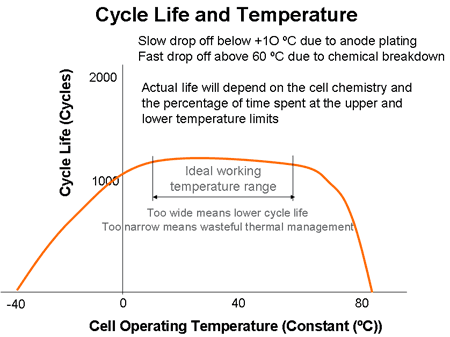
Heat: The #1 Battery Destroyer During Power Bank Use
Lithium-ion batteries degrade fastest when exposed to temperatures above 86°F (30°C). Fast charging from any source generates heat, but combining it with power-hungry activities turns your phone into a mini oven. Gaming or using GPS navigation while fast charging from a power bank creates a double heat source—charging circuitry plus processor strain. This accelerates chemical breakdown inside the battery, permanently reducing capacity. Quality power banks include thermal sensors that halt charging if overheating occurs, but cheap models lack this critical safety net.
Counterfeit Power Banks: Hidden Electrical Hazards
The greatest risk comes from uncertified, no-name power banks sold online. These often skip essential safety components:
– No over-voltage protection: Allows voltage spikes to reach your phone
– Inadequate short-circuit safeguards: Creates fire risks during faults
– Substandard battery cells: Swell, leak, or overheat under normal use
A single instance of “dirty power” from such a unit can damage your phone’s charging circuit. Always verify UL, CE, or FCC certifications—these indicate compliance with international safety standards. For iPhones, MFi certification is non-negotiable.
Charging Habits That Accelerate Battery Wear
Power banks enable convenient top-ups, but certain patterns harm batteries more than the device itself:
– The 100% Trap: Constantly topping off from 90% to 100% keeps lithium-ion cells under high-voltage stress, degrading them 4x faster than charging between 20-80%.
– Deep Discharge Cycles: Letting your phone hit 0% before using the power bank causes more damage than the charger itself—lithium-ion chemistry hates extreme lows.
– Extreme Environment Charging: Using power banks in hot cars or direct sunlight combines ambient heat with charging heat, creating irreversible damage in just one session.
Busting Power Bank Battery Myths for Good
Let’s dismantle the most persistent misconceptions with technical facts from battery engineers.
Myth: “Power Banks Charge Your Phone Incorrectly”
Reality: Your phone’s PMIC is the final gatekeeper—it rejects incompatible or unstable power. A study by Battery University confirmed that phones regulate input to within 0.1V of safe thresholds, regardless of source. Power banks don’t “push” power; phones “pull” only what they need. If your battery degrades while using a reputable power bank, examine your charging habits first.
Myth: “Always Drain to 0% Before Power Bank Charging”
Reality: This old advice applied to nickel-cadmium batteries from the 1990s. Lithium-ion batteries suffer most at 0% voltage. Partial top-ups from 40% to 70% using a power bank actually extend lifespan by avoiding deep discharge stress. Apple’s battery documentation explicitly states: “Frequent full discharges are unnecessary and harmful.”
Myth: “All Power Banks Are Equal—Expensive Ones Are Scams”
Reality: Premium brands invest in multi-layer safety systems:
– Voltage regulators that maintain clean 5V output
– Temperature monitoring with automatic shutoff
– Quality lithium-polymer cells with 500+ cycle lifespans
A $10 counterfeit may seem economical, but it lacks these protections. Testing by Consumer Reports showed budget power banks caused 3x more battery degradation after 100 cycles compared to certified models.
Power Bank Best Practices for Maximum Battery Health
Protect your battery by selecting the right gear and adopting science-backed charging routines.
Choosing a Battery-Friendly Power Bank
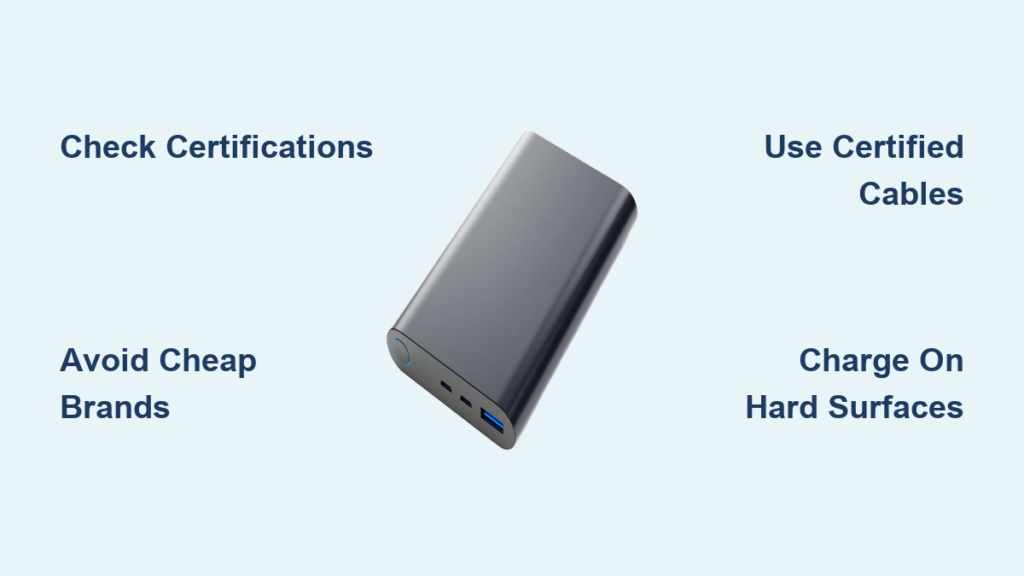
1. Prioritize certified brands: Anker, Belkin, or Samsung units undergo rigorous safety testing. Avoid “50,000mAh” miracle claims—these often indicate counterfeit cells.
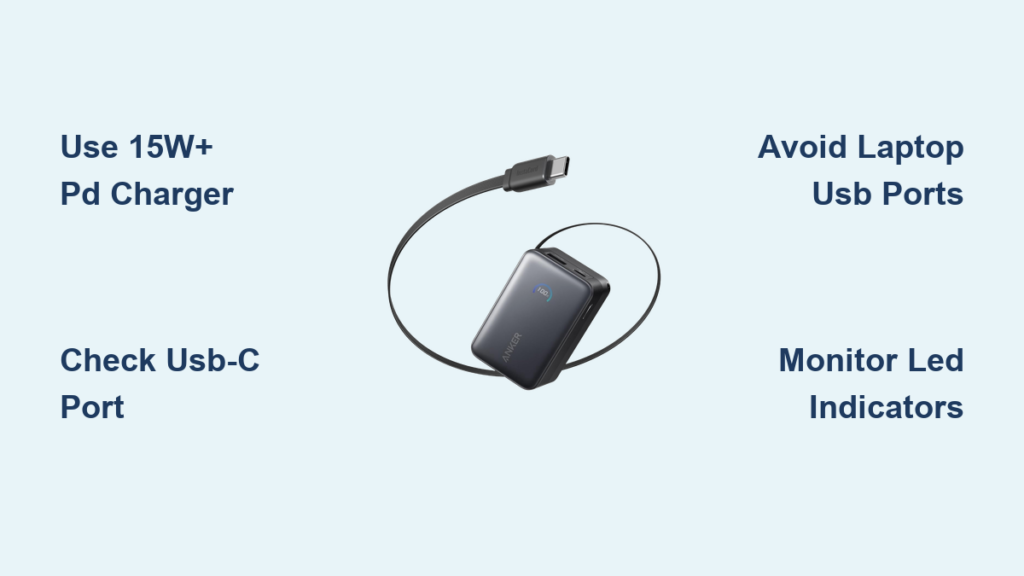
2. Match fast-charging protocols: Check your phone’s specs (e.g., “USB-PD 3.0”) and buy a power bank explicitly supporting it.
3. Verify output stability: Look for “5V ±0.1V” in specifications—this ensures clean power delivery.
4. Check capacity realistically: A 10,000mAh bank typically delivers 6,000–7,000mAh usable power. Overstated capacities signal poor quality.
Healthy Power Bank Charging Habits
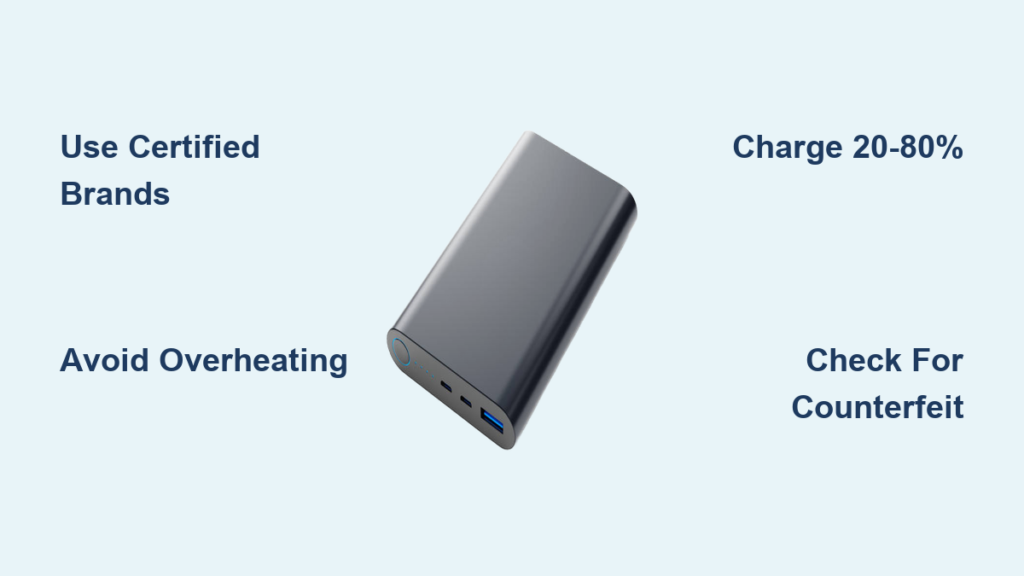
- Adopt the 20-80% rule: Use your power bank for quick top-ups between these thresholds. Many phones (like Samsung and Google Pixel) have “adaptive charging” settings to enforce this.
- Remove cases during charging: Thick silicone cases trap heat—especially critical when fast charging.
- Avoid simultaneous heavy use: Never stream video or play graphics-intensive games while charging. If essential, switch to standard (5W) charging mode.
- Unplug at 80%: For non-urgent top-ups, disconnect once you hit 80% to reduce high-voltage stress.
Emergency Warning Signs to Stop Using Immediately
Disconnect your power bank and inspect it if you notice:
– Excessive heat: The unit becomes too hot to hold comfortably (above 113°F/45°C)
– Physical deformation: Swelling, warping, or a “puffing” sensation
– Unusual sounds: Hissing, buzzing, or popping noises
– Inconsistent performance: Phone charges significantly slower than with wall adapters
The Final Verdict: Power Banks Are Safe When Used Smartly
Does charging from power bank damage battery health? Not when you use a certified power bank responsibly. Your phone’s built-in safeguards make the power source secondary to usage patterns. The evidence is clear: a high-quality power bank from Anker or Belkin used for 20-80% top-ups causes identical battery wear to wall charging. The true threats are heat exposure, counterfeit hardware, and charging to 100% daily—not the portable charger itself.
For maximum battery longevity, treat your power bank as a strategic tool: keep it for midday top-ups when you’re between 30-70% charge, avoid extreme temperatures, and never use suspiciously cheap models. Modern lithium-ion batteries naturally degrade to 80% capacity after 300-500 full cycles regardless of charging method, so focus on controllable factors. By following these science-backed practices, your power bank becomes a battery-preserving ally—not a hidden enemy. The next time your battery dips low, charge confidently knowing you’ve got the facts on your side.