
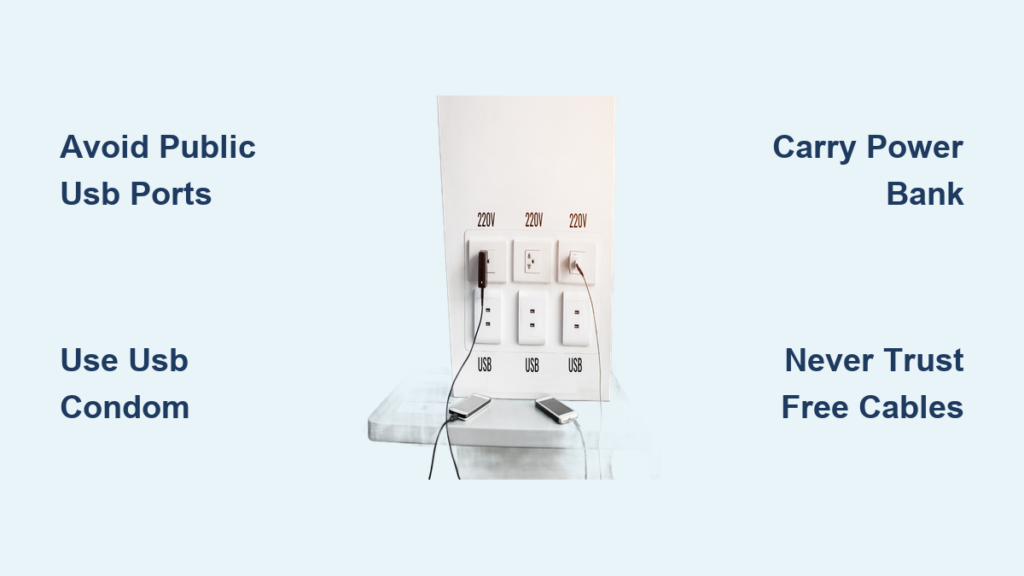
Your phone buzzes with a final 5% warning as you rush through the airport gate. Spotting a row of free USB ports at the charging station, you plug in without hesitation—only to notice your phone suddenly displaying “Charging… Connected as Camera.” That split-second connection could have just handed cybercriminals your emails, photos, and banking details. This is juice jacking, a deceptively simple cyber trap where public charging ports double as data siphons. Unlike traditional hacking, it exploits our most basic digital need: power. With travelers plugging into unknown ports daily, understanding what is juice jacking isn’t just tech trivia—it’s essential self-defense for anyone carrying a smartphone.
Juice jacking transforms ordinary USB ports into silent data thieves by weaponizing how USB technology works. Every standard USB cable carries both power and data through the same connector. When you plug into a compromised airport kiosk or hotel port, malicious hardware inside the station bypasses your phone’s “Allow Access?” prompt. Within seconds, attackers initiate a hidden data handshake, turning your charging session into a full device takeover. The consequences range from stolen login credentials to ransomware locking your entire photo library. While large-scale attacks remain rare, security researchers have repeatedly demonstrated successful juice jacking in real-world settings—proving this threat is both technically feasible and increasingly plausible as public charging stations multiply worldwide.
Why That Airport USB Port Could Steal Your Bank Details
USB ports weren’t designed for secure public use—they’re built for trusted connections between your devices and computer. This fundamental flaw lets juice jacking attacks succeed through two critical vulnerabilities in the charging process. First, when your phone connects to any USB source, it automatically attempts to establish a data link before charging begins. Second, many public charging stations use standard USB data cables instead of power-only hardware, creating an open pipeline to your device. Attackers exploit this by installing tiny microcontrollers inside charging kiosks that mimic trusted computers. Once connected, these devices force your phone into “file transfer mode” without your consent, bypassing security prompts through clever hardware tricks.
How Malicious Hardware Hijacks Your Charging Session
Within milliseconds of plugging in, a compromised station performs three dangerous actions:
1. Spoofs a trusted device (like a Mac or Windows PC) to trick your phone into enabling data transfer
2. Bypasses authorization screens using USB protocol quirks that ignore your “Deny” selections
3. Initiates rapid background transfers of sensitive data while displaying normal charging indicators
This happens so quickly that your screen might only flicker between charging and connected modes—easy to miss when you’re rushing through a terminal. Crucially, modern phones provide almost no visual warning during this handshake, making detection nearly impossible without technical expertise.
What Data Thieves Actually Target
Attackers don’t just grab random files—they focus on high-value information that generates immediate profit:
– Authentication tokens for banking apps and email (bypassing password requirements)
– iCloud/Google account credentials enabling full device backups
– Contact lists and message histories for targeted phishing scams
– Location history and photo metadata revealing home addresses and routines
Unlike malware that requires user interaction, juice jacking extracts this data directly through the USB connection, leaving no trace on your device after disconnection. The entire theft process can complete before your battery reaches 10%.
Malicious Kiosks vs. Fake Cables: Spot the Two Juice Jacking Traps
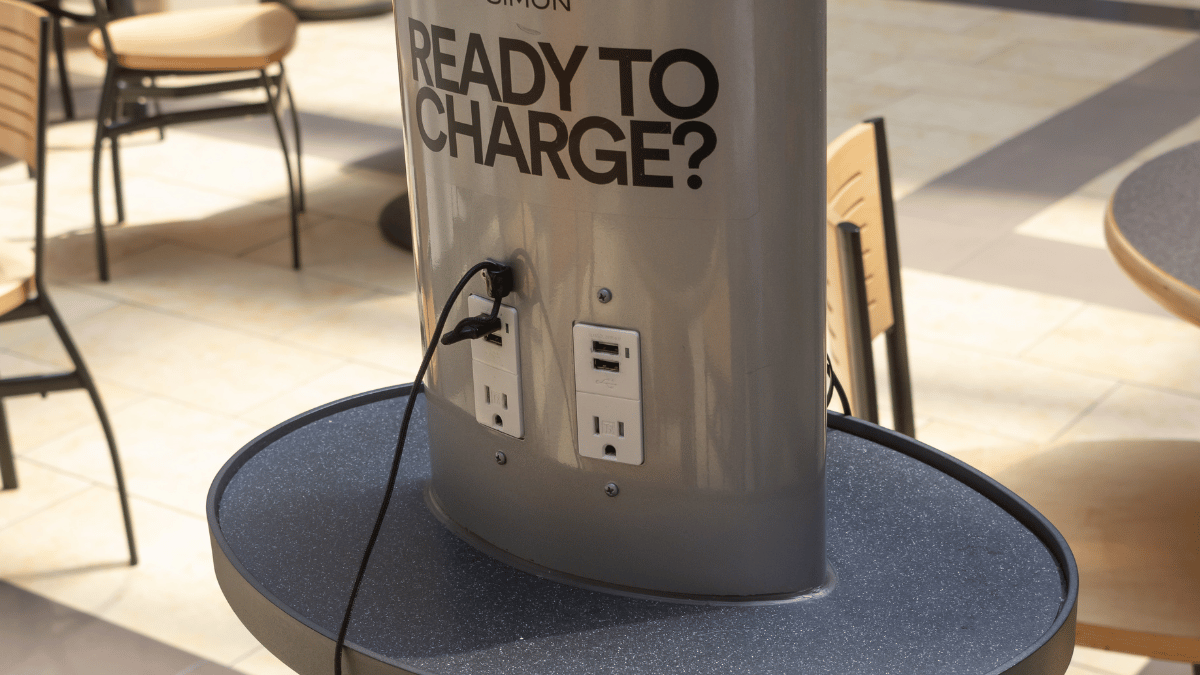
Juice jacking manifests through two distinct attack vectors, each requiring different vigilance strategies. Understanding these differences helps you recognize threats before plugging in.
Public Charging Stations with Hidden Data Ports
Airport and mall charging stations pose the most visible threat. Attackers modify these units by:
– Installing data-capable USB hubs inside kiosk enclosures
– Replacing standard power adapters with compromised “charging bricks”
– Adding hidden micro-SD cards to store stolen data for later retrieval
What to look for: Ports labeled “Data Transfer Supported” or showing computer icons (💾 or 💻), stations with exposed wiring, or units that display “Connected” messages during charging. High-risk locations include unattended kiosks in low-traffic areas where modifications go unnoticed.
The “Free Cable” Trap in Hotels and Ride-Shares
More insidious are malicious cables deliberately left in public spaces. Criminals place these “drop cables” in:
– Hotel room drawers with labels like “Complimentary Charging”
– Rideshare vehicles (especially near seat pockets)
– Conference swag bags containing “sponsor” chargers
These cables contain microscopic data-siphoning chips inside standard-looking USB connectors. When plugged in, they charge normally while silently copying your data. Critical visual clue: Slightly thicker cable sections near the connector or unusual weight distribution.
USB Condoms: Your $10 Data Theft Insurance
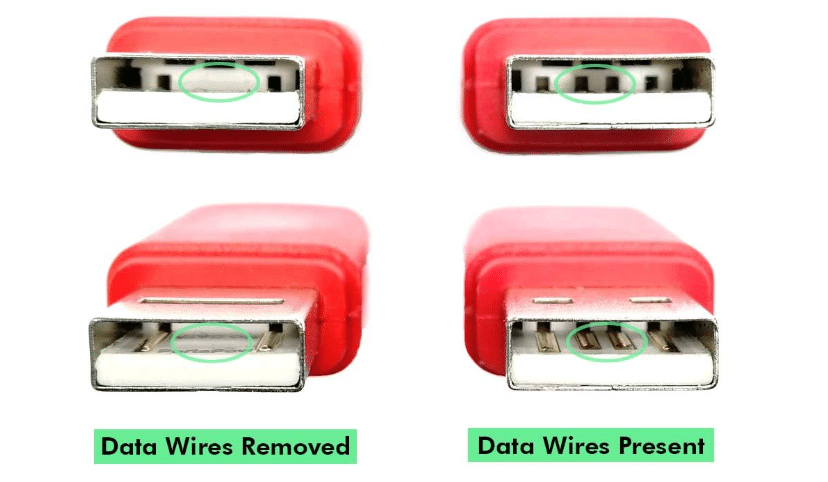
The single most reliable defense against juice jacking requires no technical skill—just a $5-$15 adapter that physically blocks data theft. Known as USB data blockers or “USB condoms,” these pocket-sized tools eliminate risk by fundamentally altering how USB connections work.
How USB Data Blockers Actually Work
These devices exploit USB’s physical design:

Standard USB-C pin configuration showing power (red) vs. data (blue) pins
Every USB connector contains dedicated power pins (Vbus and GND) alongside data pins (D+ and D-). USB condoms contain internal circuitry that:
1. Severs the data pathways while maintaining power connections
2. Prevent device recognition by keeping data pins unconnected
3. Require zero configuration—works with any cable or port
Pro tip: Look for models with LED indicators confirming power-only mode. Avoid “data disable” apps—they can’t override hardware-level attacks.
Where to Keep Your Data Blocker for Maximum Protection
Carry your USB condom in locations where temptation strikes:
– Attached to your keychain (most compact models fit here)
– Inside your passport holder for international travel
– Taped inside your laptop case near charging ports
Test it before travel: Plug into any computer—you should see charging but no file transfer prompts. If your phone still detects a computer connection, the blocker is faulty.
Power Banks Beat Public Ports Every Time
Carrying a personal power bank eliminates juice jacking risk while solving your battery anxiety. Modern power banks provide 2-3 full charges for smartphones, making them essential travel gear.
Choosing a Power Bank That Won’t Fail You
Prioritize these features:
– 10,000mAh minimum capacity (enough for 2 iPhone charges)
– Pass-through charging so you can recharge the bank while using it
– Airline-compliant size (under 100Wh for carry-on approval)
– USB-C Power Delivery for faster refueling
Critical mistake to avoid: Waiting until your phone hits 1% before packing your power bank. Charge both devices to 100% before leaving home—most attacks happen when travelers are desperate.
Why Wall Outlets Beat USB Ports for Safe Charging

When power banks aren’t an option, standard wall outlets provide inherently safer charging than public USB ports. The key difference? True AC outlets deliver power through isolated circuits with no data capability.
The Charging Brick Difference You Must Know
| Charging Method | Data Risk | Visual Safety Check |
|---|---|---|
| Public USB port | ⚠️ High | Shows computer icons or “Connected” status |
| Your wall charger | ✅ None | No data indicators; only charging symbol |
| Hotel-provided cable | ⚠️ Medium | Verify charger has no USB data ports |
Always bring your personal wall charger and inspect the outlet for tampering—loose fittings or unusual smells indicate potential hardware modifications.
Never Trust Free Cables—Even in Hotel Rooms
That “complimentary” USB cable left on your pillow could be your biggest security risk. Hotels, airlines, and conference centers have become prime locations for malicious cable drops.
Three Rules for Public Cable Safety
- Assume all found cables are compromised—even if brand new in packaging
- Carry your own cable in a sealed case (like a ziplock bag) to prove authenticity
- Inspect connectors for abnormalities—data-siphoning cables often have thicker molding
Real consequence: In 2022, security researchers demonstrated cables stealing 2GB of data in 60 seconds—enough to capture all your contacts and recent photos.
Emergency Protocol: Your Phone Was Juice Jacked
If you suspect a compromised connection, immediate action limits damage. Follow this sequence before your device reconnects to networks.
Immediate Disconnect Steps
- Physically unplug within 10 seconds—most attacks require sustained connection
- Enable airplane mode to block all data transmission
- Power down completely (not just sleep mode) to halt active malware
Post-Infection Password Reset Protocol
- Never reset passwords on the potentially infected device
- Use a trusted computer or secondary phone to change:
- Email account (primary recovery point for all services)
- Banking and payment apps (PayPal, Venmo, credit cards)
- Cloud storage (iCloud, Google Drive, Dropbox)
- Enable two-factor authentication on all critical accounts
Critical note: Factory resetting should be your last resort—it erases all data but may not remove sophisticated firmware-level malware. Consult a security professional first.
Real Risk vs. Hype: How Likely Is Juice Jacking?
While media often sensationalizes juice jacking, the actual threat has clear parameters. Opportunistic attacks at major transit hubs remain documented but uncommon—most criminals prefer phishing scams requiring less technical setup. However, targeted attacks against high-value individuals (executives, journalists) are rising, with security firms confirming successful breaches using modified charging stations. The greatest danger lies in your reaction: ignoring this threat because “it probably won’t happen to me” creates perfect conditions for attackers. As USB-C becomes universal across devices, the attack surface grows exponentially—making today’s precautions tomorrow’s necessities.
Juice jacking proves that in our connected world, even the simplest act of charging carries hidden risks. But you don’t need cybersecurity expertise to stay safe—just consistent habits. Treat every public USB port like an unknown network, carry physical protection (USB condoms or power banks), and never trust free cables. Remember: when your battery hits critical, that charging station isn’t just offering power—it’s testing your digital discipline. By making safe charging part of your travel routine, you transform a potential vulnerability into an unbreakable habit. The next time you see that glowing USB port while your phone dies, you’ll know exactly how to power up without powering down your security. Stay charged, stay safe.





