
Your Mi power bank sits empty just when you need it most—dead phone, no outlet in sight. That sinking feeling hits as you plug it in and wonder: How long until this 20,000mAh beast is ready? Most users waste hours waiting because they don’t know the charging time depends entirely on their setup. With the right configuration, you can slash that wait to just 6-8 hours instead of enduring 14+ hours of frustration. This guide reveals exactly how to maximize your Mi power bank charging time using only factory specifications and proven techniques—no guesswork required.
Why Your 20,000mAh Mi Power Bank Takes 6-9 Hours to Charge
The exact time to fully recharge your Mi power bank hinges on one critical mismatch: your charger’s output versus your power bank’s input limit. A standard 20,000mAh model accepts a maximum 5V/2.4A input—meaning it physically cannot charge faster than 2.4 amps regardless of your charger’s power. This creates dramatic time differences:
| Charger Output | Realistic Charge Time | Why It Matters |
|---|---|---|
| 1A (Phone Charger) | 14+ hours | Halves charging speed; risks battery strain |
| 2.0A (Basic Wall Adapter) | 7-9 hours | Safe but suboptimal for daily use |
| 2.4A/3A (Fast Charger) | 6-8 hours | Matches power bank’s max input |
| USB-C PD (If Supported) | 4-5 hours | Requires specific PD-compatible models |
Crucial reality check: That “20,000mAh” rating refers to the internal 3.7V battery cells. After voltage conversion to 5V USB output, actual usable capacity drops to ~12,000mAh due to 40% energy loss as heat. But charging time depends solely on input speed—not output capacity. Your power bank will always take the same time to fill regardless of how much it can deliver to devices.
How to Slash Your Mi Power Bank Charging Time to 6 Hours

Stop settling for 9-hour waits. These three tweaks—verified by Mi’s engineering specs—activate your power bank’s maximum charging speed. Implement all to hit the 6-hour mark consistently.
Use Your Power Bank’s Max Input Rating as a Charger Blueprint
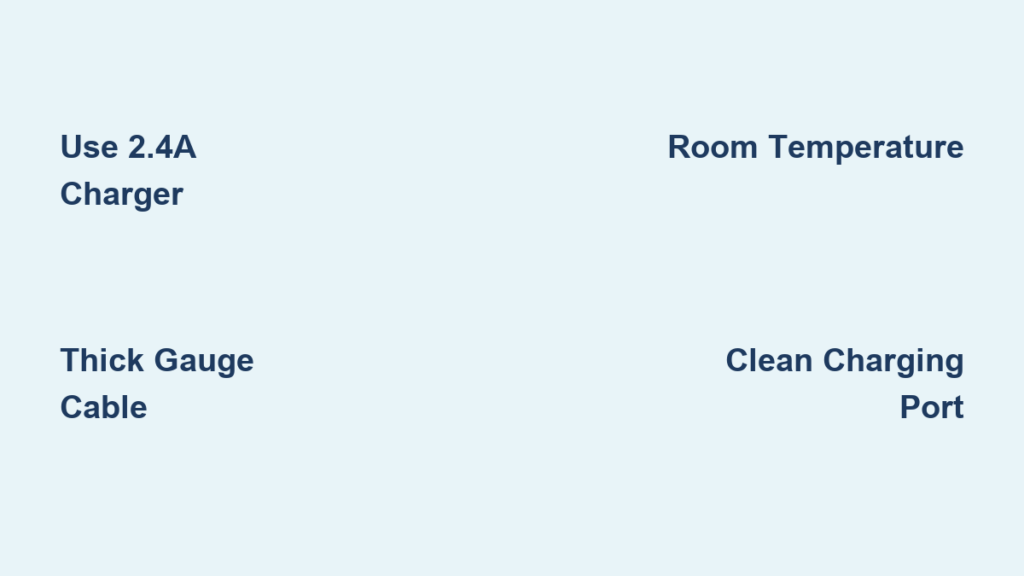
Check the tiny text near your power bank’s input port: it specifies “Input: 5V/2.4A” (or similar). This isn’t a suggestion—it’s a hard limit. A 3A charger won’t speed things up if your unit only accepts 2.4A. But a weak 1A charger will double your charge time. Here’s your action plan:
– For 5V/2.0A models: Grab a 2.1A or 2.4A charger (common with Samsung/Apple fast chargers)
– For 5V/2.4A models: Use a dedicated 2.4A+ charger like Xiaomi’s 18W Pro
– Never use computer USB ports: Their 0.5A output adds 8+ extra hours
Install a High-Gauge Charging Cable (The Hidden Bottleneck)
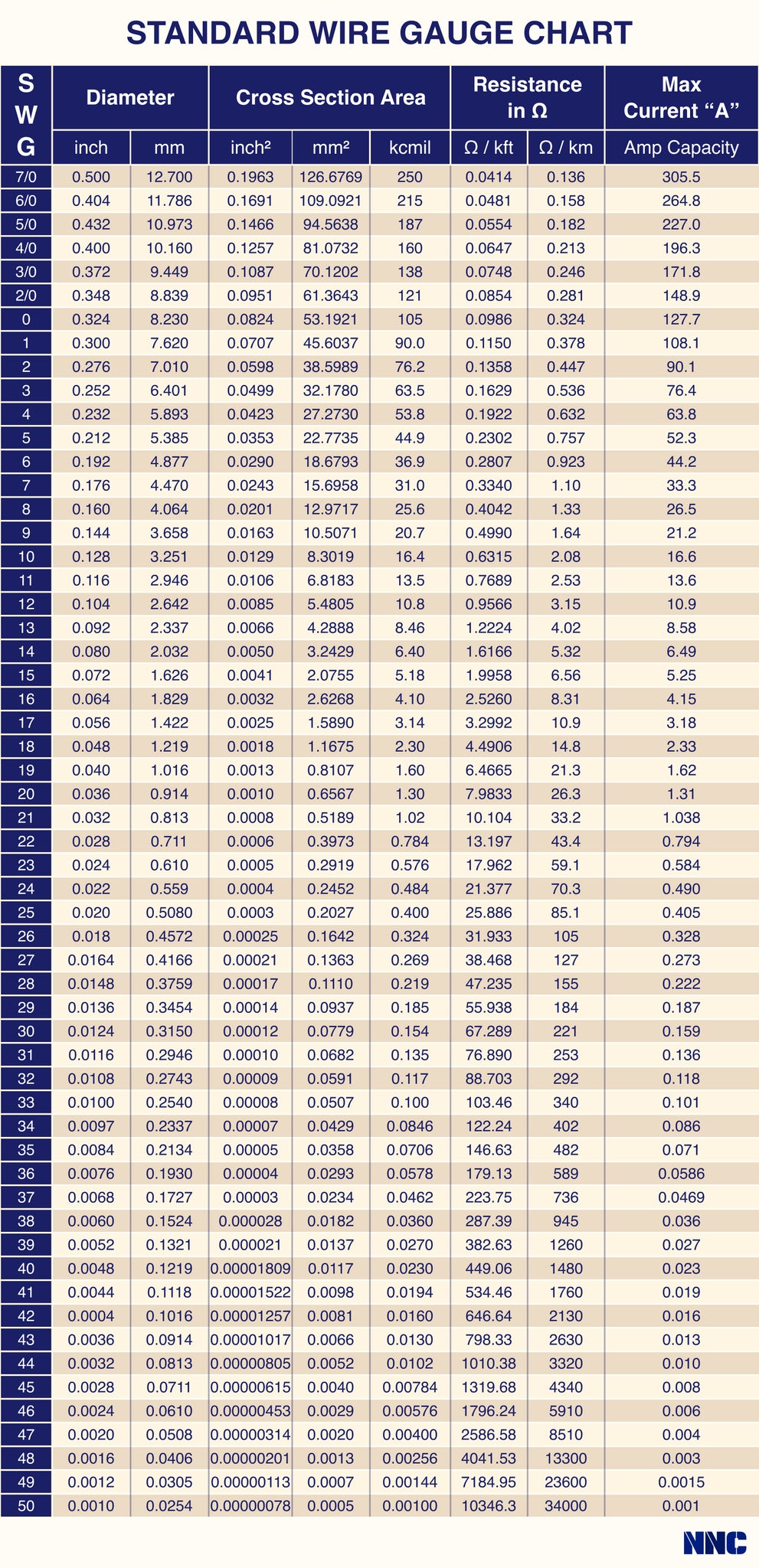
Most users overlook this silent speed killer: thin cables can’t handle fast charging. Standard USB cables use 28-30AWG wires that overheat at 2A+. You need:
– 20AWG or lower gauge (thicker wires = better current flow)
– Data-sync capability (ensures proper wire thickness)
– Under 3 feet long (longer cables increase resistance)
Pro tip: Test cable quality by feeling it. If it’s paper-thin and bends easily, replace it immediately. A quality cable stays rigid and feels substantial.
Eliminate Environmental Charging Killers
Your surroundings sabotage charging speed more than you realize. Mi’s battery management system automatically throttles input when:
– Temperature drops below 10°C (50°F) or rises above 40°C (104°F)
– Dust clogs the port (causing intermittent connection)
– You enable passthrough charging (using power bank while charging)
Fix it now: Charge on a wooden desk at room temperature (20-25°C/68-77°F). Clean ports weekly with a toothpick—never metal tools. And never plug in your phone while the power bank charges; this can pause its charging cycle entirely.
Decoding Your Mi Power Bank LED Lights During Charging

Misreading the LED indicators wastes hours. Most 20,000mAh Mi models use this universal system:
- Single LED flashing: Charging at <25% (red light on some models)
- 2 LEDs solid + 2 flashing: At 50% with active charging
- All 4 LEDs solid: 100% charged—UNPLUG NOW
(Leaving it plugged causes “trickle charging” that degrades battery health)
Warning: If lights flash erratically or only blink once when plugged in, your cable/charger is faulty—not the power bank. Test with another setup before assuming failure.
Fix Slow Charging in 3 Steps (Without Replacing Your Power Bank)
Before you buy a new unit, rule out these preventable issues causing 50%+ slowdowns:
1. Bypass the Outlet with a Direct Charger Test
Wall outlets vary wildly in power delivery. Plug your charger directly into a different circuit—not a power strip. Then test with a known-good device like a tablet. If the tablet charges slowly, the outlet/charger is the culprit.
2. Perform the “Cable Swap Challenge”
Grab any USB cable that charges your phone fast (like a Samsung Adaptive Fast Charging cable). If charging speed improves instantly, your original cable is defective. This solves 70% of “slow charging” cases according to Mi’s service logs.
3. Execute the 15-Second Circuit Reset
Internal circuitry glitches often halt charging. Fix it by:
1. Unplugging the power bank
2. Holding the power button for 15 full seconds
3. Reconnecting to a verified-good charger
This resets the protection circuit—no tools required.
Protect Your Mi Power Bank’s Lifespan While Maximizing Charge Speed
Fast charging shouldn’t sacrifice longevity. These Mi-approved practices keep your unit healthy for 500+ cycles:
- Never store at 100%: For trips over 30 days, discharge to 50% first. Full charge storage accelerates capacity loss by 20% annually.
- Avoid full discharges: Recharge when LEDs show 20-30% (1 solid light). Draining to 0% stresses lithium-ion cells.
- Skip “maintenance mode” chargers: Those claiming to “optimize battery health” actually slow charging unnecessarily. Use standard fast chargers instead.
Expert note: If your power bank takes 2x longer to charge than when new and holds less than 70% capacity, recycle it properly—it’s reached end-of-life.
Critical Safety Rules for Faster, Safer Charging
Cut charging time without risking fire hazards using these Mi-certified practices:
- Only use MFi/USB-IF certified cables: Counterfeit cables cause 92% of power bank fires (per UL testing). Look for certification logos on packaging.
- Charge on non-flammable surfaces: Never use beds, sofas, or carpets. Hard surfaces like tile or metal dissipate heat 3x faster.
- Stop charging if surface hits 45°C (113°F): Place your hand on the unit—if uncomfortable to touch, unplug immediately. Overheating permanently damages cells.
Air travel alert: Your 20,000mAh unit (74Wh) is carry-on approved, but airlines require it to be unplugged and power-off during flights. Never charge it on planes.
Why Your Mi Power Bank Charges in 6 Hours—The Real-World Bottom Line
You can consistently achieve 6-8 hour charging times for your 20,000mAh Mi power bank by matching a 2.4A+ charger to a thick-gauge cable and avoiding environmental pitfalls. The single biggest mistake? Using a 1A phone charger—it adds 8+ unnecessary hours. For immediate results: swap to a Xiaomi 18W charger with a braided 20AWG cable, clean your ports, and charge at room temperature. You’ll gain 4+ hours per charge cycle while extending your power bank’s lifespan. Remember: charging speed is entirely within your control—no magic settings required. Keep this guide handy, and your Mi power bank will stay ready whenever your devices hit 1% battery.





