
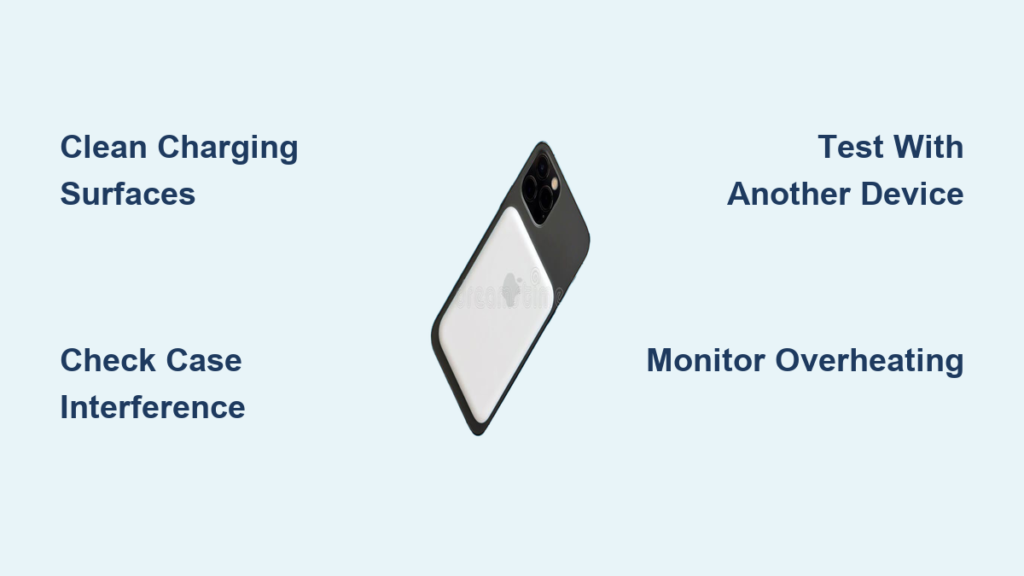
You attach your iPhone to your MagSafe power bank, hear that satisfying magnetic click, and see the charging icon appear—but after five minutes, your battery percentage hasn’t budged. This frustrating scenario—where your magsafe power bank not working properly—leaves you stranded with a dead phone despite the illusion of charging. Many users report their devices showing the charging indicator while the battery percentage remains stubbornly stagnant, often accompanied by unusual heat buildup. If your MagSafe power bank clicks into place but fails to deliver actual power, you’re not alone. In this guide, you’ll discover exactly why your MagSafe power bank appears connected but won’t charge your device, and more importantly—how to fix it permanently.
Your MagSafe Power Bank Shows Charging But Battery Stays Flat
This “phantom charging” symptom is the most common MagSafe power bank failure pattern. Your iPhone displays the charging icon, the power bank’s LED lights up, and the device may even feel warm—yet the battery percentage refuses to increase. Some users report their phone battery actually decreases during these sessions despite the charging indicator. This occurs because the MagSafe connection is establishing communication between devices, triggering the charging icon, but insufficient power transfers due to alignment issues, debris interference, or internal hardware failure. Don’t ignore this warning sign—continuing to use a power bank in this state can cause excessive heat buildup that damages both your power bank and phone battery over time.
Why Your iPhone Thinks It’s Charging When It’s Not
The MagSafe ecosystem uses precise communication protocols between devices. When your iPhone detects the magnetic field and initial power signal from the power bank, it triggers the charging icon—even if actual power transfer is minimal or inconsistent. This happens because:
- Alignment is off by millimeters: The charging coil requires perfect positioning within the magnetic ring
- Foreign objects create micro-gaps: A single grain of sand prevents proper induction
- Power bank battery is critically low: It has just enough charge to signal “charging” but not deliver power
- Internal circuitry has failed: The power bank can initiate communication but not sustain power delivery
How to Confirm Phantom Charging
Perform this quick test when your magsafe power bank not working shows this symptom:
1. Fully charge your power bank overnight using a 20W+ USB-C adapter
2. Remove your phone case and clean both charging surfaces
3. Attach phone to power bank and monitor battery percentage for 15 minutes
4. Check if percentage increased by at least 5% (normal 15W charging adds ~10% every 15 minutes)
If your battery percentage remains unchanged or decreases despite the charging icon, you’ve confirmed phantom charging—a clear sign of hardware or alignment failure.
Why Your MagSafe Power Bank Clicks But Won’t Charge Your iPhone
That distinctive magnetic click gives false confidence that charging has begun. However, proper magnetic attachment doesn’t guarantee functional power transfer. Many users report their MagSafe power bank securely snaps into place yet delivers zero actual charging—often because the internal charging coil has shifted after impact or debris has disrupted the connection.
How Nightstand Drops Disable MagSafe Charging
Even seemingly minor drops cause catastrophic internal damage to MagSafe power banks. When dropped from typical nightstand height (3-4 feet):
- Internal coils detach from circuit boards despite perfect exterior condition
- Magnet arrays shift by fractions of a millimeter, breaking precise alignment
- Battery Management Systems (BMS) malfunction, preventing power delivery
- Wiring connections loosen internally while maintaining magnetic attachment
Unlike traditional power banks, MagSafe units require microscopic precision between the charging coil and magnetic ring. A single impact can disrupt this calibration permanently, allowing magnetic attachment but blocking power transfer.
Case Thickness and Accessory Interference Patterns

Your phone case is likely sabotaging your MagSafe connection. Thicker cases (especially those with camera lens rings) or metal accessories create critical distance between the charging coils:
| Case Type | Success Rate | Charging Speed | Common Issues |
|---|---|---|---|
| Apple Official MagSafe | 98% | Full 15W | Rare alignment issues |
| Third-Party MagSafe | 75% | 7-12W | Intermittent disconnections |
| Non-MagSafe Cases >2mm | <20% | 0-5W | Complete charging failure |
| Cases with Metal Plates | 0% | None | Prevents magnetic attachment |
Remove your case completely when troubleshooting—many users discover their “broken” power bank works perfectly with a bare phone.
How to Diagnose MagSafe Power Bank Charging Failures in 5 Minutes

Follow this streamlined diagnostic protocol to pinpoint why your magsafe power bank not working:
Step 1: The LED Light Pattern Decoder
Check your Anker MagSafe power bank’s indicator lights:
– Steady white light: Normal wireless charging
– Blinking white light: Charging failure (most common symptom)
– No light: Power bank completely dead
– Flashing red: Critical overheating or internal fault
Blinking white lights specifically indicate the power bank detects a device but cannot establish proper charging—usually due to alignment issues or hardware faults.
Step 2: The Cross-Device Test Protocol
This eliminates phone-specific issues:
1. Test power bank with another iPhone 12 or newer model
2. Try charging your phone with a different MagSafe charger
3. Check if USB-C wired output still functions (most power banks maintain wired output when wireless fails)
If the power bank charges other devices but not yours, the issue lies with your phone’s charging coil or software. If no devices charge wirelessly but USB-C output works, your MagSafe circuitry has failed.
Step 3: The Temperature Diagnostic
Feel both devices after 2 minutes of attempted charging:
– Normal: Slightly warm (like regular wireless charging)
– Warning: Too hot to hold comfortably for 10 seconds
– Critical: Painfully hot within 60 seconds
Overheating beyond normal warmth indicates either a failing battery, damaged charging circuitry, or severe misalignment forcing the system to overwork.
When to Claim Warranty on Your MagSafe Power Bank
If your MagSafe power bank shows blinking lights, phantom charging, or complete wireless charging failure after passing all diagnostic tests, it’s time for warranty action. Most reputable brands like Anker offer 18-24 month warranties covering these exact failures. Critical evidence to document before contacting support:
- Video showing charging icon without battery percentage increase
- Temperature readings during failure (use another phone’s camera to check thermal image)
- Test results with multiple devices and cables
- Confirmation that USB-C output still functions
Manufacturers typically replace defective units within 1-2 weeks when provided with this documentation. Never attempt DIY repairs on lithium-ion power banks—this voids warranties and creates serious safety hazards.
Proactive Maintenance to Prevent MagSafe Charging Failures
Extend your power bank’s lifespan with these manufacturer-recommended practices:
- Clean weekly: Wipe magnetic ring with dry microfiber cloth to remove metal particles
- Store properly: Keep in cool, dry place away from direct sunlight (ideal: 20-25°C)
- Avoid impacts: Even small drops can misalign internal components—use a protective sleeve
- Recharge correctly: Always use 20W+ USB-C adapter with quality cable (avoid cheap chargers)
- Cool down periods: Allow 10 minutes between full charging cycles to prevent heat buildup
When your magsafe power bank not working properly, remember that most charging failures stem from preventable issues like debris interference or minor misalignment—not permanent hardware defects. By following these diagnostic steps and maintenance practices, you’ll resolve most MagSafe charging issues immediately. For units that fail all tests, warranty replacement remains the safest, most cost-effective solution—don’t risk dangerous DIY repairs on lithium-ion technology. Keep your charging surfaces clean, handle devices carefully, and enjoy reliable wireless power wherever you go.





