
Your Xiaomi Mi power bank suddenly stops charging your phone when you need it most. The LED indicators flash erratically, or worse—it won’t turn on at all. This frustrating situation happens to thousands of users every day, but here’s the good news: resetting your Mi power bank often solves these problems without needing a replacement. Whether you own the popular Mi Power Bank Pro, the compact Mi Power Bank 3, or another Xiaomi model, this guide delivers the exact steps to restore functionality. You’ll learn why resets work, when they’re needed, and how to perform both standard and hard reset procedures that bring your power bank back to life.
Most Xiaomi power bank issues stem from temporary glitches in the battery management system rather than permanent hardware failure. When your device stops responding normally, a reset clears these electronic hiccups by restarting the internal circuitry. The process takes less than two minutes for most models and requires no special tools. By following these methods, you’ll save money on unnecessary replacements and keep your devices powered when you’re away from outlets. Let’s dive into the specific reset procedures that solve the most common Xiaomi power bank problems.
Why Your Mi Power Bank Needs Resetting: Recognizing Problem Signs
Before attempting a reset, you need to identify whether your power bank actually requires one. Xiaomi power banks typically display specific warning signs when they need a reset rather than professional repair.
Flashing LED Patterns That Signal Reset Needed
Your Mi power bank communicates problems through specific LED flashing patterns. When you press the power button and see three rapid flashes followed by a pause, this indicates the battery management system has detected an irregularity. Another common pattern is all LEDs flashing simultaneously when attempting to charge—a clear sign the internal circuitry needs resetting. If your power bank shows inconsistent battery level readings (like jumping from 75% to 25% with minimal use), this points to a calibration issue that a proper reset can correct. Pay attention to these visual cues—they’re your first indication that a simple reset might solve the problem rather than a more serious failure.
Situations Where Resetting Solves the Problem
The most common scenarios where resetting works include when your Mi power bank refuses to charge devices despite showing battery life, when it won’t accept a charge from your wall adapter, or when the unit becomes unusually warm during normal use. Many users report success resetting their power banks after exposing them to extreme temperatures—like leaving them in a hot car or cold environment. If your power bank worked perfectly yesterday but fails today with no apparent reason, a reset should be your first troubleshooting step before considering replacement. These temporary malfunctions often occur due to minor electrical surges or software glitches in the protection circuitry that a reset clears effectively.
Performing the Standard Reset Procedure on Xiaomi Power Banks
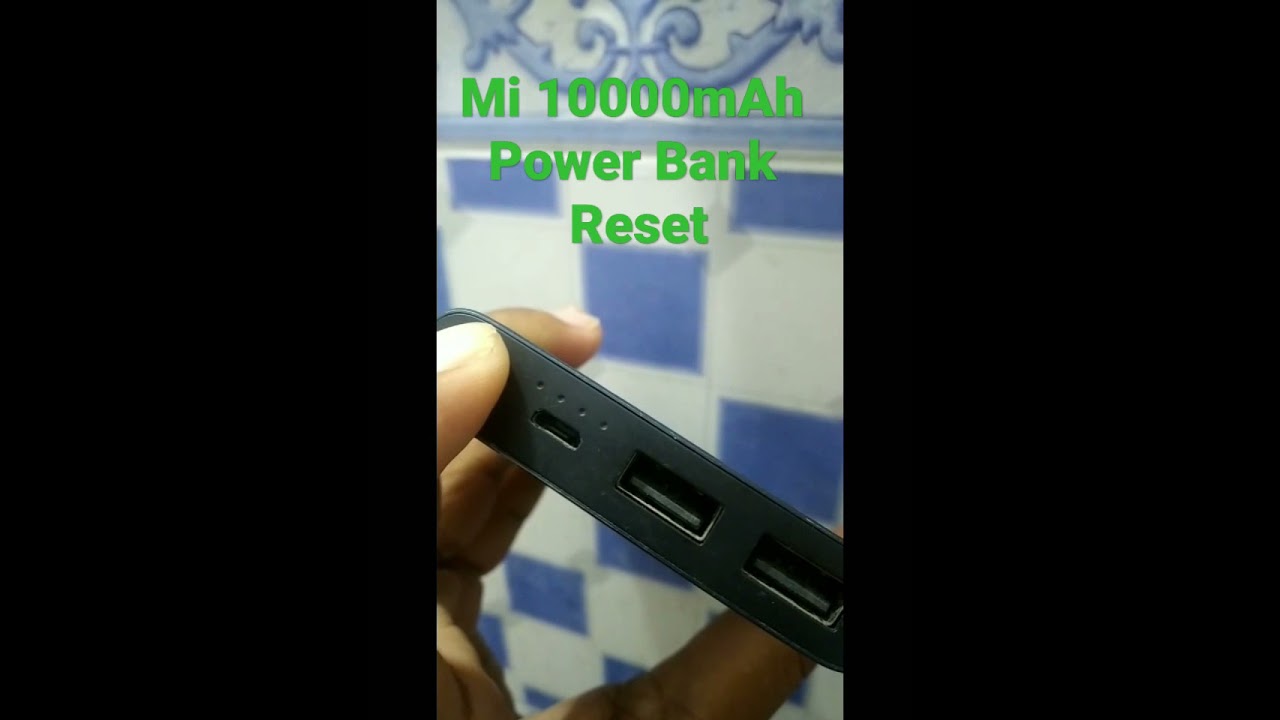
For most Xiaomi Mi power bank models manufactured in the last five years, a standard reset follows the same straightforward process. This method works on popular models including the Mi Power Bank 2, 3, Pro, and Essential series.
Step-by-Step Standard Reset Instructions
Ensure proper charge level first—your power bank needs at least 25-30% charge to successfully complete the reset process. Attempting a reset on a completely drained unit won’t work. Connect your power bank to a wall charger for 10-15 minutes if the battery is too low. Then, locate the power/check button (usually on the side or top of the unit) and press and hold it firmly for a full 10-15 seconds. Don’t release the button early—many users fail at this step by letting go after just 5-7 seconds. During the hold, watch for LED indicators to flash in a specific sequence (typically all lights illuminating simultaneously), which confirms the reset is processing. Release the button only after you see this confirmation pattern, then test your power bank immediately by connecting a device to verify normal operation.
Model-Specific Reset Variations
While most Xiaomi power banks follow the standard reset procedure, some newer models have slight variations. The Mi Power Bank 3 Pro requires holding the button for a full 15 seconds with no LED confirmation—rely on the slight vibration feedback instead. For the compact Mi Power Bank Essential series, you may need to connect the unit to a charging source while performing the reset. If your model has multiple USB ports, try the reset procedure while connected to the primary output port (usually labeled with higher amperage). Always check your specific model’s user manual for any unique reset requirements, though the standard method works for approximately 90% of Xiaomi power banks currently in use.
Troubleshooting Persistent Power Bank Issues After Reset
If your Mi power bank still shows problems after a standard reset, don’t panic—several advanced troubleshooting steps can resolve stubborn issues before considering replacement.
Power Bank Not Charging Properly After Reset
When your reset power bank accepts a charge but does so extremely slowly or stops charging at a certain percentage, the problem likely lies outside the unit itself. Test with different components—swap out your USB cable first (many charging issues stem from damaged cables), then try a different wall adapter that provides at least 5V/2A output. Clean the charging port thoroughly using a wooden toothpick (metal tools can cause short circuits) to remove lint buildup that interrupts the connection. If you’re charging via laptop USB port, switch to a wall outlet as computer ports often provide insufficient power for full charging. For persistent issues, perform a second reset after ensuring the power bank has exactly 50% charge—the midpoint often yields better reset success rates.
Power Bank Not Powering On Despite Reset Attempts
If your Mi power bank remains completely unresponsive after multiple reset attempts, first verify you’re not dealing with a safety shutoff. Connect the unit to a wall charger for 30 minutes uninterrupted—some models require this “wake-up” period after deep discharge. Check for physical damage like dents or swelling, which indicates battery failure requiring professional disposal. Never attempt to open a swollen power bank—lithium batteries can be dangerous when exposed. If the unit shows no signs of life after proper charging, try the deep sleep recovery method: connect it to a high-quality charger using the original cable, leave it charging for 8 hours without interruption, then attempt the reset procedure again with the unit still connected to power.
When to Perform a Hard Reset on Your Xiaomi Power Bank

For power banks that remain problematic after standard resets and basic troubleshooting, a hard reset provides a more comprehensive solution by fully discharging and recalibrating the battery management system.
Complete Hard Reset Procedure for Stubborn Cases
A hard reset differs from the standard procedure by requiring complete discharge of the internal battery. First, connect your power bank to a device that’s already powered off (this creates minimal resistance during discharge). Let the power bank drain completely until all LED indicators turn off and the unit won’t power on. Important: After complete discharge, disconnect everything and let the power bank sit idle for at least 2 hours—this allows residual voltage to dissipate from the circuitry. Then, connect it to a wall charger (not a computer USB port) using the original cable and charge uninterrupted for a minimum of 8 hours. During this extended charge cycle, the battery management system performs a full recalibration. After charging completes, verify normal operation by checking consistent LED indicators and successful device charging.
How Often You Should Perform Preventative Resets
To maintain optimal performance, perform a standard reset on your Mi power bank every 2-3 months as preventative maintenance. This practice clears minor electronic glitches before they become noticeable problems. The best time to do this is when your power bank reaches approximately 50% charge—neither too full nor too empty. Regular resets extend your power bank’s lifespan by keeping the battery management system functioning properly. For heavy users who drain their power bank daily, monthly resets provide additional protection against performance degradation. Think of it as a routine tune-up for your portable power source—just like your car needs regular maintenance to run smoothly.
Power Bank Maintenance to Prevent Future Reset Needs

Taking proper care of your Mi power bank reduces the frequency of resets and extends its overall lifespan significantly.
Optimal Charging Practices for Longevity
Avoid charging your power bank to 100% and leaving it plugged in for extended periods—this stresses the battery cells. Instead, charge to 80-90% for daily use, which maintains battery health longer. Use only high-quality chargers that provide stable 5V output, as cheap adapters with voltage fluctuations damage internal circuitry over time. Never charge your power bank in extreme temperatures—the ideal range is 0°C to 35°C (32°F to 95°F). When traveling, keep your power bank in an insulated case to protect it from temperature extremes in car trunks or airplane cargo holds. For long-term storage, maintain a 40-60% charge level and check every three months to recharge if needed.
Physical Care and Storage Tips
Protect your Mi power bank from physical impacts that can damage internal components—don’t toss it loosely into bags where it can collide with keys or other hard objects. Clean the USB ports monthly with a soft, dry brush to prevent connection issues. Store your power bank in a cool, dry place away from direct sunlight or heat sources like radiators. If you notice any unusual odor, excessive heat during normal use, or physical swelling, stop using the unit immediately and take it to an electronics recycling center—these indicate serious battery issues that resets cannot fix.
By following these reset procedures and maintenance practices, your Xiaomi Mi power bank will deliver reliable power for years rather than months. The simple act of performing regular resets and proper care transforms what might seem like a disposable accessory into a long-term investment in your mobile lifestyle. When your devices need power on the go, you’ll appreciate having a dependable Mi power bank ready to perform—no reset required.





