
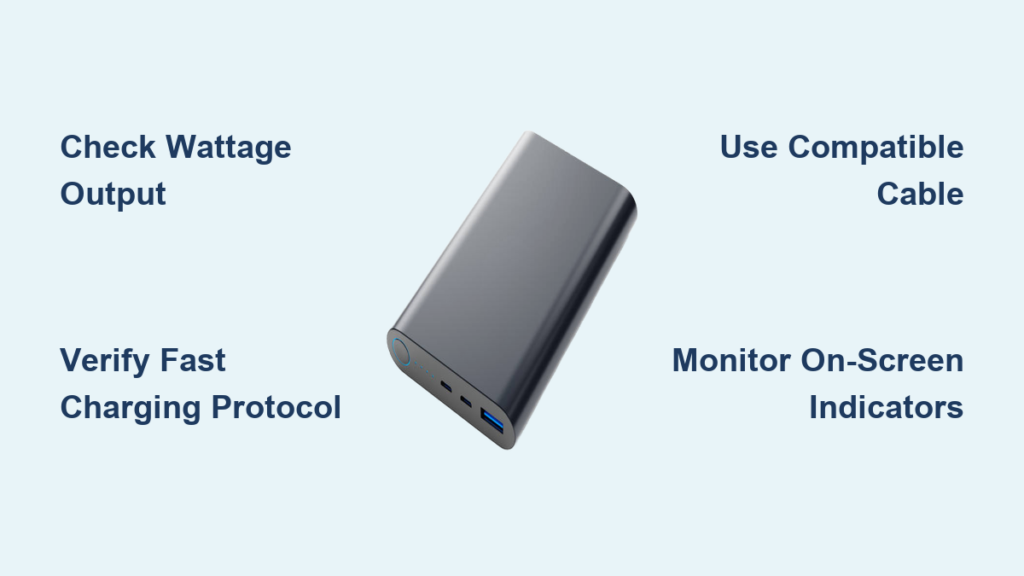
You’re staring at your power bank, wondering why your phone isn’t charging as quickly as the box promised. That “fast charging” label might be misleading you—many power banks advertise fast charging capabilities but fail to deliver the speed you need when you’re in a hurry. Knowing how to know if a power bank is fast charging isn’t just about reading marketing claims; it’s about verifying actual performance through specific indicators and tests. With so many devices relying on portable power throughout the day, understanding whether your power bank delivers true fast charging can mean the difference between a dead phone at 3 PM or a fully charged device when you need it most. This guide cuts through the marketing hype with practical, actionable methods to determine if your power bank is genuinely fast charging or just pretending to be.
Most consumers assume that any power bank labeled “fast charging” will significantly reduce their charging time, but the reality is more complex. Fast charging requires precise communication between your power bank, cable, and device—all must support compatible charging protocols to achieve those impressive speeds. Many users unknowingly use incompatible cables or connect to the wrong port, rendering their “fast charging” power bank no faster than a basic model. By the end of this guide, you’ll be able to confidently identify whether your power bank delivers authentic fast charging, understand why it might not be working when it should, and know exactly what to check before your next purchase.
Decoding Fast Charging Technology in Power Banks

Fast charging isn’t simply about higher capacity—it’s about how power is delivered. Understanding the technical foundation helps you identify genuine fast charging capabilities rather than marketing fluff.
How Wattage Determines Charging Speed
Your charging speed depends on wattage (W), calculated by multiplying voltage (V) and amperage (A). Standard USB charging typically delivers 5 volts at 1-2.4 amps, resulting in 5-12 watts of power. True fast charging pushes these numbers higher—9 volts at 2 amps (18W), 12 volts at 1.5 amps (18W), or even higher configurations. When evaluating how to know if a power bank is fast charging, look for output specifications exceeding 12 watts, as anything below this threshold generally qualifies as standard charging rather than fast charging.
Identifying Fast Charging Protocols on Your Power Bank
Different manufacturers use distinct fast charging standards that must match between your power bank and device. USB Power Delivery (USB-PD) works across most modern devices with USB-C ports and supports variable power levels from 18W to 100W. Qualcomm Quick Charge (QC) versions 3.0 and higher remain common in Android devices, boosting voltage to accelerate charging. Proprietary systems like Samsung Adaptive Fast Charging or OnePlus Warp Charge require specific device compatibility. Your power bank must support at least one protocol that matches your device’s capabilities for fast charging to activate.
Spotting Fast Charging Capability on Your Power Bank
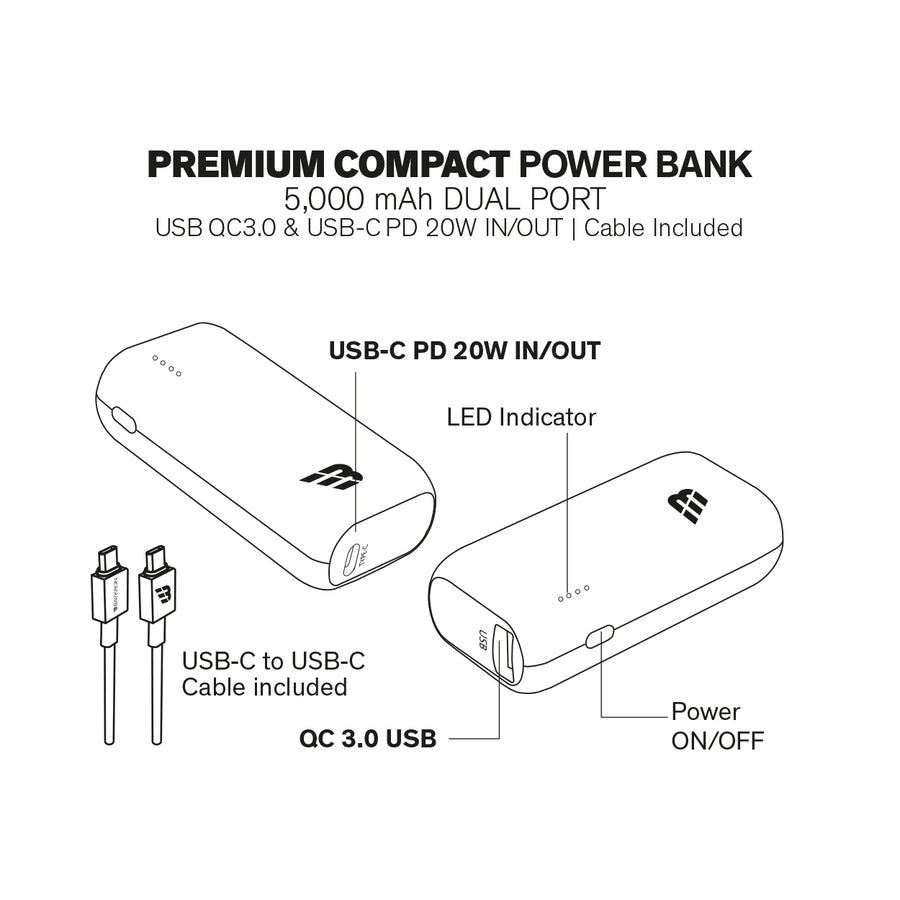
Before testing whether fast charging works, you need to confirm your power bank actually supports it. These visual and specification checks provide immediate answers.
Reading Power Bank Labels and Port Markings
Examine your power bank for specific indicators that reveal fast charging support. Look for distinct port colors—blue or teal USB-C ports often signal Power Delivery capability, while red or green USB-A ports may indicate Quick Charge support. Small logos near ports showing “PD,” “QC,” or “Fast Charge” provide definitive evidence. The wattage rating printed on the device (like “18W” or “30W”) confirms fast charging capability, as standard ports typically max out at 12W. If you see only “5V/2.4A” without higher voltage options, your power bank likely lacks true fast charging.
Interpreting Technical Specifications Correctly
Don’t be fooled by capacity numbers—20,000mAh tells you nothing about charging speed. Instead, focus on output specifications listed in the manual or manufacturer’s website. A genuine fast charging power bank will show multiple voltage options like “5V/3A, 9V/2A, 12V/1.5A” rather than just “5V/2.4A.” The presence of USB-C Power Delivery (PD) specification with wattage (18W, 30W, etc.) is the most reliable indicator of modern fast charging capability. Remember that input specifications (how quickly the power bank itself charges) don’t necessarily reflect output speed—always check the output section specifically.
Verifying Device and Cable Compatibility for Fast Charging
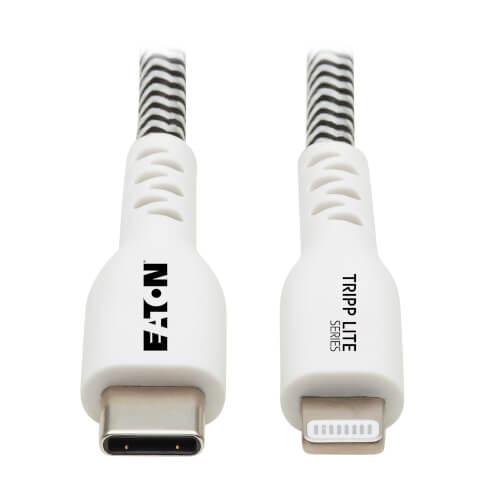
Your power bank might support fast charging, but without compatible components, you won’t see any speed benefits. Fast charging requires the entire chain to support the protocol.
Ensuring Your Device Supports Fast Charging Standards
Check your smartphone’s specifications to confirm which fast charging protocols it accepts. ** iPhones 8 and newer support USB Power Delivery fast charging but require a USB-C to Lightning cable. Most modern Android devices** support either Qualcomm Quick Charge or USB-PD, with some flagships adding proprietary standards like Samsung’s Super Fast Charging. If your device only lists “5V/2A” input capability, it lacks true fast charging support regardless of your power bank’s capabilities. Consult your phone’s manual or manufacturer website for definitive compatibility information.
Selecting the Right Cable for Maximum Charging Speed
Your charging cable can make or break fast charging performance. USB-C to USB-C cables must support the required wattage—look for certifications like USB-IF or specifications showing 3A/5A current capacity. Cheap, thin cables often limit power delivery to standard levels regardless of your power bank’s capabilities. For older USB-A connections, thicker cables with reinforced connectors typically handle higher currents needed for Quick Charge. Replace any frayed or damaged cables immediately, as even minor damage can prevent the voltage negotiation required for fast charging protocols to activate.
Confirming Fast Charging Is Active During Use
Now that you’ve verified your equipment supports fast charging, here’s how to know for certain it’s working when you connect your device.
Recognizing On-Screen Fast Charging Indicators
Your smartphone provides the most immediate confirmation through visual cues. Android devices typically display messages like “Fast Charging,” “Rapid Charging,” or brand-specific terms such as “Super Fast Charging” when the protocol activates. Samsung Galaxy phones show distinctive lightning bolt icons, while Google Pixel devices indicate “Charging Rapidly.” iPhones lack specific fast charging messages but will gain approximately 50% charge in 30 minutes with genuine fast charging—significantly faster than standard charging’s 25-30% in the same timeframe. If your screen only shows “Charging” without any speed qualifier, you’re likely stuck at standard rates.
Using Measurement Tools to Verify Charging Speed
For definitive proof, employ these verification methods: USB power meters (inexpensive devices that plug between your power bank and phone) display real-time voltage, amperage, and wattage. During fast charging, you’ll see voltages above 5V (typically 9V or 12V) or amperage exceeding 2.4A. Android diagnostic apps like Ampere or AccuBattery show charging current in milliamps—values above 2,500mA indicate fast charging, while standard charging stays below 1,500mA. Conduct a simple timing test: measure how long it takes to charge from 30% to 70% with your power bank versus a standard 5W wall charger. Genuine fast charging should complete this in 50% less time.
Troubleshooting Non-Working Fast Charging Systems
When fast charging fails to activate despite compatible equipment, follow this diagnostic sequence to identify and fix the issue.
Common Fast Charging Failure Points
Start with the simplest solutions first: cable quality is the most frequent culprit—replace with the original manufacturer cable or a certified high-wattage alternative. Port selection matters—many power banks only enable fast charging on specific ports, often the USB-C output. Power bank charge level affects performance—some models reduce output speed when below 20-30% capacity. Phone settings might interfere—disable battery optimization features or extreme temperature warnings that throttle charging speed. Clean any debris from ports using a soft brush, as physical obstructions prevent proper electrical contact needed for protocol negotiation.
Advanced Fast Charging Verification Techniques
For persistent issues, try these advanced checks: test with multiple devices to isolate whether the problem lies with your phone or power bank. Check power bank specifications for input requirements—some need a 18W+ wall charger to fully activate their fast output capabilities. Monitor temperature—excessive heat (more than warm to the touch) indicates a problem, as fast charging safely increases temperature but shouldn’t cause discomfort. Verify protocol compatibility—a power bank with only Quick Charge 3.0 won’t fast charge a device requiring USB-PD, even if both support “fast charging” in general terms.
Understanding how to know if a power bank is fast charging transforms you from a passive consumer to an informed user who gets the performance you paid for. By checking physical indicators, verifying specifications, monitoring real-time performance, and troubleshooting common issues, you’ll consistently achieve the fastest possible charging speeds. Remember that genuine fast charging requires compatible equipment at every connection point—power bank, cable, and device must all support matching protocols. Before your next purchase, apply these verification methods to ensure you’re investing in true fast charging technology rather than marketing hype. With this knowledge, you’ll spend less time tethered to power sources and more time using your devices when you need them most.





