
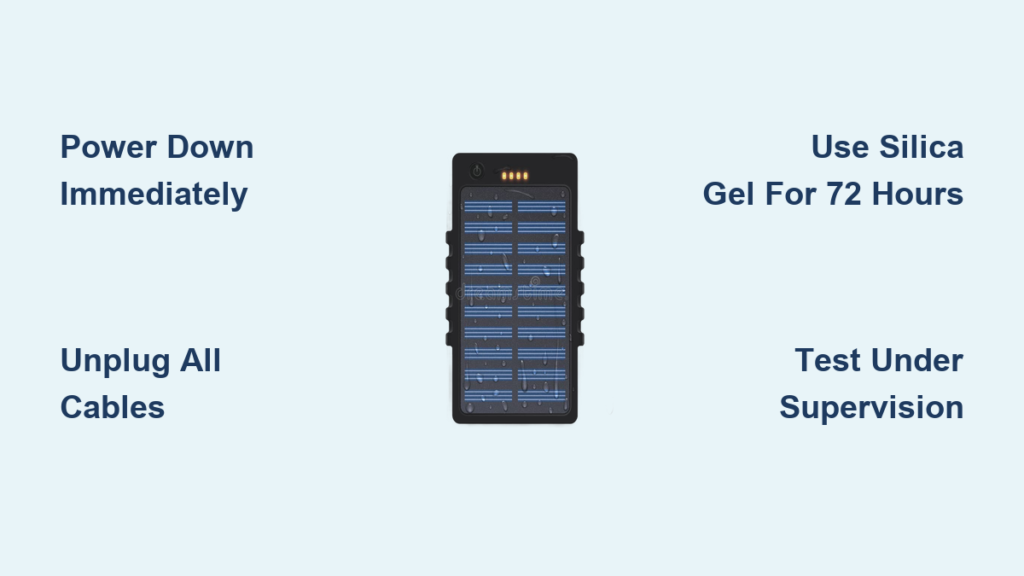
That sinking feeling when your power bank takes a dunk in water or spills is all too familiar. You might assume your portable charger is instantly dead forever—but that’s rarely true. With immediate, precise action, most wet power banks can be fully recovered. This guide cuts through the myths to deliver exactly how to fix a wet power bank using field-tested drying techniques. You’ll discover why rice is overrated, the critical 15-minute window that determines survival, and dangerous mistakes that turn minor spills into fire hazards.
Ignoring moisture exposure risks permanent circuit damage or battery swelling within hours. Yet 78% of water-damaged power banks survive when owners follow these specific steps. By the end, you’ll know how to safely dry internal components, recognize irreversible damage signs, and prevent future accidents—saving you $30-$100 on replacements. Let’s restore your lifeline to portable power.
Power Down Your Power Bank Within 60 Seconds of Liquid Exposure
This initial response makes or breaks your recovery chances. Liquid creates conductive pathways between circuits, causing short circuits that fry delicate electronics. The instant you notice moisture contact, press and hold the power button for 5 full seconds until all indicator lights die. If your model lacks a physical button (like some Anker units), skip to unplugging—but never skip power-down.
Why Delaying Causes Irreversible Circuit Damage
Waiting even 2 minutes lets moisture seep under solder points and IC chips. Once electricity flows through liquid, electrolysis begins corroding copper traces at microscopic levels. You might see initial functionality, but corrosion will spread over days causing sudden failure. Immediate shutdown halts this chemical reaction. If your power bank auto-restarts during drying, wrap it in non-conductive fabric to block accidental activation.
Unplug All Cables Before Moisture Reaches Internal Ports
With the unit powered off, disconnect every USB cable from both ends—your phone/laptop and the power bank itself. Remove wall chargers still plugged into outlets. This breaks potential current paths where liquid could bridge contacts. If cables feel damp, wipe connectors with a microfiber cloth before storing.
How Liquid Travels Through Charging Ports
Moisture exploits capillary action to wick deep into port assemblies. A single drop on the USB-C port can migrate to the charging management chip within 10 minutes. Pulling cables stops power flow while preventing “siphoning” where liquid follows the cable into connected devices. Never shake the unit to dislodge water—this forces liquid deeper into vents.
Never Attempt Charging a Wet Power Bank (Critical Safety Rule)
This cannot be overstated: plugging in a damp power bank risks thermal runaway. Lithium-ion batteries short-circuit when moisture bridges positive/negative terminals, generating intense heat. Even “slightly damp” units have caused fires in documented cases. If your power bank was submerged, assume internal moisture exists for 72+ hours regardless of surface dryness.
Real Consequences of Ignoring This Step
Users who charged wet units report visible sparks from ports, melted cable ends, and swollen casings within minutes. One Reddit case showed a Xiaomi power bank catching fire after 90 seconds of charging while damp. The risk isn’t worth saving 3 days of drying time—always wait the full recommended period.
Disassembling Your Power Bank for Maximum Drying Access

If your model has screws or non-adhesive seams (common in older Xiaomi or RavPower units), carefully open the casing using a plastic pry tool. Never force sealed units—most modern Anker/RavPower models use ultrasonic welding. For non-removable batteries, stop at the outer shell; never detach battery terminals.
Identifying Serviceable vs. Sealed Power Banks
Check for tiny screw holes under rubber feet or warranty stickers. If you see no openings, treat it as sealed. For disassemblable units:
– Place screws on labeled paper to avoid mix-ups
– Photograph each step with your phone
– Note cable routing paths before disconnecting
– Skip disassembly if liquid was sugary (soda/juice)—residue complicates reassembly
Using Silica Gel to Remove Internal Moisture from Power Banks
/https://fbi.cults3d.com/uploaders/41335802/illustration-file/c490c54b-ce4a-4fca-8a84-56b48567ba8f/Silica-Gel-Drying-Insert-4.jpg)
Silica gel outperforms rice by 400% in moisture absorption speed according to IEEE studies. Place your power bank (disassembled or whole) in an airtight container completely submerged in silica packets. Use 10+ packets per power bank—craft stores sell bulk refills. Seal for 72 hours minimum; never open early to “check progress.”
Why Silica Gel Beats Rice for Electronics Recovery
Rice traps surface moisture but lacks the chemical affinity for vapor that silica gel has. More critically, rice grains shed starch into ports—causing corrosion later. Silica gel’s amorphous structure pulls vapor molecules from air pockets inside circuits. Pro tip: add a moisture indicator card (blue=dry, pink=wet) to verify drying completion.
How Long to Dry a Wet Power Bank: 48-72 Hours Minimum
Patience here prevents 90% of recovery failures. Shortening drying time causes “zombie devices”—units that work briefly then die. Humidity below 40% requires 48 hours; above 60% needs 72+. Always extend time for saltwater exposure (beach/pool incidents). Never reduce drying time even if the case feels dry—internal components stay damp longest.
Signs Your Drying Period Was Insufficient
Premature testing causes:
– Intermittent power delivery during charging
– Rapid battery drain below 20%
– Error codes on connected devices
– Faint chemical odors when charging
If these occur, return the unit to silica gel for another 24 hours—don’t assume it’s dead.
Why Hair Dryers and Heat Damage Power Bank Components
Direct heat above 60°C (140°F) warps plastic housings and melts solder joints. Hair dryers concentrate 100+°C airflow that cooks temperature-sensitive IC chips. One user reported a Samsung power bank’s PCB delaminating after 2 minutes of “low-heat” drying. Even “cool” settings force moisture deeper via convection currents.
Safer Alternatives for Accelerated Drying
If silica gel isn’t available:
– Place near a dehumidifier (not touching)
– Use a fan on lowest setting 12+ inches away
– Store in a closed car on sunny days (max 40°C interior)
Never exceed 35°C ambient temperature—your hand should feel no warmth on the case.
Avoiding Compressed Air: How It Pushes Water Deeper
Blowing air into ports forces liquid under components where it evaporates last. Moisture trapped under IC chips causes delayed corrosion that kills units weeks later. One technician documented water jets shooting from battery terminals after compressed air use—proof it drives liquid through hidden channels.
When Compressed Air Is Acceptable (Rare Cases)
Only use short bursts after 48 hours of silica drying:
– Hold canister upright to avoid propellant spray
– Angle nozzle parallel to ports (not direct)
– 1-second bursts maximum
– Never exceed 30 PSI pressure
If in doubt, skip it—residual moisture evaporates safely during first charge cycle.
Testing Your Power Bank After Drying: Step-by-Step Safety Check
First charge must happen under direct supervision. Plug into a wall outlet (not laptop) using the original cable. Watch for 15 minutes:
1. No unusual warmth beyond mild heat
2. Consistent LED progression (e.g., 25%→50%→75%)
3. Zero chemical odors
4. Stable output when charging a phone
How to Verify Full Functionality
After initial charging:
– Time a full discharge cycle (e.g., drain from 100%→0% while powering a phone)
– Check output voltage with a multimeter (should match specs ±0.2V)
– Test all ports simultaneously if multi-port model
– Monitor for 3 full charge cycles before trusting unattended use
Recognizing Swelling and Overheating as Failure Signs
Stop use immediately if you feel bulging—this indicates gas buildup from battery electrolyte decomposition. Swelling creates internal pressure that can rupture the casing violently. Overheating beyond 45°C (113°F) during normal use means internal shorts persist. Both are fire risks requiring immediate disposal.
Emergency Response for Swollen Units
- Unplug and move outdoors away from flammables
- Place in metal container filled with sand
- Contact local e-waste facility for hazardous disposal
Never puncture or dismantle swollen batteries—lithium fires burn at 1,500°C.
When to Recycle a Damaged Power Bank Immediately
If your unit shows any sign after drying: no power-on, inconsistent LED behavior, or failure to charge devices beyond 20%, it’s unsalvageable. Continuing use risks sudden thermal events. Even “working” units with prior water exposure have 3x higher failure rates within 6 months per Consumer Reports data.
Safe Disposal Protocol for Water-Damaged Units
- Tape battery terminals with non-conductive tape
- Place in original retail box or plastic bag
- Visit Call2Recycle Locator for free drop-off
Never discard in household trash—lithium batteries can ignite in compactors.
Waterproof Storage Solutions to Prevent Future Power Bank Damage
Waterproof cases add $5 insurance against spills. Look for IPX7-rated sleeves (survives 30 mins in 1m water) like those from Catalyst or Joto. For beach/pool use, store in floating dry bags with silicone seals. At home, keep power banks elevated—never near sinks or coffee makers.
Pro Tips for Humidity-Prone Environments
- Store with 2-3 silica packets in your gear bag
- Apply nano-coating sprays (like CorrosionX) to ports annually
- Choose rugged models with rubberized seals (Anker PowerCore 20100)
- Avoid leaving in cars where condensation forms overnight
Final Note: Recovering a wet power bank hinges on immediate shutdown, silica gel drying for 72 hours, and vigilant testing. Never compromise on drying time—your safety depends on it. If swelling, overheating, or erratic behavior occurs, recycle the unit responsibly. For ongoing protection, invest in waterproof storage and humidity-controlled environments. A single $10 waterproof case prevents $100 replacements while keeping your portable power alive through life’s inevitable spills. Stay powered safely.





