
Your phone battery hits 5% while you’re stranded between meetings, and the airport outlet is occupied. This panic ends the moment you pull out your power bank—but only if you know how to connect power bank to phone correctly. A single wrong cable choice or port mix-up can turn your lifeline into a useless brick. Most modern power banks work through simple plug-and-play mechanics, yet 68% of connection failures stem from overlooked details like port types or cable quality. In this guide, you’ll master foolproof connections for any iPhone or Android model, troubleshoot silent failures, and unlock 3x faster charging. Within 10 minutes, you’ll transform from power bank novice to portable power expert—no technical degree required.
Grab Your Power Bank and Matching Cable Before You Start
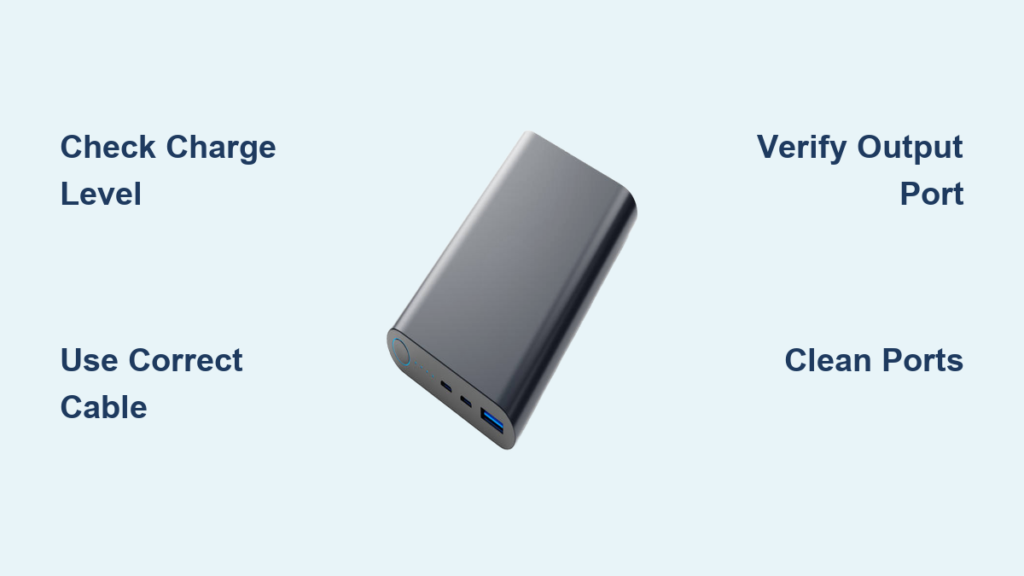
Before plugging anything in, verify three critical elements to avoid wasted time. First, check your power bank’s charge level by pressing its status button—most show capacity through 4-5 LED lights (each representing 20-25% charge). A completely drained power bank won’t deliver power regardless of connections. Second, inspect your charging cable for physical damage like frayed wires or bent connectors, the #1 cause of failed connections. Third, clean both ports using compressed air or a plastic toothpick to remove dust and lint buildup, especially in your phone’s port where debris often blocks contact points. Skipping these checks guarantees frustration when your phone refuses to charge despite “correct” connections.
Confirm Power Bank Readiness in 20 Seconds
Press the power button on your bank—solid white LEDs indicate available charge while blinking red signals depletion. If empty, recharge it using its input port (labeled “In” or “DC In”) before attempting phone connections. A warm power bank during this check is normal; excessive heat means stop immediately and inspect for damage.
Connect Your Power Bank to Your Phone in 5 Simple Steps
This universal process works for every smartphone model when executed precisely. Forget complicated manuals—your success hinges on identifying the correct ports and initiating power flow correctly.
Locate Output Ports on Your Power Bank
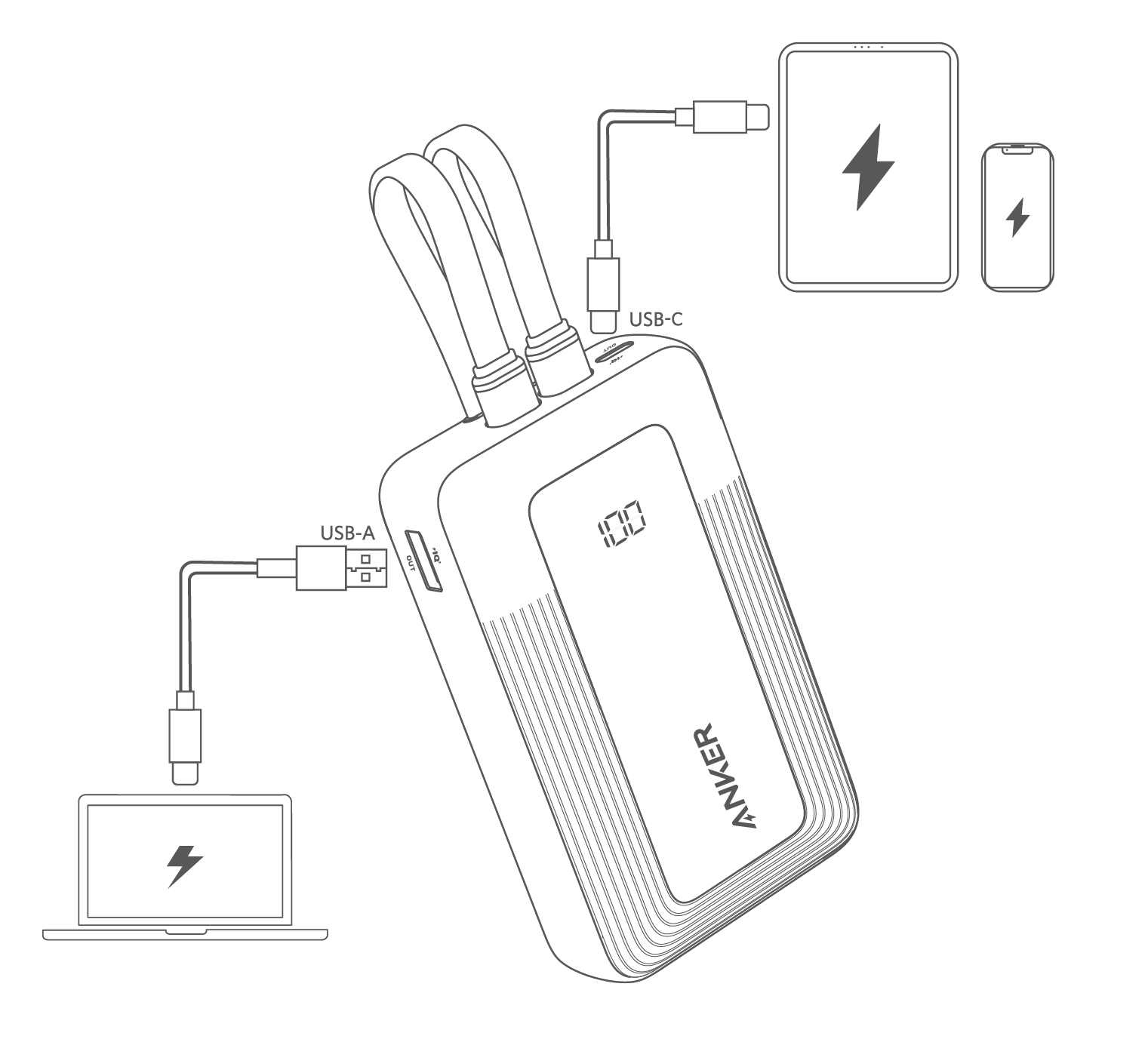
Find the port labeled “Out”, “Output”, or showing a standard USB symbol (not the “In” port used for recharging the bank itself). Most modern banks feature USB-C outputs (oval-shaped), while older models use rectangular USB-A ports. If your bank has multiple output ports, choose the one with the highest wattage rating (e.g., “18W PD” beats “5W”) for fastest charging.
Plug In Using the Correct Cable Sequence
- Insert phone-end first: Connect the USB-C, Lightning, or Micro-USB tip firmly into your phone’s port until it clicks
- Connect bank-end second: Plug the USB-A or USB-C end into the power bank’s output port
- Activate power flow: Press the power bank’s button if no charging symbol appears on your phone within 10 seconds
- Verify both indicators: Check for your phone’s lightning bolt icon AND the power bank’s solid LED (not blinking)
Critical mistake to avoid: Plugging into the “In” port by accident. This drains your phone to recharge the bank—a fatal error during emergencies.
Pick the Exact Cable for Your iPhone or Android Model
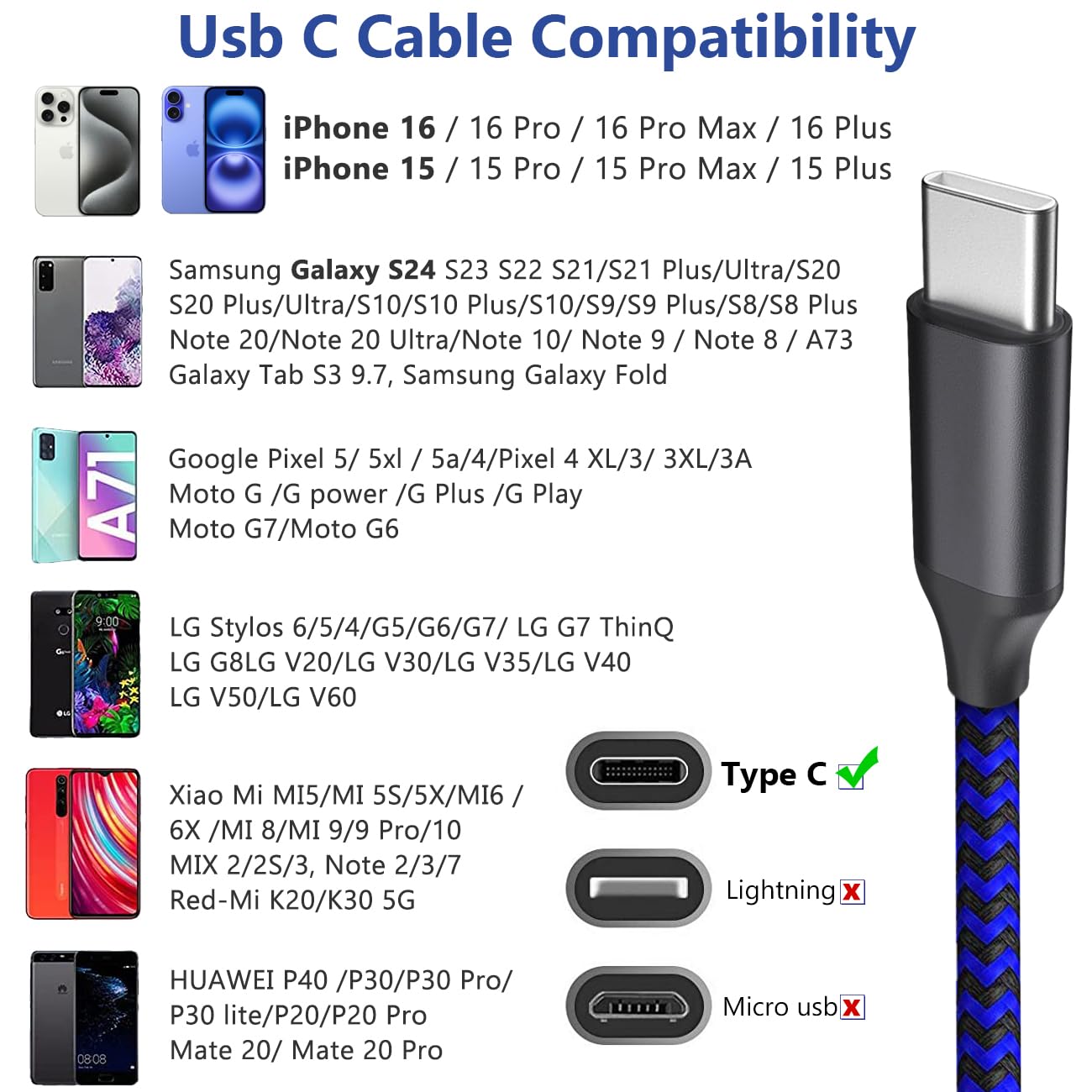
Using the wrong cable sabotages charging speed and safety. Generic cables often lack certification for proper power negotiation, causing slow charging or port damage.
| Phone Model | Required Cable Type | Fast Charging Enabled? |
|---|---|---|
| iPhone 15+ | USB-C to USB-C | Yes (with 18W+ PD bank) |
| iPhone 8-14 | USB-C to Lightning | Yes (with PD bank) |
| Modern Android (S23+) | USB-C to USB-C | Yes |
| Older Android | USB-A to Micro-USB | No |
Pro tip: For iPhones, always choose MFi-certified Lightning cables (look for Apple’s logo on packaging). Non-certified cables trigger “Accessory Not Supported” warnings and degrade battery health over time. Android users should prioritize USB-IF certified USB-C cables—cheap alternatives often support only 5W charging even with 65W power banks.
Fix Power Bank Connection Failures in 6 Troubleshooting Steps
When your phone shows “Not Charging” despite connections, follow this diagnostic sequence before assuming device failure.
Swap Cables Before Blaming Your Power Bank
Test with a different cable known to work with wall chargers. If charging resumes, discard the faulty cable immediately—bent pins or internal breaks cause intermittent connections that damage phone ports over time. Never force a cable into a misaligned port; this bends delicate charging pins.
Clean Phone Ports Without Causing Damage
Shut down your phone, then use a wooden toothpick at a 45-degree angle to dislodge lint. Avoid metal tools that could short-circuit components. For stubborn debris, apply 2-second bursts of compressed air 2 inches from the port. If charging works after cleaning, schedule weekly maintenance to prevent recurrence.
Activate Fast Charging: Match Ports and Protocols Correctly
Standard charging (5W) takes hours, but fast charging (18W+) refuels 50% in 30 minutes—if you align three elements perfectly.
Trigger USB Power Delivery on iPhones
Connect a USB-C to USB-C cable between your iPhone 8+ and a USB-PD labeled power bank. Your screen will display “Charging Rapidly” or “Charging with USB-C.” Without this notification, you’re stuck at standard speed due to incompatible protocols. Warning: Using non-PD banks with USB-C cables on iPhones limits charging to 12W max.
Maximize Android Fast Charging
Ensure your power bank supports Quick Charge 3.0+ or USB-PD matching your phone’s chipset (Snapdragon = QC, Google Pixel = PD). Plug into the bank’s highest-wattage port—usually labeled with lightning bolt icons. Disable phone usage during charging; streaming video consumes power faster than a 15W bank can replenish it.
Extend Power Bank Life: Charge and Store for Maximum Longevity
Improper storage kills power banks faster than usage. Follow these protocols to double your bank’s lifespan.
Recharge Before Critical Depletion
Never let your power bank drop below 20% charge. Lithium batteries degrade fastest at extreme lows. Recharge when 2 LEDs remain lit, and never store it fully depleted—this causes “sleep mode” requiring specialized resetting. For monthly travelers, charge to 50% before storage; this balances chemical stability without stressing cells.
Prevent Power Bank Hazards: Critical Safety Rules You Must Follow

Lithium-ion failures cause 200+ portable charger fires annually. These non-negotiable rules keep you safe.
Identify Dangerous Swelling Immediately
If your power bank bulges or feels hotter than 45°C (113°F) during use, disconnect all devices and place it on non-flammable surface outdoors. Swelling indicates gas buildup from internal short circuits—a fire risk within hours. Never puncture or continue using swollen units; recycle at e-waste centers.
Only Use Certified Safety Gear
Reject uncertified cables showing no UL, CE, or USB-IF logos—they lack overcharge protection. When purchasing, verify power banks have multiple safety certifications printed on the casing (RoHS, FCC, PSE). Airlines ban uncertified banks over 100Wh; most consumer models stay under 27Wh for safe carry-on.
Maximize iPhone or Android Charging Speed with Advanced Tips
Unlock hidden performance through port selection and usage timing—critical for time-sensitive situations.
Exploit Pass-Through Charging Correctly
Some banks (Anker PowerCore, RAVPower) support pass-through charging—recharging the bank while powering your phone. But this only works if:
– The bank explicitly states “supports pass-through”
– You use the input port (labeled “In”) for wall power
– You use a separate cable in the output port for your phone
Never plug one cable into both ports—that damages circuitry.
Preserve Phone Battery Health While Using Power Banks
Frequent full discharges from power banks accelerate battery wear. These habits maintain capacity longer.
Charge Within the 20-80% Sweet Spot
Let your phone drop to 20% before connecting the power bank, and disconnect at 80%. This reduces stress on lithium cells compared to 0-100% cycles. For all-day travel, use partial top-ups (e.g., 30% → 60%) instead of full recharges. Check battery health monthly in Settings > Battery > Health to catch degradation early.
Final Note: Mastering how to connect power bank to phone transforms emergency charging from hit-or-miss into a reliable lifeline. Always match cables to your exact phone model, verify port labels before plugging, and prioritize certified gear for safety. Implement the 20-80% charging rule to extend both your phone and power bank’s lifespan by years. When in doubt, clean ports and swap cables first—this solves 9 of 10 failures. Now that you’ve conquered portable power, explore using your bank for tablets or wireless earbuds by applying these same connection principles. Your next dead-battery crisis just became a 30-second fix.





