
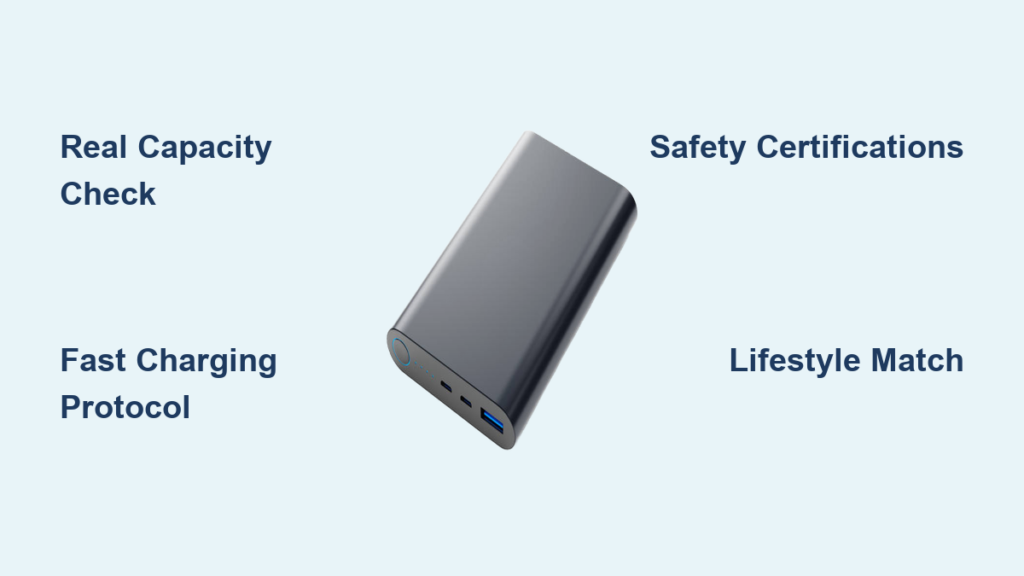
You’ve been there—staring at a 1% battery warning while your power bank sits uselessly in your bag, promising “20,000mAh” but delivering barely one phone charge. The frustration of buying the wrong portable charger wastes your money and leaves you stranded when you need power most. This guide cuts through marketing hype to show exactly how to choose power bank charger that delivers real-world performance for your specific devices and lifestyle. Forget guessing games—we’ll translate technical specs into tangible charging results so you never get caught with a dead phone again.
Most shoppers focus solely on the mAh number, but this single metric misleads 9 out of 10 buyers. The truth is that a 20,000mAh power bank typically provides only 13,000mAh of usable power due to voltage conversion losses and circuit inefficiencies. By the end of this guide, you’ll understand exactly how to calculate your real charging needs, match power banks to your devices’ charging protocols, and avoid the most common purchasing mistakes that turn portable chargers into expensive paperweights.
Why Your Power Bank’s mAh Rating Lies About Real Charging Capacity
That prominent “20,000mAh” label on power banks measures capacity at the battery’s internal 3.7V voltage—not the 5V USB standard your devices use. This technical detail creates a massive gap between advertised and actual performance. When you see a 10,000mAh power bank, expect only 6,500-8,500mAh of usable charge for your phone due to 15-35% energy loss during voltage conversion and circuit inefficiencies.
How to Calculate Exactly How Many Phone Charges You’ll Get
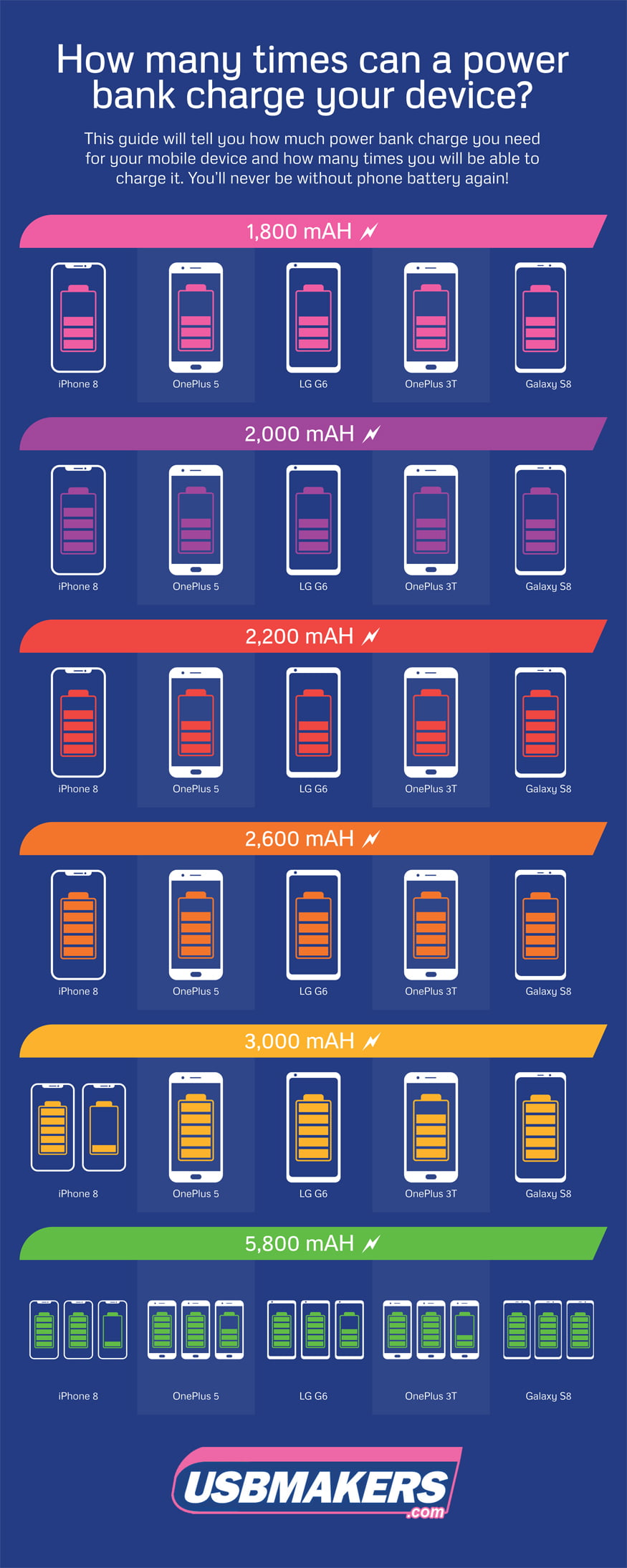
Follow this three-step process to determine real-world performance:
-
Convert mAh to Watt-hours (Wh): Multiply mAh by 3.7V, then divide by 1,000
Example: 10,000mAh × 3.7V ÷ 1,000 = 37Wh -
Apply efficiency factor: Multiply Wh by 0.65-0.85 (budget to premium models)
Example: 37Wh × 0.65 = 24.05Wh usable power -
Divide by your device’s battery capacity:
iPhone 14 (12.4Wh): 24.05Wh ÷ 12.4Wh = 1.94 full charges
Capacity Reality Check Table
| Advertised Capacity | Real Usable Capacity | iPhone 14 Charges | iPad Mini Charges |
|———————|———————-|——————-|——————-|
| 5,000mAh | 2,200-2,800mAh | 0.8 charges | 0.4 charges |
| 10,000mAh | 4,400-5,600mAh | 1.6 charges | 0.8 charges |
| 20,000mAh | 8,800-11,200mAh | 3.2 charges | 1.6 charges |
When You Actually Need 20,000mAh (And When It’s Overkill)
Most travelers overbuy capacity and end up with bulky, heavy power banks. Match your needs to these scenarios:
-
Daily commuters: A 5,000-10,000mAh model (2.5-4.5″ tall) fits in any pocket and delivers 1-2 full phone charges. Perfect for topping up during lunch breaks or commute delays.
-
Weekend travelers: Choose 10,000-15,000mAh if you need to charge both phone and earbuds overnight without outlet access. Avoids the 20,000mAh weight penalty (typically 14+ ounces).
-
Laptop users: For MacBook Air charging, you need 27,000mAh+ (99.9Wh) but stay under 27,000mAh to avoid airline restrictions (100Wh limit).
Stop Buying Power Banks That Can’t Charge Your Phone Fast
Your new iPhone 14 supports 20W fast charging, but most generic power banks deliver only 5-10W—doubling your charging time. The critical mistake 70% of shoppers make is ignoring output protocols that match their device’s capabilities. You could own a 30W power bank but still get slow charging if it lacks the correct communication protocol.
USB-C Power Delivery: The Non-Negotiable Standard for Modern Devices
For Apple users: Any iPhone since 8 requires USB-C Power Delivery (PD) for fast charging. A “20W” PD power bank delivers a full iPhone charge in 30 minutes versus 90+ minutes with standard charging.
For Android users: Check your phone’s specifications—most Samsung Galaxy models need Programmable Power Supply (PPS) for 25W+ charging, while Google Pixels use standard PD. Buying a power bank with mismatched protocols wastes your fast-charging capability.
How to Verify True Fast Charging Capability in 30 Seconds
Before purchasing, check these critical specs:
- Output label: Must specify “PD 3.0” or “QC 4.0+” (not just “fast charging”)
- Wattage: 20W minimum for phones, 45W+ for laptops
- Port type: USB-C (not just USB-A) for modern fast charging
Warning: Power banks claiming “30W” but only listing USB-A ports deliver maximum 18W via Quick Charge—not true fast charging for modern devices.
The 4 Safety Checks That Prevent Power Bank Disasters
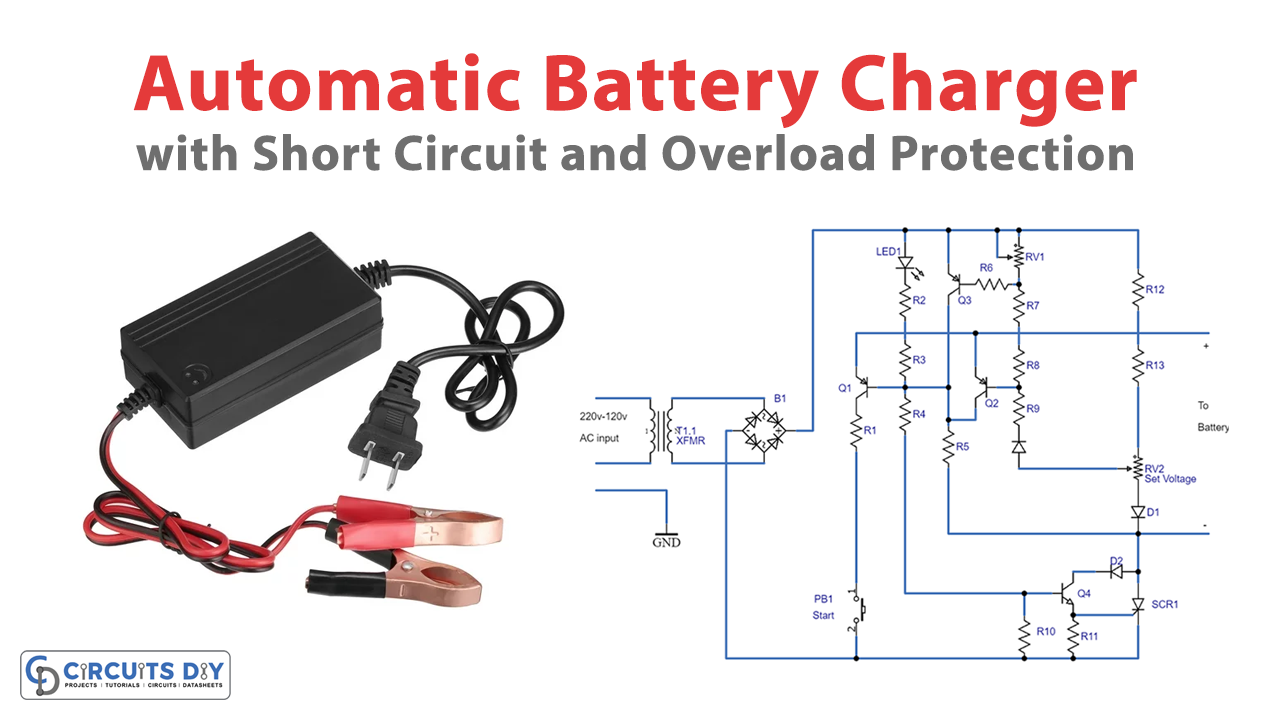
Cheap power banks cause hundreds of fires annually due to missing safety circuits. When you learn how to choose power bank charger with proper protections, you avoid becoming a statistic. Look for these non-negotiable safety features before purchasing:
- Overcharge protection: Automatically stops charging when your device hits 100%
- Short-circuit prevention: Cuts power if metal objects bridge output terminals
- Temperature monitoring: Reduces output if the unit exceeds 140°F (60°C)
- Voltage regulation: Maintains stable 5V/9V/12V output regardless of load
How to Spot Fake Power Banks in Physical Stores
Examine the unit closely before buying:
- Check certifications: Genuine products display UL, CE, or FCC marks (not just “CE” printed on packaging)
- Weigh it: A real 10,000mAh power bank weighs 7-8 ounces—anything lighter uses undersized cells
- Test output: Use a USB power meter to verify actual wattage matches claims
Pro Tip: Premium brands like Anker include battery health indicators showing remaining capacity percentage—cheap models often show only 4 LED bars with 25% increments.
Match Your Power Bank to Your Lifestyle: 3 Buyer Profiles
The Daily Commuter’s Slim Power Bank (5,000-10,000mAh)
Ideal specs:
– 6,000-8,000mAh actual capacity (3.5″ × 2.5″ × 0.5″)
– 18W USB-C PD output
– 15W input charging (fully recharges in 1.5 hours)
– 5-6 ounce weight
Why this works: Fits in front pants pocket, delivers 1-1.5 full phone charges, and recharges faster than you drink your morning coffee. Avoid models thicker than 0.6″ that won’t slide into tight pockets.
The Business Traveler’s Laptop Power Bank (27,000mAh)
Critical features:
– Exactly 26,800mAh (99.9Wh to clear airline security)
– 60W+ USB-C PD output (charges MacBook Pro 14″ at usable speed)
– Dual USB-C ports (charge laptop while powering phone)
– OLED display showing exact wattage output
Air travel pro tip: Power banks over 100Wh (27,000mAh) require airline approval—most travelers don’t realize their 30,000mAh bank gets confiscated at security.
The Outdoor Adventurer’s Rugged Power Bank (20,000mAh+)
Must-have specs:
– IP67 rating (survives 30 minutes in 3 feet of water)
– -4°F to 140°F operating range
– Integrated carabiner clip
– Solar panel input (for emergency top-ups)
Reality check: Solar panels on power banks charge at 1-2W—expect 5+ hours of direct sun for a 20% boost. Don’t rely on solar as primary charging.
Why GaN Power Banks Cost More (And When They’re Worth It)
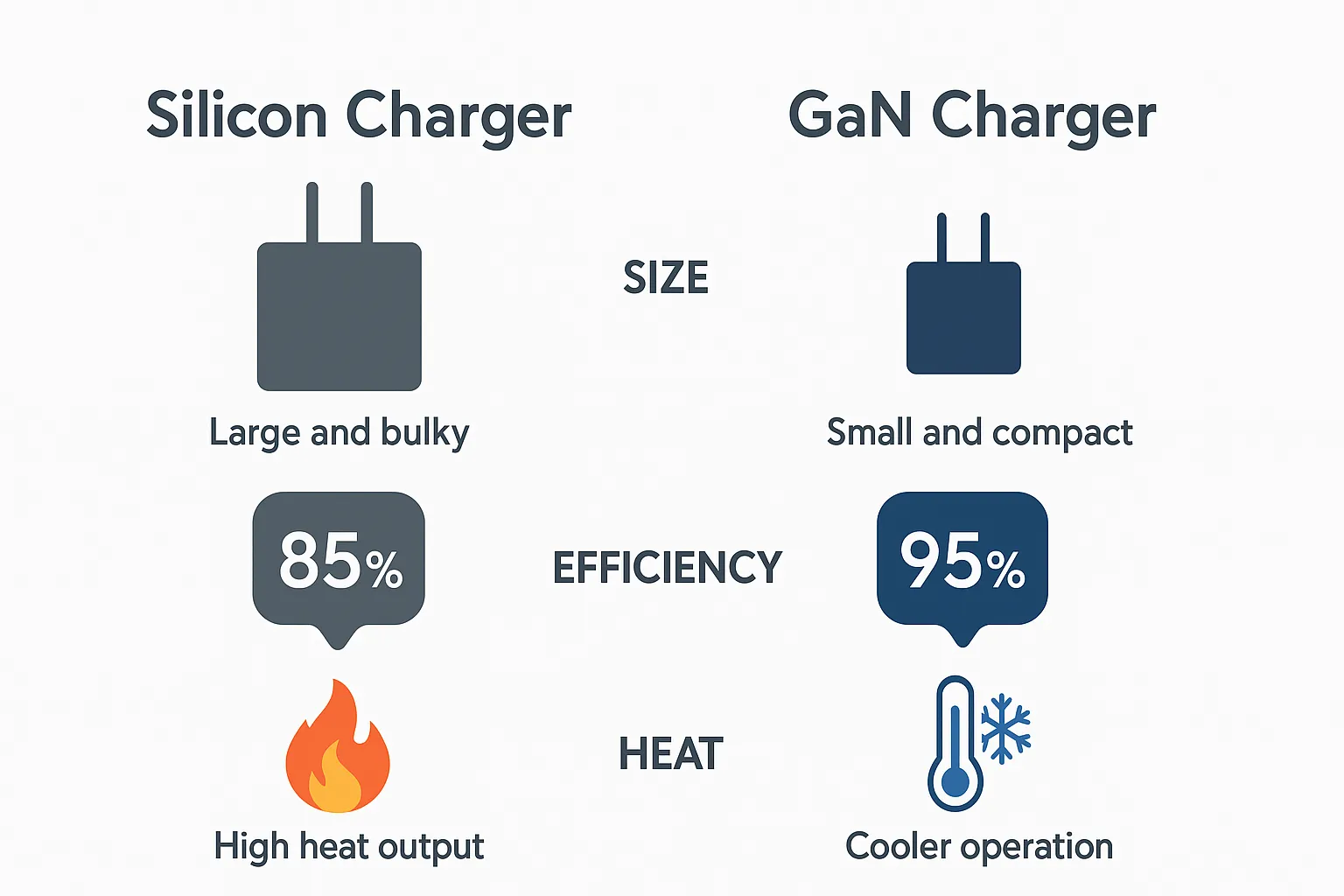
Gallium Nitride (GaN) technology shrinks power bank size by 40% while delivering the same wattage. A standard 65W power bank weighs 14 ounces and measures 6″ × 3″, while GaN equivalents weigh 8 ounces and fit in your palm. The technology reduces heat generation by 30%, allowing sustained high-power output without throttling.
The GaN Cost-Benefit Analysis
| Feature | Traditional Power Bank | GaN Power Bank | Verdict |
|---|---|---|---|
| Size (65W) | 6″ × 3″ × 1.2″ | 4″ × 2.5″ × 0.8″ | ✅ GaN wins |
| Weight (65W) | 14 oz | 8 oz | ✅ GaN wins |
| Heat Output | Gets hot during laptop charging | Warm but usable | ✅ GaN wins |
| Price (65W) | $45 | $75 | ⚠️ Traditional wins |
When to skip GaN: For basic phone charging (18-25W), traditional power banks offer identical performance at 30% lower cost. Invest in GaN only for 45W+ models where size and heat matter most.
The 7-Point Power Bank Checklist Before Checkout
Before you complete your purchase, verify these critical specs:
- [ ] Actual capacity matches needs: Verified through Wh calculation, not just mAh
- [ ] Correct charging protocol: PD for Apple, PPS for Samsung, QC for others
- [ ] Input charging speed: 18W+ input avoids 5+ hour recharge times
- [ ] Safety certifications: UL/CE/FCC marks physically on the device
- [ ] Port configuration: At least one USB-C PD port (two for laptop users)
- [ ] Weight verification: 10,000mAh should weigh 7-8 oz—lighter means fake capacity
- [ ] Warranty: Minimum 18 months (premium brands offer 24-36 months)
Final pro tip: Always carry the correct cable—cheap cables without e-mark chips throttle 65W power banks to 18W. Your power bank is only as fast as your slowest component.
Choosing the right power bank means never worrying about battery anxiety again. By focusing on real-world capacity, matching charging protocols, and verifying safety features, you’ll get reliable power exactly when and where you need it. The perfect power bank disappears into your routine—providing seamless charging without bulk, overheating, or false promises. Now that you know how to choose power bank charger that actually works, your devices will stay powered through every commute, trip, and emergency.





