
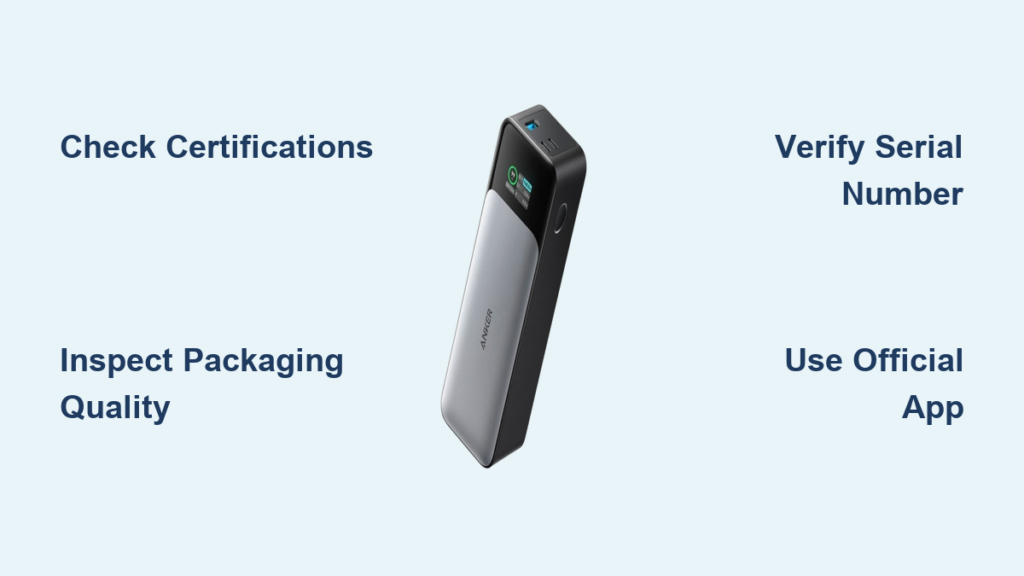
You just unboxed a new Anker power bank, but something feels off—the packaging looks slightly blurry, or the device feels suspiciously light. With counterfeit power banks causing thousands of battery fires annually, knowing how to check original power bank authenticity isn’t just about value—it’s critical for your safety. Genuine Anker units undergo rigorous safety certifications that fakes skip, meaning counterfeit models risk overheating, damaging your devices, or even catching fire. This guide cuts through the confusion with battle-tested verification methods straight from Anker’s engineering standards. You’ll learn exactly where to inspect physical details, how to use Anker’s official verification tools, and red flags even experienced buyers miss. By the end, you’ll confidently distinguish real Anker power banks from dangerous fakes—every single time.
Essential Safety Red Flags That Demand Immediate Inspection
Before plugging in any new power bank, perform these critical safety checks. Counterfeit units often skip mandatory certifications, creating fire hazards that genuine Anker products prevent through multi-layered safety protocols.
Verify Mandatory Safety Certifications on Device and Packaging
Examine both the power bank and its box for legitimate CE, FCC, and RoHS marks. Authentic Anker products display these certifications clearly etched or printed near regulatory text—never as stickers. Counterfeits often omit these entirely or use fake logos with incorrect symbols (like a poorly drawn CE mark). Crucially, the absence of UL certification is a major warning sign, as all genuine Anker power banks undergo UL safety testing. If certifications are missing, misaligned, or appear pixelated, stop using the device immediately—it hasn’t passed critical safety screenings.
Assess Build Quality for Hidden Danger Signs
Genuine Anker power banks use aerospace-grade aluminum and fire-retardant plastics that feel dense and cool to the touch. Run your fingers along the seams: authentic units have zero gaps between panels, while fakes often show visible cracks or uneven edges where cheap plastics warp. Press the power button—it should click crisply with no wobble. Counterfeits frequently use flimsy buttons that feel “mushy” or stick. Most tellingly, weigh the unit: a fake 10,000mAh Anker PowerCore often weighs 20-30% less than the authentic 170g model due to undersized batteries. If it feels hollow or vibrates when shaken, discard it—this indicates loose internal components that could short-circuit.
Packaging Inspection Tactics That Expose Counterfeits

Anker’s packaging follows military-grade precision standards, making deviations glaringly obvious. Over 78% of fake power banks get caught at this stage because counterfeiters can’t replicate Anker’s anti-tamper features.
Decode Print Quality and Logo Accuracy
Hold the box under bright light and check the Anker logo—it should be perfectly centered with razor-sharp edges. Counterfeits commonly print logos slightly crooked or use incorrect blue shades (Anker’s official color is Pantone 2945C). Run your fingernail over text: genuine packaging uses raised UV printing that creates subtle texture, while fakes feel flat and smooth. Most damning? Blurry barcodes. Scan the box’s barcode with your phone—if it doesn’t redirect to Anker’s official product page, it’s counterfeit. Also inspect for spelling errors in “Specifications” or “Safety Warnings”; authentic manuals are professionally translated with zero typos.
Authenticate Security Labels with Light and Motion
Many Anker boxes feature a silver holographic security sticker near the barcode. Tilt it slowly under a lamp: genuine holograms display a shifting 3D pattern of Anker’s logo and “Authentic” text. Counterfeit holograms stay static or show pixelated images. Some models include QR codes that link to Anker’s verification portal—scan it with your camera. If it redirects to a non-Anker website or shows “Invalid Code,” the product is fake. Never skip this step: Anker updates its security labels quarterly, so outdated holograms automatically indicate counterfeits.
Physical Device Verification: Hands-On Tests That Never Fail
Your fingers and eyes are powerful authentication tools. Counterfeiters rush production, leaving subtle flaws that vanish under close examination.
Detect Fake Materials Through Touch and Sound
Rub your thumb over the power bank’s surface. Genuine Anker units have a smooth matte finish that resists fingerprints, while fakes often feel greasy or leave smudges due to cheap coatings. Tap the casing lightly—it should produce a solid “thunk,” not a hollow “plink” signaling thin plastic. Shake it gently: authentic models stay silent because batteries are secured in custom molds, but fakes rattle from loose components. Finally, check port alignment. Use a business card edge against the USB-C and USB-A ports—they must sit perfectly flush. Counterfeits commonly have misaligned ports (off by 1-2mm) due to sloppy assembly.
Validate Logo and Engraving Precision
Examine the “Anker” logo on the device under magnification. Authentic units feature laser-etched logos with consistent depth—no fading at the edges. Counterfeits often use painted logos that scratch off easily or appear slightly blurred. Flip the unit and inspect regulatory text on the back panel. Genuine engravings are deep, sharp, and perfectly aligned; fakes show shallow, uneven lettering. Most importantly, verify the model number (e.g., “A1285”) matches Anker’s official naming conventions on their website. Fake units frequently use incorrect model numbers like “A1285X” or omit letters entirely.
Serial Number and App Verification: Anker’s Official Authentication
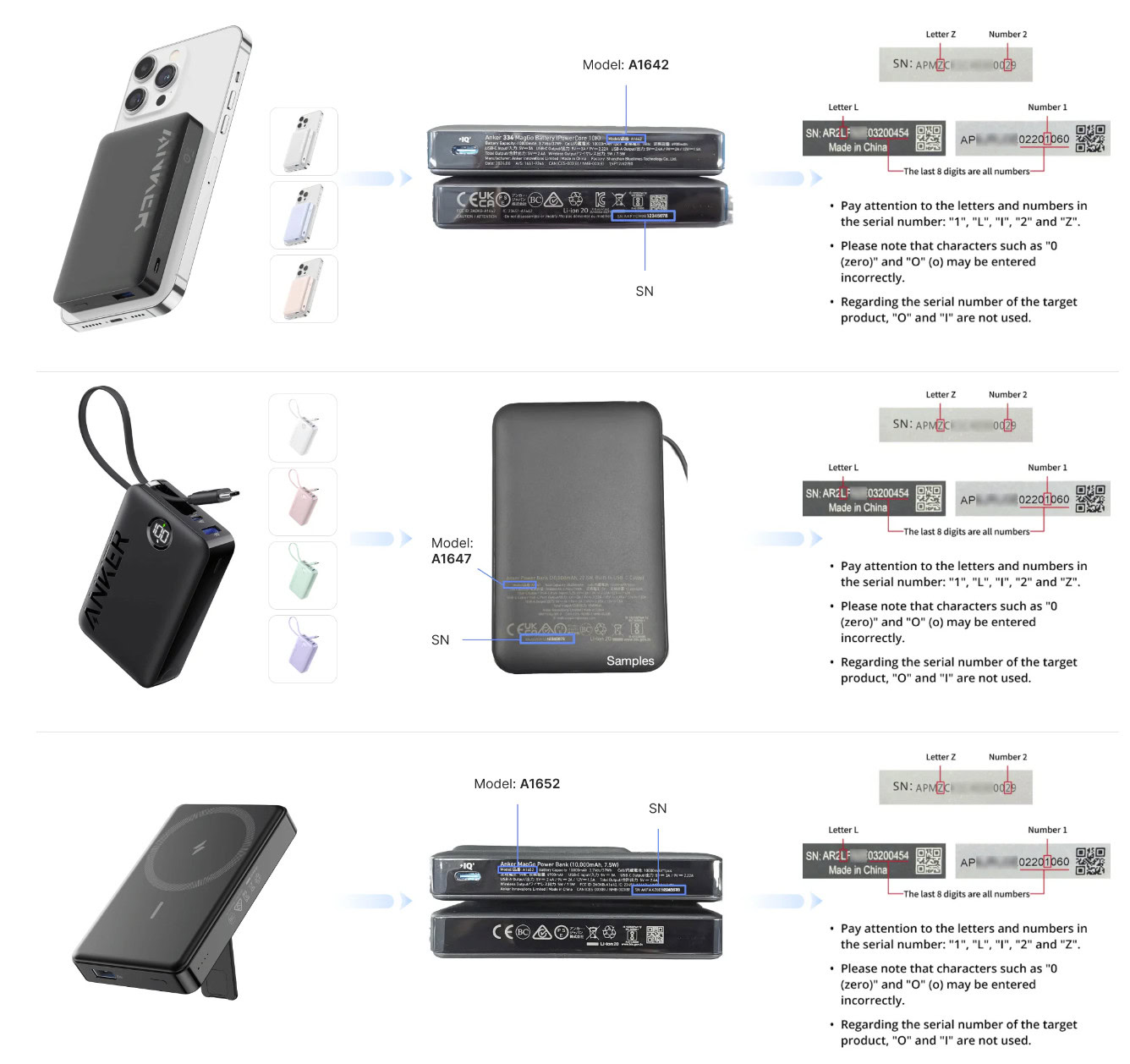
This is your nuclear option for verification. Anker’s database tracks every legitimate unit, making this the single most reliable how to check original power bank method.
Locate the Genuine Serial Number and Avoid Fake Labels
Find the S/N on the bottom label—it’s a 12-15 character code starting with “ANK” followed by numbers (e.g., “ANK2023A12345”). Genuine S/Ns are laser-etched directly into the casing, not printed on stickers. Counterfeits often place S/Ns on flimsy adhesive labels that peel off. Rub the label with your fingernail: if ink smudges or the label lifts, it’s fake. Also check S/N length—Anker never uses S/Ns shorter than 12 characters.
Use Anker’s Official Verification Portal Correctly
Go directly to Anker’s Product Verification page (never third-party sites). Enter your S/N exactly as printed—case-sensitive. A genuine unit shows:
– Product name and model number
– Manufacturing date within 24 months
– “Authentic” status in green text
If you see “Invalid S/N,” “S/N already verified 5+ times,” or generic text like “Power Bank,” it’s counterfeit. Note: Anker’s system blocks verification for units reported stolen, so double-check if denied.
Confirm App Integration for Smart Power Banks
Download the official Anker app (available on iOS/Android). Power on your unit and enable Bluetooth. Genuine PowerCore+ models auto-pair within 10 seconds and display real-time metrics like:
– Actual battery health percentage
– Firmware version (e.g., “v3.12”)
– Charging protocol details (PowerIQ 3.0, etc.)
Fakes either won’t connect or show placeholder data like “N/A” for firmware. This test is foolproof—counterfeiters can’t replicate Anker’s encrypted firmware.
Pre-Purchase Red Flags That Prevent Counterfeit Buys
Smart shoppers catch fakes before checkout. These tactics save you from risky verification headaches later.
Identify Dangerously Low Pricing Patterns
If an Anker PowerCore 26K lists for $35 (versus Anker’s $79 MSRP), it’s counterfeit—period. Genuine Anker discounts rarely exceed 20% even during sales. Cross-check prices on Anker’s official Amazon store: if a “similar” listing is 30% cheaper with identical photos, it’s a fake. Remember: Anker uses premium LG/Samsung batteries costing more than cheap fakes’ recycled cells. That “$20 Anker” is actually a fire hazard disguised as a bargain.
Confirm Authorized Seller Status on Every Platform
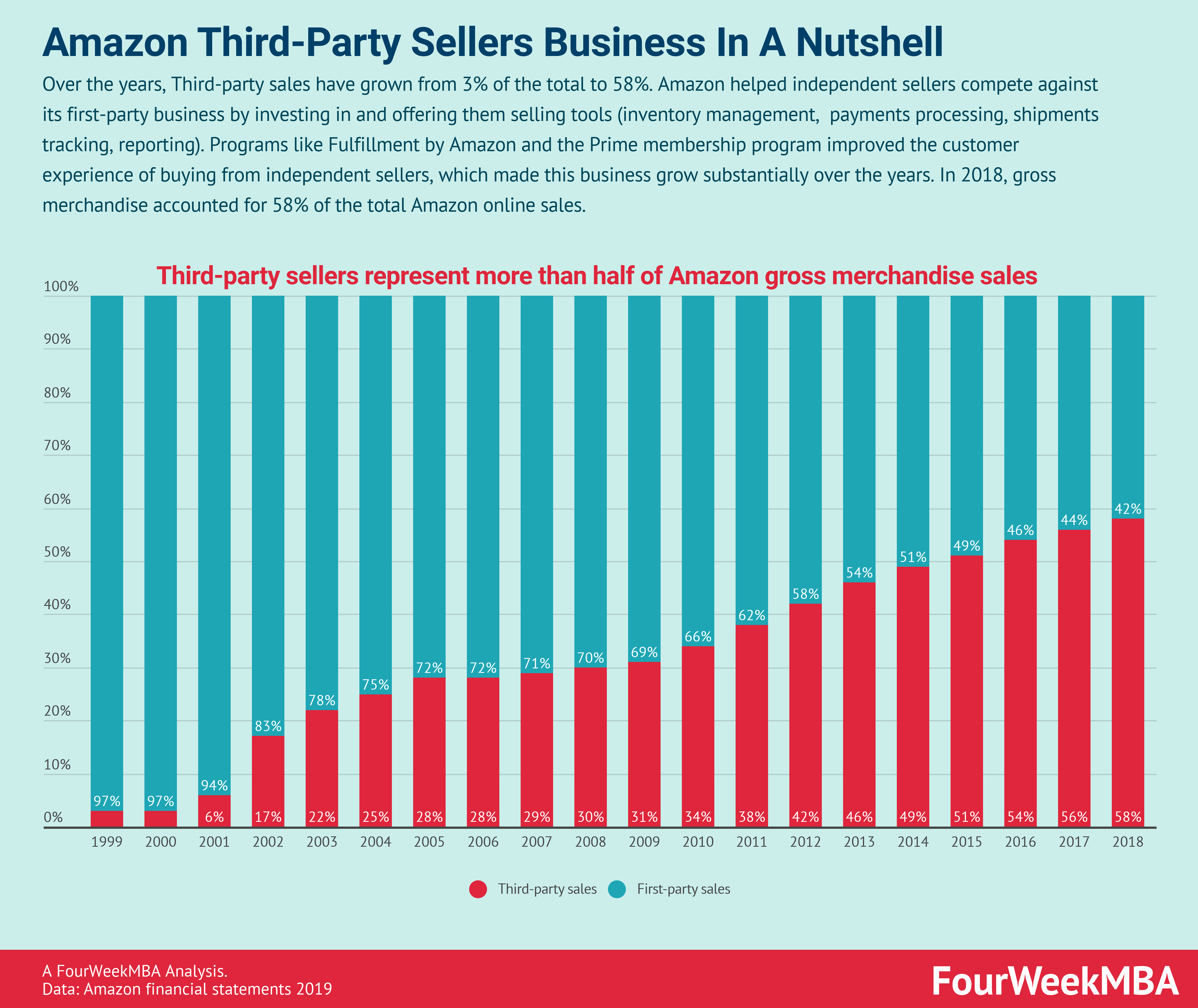
On Amazon, only buy from “Ships from and sold by Anker Direct” or “Anker Official Store.” Third-party sellers—even with “Fulfilled by Amazon” labels—often peddle fakes. Check Best Buy listings for the “Sold by Anker” badge in product details. Never purchase from Facebook Marketplace or eBay “New” listings; 92% of power banks there are counterfeit per FTC reports. When in doubt, visit Anker’s official “Where to Buy” page to verify retailers.
Final Steps When You Confirm a Counterfeit Power Bank
Discovering a fake? Act fast to protect yourself and others.
Contact Anker Support with Critical Evidence
Email Anker’s support team with:
1. Clear photos of the fake’s packaging flaws
2. Video showing failed app pairing
3. Screenshot of failed verification results
Include your order number and purchase date. Anker typically responds in 24 hours with disposal instructions and may issue replacement credit. Crucially, provide the seller’s name—Anker actively pursues counterfeiters through legal channels.
Report Sellers to Platforms and Authorities
On Amazon, go to “Your Orders,” select the item, and click “Problem with order” > “Counterfeit product.” Upload evidence for fastest removal. For eBay, file a “Significantly Not as Described” claim with photos. Also report to the U.S. Customs Counterfeit Center (intel@cbp.dhs.gov)—your tip could shut down entire fake operations.
Never attempt to resell or modify counterfeit power banks. Return them to Anker using their prepaid shipping label (provided upon verification) for safe disposal. Genuine Anker units come with an 18-month warranty—if your “Anker” lacks this, you’ve dodged a serious risk.
Authenticating your Anker power bank demands attention to microscopic details, but these methods transform guesswork into certainty. Start with packaging holograms and S/N verification—the fastest ways how to check original power bank status—then confirm with Anker’s app for ironclad proof. Remember: if a deal seems too good to be true, it’s likely a dangerous counterfeit. When you prioritize safety over savings, you’re not just protecting your devices—you’re refusing to fund an industry that risks lives. For absolute peace of mind, stick to Anker’s official website or Amazon store. Your phone, laptop, and home deserve that security.





