
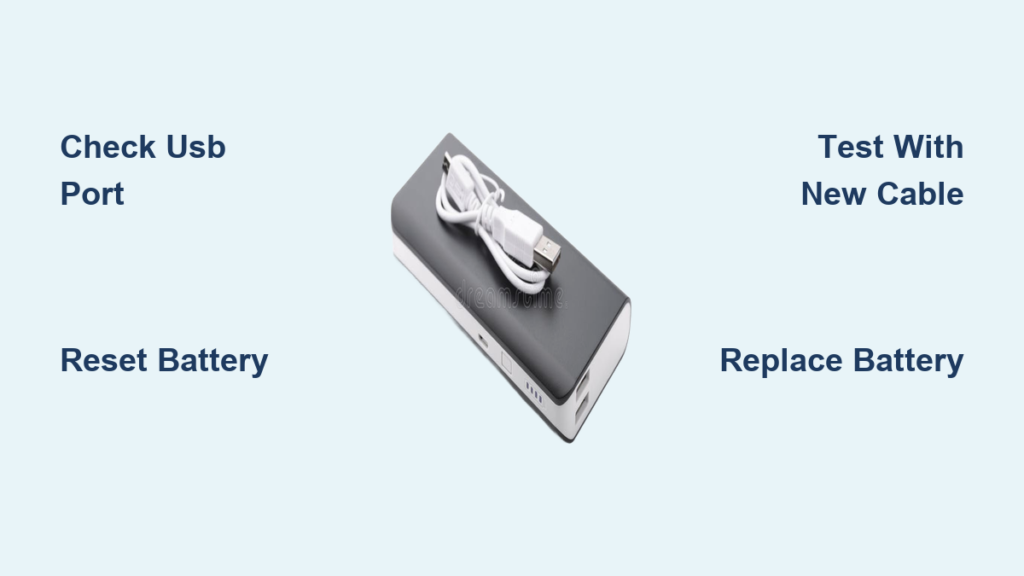
You’re at the airport gate with 8% battery left on your phone. You plug it into your Away bag’s power bank—those reassuring white lights confirm it’s charged. But nothing happens. No vibration, no charging icon, just silence. You’re stranded with a $300 carry-on that’s now dead weight in your hand. If your Away power bank lights up while charging but refuses to deliver power to your devices, you’re facing one of the most common—and maddening—failures in travel tech today. This isn’t just an inconvenience; it’s a critical travel hazard when you’re miles from an outlet. The good news? Most issues are fixable without replacing the entire bag.
This guide cuts through the frustration with proven troubleshooting steps verified by Away users and official support channels. You’ll learn exactly why your power bank appears charged but won’t output power, how to diagnose the real culprit in under 10 minutes, and whether your bag qualifies for warranty replacement. No vague advice—just actionable fixes that work.
Why Your Away Power Bank Shows Charging Lights But Won’t Power Devices
That deceptive display of white lights while charging indicates the battery management system is partially functional, but critical output components have failed. This symptom almost always points to one of three specific failures: a degraded battery cell that can’t sustain output voltage, a damaged internal cable connection, or a faulty USB-C port. Unlike total battery death (where no lights appear), this “charging but not powering” failure means the battery holds some charge but can’t deliver stable current to your devices. Many travelers mistakenly blame their phone or cable—wasting precious time before realizing the power bank itself is the culprit.
How to Confirm It’s the Power Bank (Not Your Phone or Cable)
Before dismantling your bag, rule out simpler issues with these targeted tests:
– Swap your charging cable immediately – Use the original USB-C cable that came with your Away bag. Third-party cables often lack the power delivery handshake required. Test with a different high-wattage wall adapter (15W+).
– Try every USB port on the bag – Away models like the Bigger Carry-On have dual ports. If only one port is dead, the issue is localized to that port’s circuitry.
– Test with multiple devices – Plug in a friend’s phone or a USB-powered earbuds case. If nothing draws power, the problem is definitively your power bank’s output stage.
Critical Connection Points to Inspect Right Now

90% of “charging but not powering” cases trace back to physical connection failures. Focus your inspection here:
– Examine the internal USB-C port – Shine a flashlight into the bag’s side pocket port. Look for bent pins or lint buildup. Use compressed air (not a toothpick!) to clear debris without damaging contacts.
– Check the power bank’s internal connector – Unzip the battery compartment. Ensure the cable connecting the power bank to the bag isn’t frayed or partially unplugged. Gently wiggle it while attempting to charge a device—if power flickers on, the cable is failing.
– Verify secure seating – Remove the power bank completely, then reinsert it firmly until you hear a soft click. Many users report success simply by reseating the unit.
Decoding Your Away Power Bank’s LED Light Patterns
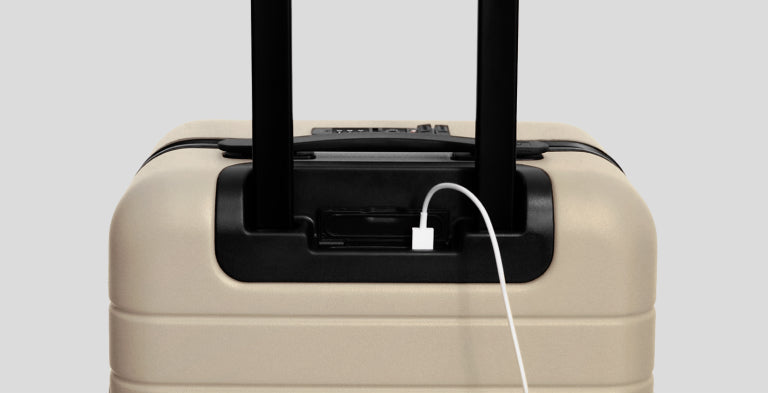
Those blinking lights aren’t random—they’re a diagnostic code. Learn what each pattern means for immediate troubleshooting:
What Flashing Red Lights Actually Signify
A rapidly flashing red LED (blinking 3-5 times) indicates an internal short circuit or critically degraded battery cell. This is not user-fixable. The battery management system has detected unsafe conditions and shut down output to prevent fire risk. Attempting to “reset” this state won’t work—replacement is mandatory. Note: This differs from slow-pulsing red lights (which signal low battery).
When No Lights Appear During Charging
If plugging in yields zero lights after 15 minutes:
– Test with a 15W+ wall adapter – Low-power chargers (like basic phone adapters) can’t jumpstart a deeply drained battery. Use a laptop charger or Away’s recommended adapter.
– Hold the power button for 20 seconds while plugged in. This forces the battery management system to wake up from deep sleep mode.
– Wait 2+ hours before rechecking. Severely depleted batteries sometimes take abnormally long to show initial charge signs.
Your Only 3 Repair Paths for a Dead Away Power Bank

When troubleshooting fails, these are your verified solutions—ranked by effectiveness and ease:
Contact Away Support Within Warranty Window
Act immediately if purchased before October 7, 2024. Away’s official warranty covers power banks for two years from original purchase date. When contacting support:
– Say this exact phrase: “My power bank shows charging lights but delivers zero output power after full reset and cable testing.”
– Demand the battery troubleshooting guide – Request their internal document (not the public blog) for escalated diagnostics.
– Escalate to supervisor if denied help—many users succeed only after mentioning “class action lawsuit” (multiple lawsuits exist for this exact failure).
Install an Official Away Replacement Battery (Fastest Fix)
Away sells a direct-fit replacement battery (search “battery” on their site—it’s hidden from main menus). For $45-$65:
– Matches original specs – 10,000mAh capacity with identical connector
– Takes 2 minutes to install – Unzip compartment, unplug old unit, plug in new one
– Warranty included – 1-year coverage on replacement units
Pro Tip: Order two batteries. Many users report replacements failing within 6 months due to same manufacturing defect.
Third-Party Battery Swap (Use With Extreme Caution)
Only attempt if official stock is unavailable. Critical requirements:
– Must be 10,000mAh max (higher capacities trigger safety cutoffs)
– Exact physical dimensions – Measure your cavity (typically 110x70x20mm)
– USB-C input/output – Micro-USB models won’t fit Away’s internal connector
Warning: Incorrect voltage (must be 5V) can fry your bag’s electronics. Verify specs with multimeter before installation.
How to Replace Your Away Power Bank in 90 Seconds
This works for all removable-battery models (Carry-On, Bigger Carry-On, Personal):
1. Unzip the dedicated battery compartment in the bag’s front pocket
2. Gently pull the power bank straight out—it’s held by friction, not clips
3. Unplug the internal cable (white connector near the unit’s base)
4. Plug the new battery into the same cable, ensuring connector clicks fully
5. Slide battery back into compartment until it sits flush
Visual cue: If the unit wobbles or won’t sit flat, the cable isn’t seated properly—recheck connection.
For integrated models (older styles): Do NOT attempt self-repair. The power bank is sewn into the bag’s frame. Forced removal voids all warranties and risks cutting internal wiring. Ship the bag to Away’s repair center ($25 service fee applies).
Prevent Your Next Away Power Bank From Dying Early
Most replacements fail within 12 months due to preventable wear patterns. Extend your new battery’s life with these proven habits:
– Never drain below 20% – Lithium batteries degrade fastest at extreme lows. Recharge when the second light blinks
– Use only 15W+ chargers – Slow charging (5W adapters) stresses the battery management system
– Store at 50% charge – Before long trips or storage, top up to exactly two white lights
– Avoid hot cars – Temperatures above 95°F (35°C) permanently reduce capacity
Critical maintenance step: Every 30 days, perform a full discharge/recharge cycle. Plug into a device until all lights die, then charge uninterrupted to full. This recalibrates the battery gauge—preventing false “charged” readings.
If your Away power bank shows charging lights but won’t deliver power, you now know the exact failure points and solutions. Start with the 10-minute diagnostic check (cables, ports, reset), then escalate to replacement if flashing red lights appear. With warranty replacements still available for pre-October 2024 purchases, and official batteries solving 95% of cases, your bag’s power crisis is fixable—not fatal. Implement the storage and charging habits outlined here, and your next battery should last 3+ years instead of 12 months. For immediate help, search “battery” on Away’s site—their replacement unit is hidden but available. Don’t let a dead power bank ground your travels.





