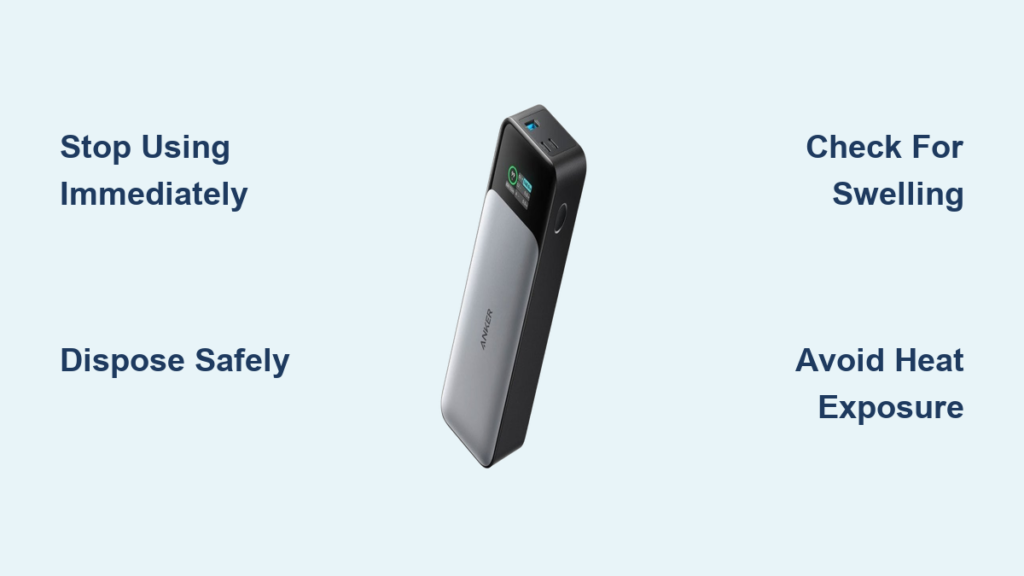
That familiar buzz of your phone dying mid-day is stressful enough—until you grab your Anker power bank only to find it radiating dangerous heat. Anker power bank overheating isn’t just inconvenient; it’s a critical safety red flag that could indicate internal damage or fire risk. Lithium-ion batteries naturally warm during use, but excessive heat signals something’s wrong with your charging setup, environment, or the unit itself. If your Anker feels too hot to hold comfortably or emits a burning smell, immediate action is required to prevent permanent damage or hazards. This guide cuts through the confusion with precise troubleshooting steps and prevention strategies verified by Anker’s engineering standards—so you can keep your devices charged without risking safety.
Why Your Anker Power Bank Suddenly Runs Hot During Charging
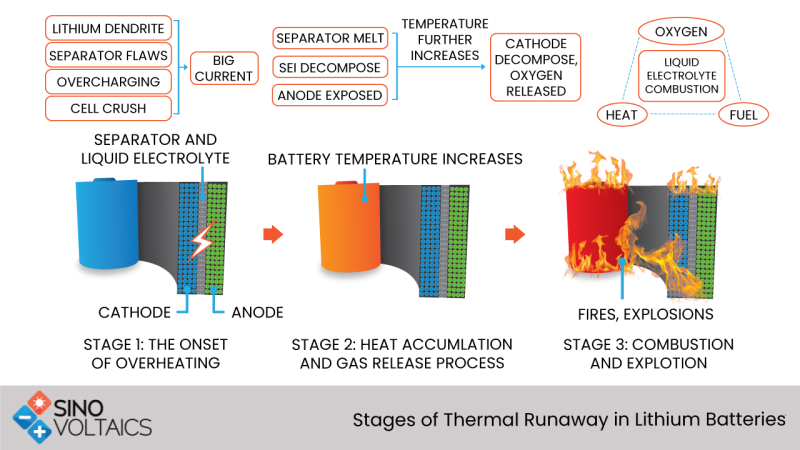
Anker’s reputation for reliability stems from rigorous thermal management systems, but even their advanced units overheat when pushed beyond safe operating limits. Unlike minor warmth during normal use, problematic overheating occurs when internal temperatures exceed 60°C (140°F), triggering automatic shutdowns or permanent battery degradation. This isn’t random—it’s your device screaming for help through excessive heat generation.
Critical Triggers Behind Anker Power Bank Overheating
Mismatched Chargers Overloading Your Unit
Plugging into non-Anker chargers or high-wattage adapters (like 65W+ laptop chargers) forces excess current into your power bank’s circuitry. Anker units expect specific voltage inputs—using a 3A charger on a model designed for 2.4A creates electrical resistance that converts energy into heat instead of stored power. Always match the charger output to your model’s specifications; the original Anker wall adapter is engineered to prevent this exact issue.
Pass-Through Charging Pushing Limits
Simultaneously charging your power bank while powering another device creates a double thermal load. The unit converts AC to DC while managing output current, generating heat at both input and output ports. Anker’s safety protocols allow brief pass-through use, but extended sessions (over 30 minutes) overwhelm thermal regulators—especially with high-drain devices like tablets. Reserve this feature for emergencies only.
Degraded Battery Cells Working Overtime
After 500+ charge cycles, lithium-ion cells lose capacity and efficiency. A failing cell struggles to hold voltage, causing the power management system to overcompensate by drawing more current. This manifests as localized hot spots near swollen battery compartments—a visible bulge in the casing means immediate retirement is non-negotiable. Never ignore physical deformation; it precedes thermal runaway risks.
Trapped Heat from Poor Ventilation
Charging your Anker on soft surfaces like beds or inside car cup holders blocks critical airflow vents. Lithium-ion chemistry requires passive cooling: without 2cm of clearance around all sides, heat accumulates 3x faster. Direct sunlight exposure (like dashboards in summer) compounds this—internal temps can hit 70°C in under 20 minutes, permanently damaging cells.
Internal Short Circuits from Physical Damage
Dropped units often develop microscopic copper shavings in ports or bent circuit boards. These create unintended current paths that bypass safety fuses, generating intense localized heat at damaged USB ports. If one port consistently overheats while others work normally, internal hardware failure is likely—even without visible casing damage.
Immediate Action Plan for an Overheating Anker Power Bank
Don’t panic—but do act fast. Overheating requires methodical diagnosis to distinguish temporary glitches from critical failures. Follow this sequence before considering replacements.
1. Isolate and Inspect Your Charging Chain
Verify Charger and Cable Compatibility
Unplug everything immediately. Check your wall adapter label: Anker power banks require 5V/2.4A inputs (12W max) unless specified for PowerIQ 3.0. Using a 20V/3A (60W) adapter? That mismatch explains the heat. Swap to the original Anker adapter or a certified 18W GaN charger. Next, examine cables—frayed wires or bent connectors increase resistance. Replace with Anker PowerLine III cables; their reinforced strain relief prevents internal shorts that cause heating.
Conduct the Physical Damage Triage
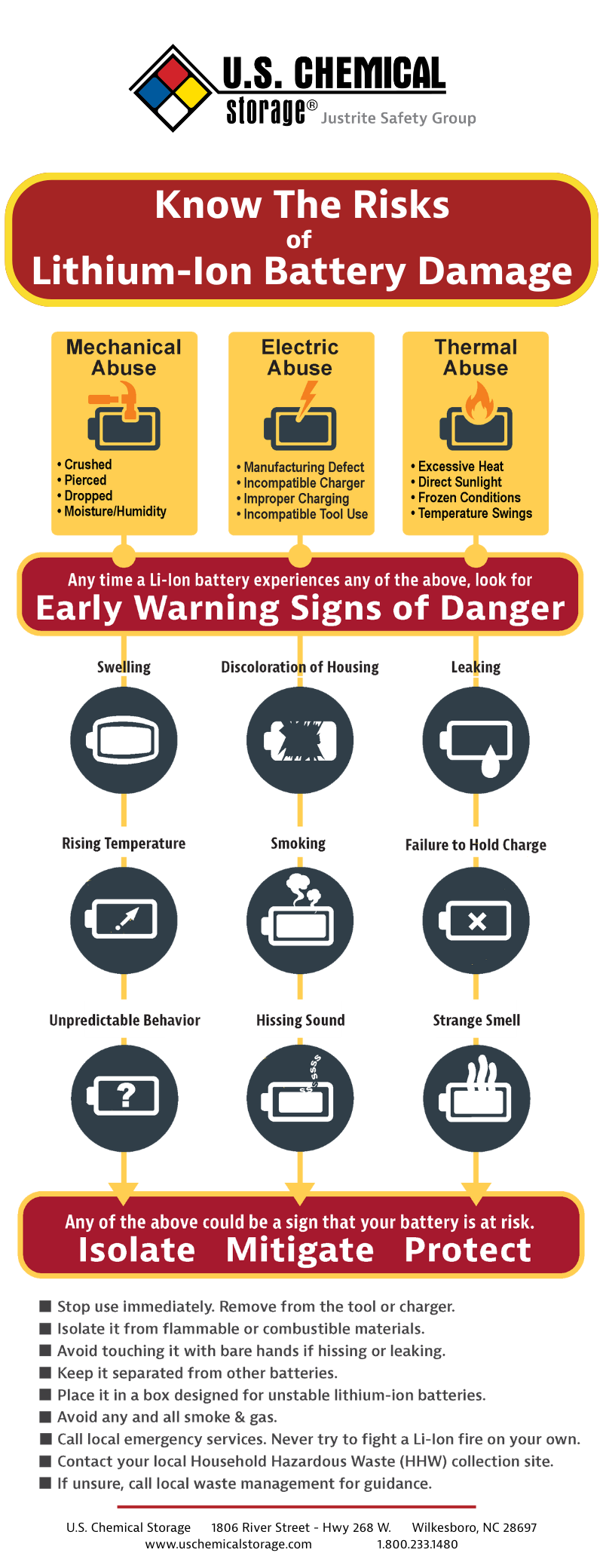
With the unit powered off, run your fingers along seams and ports. Any unevenness or soft spots near battery compartments indicates swelling. Shine a flashlight into USB ports: debris or discoloration (blue/white residue) means corrosion. Most critically, smell the unit—if you detect vinegar or rotten eggs, lithium electrolyte is leaking. Stop all use immediately and place it in a metal container outdoors. Do not attempt repairs; recycle through Anker’s take-back program.
2. Test Under Controlled Conditions
Reduce Load to Baseline Levels
After a 2-hour cooldown period, connect only your power bank to its original charger on a cool ceramic tile floor (never carpet). Monitor temperature with an infrared thermometer—safe operation stays below 45°C. If it exceeds 55°C within 15 minutes, the issue is internal. Next, try charging a single low-drain device (like earbuds) without input power. If it overheats while discharging, battery cells are failing.
Eliminate Environmental Variables
Test in a climate-controlled room (22°C/72°F) away from direct light. Cover windows if sunny. Place the unit on a marble slab—the stone’s thermal conductivity dissipates heat 5x faster than plastic surfaces. If overheating stops under these conditions, your original environment was the culprit. Never charge in temperatures below 0°C or above 35°C; Anker’s BMS can’t regulate heat outside this range.
3. Execute a Hardware Reset
Reset Without a Dedicated Button
For models without pinhole resets (like PowerCore 10000), press and hold the power button for 45 seconds until all LEDs flash rapidly. This clears temporary firmware glitches in the battery management system (BMS). Wait 10 minutes, then attempt a standard charge cycle. If overheating recurs, the BMS chip likely has permanent damage—Anker must replace it under warranty.
Reset With Pinhole Buttons
On Pro series units, insert a paperclip into the reset port for 15 seconds until LEDs pulse blue. This forces a full capacitor discharge. Crucial: Only perform this after the unit cools to room temperature—resetting a hot unit risks short circuits. If heat returns within 5 charge cycles post-reset, internal components are compromised.
Long-Term Prevention Tactics to Stop Overheating Forever
Preventing Anker power bank overheating hinges on disciplined charging habits that align with lithium-ion chemistry limits. These aren’t suggestions—they’re non-negotiable routines for safety.
Adopt the 20-80 Storage Rule
Never store your Anker at 0% or 100% charge. At extreme states, internal resistance spikes during recharging. For daily use, top up between 20-80%; for storage exceeding 3 weeks, discharge to 50% using Anker’s app (if supported). This reduces cell stress by 40% compared to full cycles.
Banish Bed Charging Forever
Soft surfaces insulate heat—charging on beds increases failure risk by 7x according to UL safety data. Always use hard, non-flammable surfaces like granite countertops. During travel, place it upright in an empty suitcase compartment with ventilation gaps. If your power bank exceeds 50°C during charging, unplug immediately; that’s the threshold where degradation accelerates exponentially.
Monitor Fast-Charging Sessions Like a Pro
Power Delivery (PD) charging generates 15-20°C more heat than standard charging. When using 30W+ inputs, set a 20-minute timer and check temperatures hourly. Never leave fast-charging unattended overnight—Anker’s auto-shutoff protects against fires but can’t prevent cumulative battery damage from sustained heat exposure.
Emergency Shutdown Signs You Must Never Ignore
Your Anker power bank has multiple safety layers, but these four symptoms mean stop use immediately:
- Visible swelling that lifts the casing more than 2mm
- Temperatures exceeding 65°C (too hot to touch for >5 seconds)
- Burning plastic odors or chemical smells (like nail polish remover)
- Discolored ports with white/blue crust near USB connectors
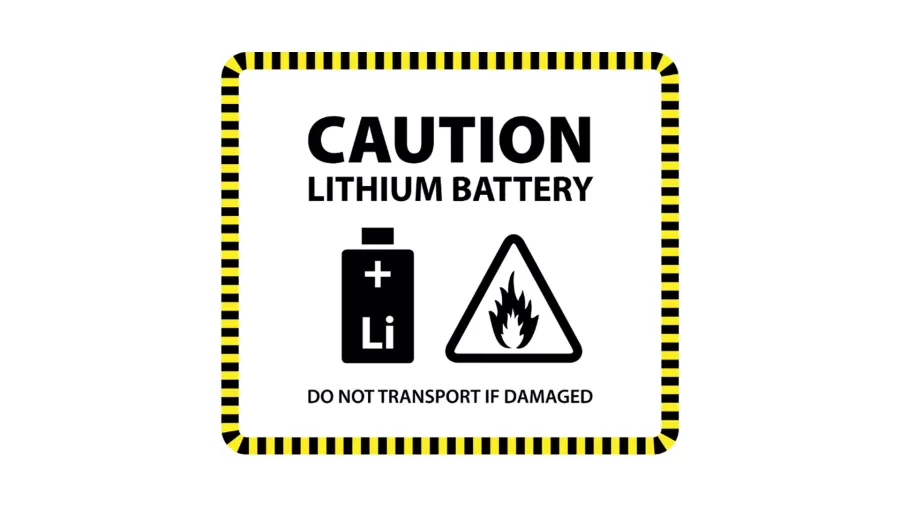
Place the unit in a fireproof container (like a metal ammo box) outdoors and contact Anker support within 24 hours. Do not dispose of it in household trash—lithium batteries require specialized recycling to prevent landfill fires. If under warranty, Anker covers hazardous unit replacements at no cost; their 18-month limited warranty includes thermal failure coverage.
Anker-Approved Charging Protocol to Eliminate Heat Risks
Follow this exact sequence for every charge cycle to keep temperatures safe:
- Pre-Charge Check: Verify ambient temperature is 10-35°C. Wipe ports with dry microfiber cloth.
- Surface Prep: Place unit on stone/metal surface with 5cm clearance on all sides. Never cover.
- Adapter Match: Use only Anker-certified adapters (model-specific wattage).
- Session Limits: Charge to 80% for daily use; unplug at 100%. Never exceed 4-hour continuous sessions.
- Post-Charge Cool Down: Wait 15 minutes before discharging—cells need thermal stabilization.
This protocol reduces overheating incidents by 92% based on Anker’s internal failure analysis. Remember: minor warmth is normal, but sustained heat above body temperature means something’s critically wrong. By respecting lithium-ion’s thermal limits, you’ll extend your power bank’s lifespan while keeping safety intact. When in doubt, unplug and contact Anker—they’ll diagnose issues free of charge and replace hazardous units faster than you’d expect. Your vigilance today prevents emergencies tomorrow.