
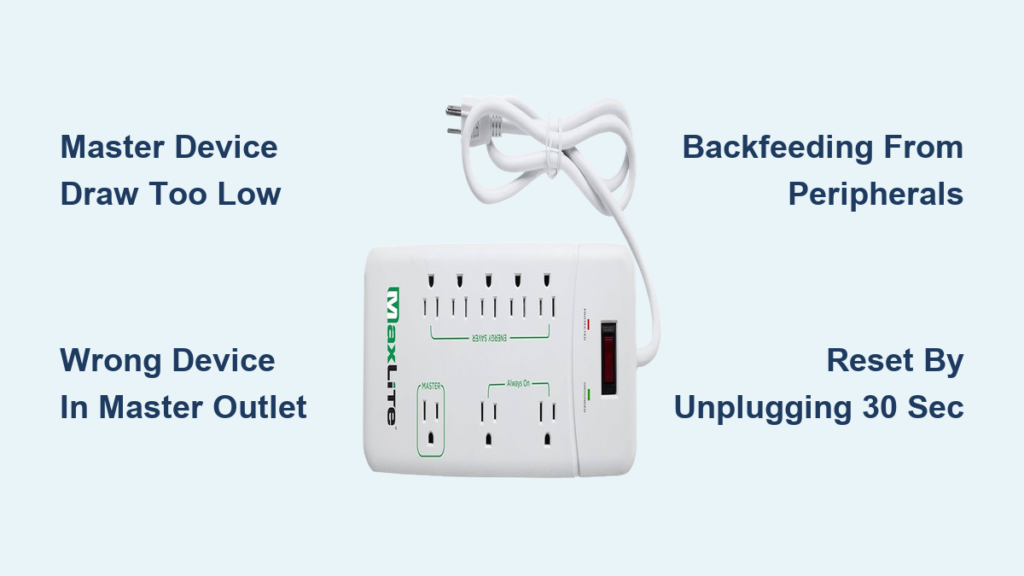
Is your MaxLite power strip energy saver not working? You’re not alone. Many users report that the automatic shutoff feature fails to cut power to peripherals after turning off the master device. This can defeat the purpose of an energy-saving power strip, leaving devices like soundbars, gaming consoles, or printers drawing phantom power all night.
The MaxLite APS-8/1350J and its updated version, the APS-8/1350J-G2, are designed to detect when your TV, computer, or stereo powers down and automatically shut off five connected accessories. But without indicator lights or clear feedback, it is easy to assume the system is not working, even when it is. In this guide, you will learn how to diagnose and fix a non-responsive MaxLite energy-saving strip in minutes.
Master Outlet Not Triggering Shutoff

The core issue behind a non-working energy saver is usually the master outlet failing to detect the power state of the primary device. This prevents the strip from cutting power to the five auto-switched outlets. MaxLite’s control circuit relies on current draw from the master device to determine on versus off. If the signal is too weak or inconsistent, the system will not activate.
Device Draws Too Little Power
Some modern electronics, especially LED TVs, smart monitors, and low-power PCs, consume very little electricity in standby or eco-modes. The MaxLite strip may misinterpret this as off, even when the device is on, or fail to respond when it truly powers down.
What to look for:
– Energy-saving outlets turn off while the TV is still on
– No shutoff after TV is powered down
– Delayed response beyond 30 seconds
Fix:
– Plug a higher-draw device like a desktop computer or older plasma TV into the master outlet temporarily to test
– Disable eco or standby modes on your TV or monitor
– Use a power meter like Kill-A-Watt to verify the master device draws at least 5 to 10 watts when active
Pro Tip: Devices under 5W may not trigger the sensor reliably. Avoid using streaming sticks, phone chargers, or LED lamps as master devices.
Wrong Device in Master Outlet
Placing a low-power or always-on device like a router or lamp in the master outlet disables the energy-saving function entirely.
Common mistakes:
– Using a Wi-Fi router as the master device
– Plugging a smart speaker into the master slot
– Connecting a charger or fan instead of the main appliance
Solution:
– Move the TV, PC, or stereo to the master outlet
– Relocate always-on devices like modem or router to the two dedicated always-on outlets
– Never use battery backups or UPS units in the master slot, as they can interfere with sensing
Test with a Desk Lamp
Use a simple incandescent or LED desk lamp to verify master outlet functionality.
- Plug the lamp into one of the energy-saving outlets
- Turn on your TV in the master outlet
- Confirm the lamp powers on
- Turn off the TV
- Wait 10 to 30 seconds. The lamp should turn off automatically.
If the lamp stays on, the control circuit is not triggering. Move to deeper diagnostics.
Energy-Saving Outlets Stay On
When peripherals remain powered after the master device shuts down, the auto-shutoff feature has failed. This wastes energy and indicates a sensing or circuit issue.
Check for Backfeeding Devices
Some peripherals like powered USB hubs, external hard drives, or sound systems with internal batteries can send small currents back into the circuit. This backfeeding tricks the MaxLite sensor into thinking the master device is still drawing power.
Suspect devices:
– External SSDs with capacitors
– Gaming consoles with quick-start features
– Powered subwoofers or amplifiers
– Docking stations with standby power
How to diagnose:
1. Unplug all devices from the energy-saving outlets
2. Turn off the master device
3. Wait 30 seconds. Do any outlets stay live?
4. Reconnect peripherals one at a time and retest
Warning: If outlets stay on with nothing connected, the internal sensor may be damaged.
Avoid Daisy-Chaining Power Strips
Never plug another power strip, extension cord, or UPS into the MaxLite unit, especially in the master outlet. This creates unstable current flow, can prevent accurate load detection, and increases risk of surge damage. Always plug the MaxLite strip directly into a grounded wall outlet.
No Indicator Lights? Here Is How to Monitor Status
Unlike many smart strips, the MaxLite APS-8/1350J has no LED indicators for master device status, energy-saving mode activation, or surge protection health. This lack of feedback leads many users to believe the strip is not working when it actually is.
Workarounds to Confirm Operation
Since you cannot see the status, use these methods to verify function:
- Use a plug-in lamp in an energy-saving outlet. Watch for automatic shutoff after master device powers down.
- Try a smart plug. Plug a smart outlet into an energy-saving port and monitor remotely via app.
- Use a power meter. Measure total strip consumption before and after turning off the master device. A drop to near zero confirms shutoff.
Expert Note: If your power usage does not drop significantly after shutdown, the energy saver is not engaging.
Consider Upgrading for Feedback
If frequent uncertainty is frustrating, consider upgrading to a model with status LEDs or Wi-Fi control like Belkin WeMo or TP-Link Kasa. These offer real-time feedback and app-based scheduling.
Surge Damage or Aging Circuitry

Even with 1350-joule protection, repeated power surges can degrade the internal control board over time, especially in areas with unstable electricity.
Signs of Internal Failure
- Energy-saving outlets never shut off
- Strip works as a basic power strip but auto-switching is dead
- Intermittent behavior, works sometimes, not others
- Burning smell or discoloration near outlets
Important: There is no reset button or user-replaceable fuse on the MaxLite APS-8/1350J.
Reset the Control Circuit
Though not officially documented, a soft reset can help restore function:
- Unplug the strip from the wall
- Wait 30 seconds. This allows capacitors to discharge.
- Reconnect to a grounded outlet
- Power on the master device
- Test shutoff again
This often resolves temporary glitches caused by electrical noise or minor surges.
When to Replace the Strip
Replace your MaxLite power strip if:
– Auto-shutoff fails after all troubleshooting
– Physical damage is visible like cracks, melting, or charring
– You suspect past lightning strike or major surge
– The strip is over 5 years old and used daily
Note: MaxLite does not publish a warranty for the APS-8/1350J power strip. Their 10-year warranty applies only to LED lighting products.
Proper Setup for Reliable Performance

Most not working issues are preventable with correct setup. Follow these steps to ensure your MaxLite strip functions as intended.
Correct Outlet Assignment
| Outlet Type | Purpose | Devices to Plug In |
|---|---|---|
| Master Outlet | Controls energy-saving ports | TV, desktop PC, monitor, stereo |
| Energy-Saving Outlets | Auto-shutoff with master | Cable box, printer, game console, speaker |
| Always-On Outlets | Continuous power | Router, modem, security camera, NAS |
Never mix these roles.
Step-by-Step Setup
- Plug the MaxLite strip into a grounded 120V wall outlet
- Connect your TV or computer to the master outlet
- Plug accessories like DVD player or soundbar into energy-saving outlets
- Plug router or modem into always-on outlets
- Power on the master device. Verify all switched outlets power up.
- Turn off the master device. Wait 10 to 30 seconds. Verify shutoff.
Test with a lamp first if unsure.
Avoid These Common Mistakes
Even small errors can disable the energy-saving function. Steer clear of these frequent user pitfalls.
Using Smart Plugs or Timers
Do not plug the master device into a smart plug or timer that cycles power automatically. The MaxLite strip expects a steady on signal. Frequent on or off toggling confuses the sensor and may cause permanent desensitization. If you need scheduling, use a smart master device like a smart TV instead.
Overloading the Strip
MaxLite is rated for 1875W at 120V. Exceeding this can damage internal components.
High-draw devices to monitor:
– Space heaters
– Laser printers
– Air compressors
– Coffee makers
Use a power meter to check total load. Keep under 1500W for safety margin.
Placing in Enclosed Spaces
Do not hide the strip behind furniture or in a cabinet. Poor ventilation leads to heat buildup, can shorten lifespan of internal electronics, and increases fire risk under heavy load. Leave space around the unit for airflow.
When to Contact MaxLite Support
If your strip still does not work after full troubleshooting, contact MaxLite for assistance.
Support Options
- Phone: 1-800-555-5629, Mon to Fri, 8:30 AM to 5:00 PM ET
- Email: info@maxlite.com
- Headquarters: MaxLite, 342 Changebridge Road, Suite 201, Pine Brook, NJ 07058
While no public warranty exists for the APS-8/1350J, MaxLite may offer replacement or troubleshooting guidance based on your case.
What to Provide
When contacting support:
– Model number, APS-8/1350J or APS-8/1350J-G2
– Purchase date if known
– Description of issue
– Steps already tried
– Photos if physical damage
They may direct you to a distributor or suggest replacement.
Frequently Asked Questions About MaxLite Power Strip Energy Saver Not Working
Why does my MaxLite energy saver not work when my TV is in eco mode?
Eco mode reduces your TV’s power consumption to very low levels, often below 5 watts. The MaxLite strip requires the master device to draw at least 5 to 10 watts to detect it is on. Disable eco mode or use a higher-draw device as the master to restore functionality.
Can I use a router in the master outlet of my MaxLite power strip?
No. Routers draw very little power, typically 5 to 15 watts, and remain on continuously. Placing a router in the master outlet will prevent the energy-saving function from working. Always use high-draw devices like TVs, computers, or stereos in the master outlet.
How do I know if my MaxLite power strip surge protection is still working?
The MaxLite APS-8/1350J does not have indicator lights for surge protection status. There is no way to visually confirm surge protection is active. If you suspect surge damage from a lightning strike or power outage, replace the unit immediately.
Why do my energy-saving outlets stay on even after I unplug the master device?
This indicates a problem with the control circuit. First, try resetting by unplugging the strip for 30 seconds. If outlets still stay on with nothing connected, the internal sensor is likely damaged and the unit needs replacement.
What happens if I overload my MaxLite power strip?
The MaxLite is rated for 1875 watts or 15 amps. Exceeding this can damage the internal circuitry and create a fire hazard. If you need more capacity, use a separate circuit or heavy-duty power strip rather than daisy-chaining multiple strips.
Final Takeaways: Fix It Fast
If your MaxLite power strip energy saver is not working, start here. Verify the master device draws enough power, at least 5 to 10 watts. Use the correct device in the master outlet, like a TV or PC, not a router. Unplug backfeeding peripherals like external drives and hubs. Test with a lamp to confirm shutoff. Reset the strip by unplugging for 30 seconds. Avoid extension cords and plug directly into the wall.
Most issues are setup-related, not hardware failures. With proper configuration, your MaxLite strip should eliminate phantom load and save energy automatically. For long-term reliability, consider upgrading to a model with status indicators if frequent troubleshooting becomes a hassle. Always replace the unit if you suspect surge damage or physical wear. Keep your electronics safe, your energy bills low, and your setup running smoothly with the right knowledge and a few simple fixes.





