
You’re in the middle of a work session, gaming, or watching a movie when suddenly everything plugged into your power strip shuts off. No warning. No flicker. Just silence. You’re not alone. Thousands of users face this frustrating issue, and while it may seem random, there’s almost always a logical cause behind the sudden shutdown.
The phrase “Why does my power strip keep turning off?” is more than a common Google search. It’s a real-world cry for help from people dealing with unstable power, damaged electronics, or even fire risks. The truth is, most power strips are designed to protect, not just distribute power. When they turn off unexpectedly, they’re often doing their job by cutting power to prevent overheating, overloads, or electrical fires.
Overload Protection Triggered

Most power strips shut off because they’ve detected an unsafe current level. This is not a flaw. It’s a safety feature built into every properly designed power strip.
How Overloading Cuts Power
Power strips in North America are typically rated for 15 amps at 120 volts, equaling 1,800 watts maximum. When the combined draw of connected devices exceeds this limit, even briefly, the internal circuit breaker trips and cuts all power.
• Startup surges from PCs, fridges, or laser printers can spike power use beyond normal ratings
• A desktop PC might idle at 200W but surge to 600W on startup, easily pushing a loaded strip past its limit
• The reset button typically pops out in red or black when this happens
Signs of Overload
• No power after high-draw devices turn on
• Strip feels warm or hot to the touch
• Smell of overheating plastic
• Reset button pops out and won’t stay in
Fix It Fast: Calculate Total Load
- Check device labels for watts (W) or amps (A)
- Add up total wattage of all connected devices
- Stay under 80% capacity (1,440W) for long-term reliability
Short Circuit in Connected Devices
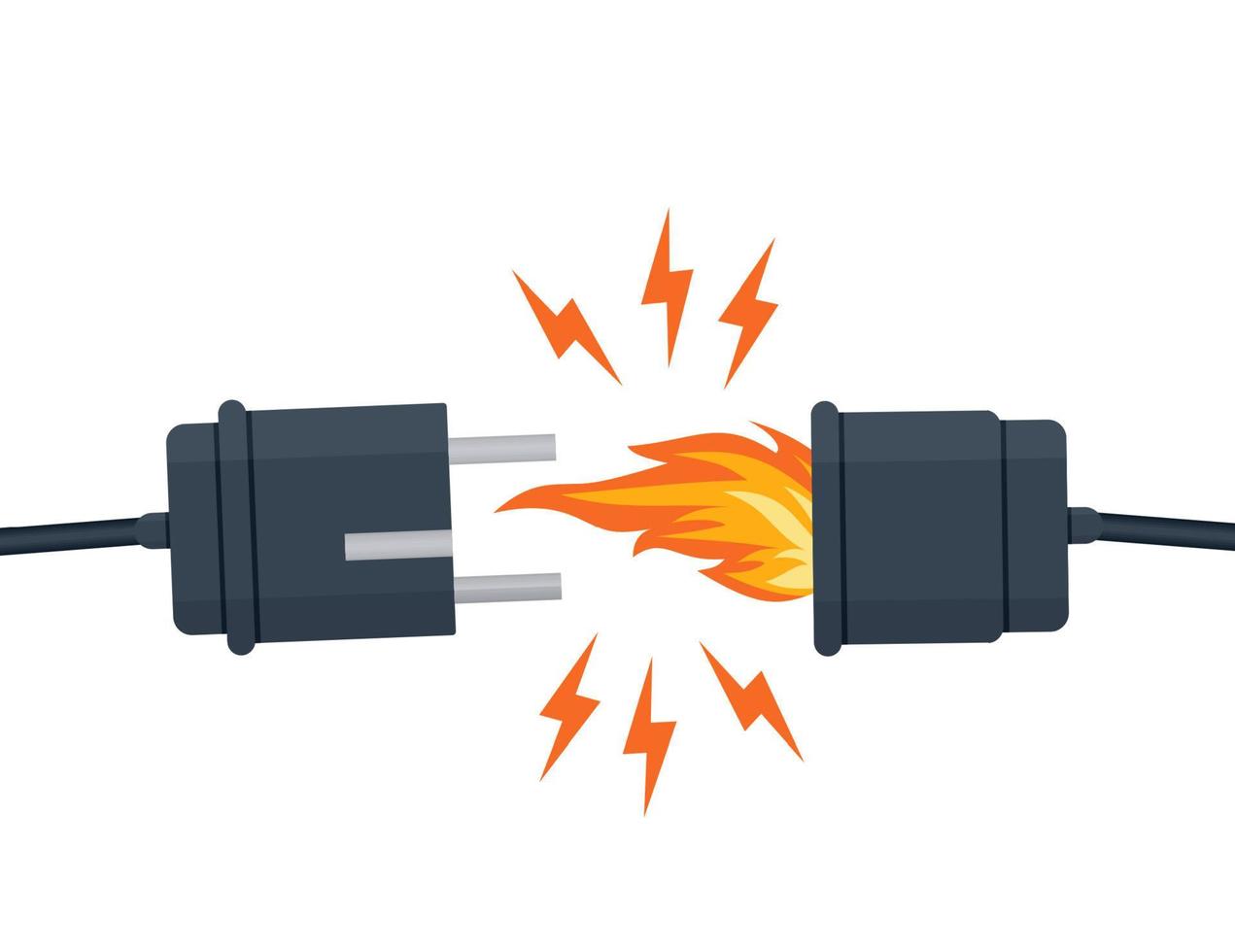
A short circuit can instantly trip a power strip, even with low-power devices. This happens when electricity takes an unintended path of low resistance.
What Causes a Short
• Damaged cords with exposed wires
• Internal faults in aging electronics
• Moisture exposure near aquariums or sinks
• Burnt or bent plug prongs
Even a phone charger with a frayed cable can create a low-resistance path, triggering the breaker instantly.
Diagnose the Faulty Device
- Unplug everything from the strip
- Press the reset button
- Plug in one device at a time
- Turn each on and watch for shutdowns
If the strip fails when a specific device is connected, that device is the culprit. Never reuse a device that caused a short.
Surge Protector Reached End of Life
Surge-protected strips don’t last forever, and they may stop working silently without warning.
How Surge Protection Fails
• Internal MOVs (metal oxide varistors) absorb voltage spikes
• Each surge degrades them slightly
• After absorbing their rated joules (1,000 to 3,000), protection fails completely
Some models cut power completely when protection is gone. Others keep delivering electricity but with zero surge defense, leaving your devices vulnerable.
Check for Failure Signs
• Status LED is off if your model has one
• No power after a known surge like a lightning storm
• Unit is over 3 to 5 years old, especially in areas with frequent outages
No reset works? If the strip won’t power on and no devices are plugged in, the surge protection circuit is dead.
Aging or Damaged Power Strip
Even without overloads or surges, power strips wear out over time. Heat cycling, dust buildup, and poor ventilation accelerate internal component degradation.
Signs of Internal Failure
• Frequent, random shutdowns with no clear trigger
• Discoloration, melting, or burning smell
• Loose outlets where plugs wobble
• Cracked casing or brittle housing
When to Replace It
• After any visible damage
• If it’s older than 3 to 5 years
• If it trips without any load connected
• If outlets feel warm during normal use
Rule of thumb: if you can’t remember when you bought it, replace it.
Smart Strip Automation Glitches
Smart power strips add convenience but also introduce complexity that can cause unexpected shutdowns.
Why Smart Strips Shut Off Unexpectedly
• Automation errors: a misfired routine turns it off at 3 AM
• Cloud issues: SmartThings, Alexa, or Kasa backend glitches
• Sensor false triggers: water leak detectors with low batteries
• Firmware bugs: outdated software causes erratic behavior
Users report ghost shutdowns with no user action, often tied to app integrations or cloud service instability.
Diagnose Automation Issues
- Disable all automations and schedules
- Use the strip manually for 24 to 48 hours
- Reboot your smart hub and app
- Update firmware
If shutdowns stop, the issue was cloud or automation-related. Use local control or switch to a non-smart strip for critical devices.
Environmental Stress Factors
Where you place your power strip matters more than you think. Environmental conditions can trigger shutdowns or cause long-term damage.
Heat Buildup Causes Shutdowns
• Placed under a desk, inside a cabinet, or near a PC exhaust
• Trapped heat triggers thermal protection built into the strip
• Devices like amplifiers or power supplies radiate heat into the strip
Moisture and Dust Risks
• Aquarium setups: condensation or leaks cause shorts
• Dust buildup creates conductive paths or insulating layers leading to arcing
Optimize Placement
• Keep in a dry, open space
• Allow 2 plus inches of clearance on all sides
• Avoid carpets, rugs, or enclosed spaces
• Clean with compressed air every 3 to 6 months
Faulty Wall Outlet or Circuit
Sometimes the problem isn’t the strip at all. It’s the wall outlet or the circuit powering it.
Test the Outlet
- Plug the strip into a different outlet
- Try a different room or circuit
- If it works elsewhere, the original circuit may be overloaded, faulty, or experiencing voltage drops
Identify Circuit Issues
• Does the breaker trip when using other high-draw devices?
• Do lights dim when the PC turns on?
If yes, your circuit is overloaded. Consider moving high-draw devices to separate outlets or installing a dedicated 20A circuit via an electrician.
Step-by-Step Reset and Diagnosis
Follow this checklist to fix or rule out issues in under 15 minutes.
Reset the Power Strip
- Unplug all devices
- Locate the reset button (small red or black button)
- Press and hold for 1 to 2 seconds
- If no button, unplug from wall for 30 seconds, then reconnect
Test Strip Without Load
• Plug the empty strip into a known-good outlet
• If it still won’t power on, replace it
Reconnect Devices One at a Time
• Plug in each device and turn it on
• Watch for shutdowns
• Isolate the faulty unit
Use a Multimeter (Optional)
• Set to AC voltage
• Insert probes into strip outlets
• Expect approximately 120V in North America
• No voltage means internal circuit is broken
Prevent Future Shutdowns
Avoid repeat issues with these proactive steps.
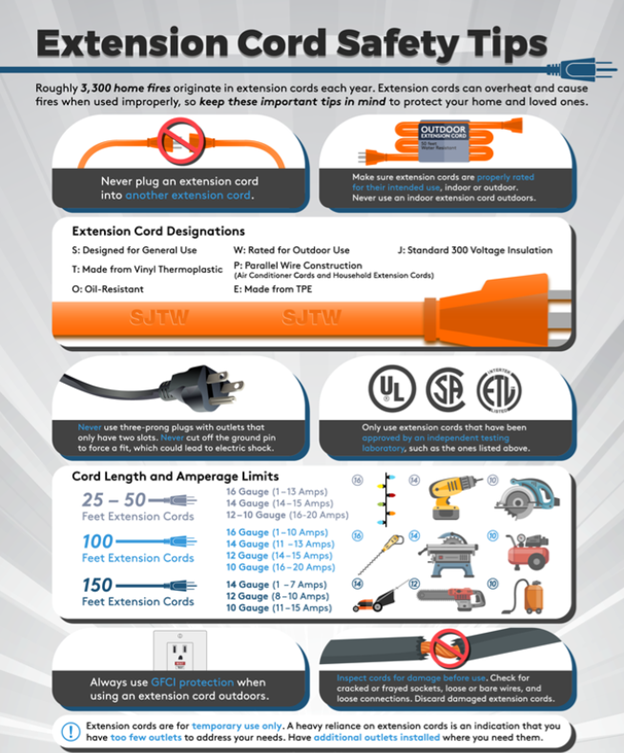
Never Daisy-Chain Power Strips
• Plugging one strip into another increases fire risk
• Violates electrical codes in many areas
• Causes voltage drops and overheating
Upgrade to a High-Safety Strip
Choose models with:
• UL or ETL certification
• Overload protection
• Surge protection (2,000 plus joules for PCs and AV gear)
• Spaced outlets and USB ports
Use a UPS for Critical Devices
A UPS (Uninterruptible Power Supply) prevents data loss from sudden outages, allows graceful PC shutdown, and filters power while blocking surges. This is ideal for workstations, gaming PCs, and home servers.
Frequently Asked Questions About Power Strip Shutdowns
Why does my power strip turn off when I turn on my PC?
Your PC’s startup surge exceeds the strip’s capacity. Check total load and upgrade to a higher-rated or dedicated outlet.
Can a power strip turn off by itself?
Yes. This happens due to overload, surge failure, heat protection, or smart automation glitches. It’s usually a safety response.
Is it safe to leave a reset power strip plugged in?
Only if it powers on and stays on under load. If it trips repeatedly, replace it immediately.
How do I know if my surge protector is bad?
No power after a surge, reset button won’t stay in, status light is off, or the unit is over 3 to 5 years old.
Should I plug my PC into a power strip?
Only if it’s a high-capacity, surge-protected, UL-certified model. Better yet, use a UPS for full protection.
How long do surge protectors last?
Typically 3 to 5 years, depending on surge exposure. A single major surge can destroy protection entirely.
Key Takeaways for Power Strip Reliability
A power strip that keeps turning off is sending you a warning. Whether it’s overload, damage, age, or environmental factors, ignoring it risks fire, data loss, or equipment damage. Start by calculating your total load and staying under 80% capacity. Test devices one at a time to isolate shorts or faulty equipment. Replace strips every 3 to 5 years or after any major surge event. For critical devices like computers, invest in a UPS rather than relying on a basic power strip. When in doubt, replace it. Your devices and peace of mind depend on having reliable power distribution.





