
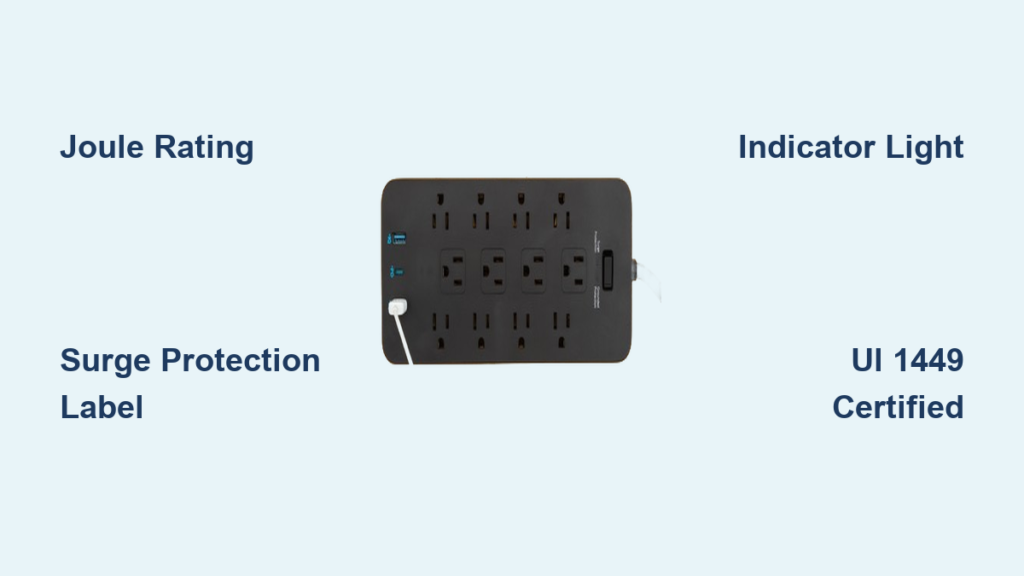
You plug in your laptop, TV, and gaming console into a power strip, only to wonder: Is this actually protecting my devices from surges? The truth is, most power strips do not offer any surge protection at all. A basic power strip and a surge protector may look identical, but only one can save your electronics from voltage spikes caused by lightning, power outages, or grid fluctuations. Knowing how to tell the difference is not just smart, it is essential for safeguarding expensive gear. In this guide, you will learn the key indicators, common myths, and step-by-step checks to confirm whether your power strip offers real surge protection.
Check for a Joule Rating

The joule rating is your first and most reliable clue when determining if a power strip is actually a surge protector. This number tells you how much energy the device can absorb during a surge before failing.
What Is a Joule Rating?
The joule rating is measured in joules and reflects the total surge energy the protector can handle over its lifetime. A visible joule rating such as 600J, 1000J, or 2000J means the unit contains surge suppression components like Metal Oxide Varistors. No joule rating present means it is almost certainly just a power strip with no surge protection capabilities.
What Joule Rating Do You Need?
Different devices require different levels of protection based on their sensitivity and value.
- Basic electronics like lamps and fans typically do not need surge protection
- Computers, routers, and TVs need 600 to 1000+ joules of protection
- Gaming systems and home theater equipment require 1000 to 2000+ joules
- High-value or mission-critical gear should have 2000+ joules of protection
Why It Matters
Even a single power surge can fry circuit boards in your devices. A higher joule rating does not guarantee better protection, but no rating at all means zero protection. Always verify this specification on the label, packaging, or manufacturer website before relying on the device to protect your electronics.
Look for Surge Protection Labels

Words matter when trying to identify surge protection. The presence or absence of specific terminology can instantly reveal what you are dealing with.
Key Labels That Confirm Surge Protection
Certain labels definitively indicate the presence of surge suppression circuitry.
- “Surge Protector”
- “Protected Outlets”
- “Surge Suppression”
- “MOV Protection”
- “Clamping Voltage: 400V or less”
- “Response Time: Less than 1 nanosecond”
- “UL 1449 Listed”
These terms indicate built-in circuitry designed to divert excess voltage safely to ground.
Labels That Do Not Mean Surge Protection
Some labels describe basic power distribution only and offer no defense against surges.
- “Power Strip”
- “Multi-Outlet Adapter”
- “Outlet Extender”
- “UL 1363 Certified”
These describe basic power distribution units that provide additional outlets but no surge protection.
Find the Surge Protection Indicator Light
Most genuine surge protectors have an LED that shows whether protection is active and functioning properly.
How to Use the Indicator Light
The indicator light provides critical information about the status of your surge protection.
- Green light on means surge protection is functional
- Light off or flickering means protection has failed and you should replace immediately
- No light at all likely means the unit is not a surge protector at all
This light is critical because a failed surge protector still delivers power, which gives users a false sense of security.
Common Indicator Labels
Surge protection indicators may be labeled with various terms depending on the manufacturer.
- “Protected”
- “Surge”
- “Grounded”
- “Power + Protection”
Some models include two lights, one for power and one for grounding. Both should be lit for complete protection.
Verify UL 1449 Certification
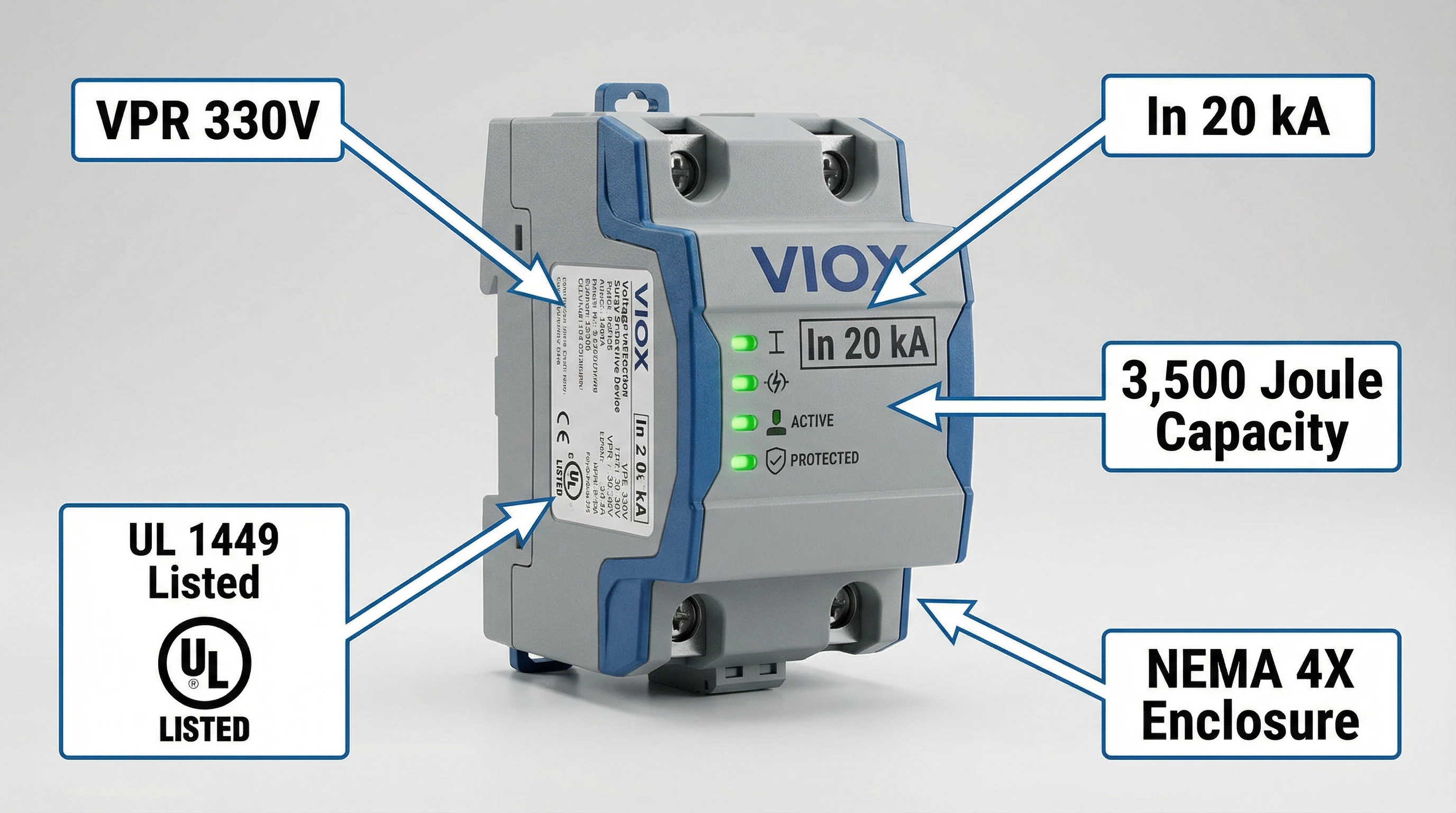
Underwriters Laboratories sets safety standards, and the difference between UL 1363 and UL 1449 is everything when determining if a device offers surge protection.
UL Standards at a Glance
Different UL standards indicate different levels of protection capability.
- UL 1449 means the device is a certified surge protective device
- UL 1363 means it is a basic power strip with no surge components
- ETL Listed is equivalent to UL and is valid if tied to UL 1449
How to Check
Look for “UL 1449” printed on the device or packaging. Search the model number on the manufacturer site or UL database for verification. Avoid units that say only “UL Listed” without specifying the standard.
Identify the Reset Button With Caution
Many surge protectors include a reset button, but so do basic power strips. This feature requires careful interpretation.
Reset Button vs. Circuit Breaker
The reset button appears as a pop-up button or part of the power switch and is found on both surge protectors and power strips. It only protects against overcurrent or overload, not voltage spikes. The presence of a reset button alone does not indicate surge protection.
When It Helps
Use the reset button as a clue rather than proof of surge protection. If combined with a joule rating and indicator light, it supports the case for surge protection. Alone, it means nothing.
Test the Surge Protector Status
Even if your unit looks fine externally, internal components may be dead. Testing confirms whether functionality remains.
Use a Surge Protector Tester
Plug-in tools like the Klein Tools RT210 check grounding, wiring faults, and surge protection status. These tools show if MOVs are degraded or disconnected. This method is best for older units, post-storm checks, or verifying secondhand gear.
Manual Power Cycle Test
Follow these steps to manually test your surge protector.
- Turn off and unplug the strip
- Press the reset button if present
- Replug and turn on the unit
- Watch for the protected light to return
If the light does not come back, replace the unit immediately.
Inspect for Wear and Failure Signs
Surge protectors wear out silently. Here is how to spot a failed unit before it causes damage.
Red Flags of a Dead Surge Protector
Several indicators suggest your surge protection has failed and the unit needs replacement.
- Indicator light is off or not functioning
- Unit feels warm during normal use
- Burning smell or visible discoloration
- History of power surges or lightning strikes nearby
- Age exceeds 5 years
- Frequent tripping without any overload present
Recommended Replacement Timeline
Replace surge protectors every 3 to 5 years regardless of visible damage. Replace immediately after any known surge event. Replace more frequently if used in high-risk areas like Florida, Texas, or storm-prone regions.
Know What Devices Need Surge Protection
Not everything requires surge protection, but your expensive electronics definitely do.
Electronics That Need Surge Protectors
Certain devices contain microprocessors or digital displays that are highly sensitive to voltage spikes.
- Computers, monitors, and laptops
- TVs, streaming boxes, and soundbars
- Gaming consoles
- Routers, modems, and network switches
- Printers and smart speakers
- Any device with a microprocessor or digital display
Safe for Basic Power Strips
Simple appliances without electronics can safely use basic power strips.
- Lamps and fans
- Coffee makers and toasters
- Blenders and clocks
These can use UL 1363-certified strips safely without concern for surge damage.
Avoid Common Consumer Mistakes
Misconceptions lead to costly losses. Do not fall for these prevalent myths.
Top Myths Debunked
Understanding the facts prevents expensive mistakes.
- All power strips protect electronics is false. Most offer no surge defense whatsoever.
- Higher joules equals better protection is misleading. Clamping voltage and response time matter more.
- If devices work, protection is fine is dangerous. Failed protectors still deliver power.
- Reset button equals surge protection is false. It only stops overloads, not voltage spikes.
- Surge protectors last forever is incorrect. They degrade after each surge event.
- Daisy-chaining is safe increases fire risk and should never be done.
Choose the Right Surge Protector
When buying new, focus on verified specifications rather than marketing hype.
What to Look For
Certain features indicate quality surge protection.
- Joule rating of 600 to 1000J minimum, 2000J+ for sensitive gear
- Clamping voltage of 400V or less, ideally 330V or lower
- Response time under 1 nanosecond
- UL 1449 certification for real protection
- Indicator light confirming active protection
- Data line protection for Ethernet and coax connections
- USB charging ports for convenience
- Warranty with equipment coverage
Brands like Eaton, Tripp Lite, and APC offer models with lifetime replacement and connected equipment warranties.
Combine Point-of-Use and Whole-House Protection
For maximum safety, use both layers of protection.
Why Two Layers Work Best
Whole-house surge protectors installed at the electrical panel stop large surges like lightning before they enter your home. Plug-in surge protectors catch residual spikes and protect individual devices. Using both provides comprehensive defense that one type alone cannot achieve.
Final Checklist: Is It a Surge Protector?
Use this quick verification method to confirm you have real protection.
- Joule rating present? Look for 400J or higher on the label.
- Labeling says surge protector or protected outlets?
- Indicator light shows green and says protected?
- UL 1449 certification verified?
- Age under 5 years?
- Tested with a surge tester or manual check?
If any of the first three items are missing, it is not a surge protector.
Frequently Asked Questions About Identifying Surge Protectors
How can I tell if my power strip has surge protection?
Look for three key indicators. First, check for a joule rating printed on the device. Second, look for labels like “Surge Protector” or “Protected Outlets.” Third, find a green indicator light that says “Protected” or similar. If all three are present, you likely have surge protection.
Does a reset button mean it is a surge protector?
No. A reset button only indicates overload protection, which protects against excessive current draw. Both basic power strips and surge protectors can have reset buttons. Always verify with joule rating and indicator light.
What is the minimum joule rating I should look for?
For basic electronics like computers and TVs, look for at least 600 joules. For gaming systems and home theater equipment, aim for 1000 to 2000 joules. Higher ratings offer more capacity but are not the only factor in protection quality.
How often should I replace my surge protector?
Replace surge protectors every 3 to 5 years regardless of visible damage. Also replace immediately after any known power surge or lightning strike nearby, even if the indicator light still shows green.
Can a surge protector still work if the light is off?
No. If the protection indicator light is off or flickering, the surge protection has failed. The unit may still provide power to your devices, but it is no longer protecting them from voltage spikes. Replace it immediately.
What is the difference between UL 1363 and UL 1449?
UL 1363 certifies basic power strips that only distribute power. UL 1449 certifies surge protective devices that include circuitry to suppress voltage spikes. Only UL 1449 indicates real surge protection.
Key Takeaways for Identifying Surge Protectors
Your electronics are only as safe as the strip they are plugged into, so do not gamble with unlabeled or outdated units. Always verify three things before relying on a power strip to protect your devices. First, check for a joule rating of 400J or higher. Second, confirm the label explicitly says “Surge Protector” or similar terminology. Third, ensure the green indicator light is illuminated showing active protection. Finally, verify UL 1449 certification for definitive proof of surge protection capability.
Replace your surge protectors every 3 to 5 years, and inspect them regularly for the indicator light status. For comprehensive protection, use both point-of-use surge protectors at your outlets and whole-house protection at your electrical panel. Taking a few minutes to verify your protection status can prevent hundreds of dollars in damaged electronics. Stay protected.





