
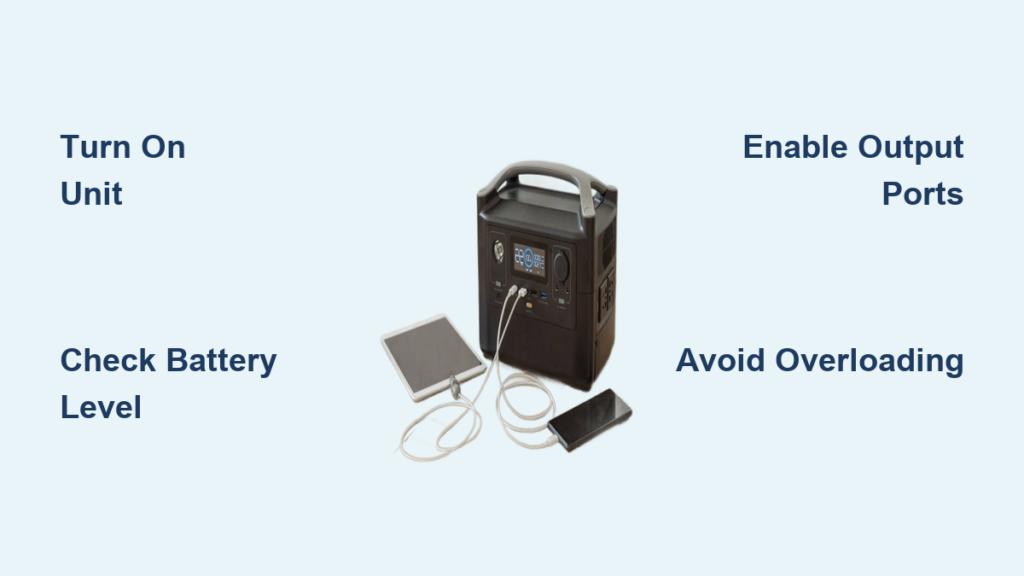
Imagine your phone is dying, the lights just went out, and your fridge is humming to a stop. A storm knocked out the grid, and you are left scrambling for power. Now picture pulling out a compact, quiet device that silently powers your CPAP machine, charges your laptop, and keeps the lights on. That is the power of a portable power station. These all-in-one energy hubs are revolutionizing how we stay powered off-grid, during emergencies, or on the move. Whether you are camping in the mountains, living the van life, or prepping for blackouts, knowing how to use a portable power station correctly is key to unlocking its full potential.
This guide breaks down everything you need to know, from turning it on and powering devices safely to charging via solar, wall outlet, or car. You will learn how to calculate runtime, manage loads, avoid common mistakes, and keep your unit in top shape for years. Whether you own an AllPowers R1500, OUPES, Bluetti, or any major model, this guide applies universally.
Power On and Check Status
Press the main power button once to turn on your portable power station. No holding required. The digital display lights up immediately, showing essential information like battery level, input and output wattage, and estimated runtime. This screen is your command center, so watch it to avoid surprises like sudden shutdowns or overloaded circuits.
If the unit has been idle, it may have auto-shutdown to save power. Simply press the power button again to wake it. Always check the battery percentage before use. A unit arriving at 74% charge, which is common out of the box, means it is ready for action but not fully optimized. Charge it to 80-100% before first heavy use to ensure peak performance.
Monitor Key Display Metrics
Your screen shows more than just battery life. Watch these four values to stay informed:
- Battery %: How much energy remains
- Input W (charging): How fast it is recharging
- Output W (discharging): Total power being used
- Estimated runtime: Based on current load
If output wattage spikes unexpectedly, unplug devices one by one to find the culprit. A sudden drop in battery percentage with no load could indicate internal drain or a faulty circuit, and you should contact support.
Activate Output Ports Correctly

After powering on, you must manually enable output ports. Most stations have separate buttons for AC and DC outputs. Skipping this step is a common reason devices do not turn on. Always verify which buttons control which ports before plugging in your equipment.
Turn On AC Outlets
Press the AC power button to activate 120V outlets. A green light usually confirms power is flowing. Plug in laptops, mini fridges, or CPAP machines. These ports use a pure sine wave inverter, making them safe for sensitive electronics. Never exceed the station is max continuous wattage, such as 1,500W or 1,800W. A microwave drawing 1,200W is fine, but adding a space heater could overload the system.
Pro Tip: Start high-wattage devices one at a time. Motors like those in blenders or refrigerators draw surge power at startup, sometimes double their running wattage. If the station shuts off, it likely could not handle the surge.
Enable DC and USB Outputs
Press the DC power button to power USB-A, USB-C, 12V carport, and wireless charging pads. Plug in phones, drones, or car coolers. USB-C ports with Power Delivery can fast-charge laptops. Wireless pads work with Qi-compatible phones like iPhone 15.
Example: To power a USB lantern, plug it into any USB port, press the DC button, and the lantern turns on. Press the DC button again to shut off both the output and the lantern. Unplug devices once charged because even when idle, connected devices can draw vampire power and slowly drain the battery.
Check Device Compatibility and Load
Before plugging in, verify your device is wattage. Exceeding the station is output limit triggers automatic shutdown, which is a safety feature, not a defect. Understanding power ratings prevents equipment damage and ensures reliable operation.
Know Your Power Ratings
Every station lists three key specifications you must understand:
- Battery capacity (Wh): The total energy storage, such as 1,000Wh or 1,152Wh
- Continuous output (W): The sustained power the station can deliver, such as 1,500W
- Surge capacity: Short burst support for startup loads, such as 3,000W for 1 second
A 345W heater may surge to 500W at startup. If your station only supports 400W surge, it will cut off. Always check both running and startup wattage before connecting any appliance.
Calculate Realistic Runtime
Use this formula to estimate how long your station will power a device: Runtime (hours) equals Battery Capacity (Wh) divided by Device Wattage (W). However, expect 10-20% less runtime due to inverter losses. A 1,000Wh station powering a 100W device theoretically runs for 10 hours, but actual runtime is closer to 8-9 hours.
Low-draw devices last longest. LED lights at 10W can run for up to 30 hours, smartphones get 50+ charges, and laptops at 60W run for 12+ hours. High-draw appliances drain fast. A blender at 500W runs for about 1.5 hours, and a heater at 1,000W runs for roughly 45 minutes.
Run Multiple Devices Safely
Yes, you can run several devices at once, just keep the total load below max output. On an OUPES 1,800W model, you could safely run a mini fridge at 500W, a laptop at 60W, two phones at 10W total, and LED lights at 20W, totaling only 590W, which is well within safe range.
Mistake to Avoid: Plugging in a CPAP at 60W and a heated blanket at 200W without checking combined load. Sudden demand can trip the inverter and shut down your entire system.
Pro Tip: Use energy-efficient devices. A 12V DC car cooler uses less power than an AC mini fridge. Match the port to the device for optimal efficiency.
Charge Using Wall Outlet

Wall charging is the fastest method to recharge your portable power station. Use the included AC adapter because third-party chargers may damage the unit. Most models require the station to be turned on before charging begins, so check your manual.
Plug into any standard wall outlet. The display should show input wattage, such as 263W. Charging time varies by model. Most 1,000Wh units fully charge in 4-8 hours. The AllPowers R1500 goes from 0-80% in just 45 minutes and reaches full charge in about 1.5 hours.
Warning: Do not leave the station unattended for long periods while charging. While overcharge protection exists, heat buildup can shorten battery life. Monitor the charging process and unplug once complete.
Charge With Solar Panels
Solar is ideal for off-grid use because it is renewable, silent, and works during blackouts. Setting up solar charging requires careful positioning but provides complete energy independence.
Set Up Solar Panels
Follow these steps to set up solar charging:
- Unfold panels and secure support struts
- Angle toward direct sunlight, facing south in the Northern Hemisphere
- Connect via XT60 or Anderson plug
- Charging starts automatically, no button press needed
Use 200W-400W panels for best results. A 1,200Wh station with 240W panels takes 6-8 hours in full sun. Cloudy days can double that time, so plan accordingly.
Use Solar Charging Safely
Follow these safety guidelines for solar charging:
- Never charge below freezing (0°C or 32°F)
- Avoid shading because even partial shade cuts output by 50% or more
- Use a multi-connector adapter if mixing brands, such as an EcoFlow station with third-party panels
Pro Tip: Clean panels monthly. Dust reduces efficiency by up to 30%, significantly impacting charging speed.
Charge From a Car
Use your vehicle is 12V socket for mobility charging. This method is slower than wall or solar charging but provides power while traveling.
Use 12V Cigarette Lighter
Plug in the car charger. Charging is slow, taking 8-12 hours for a full charge on a 1,000Wh unit. Only charge while the engine is running because idling or engine-off charging risks draining your car battery.
Use Direct Alternator Charging
This is a faster option. Connect via XT60 to your vehicle is alternator to recharge a 1,000Wh station in just 2-3 hours. This requires a compatible cable and sometimes a DC-DC charger, such as Victron.
Warning: Never use proprietary chargers, such as Bluetti, without confirming compatibility. Mismatches can fry circuits and void your warranty.
Use Dual Input Charging

Advanced models like OUPES and AllPowers support simultaneous AC plus solar charging. This dual input method cuts total charging time dramatically for those times when you need power fast.
Combine Wall and Solar
Plug into the wall and connect solar panels at the same time. Total input can reach 500W or more, fully recharging some units in under an hour. Always verify voltage compatibility, cable ratings, and station temperature to avoid overheating risk.
Example: On a cloudy day, solar might provide 100W while wall adds 263W, totaling 363W input. This is still faster than either method alone.
Manage Port Layout and Features
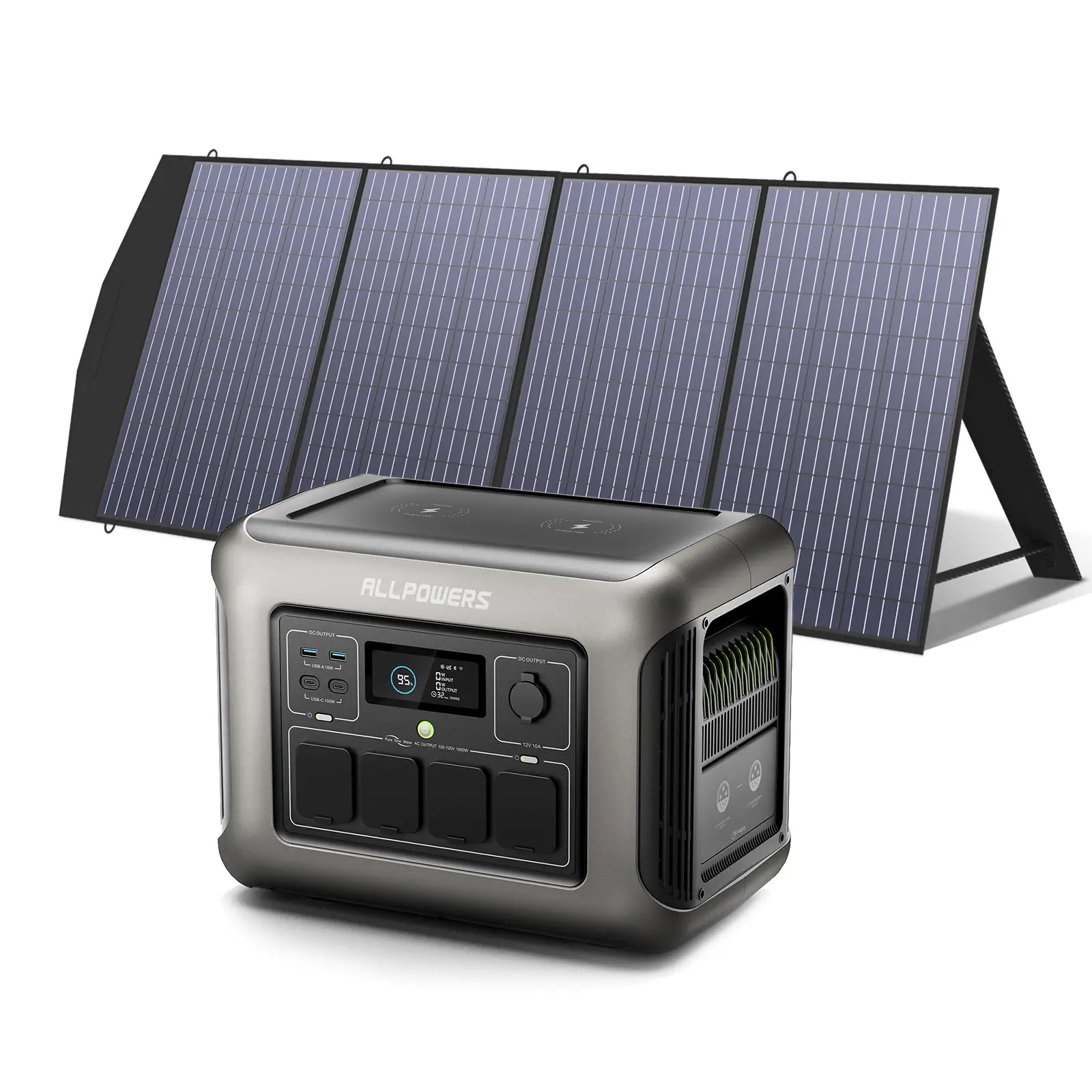
Know your unit is physical design because hidden compartments often contain critical ports. Understanding your station is layout helps you use all features effectively.
Use Hidden Compartments
On the AllPowers R1500, the front latch opens to reveal the AC overload protector. If tripped, simply snap it back into place. The right-side latch exposes battery expansion ports. Connect external packs to double capacity for extended runtime during long outages.
Keep ports clean because dust in USB or XT60 connectors causes poor contact and charging failures.
Identify Output Ports
The front panel typically includes four AC outlets, two USB-C ports with PD support, two USB-A ports, one 12V carport, and a wireless charging pad. Label ports with tape if needed to avoid confusion. Avoid overloading the DC side because some car coolers draw 10A, exceeding the 12V port is limit.
Maximize Battery Life
How you charge and store your portable power station determines how long it lasts. Proper care extends battery life significantly, protecting your investment for years.
Follow Daily Charging Best Practices
Avoid 0% and 100% cycles daily. Stick to 20-80% for regular use because deep discharges stress lithium cells. Partial charges extend lifespan considerably.
Exception: Once a month, do a full 0-100% cycle to recalibrate the battery meter and ensure accurate readings.
Store Properly for Long-Term
For storage, charge to 60% and keep in a cool, dry place between 15-25°C (59-77°F). Avoid garages, attics, or vehicles in summer because heat degrades batteries permanently. Recharge every 2-3 months to maintain battery health.
Never store below freezing or above 35°C because extreme temperatures cause permanent damage.
Prevent Overheating and Ensure Ventilation
Heat kills batteries. Keep airflow unrestricted around your portable power station to prevent overheating and ensure reliable operation.
Keep Vents Clear
Do not place the station on carpets, inside closed cabinets, or under blankets. Front, side, and back vents must stay open. Cooling fans activate under load, and blocking them causes immediate shutdowns.
Pro Tip: In a vehicle, crack a window for air circulation. Park in shade whenever possible to keep temperatures down.
Follow Safety and Maintenance Rules
Portable stations are safe when used correctly. Following basic safety and maintenance protocols prevents accidents and extends equipment life.
Use Approved Accessories Only
Stick to manufacturer cables and chargers because third-party adapters may lack overcurrent protection. A cheap USB cable can fry an expensive unit.
Avoid Overloading
Check device labels carefully. A 120V, 15A device draws 1,800W, which is too much for most stations. Use a wattage meter, available for about $15 on Amazon, to test actual draw before connecting devices.
Maintain Regularly
Perform this monthly maintenance routine:
- Wipe with a dry cloth
- Clean vents with a soft brush
- Inspect cables for fraying
- Reset AC overload if tripped
Never use water or cleaners because moisture causes corrosion and damage.
Apply in Real-World Scenarios
Your station is not just for emergencies. It is a lifestyle tool that enhances camping, remote work, and everyday convenience.
Power During Blackouts
Keep essentials running during outages. Power a refrigerator by cycling it on and off to save power. Run a CPAP machine at 60W for 15+ hours on a 1,000Wh unit. Keep LED lights, phones, and a radio operating for communication.
Charge via solar if the grid stays down for extended periods.
Camp Off-Grid
Replace noisy gas generators with a silent portable power station. Power a coffee maker at 800W for just 5 minutes, a portable cooler at 50W, plus lights, speakers, and phones. No fuel is needed, just sunlight and careful load management.
Work Remotely
Filmmakers, creators, and remote workers use stations to run laptops and cameras, charge drones and mics, and power lights and routers outdoors. No outlet, no problem.
Use Advanced Features
Top models offer smart upgrades that enhance functionality and convenience. Take advantage of these features to get the most from your device.
Connect via App
OUPES and other brands let you monitor usage in real time, turn ports on and off remotely, get low-battery alerts, and track cycle count. Set up Bluetooth or Wi-Fi during first use to enable these features.
Expand Battery Capacity
Add external packs via Anderson ports to double capacity from 1,000Wh to 2,000Wh for long outages. This is ideal for winter emergencies when power needs are highest.
Buy Smart: Bundles and Compatibility
Save money and ensure compatibility by purchasing the right equipment the first time.
Choose Solar Plus Station Bundles
AllPowers R1500 plus a 200W panel often costs less than buying separately. Bundles guarantee plug-and-play setup with no compatibility issues.
Verify Panel Compatibility
Before buying solar panels, check three things: input voltage such as 18-60V, connector type such as XT60 or Anderson, and max input wattage. A 400W panel on a 200W-input station wastes money because the station cannot accept the full output.
Frequently Asked Questions About Using a Portable Power Station
How do I turn on a portable power station?
Press the main power button once. The display lights up showing battery level, input and output wattage, and estimated runtime. No holding is required.
Can I use a portable power station while it is charging?
Yes, most models support pass-through charging. However, this generates more heat and may reduce battery lifespan over time. For best results, charge first, then use.
What happens if I exceed the wattage limit?
The station automatically shuts off as a safety feature. This protects both your devices and the station is inverter. Reduce your load and try again.
How long does a portable power station last?
Most units last 500-3,500 charge cycles depending on battery chemistry. LiFePO4 batteries last longer than standard lithium-ion. Proper storage and charging practices extend lifespan significantly.
Can I charge my portable power station with solar and wall simultaneously?
Yes, if your model supports dual input charging. This combined method provides the fastest recharge times, sometimes under one hour for large capacity units.
Is it safe to use a portable power station indoors?
Yes, these stations produce no emissions, unlike gas generators. However, ensure adequate ventilation around all vents and never cover the unit during operation.
Final Thoughts on Using Your Portable Power Station
A portable power station is only as good as your knowledge of it. Use it right, and it will power your life for years. Charge smart by avoiding extreme states of charge, and respect wattage limits to prevent overloads. Store properly in cool, dry conditions and cycle the battery every few months to maintain accuracy.
Whether you are prepping for disaster or chasing adventure, this guide ensures you are always ready. Powered, protected, and in control. Take time to understand your specific model is features, practice with your devices before an emergency, and invest in compatible solar panels for true energy independence.





