
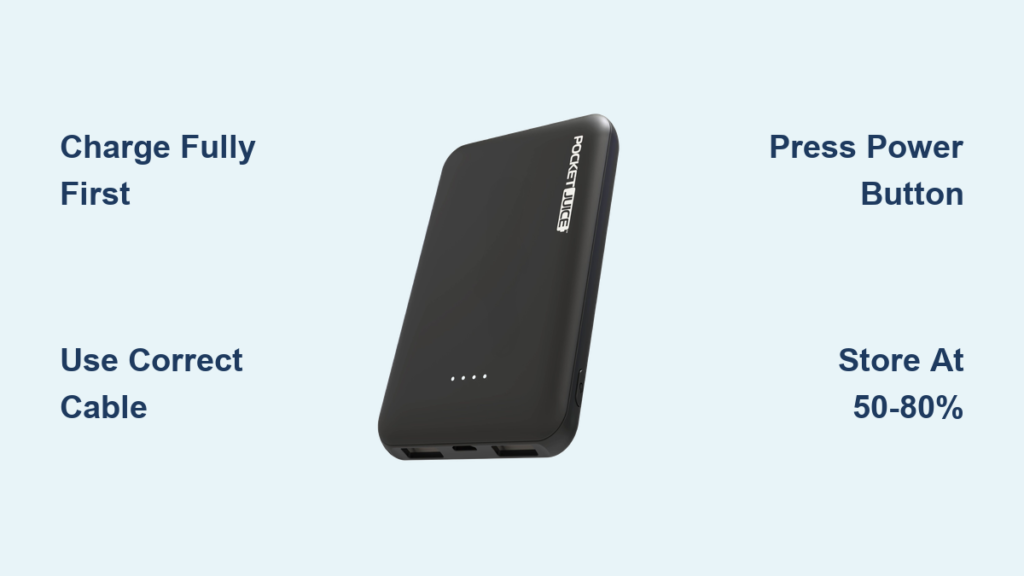
You’re out and about, your phone is at 5%, and there’s no outlet in sight. That’s where a Pocket Juice portable charger saves the day. Compact, affordable, and easy to use, this little power bank keeps your devices running when you need them most. Whether you’re charging a flip phone, smartphone, or even an iPad, knowing how to use a Pocket Juice portable charger properly ensures you get the most out of every charge.
In this guide, you’ll learn how to charge the power bank itself, power your devices efficiently, avoid common mistakes, and make the most of its low-cost, high-convenience design.
Charge the Pocket Juice Fully
Before you can charge your phone on the go, you must first charge the Pocket Juice power bank. Skipping or rushing this step leads to weak output or failed charging later.
Connect to a USB Power Source
Locate the micro-USB or USB-C input port on the power bank, which varies by model. Insert the small end of the charging cable correctly into this port. Do not force the connection. Plug the USB end into a reliable power source such as a wall adapter, computer, or car charger.
Pro Tip: Wall adapters charge faster than computers. For quickest results, use a 5V/1A or higher output adapter.
Monitor the Charging Indicator
Most models show a solid blue light when fully charged. Charging time typically ranges from 2 to 4 hours depending on capacity and power source. If no light appears, double-check that the cable connection is secure and properly oriented.
Warning: Avoid leaving the power bank plugged in overnight. Overcharging reduces battery lifespan over time.
Power Your Device in Seconds
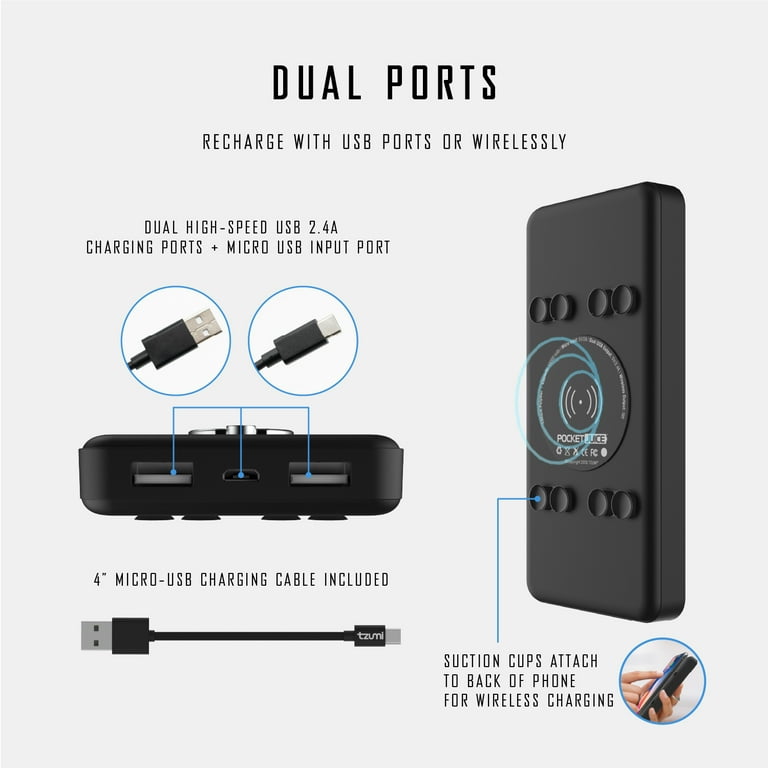
Once charged, using the Pocket Juice to power your device is simple. Just a few quick steps stand between you and a lifeline for your phone.
Press the Power Button to Activate
Unplug the Pocket Juice from its charger. Connect your device using the appropriate USB cable. Press and hold the power button on the side of the power bank to activate power flow.
Visual cue: Some models flash a blue light when activated, indicating that power is flowing to your device. Your device should display a charging symbol within seconds.
Troubleshoot: If nothing happens, try a different cable or press the button again. Some models auto-shut off after 30 seconds of inactivity.
Use the Right Cable for Your Device

Using the wrong cable is the number one reason charging fails, even with a fully charged power bank.
• iPhone requires a USB-A to Lightning cable
• Android phone needs USB-A to USB-C or micro-USB
• iPad (modern) uses USB-C to Lightning or USB-C to USB-C
• Flip phone typically needs mini-USB or a proprietary cable
Expert Note: Keep your own high-quality cables. The Pocket Juice often does not include one, and cheap cables interrupt charging.
Charge Multiple Devices Safely
While most Pocket Juice models have a single output port, knowing how to manage multiple devices prevents frustration and extends usability.
Switch Devices Without Draining Power
Let one device charge until fully disconnected. Wait for the power bank to auto-shut off, which usually takes 10 to 30 seconds. Plug in the next device and press the power button.
Time-Saving Hack: Prioritize devices with the lowest battery to get the most critical device up fast.
Avoid Overloading the Output
The maximum output is typically 5V/1A for standard USB. Do not use adapters or splitters. These draw more power than the unit can supply, causing shutdowns.
Warning: Trying to charge two devices at once with a splitter kills efficiency and may damage the power bank.
Maximize Battery Life and Performance
Getting one charge is easy, but making your Pocket Juice last for months or years takes smart habits.
Store It Properly When Not in Use
Charge to 50 to 80 percent before storing for more than two weeks. Keep the power bank in a cool, dry place, avoiding hot cars or damp bags. Recharge every 4 to 6 weeks to prevent deep discharge.
Fact: Lithium-ion batteries degrade faster when stored fully charged or completely drained.
Know the Lifespan Expectancy
The Pocket Juice supports around 300 to 500 full charges before capacity drops noticeably. Signs of wear include longer charging times for devices, losing charge when idle, or blue light flickering during use.
Replacement Tip: At $5 to $15, it is often cheaper to replace the unit than to repair it.
Troubleshoot Common Charging Issues
Even simple devices can hiccup. Here is how to fix the most frequent problems quickly.
No Power After Charging
If the power bank will not turn on or charge devices, try pressing and holding the power button for 10 seconds to reset it. Recharge the power bank because it may have drained during storage. Try a different cable or wall adapter to rule out input issues.
Check: Is the blue light appearing during charging? If not, the battery may be dead.
Device Charges Slowly or Stops
If your phone charges for a minute then stops, the device may be drawing too little current and triggering auto-shutoff. Unplug and replug the device, then press the power button again. Replace weak cables with a known working one. Cold environments reduce battery output, so warm the power bank in your hand first.
Ideal Range: Use between 32°F and 95°F for best results.
Choose the Right Pocket Juice Model
Not all Pocket Juice chargers are the same. While most cost $5 to $10, with some reaching up to $15, slight differences impact performance.
Compare Key Features Before Buying

Budget models ($5 to $8) offer 2,000 to 3,000 mAh capacity with 1A output and a single USB-A port with basic plastic build. Upgraded models ($10 to $15) provide 5,000 to 10,000 mAh capacity with 2.1A output for faster tablet charging, plus dual USB-A or USB-C options and rubberized grip with LED display.
Smart Buy: For smartphones, 5,000 mAh is ideal. For occasional iPad use, go with 10,000 mAh.
Extend Use With Smart Habits
A little care goes a long way. These daily habits keep your Pocket Juice reliable and ready.
Carry It in Your Daily Essentials
Toss the power bank in your backpack, glove compartment, or jacket pocket. Pair it with a short USB cable in your wallet or keychain pouch.
On-the-go Rule: Use it before your phone hits 20% to avoid emergency drain.
Charge It After Every Use
Even if you only used 10%, top the power bank back up immediately. Plug it in while your phone charges at night. Use downtime such as commuting or lunch breaks to recharge the power bank from a laptop.
Habit Hack: Treat it like a reusable water bottle and refill after every use.
Frequently Asked Questions About Pocket Juice Portable Chargers
How do I know when my Pocket Juice is fully charged?
Most models display a solid blue light when charging is complete. The indicator will glow steadily rather than flashing.
Can I charge my iPad with a Pocket Juice power bank?
Yes. Use a USB-C to Lightning cable for newer iPad models or a USB-C to USB-C cable depending on your specific iPad model.
Why is my device not charging even when the power bank is full?
This usually happens due to a faulty cable. Try using a different, high-quality cable. Also, ensure you press and hold the power button to activate power flow.
How long does a Pocket Juice portable charger last?
With proper care, the battery typically lasts 300 to 500 recharge cycles before capacity noticeably decreases.
Can I use my Pocket Juice while it is charging?
This is not recommended. Using the power bank while plugged in can generate heat and reduce battery lifespan over time.
Key Takeaways for Using Your Pocket Juice Portable Charger
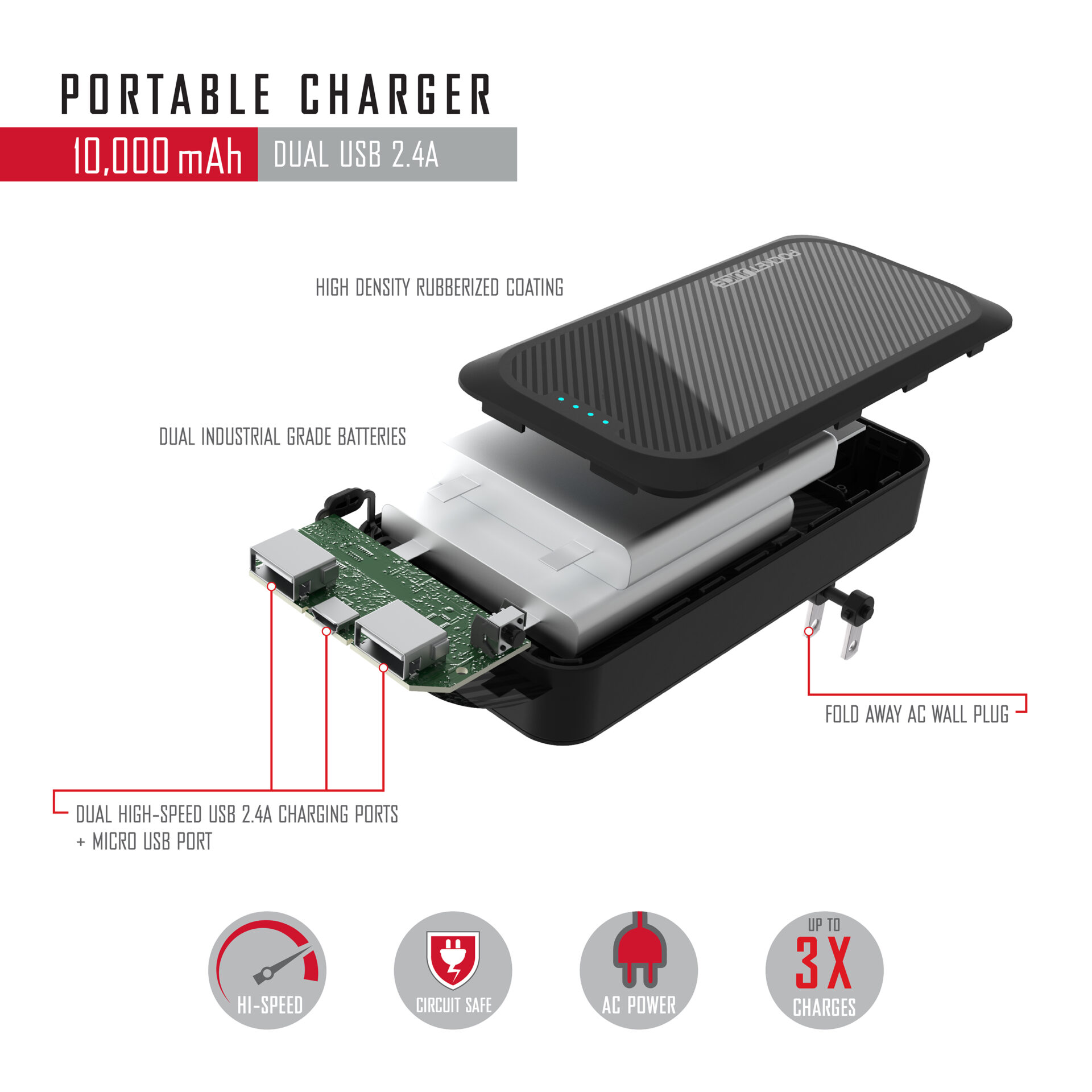
Knowing how to use a Pocket Juice portable charger is not complicated, but doing it right makes all the difference. From proper charging and cable selection to troubleshooting and storage, each step ensures you stay powered when it matters most. Always use quality cables, press the power button to activate flow, and store the unit at 50 to 80 percent charge when not in use. At just $5 to $15, it is one of the most affordable tools for digital survival. Replace the power bank when performance drops noticeably, and you will never be stuck with a dead phone again.





