
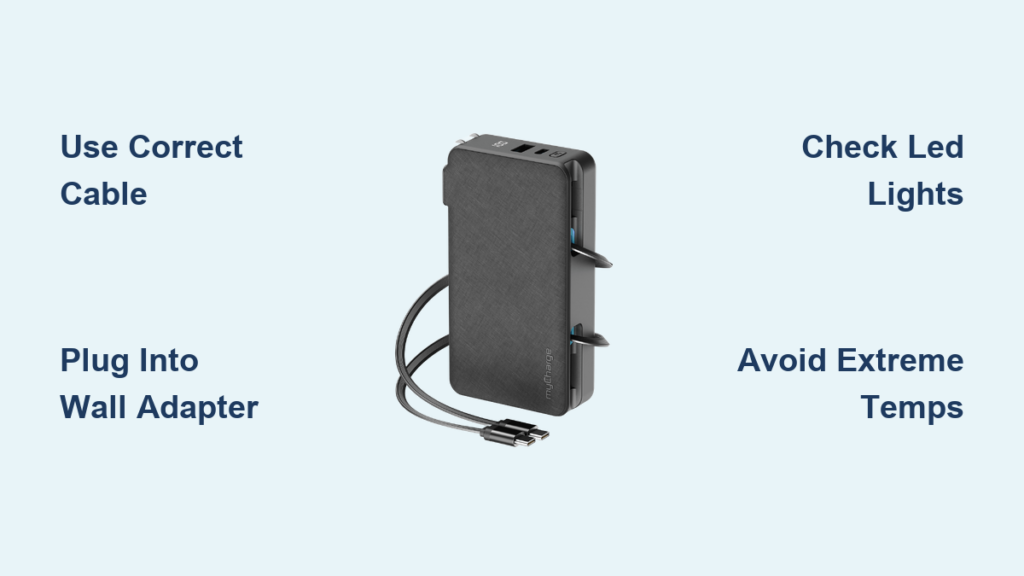
If your myCharge portable charger is running low and you’re preparing for a trip, workday, or outdoor adventure, knowing how to recharge it quickly and safely is essential. The process is simple, but confusion can arise if you’re unsure which cable to use or where to plug it in. Whether you own the myCharge Adventure Max or another model, charging follows a consistent method across most units. This guide walks you through every step, from identifying the right cable to recognizing when your device is fully charged, so you can keep your phone, tablet, or accessories powered on the go. You will also learn common mistakes to avoid and tips to extend your charger is lifespan.
Check Your Model First
Not all myCharge models are identical, so confirming your specific unit ensures you use the correct charging method. Taking a moment to identify your model prevents damage and saves time.
Identify Your myCharge Model
Look for the model name or number on the back of the device or in the original packaging. Popular versions include the Adventure Max, RidgeRunner, and Hulkman series. Most older models use a micro USB port, while newer ones may feature USB-C or built-in charging cables.
Confirm Included Accessories
Some myCharge units come with a built-in charging cable, while others include a separate micro USB or USB-C cable. If your model has a foldable wall plug, it charges via an AC outlet. Units without a plug require a separate wall adapter, like your phone charger, to power up.
Use the Right Charging Cable
:max_bytes(150000):strip_icc()/USB-C-vs-Micro-USB-35ad02cfa2db4f389e1abc269ec44e0c.jpg)
Using the correct cable ensures fast, safe charging and prevents damage to your portable charger. The type of cable your myCharge uses depends on the model age and design.
Micro USB vs. USB-C Ports
Micro USB is found on older models like the Adventure Max. Use a micro USB to USB-A cable for these units. USB-C is available on newer models and offers faster charging with a reversible plug design. Always match the cable to your port type.
Warning: Never force a cable into the port. If it does not fit easily, you may have the wrong type.
Built-In vs. Separate Cables
Built-in cable models allow you to simply plug the integrated USB end into any wall adapter or power source. Separate cable models require you to connect the micro USB or USB-C end to the power bank and the USB-A end to a wall charger or computer.
Plug Into a Power Source

Once you have selected the correct cable, connect your myCharge device to a reliable power supply. The power source you choose affects charging speed significantly.
Use a Wall Charger Adapter
For fastest results, plug into a wall outlet using a standard USB wall adapter, like your smartphone charger. Most myCharge units charge efficiently with a 5V/2A output adapter.
Pro Tip: Avoid low-power sources like older laptop USB ports. They can double charging time.
Alternative Charging Options
You can charge your myCharge in several ways when a wall outlet is not available.
• Computer USB port: Slower but useful when outlets are not available.
• Car charger: Many users charge their myCharge via a USB car adapter during road trips.
• Solar charger: Compatible with some rugged models, though charging times vary based on sunlight.
Recognize Charging Indicator Lights
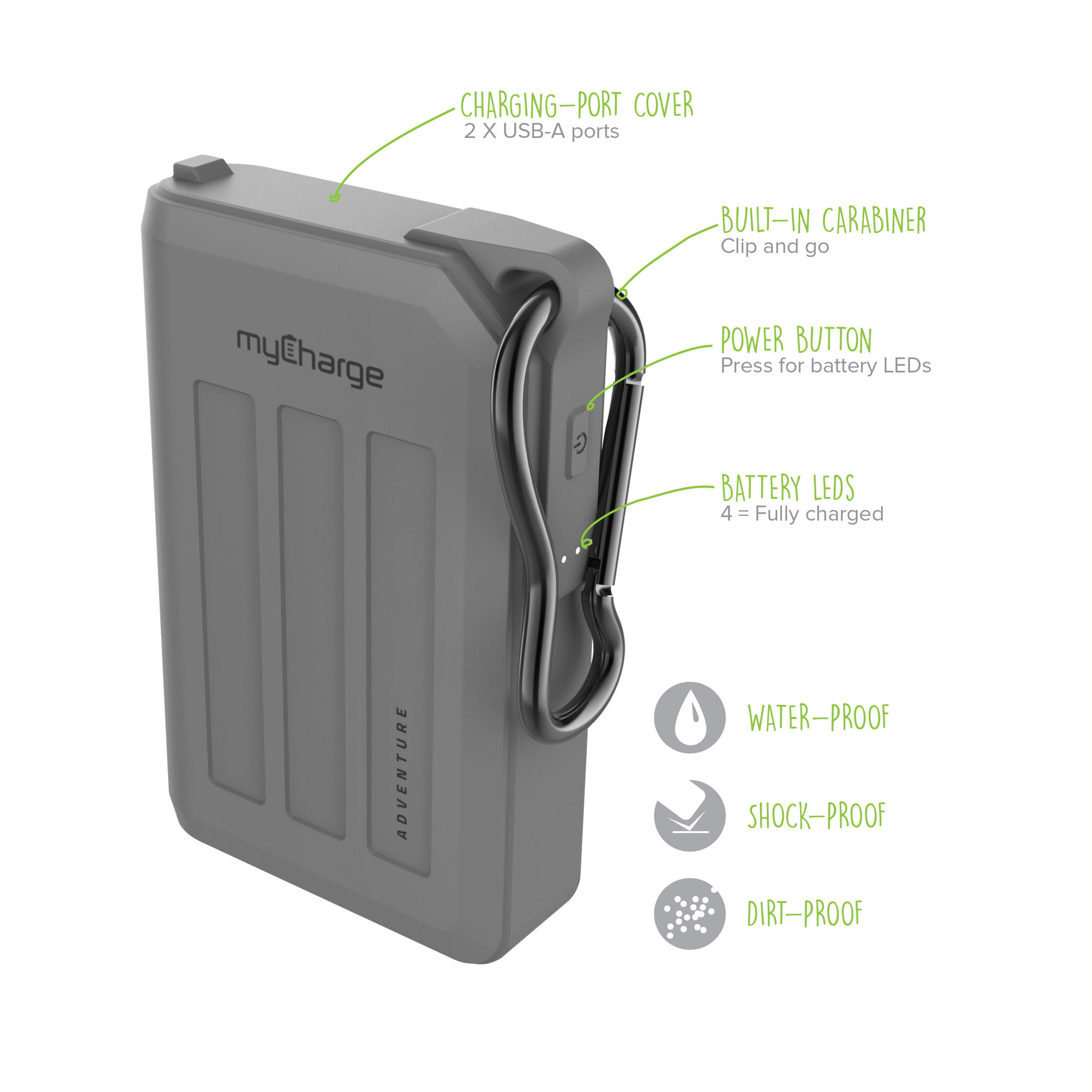
Most myCharge devices use LED lights to show charging status. Knowing what they mean helps avoid guesswork and ensures you do not overcharge.
What the Lights Indicate
Flashing LEDs indicate charging is in progress, and the number of lit bars may increase over time. Solid LEDs mean the battery is fully charged. No lights may indicate the device is dead, the cable is faulty, or the connection is loose.
Visual Cue: On the Adventure Max, four LED indicators light up progressively as the battery fills. All four stay lit when fully charged.
Troubleshoot No Light Response
If no lights appear when plugged in, try these steps.
- Try a different cable or wall adapter.
- Clean the charging port gently with a dry toothbrush.
- Test the outlet with another device.
Charging Time Estimates

Knowing how long it takes helps you plan ahead, especially before travel. Charging times vary based on capacity and power source.
Average Charge Duration
The Adventure Max, with 10,050 mAh capacity, takes approximately 6 to 8 hours using a 2A wall charger. Smaller models around 5,000 mAh charge in about 4 to 5 hours. Larger models at 20,000 mAh or more may require up to 10 to 12 hours.
Time-Saving Tip: Use a wall adapter with at least 2.0A output. It cuts charging time significantly compared to 1.0A chargers.
Avoid Common Charging Mistakes
Even small errors can reduce battery life or slow down charging. Avoiding these mistakes keeps your myCharge performing at its best.
Do Not Use Data-Only Cables
Some USB cables only transfer data and will not charge a myCharge portable charger. Always use a charging-certified cable with adequate power delivery.
Never Overcharge Indefinitely
While most modern myCharge units have overcharge protection, it is best to unplug once fully charged to preserve long-term battery health.
Do Not Charge in Extreme Temperatures
Avoid leaving your myCharge in hot cars above 95°F or 35°C. Also avoid freezing environments below 32°F or 0°C. Extreme temperatures can damage internal lithium-ion cells.
Maximize Battery Longevity
Proper charging habits extend your portable charger is usable life. Small changes in how you charge make a big difference over time.
Partial Discharges Are Best
Instead of draining to 0%, recharge when power drops to 20 to 30%. Lithium-ion batteries last longer with shallow discharge cycles.
Store at 50% Charge
If storing for weeks or months, charge to about half capacity before putting away. This reduces stress on the battery.
Recharge Every Few Months
Even unused myCharge units lose charge over time. Top them off every 2 to 3 months to prevent deep discharge.
Frequently Asked Questions About Charging a myCharge Portable Charger
Can I charge my myCharge and phone at the same time?
Yes. Most models support pass-through charging. You can plug the myCharge into power while simultaneously charging your phone from its USB output port.
Is it safe to leave myCharge plugged in overnight?
Generally yes, if your model has overcharge protection, and most do. However, habitual overnight charging may shorten battery lifespan over time.
Why is my myCharge not holding a charge anymore?
Possible causes include battery degradation after 2 to 3 years of regular use, exposure to extreme temperatures, or use of incompatible or damaged cables. If performance declines sharply, consider replacement.
Can I use a fast charger to power my myCharge?
Only if the power bank supports it. Most older models, like the Adventure Max, do not support fast charging input. Using a high-wattage charger will not harm it but will not speed things up either.
What happens if I use a weak power source?
Using a low-output source, like a 0.5A USB port, doubles or triples charging time. It may not charge at all under load if you are also powering a device. Always use a strong power source when possible.
Key Takeaways for Charging Your myCharge Portable Charger
Charging your myCharge portable charger is straightforward once you know the right cable and power source. Always use a quality wall adapter with at least 2A output for the fastest charging times. Monitor the LED indicators to know when charging is complete, and avoid leaving your device in extreme temperatures. Whether you are reviving an older Adventure Max or using a newer model, following these steps ensures reliable performance and long-term durability. With proper care, your myCharge can stay a dependable power partner for years.





