
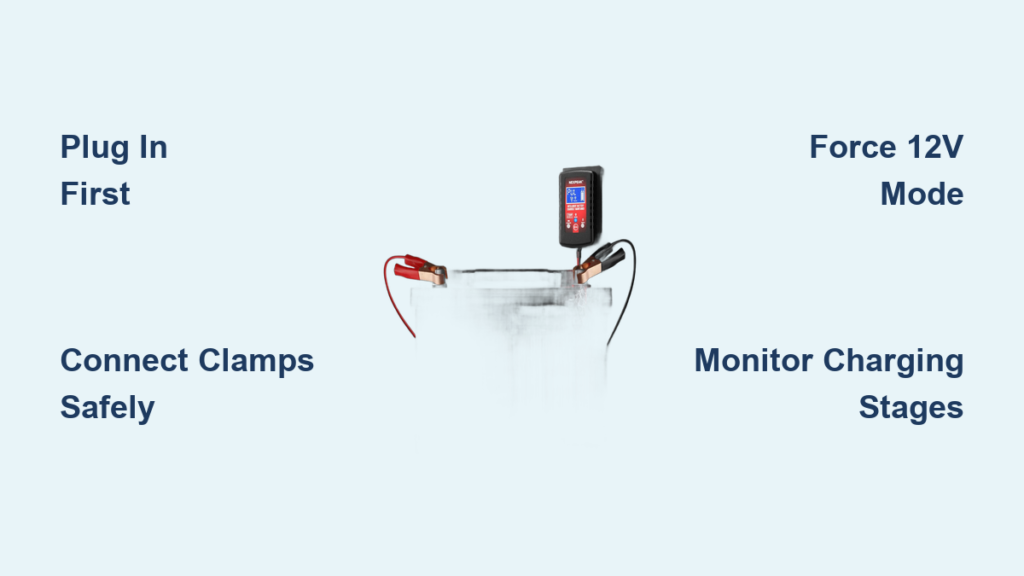
If your car won’t start, your boat battery is dead, or your motorcycle has been sitting for months, a NexPeak battery charger can help. These smart chargers work with 12V and 24V lead-acid batteries, including AGM, gel, flooded, and deep-cycle types. They not only recharge dead batteries but also use desulfation technology to revive weak ones. Whether you have the popular NC201 or the NC175 model, learning how to use your NexPeak charger correctly ensures faster charging, longer battery life, and safer operation.
This guide covers everything you need to know. You’ll learn how to set up the charger, connect it safely to your battery, monitor the seven-stage charging process, and use advanced features like desulfation and jump-starting. We also address model-specific issues, like forcing 12V mode on the NC175 when auto-detection fails.
Activate and Set Up the Charger
Plug In Before Connecting the Battery
Always plug the NexPeak charger into a standard 100 to 240V AC outlet before attaching the clamps to your battery. The unit powers on automatically and begins detecting voltage. For models like the NC201, the LCD screen lights up instantly, showing system status or the connected battery’s voltage.
Wait for the display to stabilize. This confirms the charger is active and ready to proceed.
Choose Summer or Winter Charging Mode
Flip the mode switch to select summer or winter mode based on ambient temperature.
Summer mode: Use when temperatures are above 0°C or 32°F. This is the default setting for normal conditions.
Winter mode: Activate below 0°C to increase charging voltage slightly. This counteracts reduced battery efficiency in cold weather.
This small adjustment significantly improves charge acceptance in freezing climates.
Wait for Desulfation to Begin
Within seconds, the display may show “DFS,” indicating desulfation mode has started. This phase uses high-frequency pulses to break down sulfate crystals on battery plates, especially useful for older or neglected batteries. It typically runs for up to 5 minutes before transitioning into bulk charging.
Never skip this step. Let the charger complete initial diagnostics before expecting full current output.
Connect to the Battery Safely
Attach Red Clamp to Positive Terminal
Take the red clamp and securely connect it to the battery’s positive terminal. Ensure metal-to-metal contact by cleaning corroded terminals with a wire brush if needed. A poor connection can slow charging or trigger error messages on the display.
Ground the Black Clamp Properly
Attach the black clamp to the battery’s negative terminal, or better yet, to an unpainted metal part of the vehicle chassis like a bolt or bracket. This grounding technique reduces spark risk near the battery, where hydrogen gas may accumulate.
Pro Tip: Avoid placing clamps on painted or greasy surfaces. Poor grounding leads to inaccurate voltage readings and inefficient charging.
Verify Polarity and Stability
Double-check that red connects to positive and black connects to negative or ground. Reversed polarity can damage both battery and charger, even with built-in protection.
Ensure clamps are tight and not touching each other or nearby metal parts. Loose connections cause arcing and inconsistent charging.
Monitor the Seven-Stage Charging Process
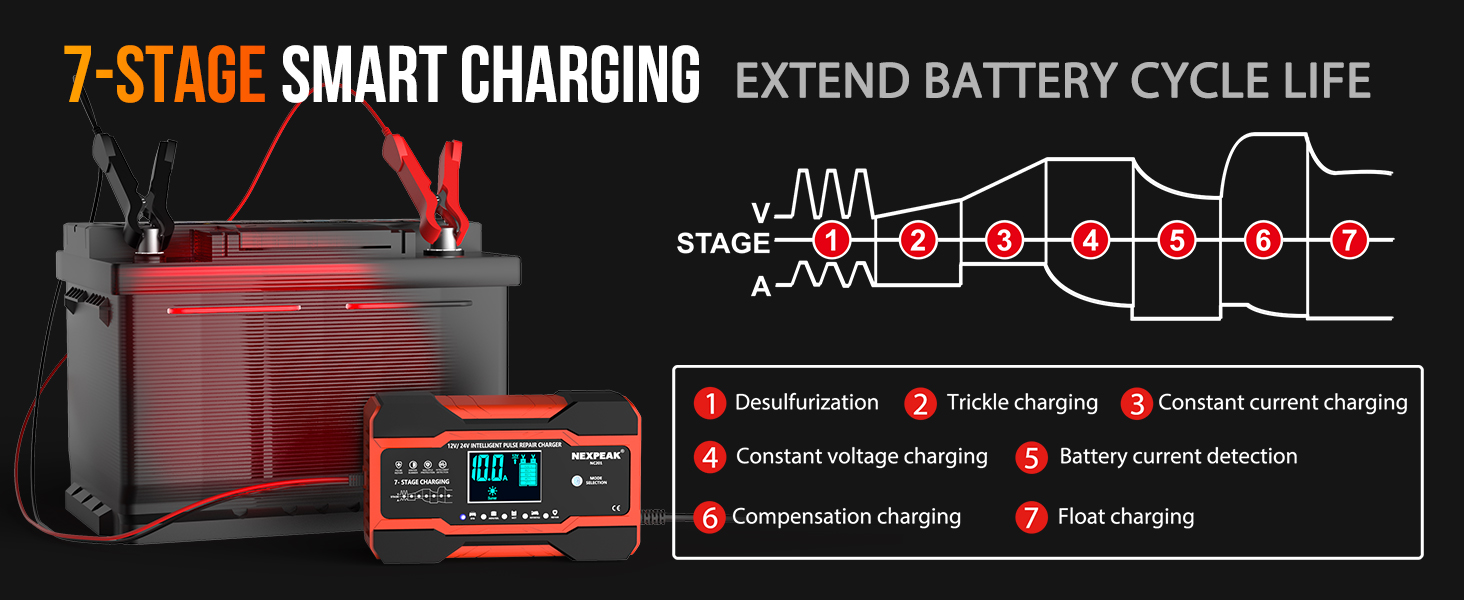
Understand Each Charging Phase
The NexPeak NC201 automatically cycles through seven intelligent stages.
The stages include:
- Bulk: Delivers maximum current, up to 10A for 12V, to reach approximately 80% charge quickly.
- Absorption: Holds voltage steady while current tapers off to safely top off the battery.
- Analysis: Tests battery health to determine if desulfation or reconditioning is needed.
- Desulfation: Sends pulse currents to dissolve sulfate buildup, critical for reviving old batteries.
- Reconditioning: Applies controlled overcharge to restore capacity in weak cells.
- Maintenance: Switches to periodic micro-charges during long-term use.
- Float: Provides trickle charge to prevent self-discharge without overcharging.
Note: Severely sulfated batteries may stay in desulfation or reconditioning for several hours. This is normal and essential for recovery.
Read the LCD Display Accurately
The large screen shows real-time data including voltage, current, temperature, and charge percentage. Voltage should rise steadily during bulk and absorption phases. Current starts high and drops as the battery fills. Internal temperature displays in Celsius, and exceeding 60°C triggers automatic shutdown.
When charging completes, the display shows “Full” or “Maintain,” signaling entry into float mode.
Force 12V Mode on NC175 If Needed
Why Auto-Detection Fails
The NEXPEAK NC175 uses automatic voltage sensing that can misread deeply discharged batteries. A reading of approximately 6.6V triggers 6V mode, even when a weak 12V battery is connected below 7V. This prevents proper charging unless you manually override the setting.
Override to 12V Charging
Follow these steps:
- Plug in the charger. It powers on and detects battery voltage.
- Press and hold the mode button for 5 seconds.
- The display should switch from 6V to 12V.
- Confirm the change by looking for 12V on screen or the indicator light.
This forces the correct charging profile, allowing full current delivery to a 12V battery.
Engage Trigger Mode for Long Storage
After forcing 12V mode, leave the charger connected. It will eventually enter trigger maintenance mode, delivering occasional pulses to keep the battery at peak condition. This is ideal for seasonal vehicles stored for months.
Expert Note: This workaround is essential for reviving deeply discharged 12V batteries that fool the auto-sensing circuit.
Use Jump-Start Function on NC201
Prepare for Engine Crank
The NexPeak NC201 can jump-start vehicles without another car or jumper cables.
Follow these steps:
- Plug the charger into AC power.
- Connect clamps, red to positive and black to negative or ground.
- Wait 1 to 2 minutes. The charger begins supplying power immediately.
- Start the engine. The unit provides supplemental current to turn over the starter.
This works on engines up to 8.0L gas or 6.5L diesel, ideal for trucks, SUVs, and boats.
Disconnect After Engine Runs
Once the engine starts, let it run for at least 5 minutes to stabilize. Then remove the black clamp first, followed by the red clamp. Finally, unplug the charger from the wall.
Never disconnect while the engine is off. The sudden load drop can damage electronics.
Disconnect in Safe Order
Follow Reverse Removal Sequence
After charging or jump-starting, always remove clamps in the reverse order of connection.
The proper sequence is:
- Remove the black negative clamp first.
- Then remove the red positive clamp.
- Finally, unplug from the wall outlet.
This minimizes spark risk and protects both user and equipment.
Best Practice: Always disconnect clamps in reverse order of connection, regardless of model.
Leverage Advanced Features
Enable Intelligent Pulse Repair
Active during desulfation and reconditioning, this technology sends rapid current pulses to dissolve hardened sulfate crystals. It is especially effective on batteries left discharged for weeks, AGM and flooded types prone to stratification, and units showing reduced cranking power.
Allow the full cycle, up to 24 hours, for best results on severely degraded batteries.
Use Battery Decelerator Mode
This feature, often labeled as maintenance or storage mode, monitors battery self-discharge and applies tiny top-up charges as needed. It is perfect for winter-stored motorcycles, off-season boats, and backup batteries in RVs.
Leave the charger connected for months without fear of overcharging.
Rely on Built-In Safety Protections
NexPeak chargers include six critical safeguards.
The protections include:
- Reverse polarity protection that blocks output if clamps are swapped.
- Over-voltage protection that stops charging if voltage spikes.
- Over-current protection that prevents overheating during bulk charge.
- Short-circuit protection that halts power if clamps touch.
- Over-temperature protection that shuts down above 60°C.
- Spark-proof connection that eliminates sparks during attachment.
These make NexPeak safe for home garages, workshops, and marine use.
Follow Safety Best Practices
Never Charge Damaged Batteries
Do not connect to leaking or cracked batteries, swollen or bloated cases, or frozen units. Thaw frozen batteries completely before charging. The risk of explosion or acid leakage is high with damaged batteries.
Avoid Wet or Confined Spaces
Use only in dry, well-ventilated areas. Never operate in rain, snow, or high humidity. Keep away from flammable vapors like gasoline or propane.
Supervise During Critical Phases
While float mode is safe for unattended use, never leave the charger alone during desulfation or reconditioning. These phases stress weak batteries and should be monitored.
Optimize for Real-World Use
Automotive Applications
For cars and trucks, use the jump-start function for dead batteries. Run a full seven-stage cycle after short trips or infrequent use. Engage winter mode in cold climates.
Start-stop systems drain batteries faster. Regular NexPeak charging prevents premature failure.
Marine and RV Use
For boats and campers, connect to deep-cycle house batteries. Leave in float mode during storage. Use pulse repair to combat sulfation from partial charging.
Corrosion-resistant clamps withstand humid marine environments.
Motorcycle and Powersports
NexPeak adjusts output automatically with no risk of overcharging small 6V or 12V units. It is ideal for ATVs, snowmobiles, and lawn tractors.
Use maintenance mode to prevent seasonal discharge during winter storage.
Maintain Charger Longevity
Clean Clamps and Cables
Wipe clamps with a dry cloth after each use. If corroded, clean with baking soda and water, then dry thoroughly. Inspect cables for fraying or insulation damage, and replace if compromised.
Store Properly
Keep in a cool, dry place away from direct sunlight. Avoid garages with extreme temperature swings. Do not store under heavy objects that could crush the unit.
Check for Firmware Updates
While rare, some newer models support firmware upgrades. Visit the official NexPeak website periodically to check for updates.
Model Comparison at a Glance
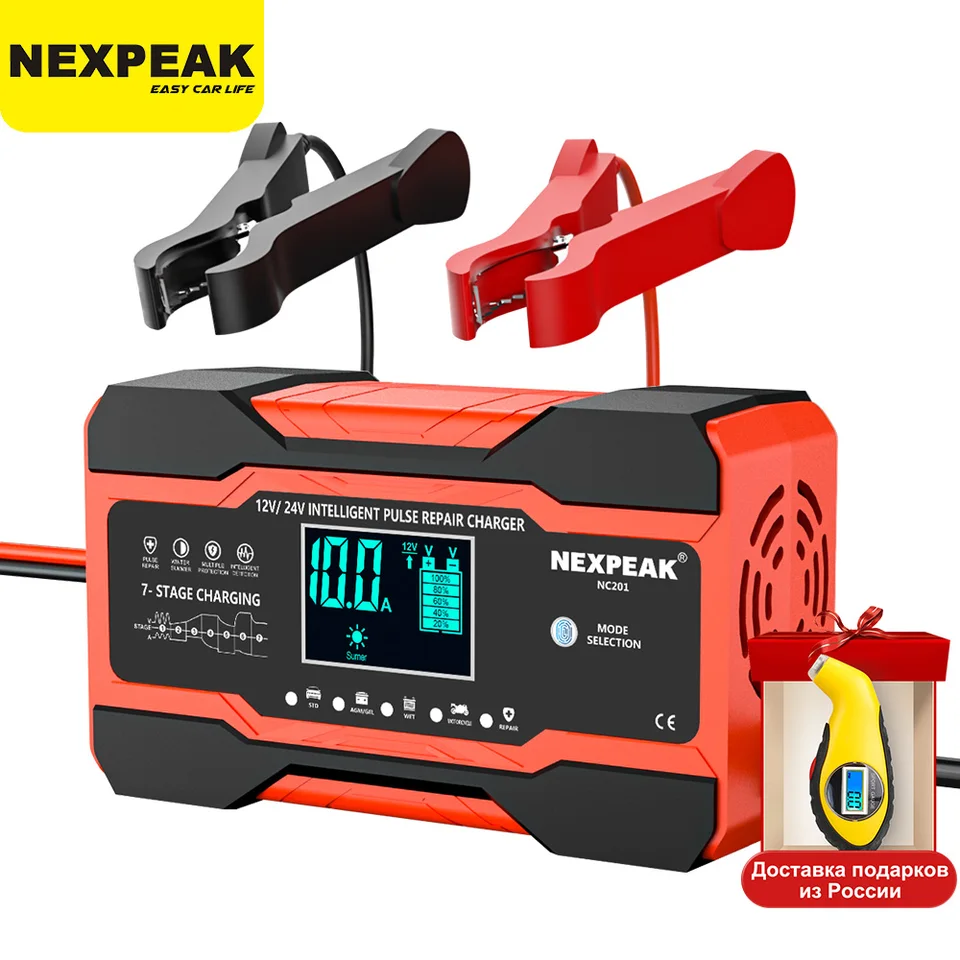
| Feature | NC201 | NC175 |
|---|---|---|
| Maximum Output | 12V/10A, 24V/5A | 12V/6A, 6V/2A |
| Auto Voltage Detect | Yes | Yes |
| Manual 12V Override | Not needed | 5-second mode button press |
| Desulfation | Yes | Yes |
| Jump Start | Yes | No |
| LCD Display | Full status | Basic |
| Safety Protections | 6 built-in | Similar |
| Climate Modes | Summer/Winter switch | Varies by batch |
Always consult your model’s manual. Features may vary slightly between production batches.
Frequently Asked Questions About NexPeak Battery Chargers
Can I leave my NexPeak charger connected overnight?
Yes, you can leave the NexPeak charger connected overnight. Once the battery reaches full charge, the charger enters float mode, which provides a safe trickle charge to maintain the battery without overcharging. This makes it ideal for overnight charging or long-term maintenance.
What batteries are compatible with NexPeak chargers?
NexPeak chargers work with 12V and 24V lead-acid batteries, including AGM, gel, sealed lead-acid, flooded, marine, and deep-cycle types. They automatically detect battery condition and adjust the charging profile accordingly.
How long does desulfation take on a NexPeak charger?
Desulfation typically starts within the first 5 minutes of charging. However, for heavily sulfated batteries, the desulfation and reconditioning phases can last several hours or up to 24 hours. The charger automatically continues until the battery is restored or the process times out.
Why does my NC175 show 6V when connected to a 12V battery?
The NC175 uses automatic voltage detection that may misread deeply discharged 12V batteries as 6V when the voltage drops below 7V. To fix this, press and hold the mode button for 5 seconds to force 12V mode manually.
Can NexPeak chargers jump-start a completely dead battery?
The NC201 model can provide supplemental power to start a vehicle with a dead battery. Connect the charger, wait 1 to 2 minutes, then start the engine. This works for engines up to 8.0L gas or 6.5L diesel. The NC175 does not have this jump-start function.
Is winter mode really necessary in cold weather?
Yes, winter mode is necessary for optimal charging in cold weather. Below 0°C, battery chemical activity slows significantly. Winter mode increases the charging voltage slightly to ensure the battery accepts a full charge despite the cold conditions.
Key Takeaways for Using Your NexPeak Charger
The NexPeak battery charger is more than a power supply. It is a battery life extender that combines intelligent charging with advanced repair technology. By following the correct sequence, plugging in first, connecting clamps securely, monitoring the display, and disconnecting safely, you ensure optimal performance and extend battery life.
Use winter mode in cold weather to improve charge acceptance. Force 12V mode on NC175 models when auto-detection fails. Leverage desulfation to revive dead or neglected batteries. Whether you need emergency jump-starts or seasonal maintenance, mastering your NexPeak charger saves time, money, and the hassle of premature battery replacement.
Keep the charger clean, store it properly, and let it do the work. Your batteries will last years longer with consistent, intelligent care.





