
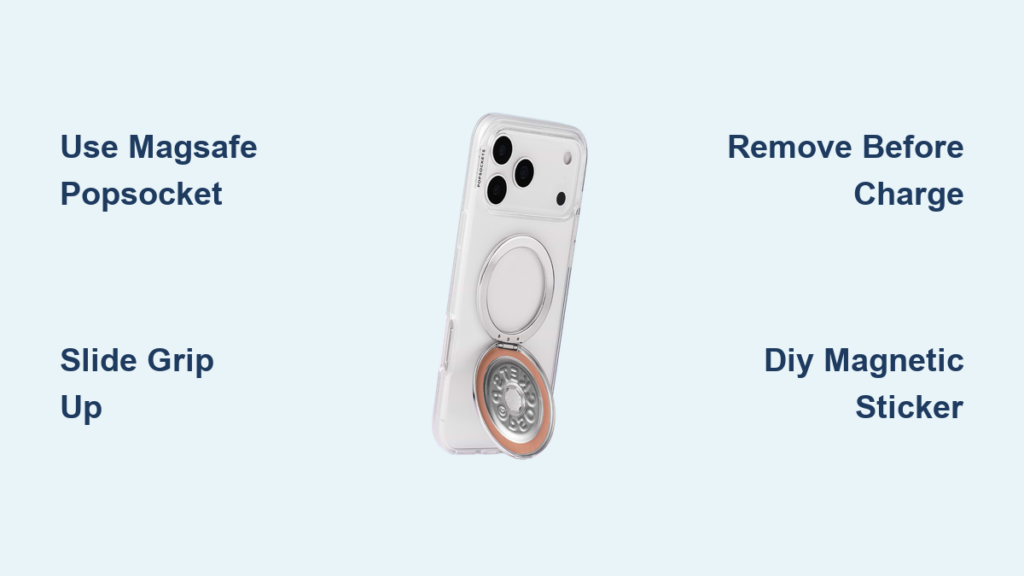
If you’re like millions of iPhone users, you love your PopSocket for grip but don’t want to give up the convenience of MagSafe charging. The problem? Standard PopSockets interfere with MagSafe’s magnetic alignment, often preventing your phone from charging properly. This conflict arises because MagSafe relies on a precise ring of magnets centered on the back of iPhone 12 and later models, exactly where most PopSockets are placed.
The good news: you don’t have to choose between a secure grip and fast wireless charging. With the right accessories, positioning, or a bit of DIY creativity, you can use both. Whether you’re at a concert, commuting, or just scrolling at home, this guide shows you how to keep your PopSocket and charge wirelessly without frustration.
Use a MagSafe-Compatible PopSocket
The simplest fix is switching to a PopSocket designed to work with MagSafe. These magnetic grips snap directly onto your iPhone or case, aligning with the built-in magnets so charging remains unaffected when removed.
Snap On, Charge Off
MagSafe PopSockets attach magnetically to the center of your phone, just like Apple’s wallets and chargers. When it’s time to charge, simply peel it off. No residue, no hassle. Once charging finishes, snap it back on. This seamless swap makes it ideal for daily use.
These grips work with all MagSafe chargers, including Apple and third-party options. There’s no interference when detached, and you get quick access to charging without removing your case.
Users report high satisfaction with this approach. Nicole Foxtrot, a frequent traveler, says “I have a MagSafe pop socket that I use.” The key benefit is maintaining full compatibility with other MagSafe accessories like car mounts and wallets.
Top Models to Try

Several models stand out in the MagSafe-compatible PopSocket market.
• PopSockets MagSafe Grip: Sleek, removable, and available in multiple colors
• OSnap Magnetic Ring Grip: Combines a rotating base with strong magnetic attachment
• Third-party options on Amazon: Often cheaper, but verify magnet strength and alignment
Look for models labeled “MagSafe-compatible” and avoid adhesive-only versions if you want true magnetic functionality.
Remove Before Charging
Even MagSafe PopSockets must be removed for optimal charging. Leaving it on can cause slower charging speeds, overheating warnings, and charging interruptions.
Pro tip: Keep your MagSafe PopSocket nearby while charging. Many users place it on their desk or car dashboard. That way, it’s always within reach when you need to snap it back on.
Try a Sliding or Adjustable Grip
If you prefer your grip lower on the phone, a sliding or stretchable grip lets you move it out of the way when charging. No removal needed.
PopSockets Grip Slide Stretch
This non-magnetic grip attaches with a stretchy base that allows vertical movement. Slide it up toward the top of your phone to clear the MagSafe charging zone, then slide it back down for comfortable handling.
User xZahid confirms “Popsocket Grip Slide helps. It’s not MagSafe but you can move it around.” This grip works best on slim cases. Thick or rugged cases may limit movement. Since there are no magnets, there’s zero interference with charging.
This option is ideal for users who switch between one-handed use and charging throughout the day.
OH Snap! and Other Slideable Options
OH Snap! offers rotating and sliding grips that function similarly. Some models allow 360-degree rotation, so you can pivot the grip away from the center.
LiftingGeek28 praises these as “great!” They’re compatible with most iPhone models and easy to reposition with one hand.
These grips sacrifice magnetic attachment but gain flexibility. That’s perfect if you prioritize ergonomics over snap-on convenience.
Vertical Sliders on Slim Cases
For maximum adjustability, consider a PopGrip Slide or similar magnetic slider that moves up and down on a slim case.
User MEGA_TOES explains “Try the one that slides up and down that is MagSafe, it slides up and down on any slim case.” This maintains secure hold while avoiding the charging circle. It stays in place during use but clears the center when needed.
Best used with cases that don’t obstruct the back glass, ensuring smooth sliding action.
DIY Off-Center Magnetic Mounts
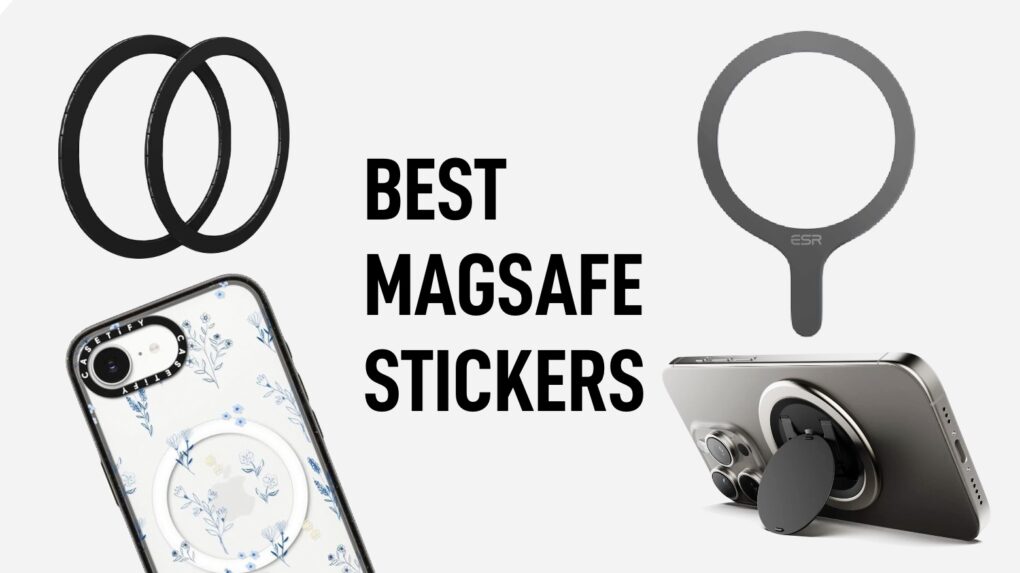
Want your grip low but still magnetic? DIY solutions let you create a custom attachment point below the MagSafe zone.
Apply a MagSafe Sticker Off-Center
Use a MagSafe-compatible magnetic ring sticker and place it lower on your case, away from the charging center.
annabannannaaa suggests “Get a non magsafe case, and then buy a magsafe sticker. You can choose where on the case it goes that way.” This works with standard PopSockets that have magnetic backs. It preserves wireless charging as long as the sticker doesn’t overlap the phone’s internal magnets.
Choose thin, high-quality stickers to avoid bulking up your phone.
Build a Hybrid PopSocket
Combine a regular PopSocket base with a magnetic puck for a semi-permanent solution. Attach a standard PopSocket to the bottom of a MagSafe puck. The result is a low-mounted grip with removable magnetic charging capability.
User Dorkdogdonki admits “I thought it can stand vertically, but nope,” so don’t expect stand functionality with this hack. This works best if you rarely use your phone upright and prioritize grip comfort.
Reuse Spare MagSafe Magnets
Some MagSafe PopSocket kits come with extra magnetic rings for non-MagSafe cases. Use one to create a lower attachment point.
Janzu93 notes “Magsafe popsockets come with a set of Magsafe magnets to use for non-magsafe cases. I guess you could use these for DIY attach point lower down the case.” Test placement carefully. Too close to the center can still disrupt charging.
Pma89 raises an unanswered concern: “Has anyone tried this? Not sure if sticking another MagSafe sticker on a MagSafe case will interfere.” Proceed with caution. Adding multiple magnetic layers may degrade charging performance.
Use External Magnetic Discs
Attach a thin metal ring or magnetic disc low on your case, then clip a magnetic PopSocket to it.
bladerunner2442 suggests “Use a metal ring… then flip the pill [PopSocket] upside down to see if it holds.” These are common in car mount kits and easy to find online. Effectiveness depends on magnet strength and surface contact.
This method is experimental but popular among DIY enthusiasts who want full control over grip placement.
Choose Multifunctional MagSafe Accessories
Instead of a PopSocket, consider a MagSafe accessory that doubles as a grip. No interference, no compromise.
Foldable Wallets as Grips
The Moft Wallet and similar MagSafe wallets fold down to act as a hand grip.
MachateElasticWonder shares “I use a Moft wallet and fold it down to use as a handle. It’s meh but its first job is a wallet.” It snaps magnetically and removes easily for charging. It offers storage plus grip in one.
While not as ergonomic as a PopSocket, it’s a clean, minimalist alternative.
Magnetic Wallets with Stand Function
Brands like Wingocase offer the Perch 2.0, a MagSafe wallet with a rotating stand that doubles as a grip.
SKIman182 recommends “Get the new Perch (version 2.0 not 1.0) from wingocase instead! Love mine.” Fold out the stand and hold it sideways for secure grip. It’s fully removable for fast charging.
This is ideal for users who want versatility without clutter.
Cases with Built-In Ring Stands
Some cases integrate a rotating or sliding ring stand directly into the design.
ubetimaninfluencer says “I recently got a MagSafe case with a built-in ring stand. It can go in any direction including low if you want to hold your phone a certain way.” This eliminates the need for a separate PopSocket. It’s fully compatible with MagSafe charging when folded flat.
Look for models with 360-degree rotation and durable hinges for long-term use.
Adapt Your Usage Habits
Sometimes the best solution is behavioral, not hardware. Adjusting how you use your phone can eliminate the conflict entirely.
Accept Centered Placement
Some users adapt to a centered MagSafe PopSocket despite the ergonomic trade-off.
A user explains “I’m forcing myself to get used to it being directly in the centre. It’s annoying, but I like being able to switch cases on a whim and always have my popsocket attach.”
The benefits include always being ready for MagSafe accessories, no need to remove or reposition, and working across multiple cases. The drawback is less comfortable grip for large phones or one-handed typing.
Remove Only When Charging
Treat your MagSafe PopSocket like a wallet. Remove it only when needed.
Detach before placing on the charger. Reattach after charging. Store on a magnetic surface like a fridge or car mount while charging.
This routine works well for nightly charging, office use, and events where you charge intermittently. Pair with a portable power bank to reduce charging frequency.
Carry a Backup Power Source
For concerts, festivals, or long outings, minimize charging stops.
Use your PopSocket freely. Top up with a pocket-sized MagSafe power bank. Avoid wall charging altogether.
This strategy prioritizes grip over constant charging. It’s ideal for event-goers.
Avoid Magnetic Interference Risks
Adding extra magnets can disrupt MagSafe performance. Protect your charging efficiency with smart choices.
Don’t Stack Magnetic Layers
Placing a MagSafe sticker on a MagSafe case may distort the magnetic field.
The risks include slower charging speeds, overheating alerts, and inconsistent accessory attachment. Apple recommends using only certified MagSafe accessories to ensure safety and performance.
Use Thin, Non-Metallic Cases
Thick or metal-reinforced cases reduce MagSafe efficiency, even without PopSockets.
Best case types include slim silicone or TPU, official Apple MagSafe cases, and third-party cases with MagSafe certification. Avoid wallet cases or rugged armor unless they’re explicitly MagSafe-optimized.
Test Charging After Modifications
After any DIY setup, test thoroughly. Place your phone on a MagSafe charger. Watch for alignment. It should snap into place. Check for the charging indicator, either a green light or notification. Monitor for overheating after 10 minutes.
If charging fails or slows, reposition or remove added magnets.
Final Tips for Seamless Use
You can have both a PopSocket and MagSafe charging. Here’s how to make it work smoothly.
For most users, get a MagSafe-compatible PopSocket. It’s easy on and off with full accessory support.
For comfort seekers, try the PopSockets Grip Slide Stretch. Move it up when charging.
For tinkerers, use a MagSafe sticker on a non-MagSafe case. Custom placement means zero interference.
For minimalists, choose a case with a built-in rotating ring stand. No extra parts, always ready.
For event use, pair a removable MagSafe grip with a portable power bank. Stay charged, keep your grip.
The key is matching your solution to your lifestyle. Whether you value convenience, ergonomics, or customization, there’s a way to keep your PopSocket and charge wirelessly. Stop the compromise. Optimize both.
Frequently Asked Questions About Using MagSafe with PopSocket
Can I use my existing PopSocket with MagSafe charger?
Standard adhesive PopSockets will interfere with MagSafe charging because they cover the magnetic alignment zone. You need either a MagSafe-compatible PopSocket or a solution that moves the grip away from the center of your phone when charging.
Why does my PopSocket stop MagSafe from working?
MagSafe chargers require precise alignment with the magnet array centered on your iPhone’s back. Standard PopSockets placed in the typical lower position block this alignment, preventing the magnetic snap and reducing charging efficiency or causing charging failure.
Do MagSafe PopSockets need to be removed for charging?
Yes. Even MagSafe PopSockets must be removed for optimal charging. Leaving them on can cause slower charging speeds, overheating warnings, and charging interruptions. Simply detach before charging and reattach afterward.
What is the best MagSafe-compatible PopSocket?
The PopSockets MagSafe Grip offers the best balance of convenience and functionality. It snaps securely to the center, removes easily for charging, and maintains full compatibility with other MagSafe accessories.
Can I use a sliding PopSocket with MagSafe?
Yes. Non-magnetic sliding grips like the PopSockets Grip Slide Stretch work well with MagSafe. Simply slide the grip up toward the top of your phone when placing it on the charger, then slide it back down for comfortable handling.
Are DIY magnetic solutions safe for MagSafe charging?
DIY solutions like MagSafe stickers on non-MagSafe cases can work but carry risks. Adding multiple magnetic layers may distort the magnetic field, leading to slower charging or overheating. Test thoroughly after any modification and remove magnets if charging performance suffers.
Key Takeaways for Using MagSafe Charger with PopSocket
MagSafe and PopSocket compatibility is achievable through specialized accessories, adaptive behavior, or DIY modifications. Centered magnetic grips offer the most reliable performance but may sacrifice ergonomics. Sliding or removable grips provide flexibility and preserve charging functionality. DIY approaches like magnetic stickers and hybrid mounts are popular but carry risks of reduced charging efficiency or instability. Integrated solutions like cases with built-in stands represent a growing trend toward multifunctional MagSafe accessories.
For most users, purchasing a MagSafe-compatible PopSocket delivers the seamless experience you want. For ergonomic preference, a sliding grip maintains flexibility. For maximum customization, apply a MagSafe sticker to a non-MagSafe case at a lower position. For minimalist design, choose a MagSafe case with a built-in rotating ring stand. For event use, combine a removable MagSafe grip with a portable power bank to minimize charging disruptions.





