
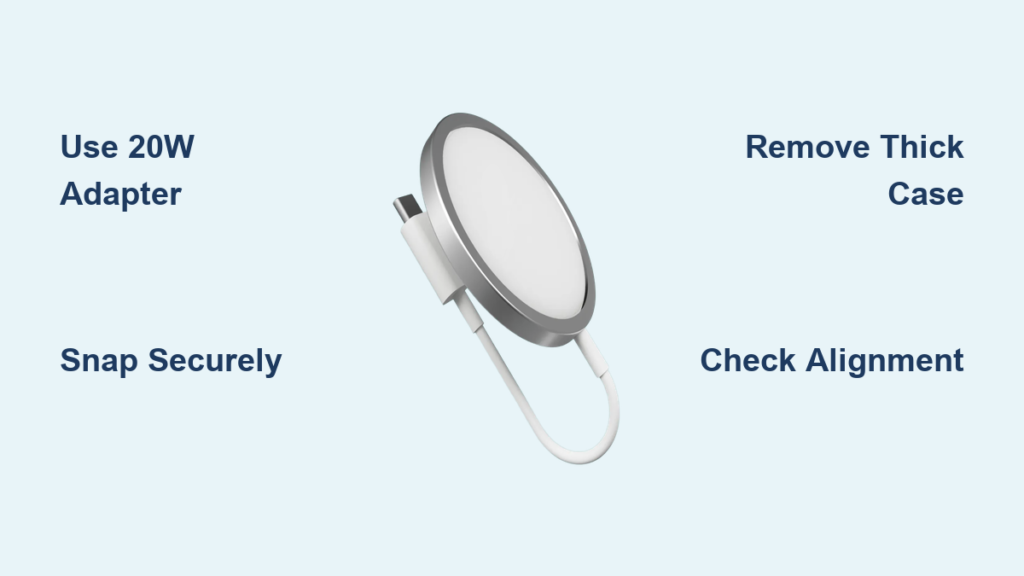
You just unboxed your new iPhone 15 and are ready to embrace wireless freedom. The MagSafe charger promises fast, seamless charging. No cables, no misalignment, just a satisfying magnetic snap. But how do you actually use it right? And how can you make sure you are getting the full 15W charging speed Apple promises?
Using a MagSafe charger with your iPhone 15, 15 Plus, 15 Pro, or 15 Pro Max is simple, but only if you know the right setup. Many users plug in their MagSafe charger and wonder why charging is slow or does not start at all. The secret is not just about the charger. It is about using the correct power adapter, avoiding incompatible cases, and understanding how MagSafe technology works. In this guide, you will learn exactly how to use your MagSafe charger for fast, reliable, and safe charging.
What Is MagSafe Charging and How It Works
MagSafe is Apple’s proprietary magnetic charging system built into iPhone 15 models. The technology combines a ring of precision-aligned magnets embedded around the wireless charging coil with magnetically enabled accessories. This ensures secure attachment and optimal alignment for efficient power transfer every time.
Unlike standard Qi wireless charging, which requires careful placement and often results in misalignment, MagSafe uses magnetic attraction to snap the charger into place automatically. This guarantees perfect coil alignment and enables faster charging speeds up to 15W for iPhone 15 models when used with the correct power adapter.
MagSafe Compatibility with iPhone 15
The iPhone 15 family is fully compatible with MagSafe technology. All four models support MagSafe wireless charging at up to 15W. These phones are equipped with the internal magnet array and optimized charging circuitry required for fast, intelligent wireless power delivery.
The following iPhone models support MagSafe charging:
- iPhone 12 series and later
- iPhone 13 series and later
- iPhone 14 series and later
- iPhone 15, 15 Plus, 15 Pro, and 15 Pro Max
Older iPhones (iPhone 11 and earlier) do not have the internal magnet ring and are not natively compatible with MagSafe chargers.
Use the Right Power Adapter for 15W Charging

Your MagSafe charger can deliver up to 15W of power, but only if it is powered by a 20W or higher USB-C power adapter. Using a lower wattage adapter like an old 5W or 12W charger will limit charging to 7.5W or less, cutting your speed in half. Apple includes a USB-C to MagSafe cable in some boxes, but not the power adapter. You must provide your own.
Recommended Power Adapters
These adapters work well with MagSafe chargers:
- Apple 20W USB-C Power Adapter (most common choice)
- Apple 30W USB-C Power Adapter (ideal for multi-device users)
- Anker 30W Nano II (compact and efficient)
- Apple 67W or 96W USB-C Chargers (for advanced users)
Higher wattage adapters are safe. They will not damage your iPhone because the device only draws the power it needs.
Charging from a Laptop
You can plug the MagSafe charger into a USB-C port on a Mac or PC, but most laptop ports deliver only 7.5W to 15W depending on system load. Charging will be slower and inconsistent, especially if the computer is under heavy use. For best results, always use a wall adapter.
Attach iPhone 15 to MagSafe Correctly
Using a MagSafe charger with your iPhone 15 is simple and intuitive. Follow these steps to ensure optimal performance and charging speed.
Step-by-Step Connection
- Use a 20W or higher USB-C power adapter and connect it to a wall outlet.
- Plug the USB-C end of the MagSafe charger cable into the power adapter.
- Place the MagSafe charging pad on a flat, stable surface such as a desk or nightstand.
- Ensure the charging surface is clean and free of dust, debris, or obstructions.
- Hold your iPhone 15 and bring the back of the device close to the MagSafe charger.
- The magnets will automatically align and snap the phone into the correct position.
- You will feel a distinct magnetic click when properly attached.
Confirm Charging Has Started
Once connected, your iPhone will display a charging animation on the screen. A circular charging icon appears around the battery indicator. A chime or notification sound may also play, confirming successful connection. The battery percentage will begin to increase, indicating active charging.
If you do not see an animation, check your connection, adapter, or remove your case to test.
Optimize Charging Speed and Performance

To maximize efficiency, speed, and longevity of both your iPhone 15 and MagSafe charger, follow these best practices.
Avoid Heat Buildup
Wireless charging generates heat. Excessive heat triggers thermal throttling, slowing down charging. To prevent this:
- Remove thick cases while charging
- Avoid direct sunlight or hot environments like a car dashboard
- Do not cover the charger with fabric or pillows
- Use Low Power Mode to reduce background activity
Pro tip: If your iPhone feels warm, temporarily remove it from the charger to cool down, then reattach.
Use MagSafe-Compatible Cases
Not all cases work with MagSafe. Thick leather, metal-reinforced, or non-MagSafe cases can block magnetic attachment, reduce charging speed, or prevent charging entirely.
Recommended case types include:
- Apple MagSafe Cases (official and optimized)
- MFi-Certified Third-Party Cases from brands like Anker, Spigen, or ESR
- Thin, non-metallic designs with built-in MagSafe ring
Avoid cases with metal plates or credit card slots unless explicitly designed for MagSafe.
Troubleshoot Common MagSafe Issues
iPhone Will Not Charge on MagSafe
If your iPhone is not charging, check these items first:
- Adapter wattage too low? Use 20W or higher USB-C.
- Dirty surfaces? Wipe the back of iPhone and charger.
- Case blocking connection? Test without case.
- Restart iPhone? A soft reboot can resolve temporary glitches.
- Try different cable or adapter? Rule out hardware failure.
If none of these work, the charger or iPhone coil may be damaged.
Charging Too Slow
Several factors can cause slow charging speeds:
- Using a 5W or 12W adapter limits speed to 7.5W or less
- Heat buildup triggers throttling. Remove case or move to a cooler location.
- Background apps consume power. Close unused apps or enable Low Power Mode.
- Poor coil alignment. Reattach iPhone and ensure the magnetic snap works properly.
Even with MagSafe, real-world charging speed varies based on battery level, temperature, and usage.
Charger Does Not Snap Properly
If the magnetic connection feels weak or fails to align:
- Center the phone. Do not place it at an angle.
- Check for foreign objects like metal dust or foil stickers.
- Inspect the magnet ring on the back of the iPhone for damage.
- Avoid magnetic wallets during charging. They can disrupt alignment.
Use iPhone 15 While Charging
One of MagSafe’s biggest advantages is that you can use your phone freely while it charges. The magnetic hold is strong enough to keep the phone attached even when lifted or rotated.
You can do these activities while charging:
- Watch videos in portrait or landscape mode
- Answer calls or FaceTime hands-free
- Navigate while driving with a MagSafe car mount
- Type messages without disconnecting
This makes MagSafe perfect for bedside or desk use.
Best MagSafe Chargers for iPhone 15

While Apple’s official MagSafe Charger works well, several third-party options offer enhanced functionality, multi-device support, and better value.
1. Anker 3-in-1 Cube with MagSafe
This charger powers your iPhone at 15W while simultaneously charging your Apple Watch and AirPods. The compact, foldable design is ideal for travel or desk use. It includes a pull-out Apple Watch charger and dedicated AirPods spot with secure magnetic snap for iPhone.
2. Anker MagGo Wireless Charging Station (Foldable 3-in-1)
This station delivers 15W MagSafe charging for iPhone. It features Magnetic Fast Wireless certified charging for Apple Watch, reaching 50% in just 30 minutes. The foldable stand allows vertical or horizontal charging. It is portable and space-saving, great for home, office, or travel.
3. Anker MagGo Wireless Charging Station (3-in-1 Stand)
This vertical design saves desk space and improves screen visibility. It provides 15W MagSafe charging plus dedicated spots for Apple Watch and AirPods. It includes ActiveShield temperature control for safer charging. The sleek, minimalist look fits modern workspaces perfectly.
Safety and Longevity Tips
Overnight Charging is Safe
Yes, you can safely leave your iPhone 15 on MagSafe overnight. MagSafe uses intelligent charging algorithms that slow down or stop at 100% and resume if battery drops below 95%. This prevents overcharging and overheating. You can leave your phone on MagSafe for extended periods without worry.
Avoid Magnetic Damage
The strong magnets in MagSafe can affect certain items. Keep these away from the back of your iPhone while charging:
- Credit cards (can demagnetize strips)
- Passports (can damage RFID chips)
- Medical devices like pacemakers (keep 6 or more inches away)
Best practices include removing cards from MagSafe wallets before charging and not placing iPhone near sensitive items while on the charger.
Charging Priority: Wired vs. Wireless
If you plug in a Lightning or USB-C cable while the iPhone is on MagSafe, wired charging takes priority. MagSafe charging pauses automatically. There is no damage. This simply provides faster charging via cable and reduces heat buildup.
Frequently Asked Questions About MagSafe on iPhone 15
Does MagSafe Charge Faster Than Regular Wireless Charging?
Yes. MagSafe delivers up to 15W for iPhone 15 models, compared to 5-7.5W on standard Qi chargers. With proper setup, this results in significantly faster charging times, up to three times faster under ideal conditions.
Do I Need a MagSafe Case?
No, but MagSafe-compatible cases improve performance. They ensure strong magnetic attachment and support full 15W charging. Regular cases may weaken the connection or block charging entirely.
Can I Use Third-Party MagSafe Chargers?
Yes, as long as the charger is MFi-certified and supports MagSafe specifications. Brands like Anker, Belkin, and mophie offer reliable alternatives. Avoid cheap, uncertified chargers. They may overheat or charge slowly.
How Do I Know If My iPhone Is Charging?
Look for a circular charging animation on the lock screen around the battery icon. You may also hear a chime if sounds are enabled. The battery percentage will increase over time. No animation? Reattach or check your adapter.
Can MagSafe Charge Other Devices?
The MagSafe charger is designed for iPhone 12 and later. It can charge AirPods (3rd gen, Pro, or MagSafe-compatible models) but at reduced speed. It does not charge iPads, Apple Watch, or Android phones via MagSafe.
Does MagSafe Work While Using the Phone?
Yes. The magnetic hold is strong enough to keep the iPhone attached even when lifted or used. This allows for hands-free FaceTime, video playback, or navigation while charging.
Key Takeaways for Using MagSafe with iPhone 15
Using a MagSafe charger with your iPhone 15 is one of the most convenient, reliable, and fast ways to keep your phone powered. But to get the most out of it, you need the right setup. Use a 20W or higher USB-C adapter, keep your charging surface clean, and use a MagSafe-compatible case for optimal magnetic alignment and full 15W charging speed.
With the correct tools and habits, you will enjoy consistent 15W charging, seamless attachment, and the freedom to use your phone while it powers up. Whether you stick with Apple’s original or upgrade to a multi-device station like the Anker 3-in-1 Cube, MagSafe turns charging from a chore into a simple, satisfying snap.
Now that you know how to use MagSafe the right way, plug in, snap on, and charge smarter. Your iPhone 15 is ready for the best wireless charging experience possible.





