Laptop chargers fail far too often, leaving you with frayed wires, broken connectors, and intermittent charging. The number one cause of laptop charger breakage is stress at the plug ends from bending, yanking, and poor storage. Most damage happens within months of use, not years. This guide reveals proven strategies to prevent laptop charger from breaking using expert tips, user-tested methods, and durable solutions. You will learn how to store, handle, and reinforce your cable so it lasts years instead of weeks.
Avoid Stress at Connection Points
The weakest part of any charger is where the cable meets the plug or power brick. That spot bears the brunt of every bend, tug, and twist. Protect it with smart handling habits that prevent cumulative damage.
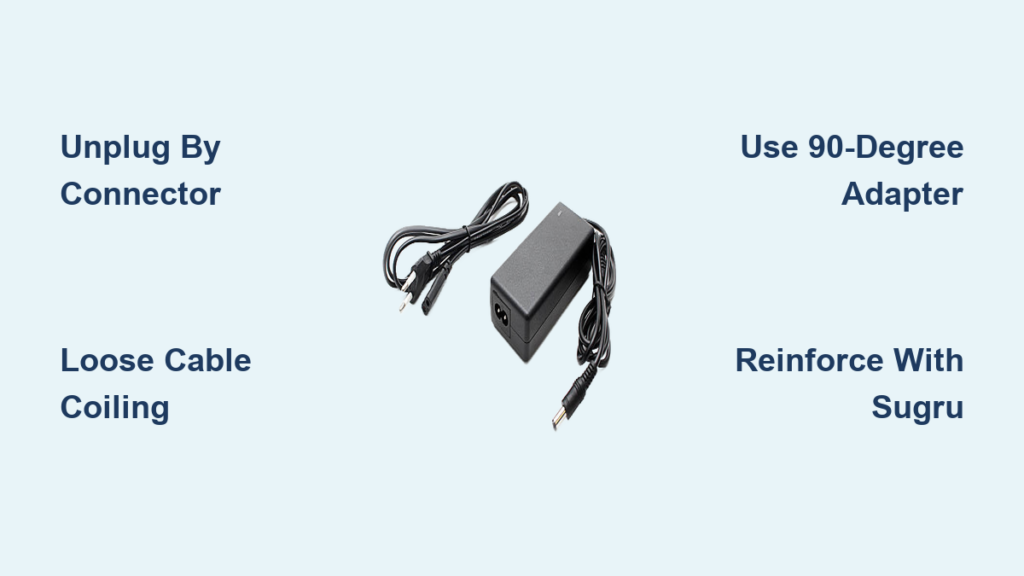
Unplug by the Connector, Not the Cable
Always grip the plug body, not the cord, when disconnecting. Yanking the cable pulls internal wires loose over time. Make this your habit every single time, even when you are in a hurry.
Follow these steps when unplugging:
1. Grasp the plug firmly near the base
2. Pull straight out without wiggling
3. Check for debris in the port if the plug feels stuck
Teach roommates and family members the correct method to prevent unnecessary wear.
Use 90-Degree Adapters for Tight Spaces
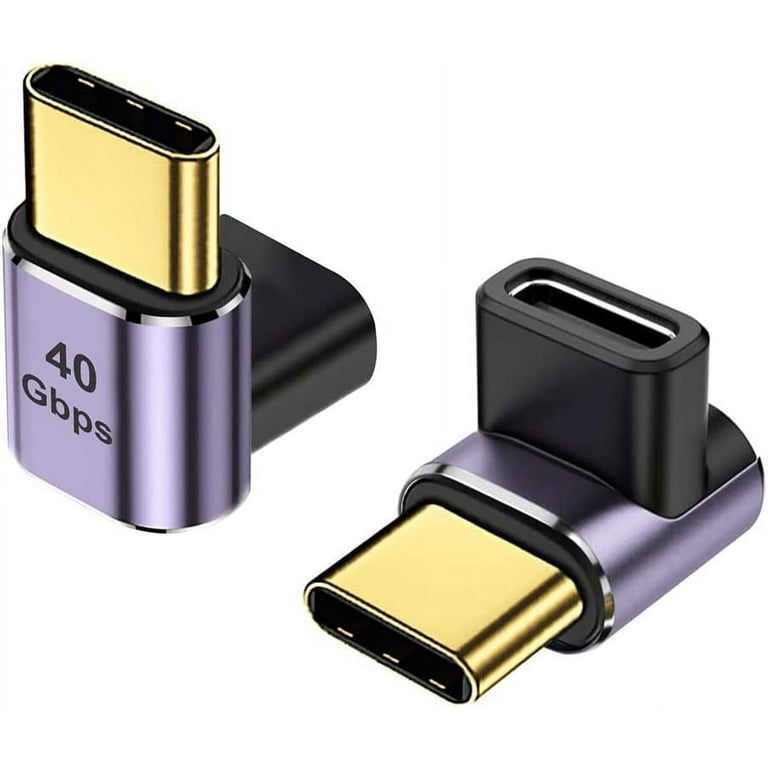
When your laptop sits against a wall or desk edge, the charger bends sharply at the port. A right-angle adapter changes the cable direction and eliminates strain at the connection point.
Choose an adapter that matches your plug size, such as 5.5mm x 2.1mm for barrel plugs. This works for both barrel plugs and USB-C connections. The adapter keeps the cable flush against the desk edge, preventing sharp bends that weaken internal wires.
Keep Cables Slack During Use
Never let the charger pull tight when you move your laptop. Tension wears the wire down fast and creates stress at the connector.
Leave slack on your desk rather than pulling the cable taut. Do not drape the cable over sharp edges or corners. If you need more reach, use a longer cable instead of stretching the one you have.
Store Your Charger the Right Way
How you coil and store your charger determines how long it lasts. Tight wraps cause kinks and wire fatigue that lead to premature failure.
Coil Loosely Around the Brick
Never wrap your charger tightly. Instead, follow this method:
- Hold the brick with the cable exiting straight
- Make large, gentle loops around it, avoiding kinks
- Secure with a Velcro strap, not elastic bands or tight ties
This method reduces internal stress and prevents cracks at the brick end. The goal is a loose coil that maintains the cable’s natural flexibility.
Use a Protective Case or Pouch
Loose chargers in bags get crushed, tangled, and pulled. A dedicated case shields against physical damage.
Use a padded tech pouch or hard-shell case for travel. At home, store the charger in a drawer or organizer. If you lack a case, a clean sock works in an emergency.
Avoid Wrapping Around the Power Brick
Wrapping tightly around the brick creates permanent creases in the cable. Over time, the plastic casing cracks and internal wires break.
Let the cable hang freely when unplugged. Do not force bends into sharp angles. Store the charger flat or in loose loops rather than wrapped tightly.
Reinforce Weak Spots Before They Fail
Most chargers fail at the plug ends. Reinforcing these areas early stops fraying before it starts and extends your charger’s life significantly.
Apply Sugru for Custom Strain Relief
:max_bytes(150000):strip_icc()/__opt__aboutcom__coeus__resources__content_migration__mnn__images__2013__02__sugru_laptop_charger_repair-447ae75750554e639a63041a72a1f8d7.jpg)
Sugru is moldable glue that hardens into durable rubber. It creates a flexible sleeve over weak joints that moves with the cable.
Follow these steps to apply Sugru:
1. Knead a small amount until soft and pliable
2. Roll into a cone shape and press over the plug-cable junction
3. Taper it smoothly to avoid lumps
4. Let cure for 24 hours before use
Store unused Sugru in an airtight bag in the refrigerator to extend its shelf life.
Use Heat-Shrink Tubing for Firm Protection
Heat-shrink tubing adds a rigid layer that prevents bending at critical points. This method works especially well for barrel plugs and DC connectors.
Slide the tubing over the cable before applying heat. Use a hairdryer or heat gun to shrink it evenly. Avoid overheating, which can melt internal wires.
Try Braided Sleeves or Fix-It Sticks
Braided sleeves wrap around the cable for abrasion resistance. Fix-It Sticks are rigid rods that support damaged sections. Electrical tape works as a short-term fix but peels over time.
Tape is a temporary solution only. Replace or reinforce properly soon after applying tape to avoid complete failure.
Reduce Wear with Smart Accessories
You do not need to replace your charger frequently. Instead, shift the wear to cheap, replaceable parts that cost a fraction of a new charger.
Use Extension Cables to Save Your Charger
Plug a male-to-female DC extender between your charger and laptop. Now all the wear happens on the extender instead of your expensive charger.
Replace the extender when it shows wear, keeping your main charger safe. Match voltage, amperage, and plug size exactly when buying extenders. Purchase several extras online since they are inexpensive insurance.
Switch to a Docking Station at Home
If you use your laptop in one spot, a docking station eliminates daily plugging and unplugging.
The charger stays plugged into the dock permanently. Your laptop connects via one cable, either USB-C or proprietary. This setup is ideal for office or home setups where the laptop remains stationary.
Choose Right-Angle USB-C Adapters
USB-C is sturdier than older plugs but still breaks if bent sharply. Use a right-angle USB-C adapter to reduce strain, especially on desks with tight clearance. Look for reinforced models with metal housings for maximum durability.
Protect Against Environmental Damage
Even perfect handling will not help if your charger is exposed to heat, moisture, or pets. These environmental factors cause damage that cannot be repaired.
Keep Cables Away from Heat and Sunlight
UV rays and high temperatures make plastic brittle and prone to cracking. Never leave chargers in hot cars. Avoid placing them near radiators or in direct sunlight. Store all chargers in cool, dry places.
Block Pet Access to Cables
Cats and dogs chew cords, sometimes fatally. Use cable covers or conduits to protect vulnerable sections. Spray bitter apple on cords to deter chewing safely. Keep chargers off the floor when not in use.
Chewed wires can cause fires or electric shocks. Replace damaged cables immediately and dispose of them properly.
Avoid Moisture and Liquids
Spills are a top cause of charger failure. Never charge near coffee, water, or sinks. Wipe down plugs if they get damp. Let wet cables dry fully before using them again.
Buy Smarter: Invest in Durable Chargers
Not all chargers are created equal. Some are built to last years, while others fail within months. Your initial purchase affects long-term costs.
Choose Braided or Reinforced Cables
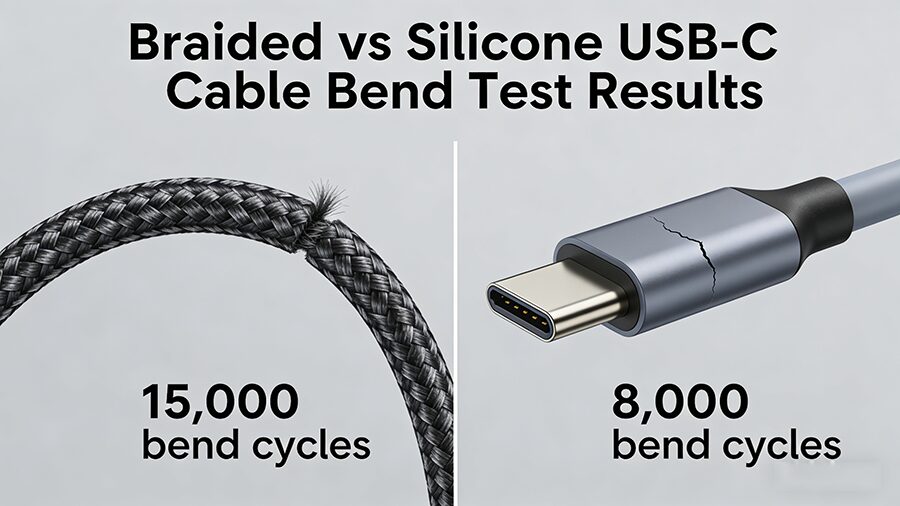
Braided nylon exteriors resist fraying and abrasion. Look for strain relief sleeves at both ends of the cable. Brands like Syllucid offer five-year warranties and rugged builds worth the extra investment.
Stick with OEM or High-Quality Third Parties
OEM chargers match your laptop’s specs exactly and often use better materials. Cheap knockoffs often overheat or fail early. If buying third-party, check reviews specifically for durability.
Check for Modular or Replaceable Cables
Some chargers let you swap the cable separately. If the cord breaks, replace only the wire, not the entire unit. This feature is common in USB-C and newer docking systems. It saves money and reduces electronic waste.
Inspect and Maintain Regularly
Catch problems early before they become complete failures. Regular inspection takes only a minute but saves money and frustration.
Check for Early Warning Signs
Look for these indicators of damage:
- Frayed or exposed wires
- Stiff or kinked sections
- Loose connectors that wiggle
- Intermittent charging
- Overheating during use
If you see any of these signs, reinforce the area or replace the charger immediately.
Clean Connectors Monthly
Dust and grime cause poor contact and heat buildup. Use compressed air or a soft brush to clean ports. Wipe metal tips with a dry cloth. Never use liquid cleaners on electrical components.
Replace Before It Fails Completely
A charger that flickers or charges slowly is on its way out. Do not wait for total failure. Swap in a backup or reinforced unit. Recycle the old one responsibly at an e-waste facility.
Frequently Asked Questions About Preventing Laptop Charger Breakage
Why do laptop chargers break so quickly?
Most laptop chargers break because of stress at the connection points. Repeated bending, yanking the cable instead of the plug, and tight coiling weaken internal wires. Environmental factors like heat and moisture also accelerate damage.
What is the best way to unplug a laptop charger?
Always grip the plug body, not the cable. Pull straight out gently without twisting or wiggling. This prevents stress on the internal wires and protects your laptop’s charging port from damage.
Does Sugru really work for reinforcing charger cables?
Yes, Sugru is highly effective for reinforcing charger cables. It bonds to plastic and rubber, creating a flexible strain relief that lasts for years. Apply it as a tapered sleeve over the plug-cable junction for best results.
Are extension cables worth using to protect chargers?
Extension cables are worth using because they shift all wear to a cheap, replaceable part. Instead of replacing a forty-dollar charger, you replace a two-dollar extender. This method significantly extends your main charger’s lifespan.
How often should I inspect my laptop charger?
Inspect your laptop charger monthly for visible damage. Check for fraying, kinks, loose connectors, and signs of overheating. Early detection prevents sudden failures and allows time for reinforcement.
What is the longest-lasting type of laptop charger?
Chargers with braided exteriors and reinforced connectors last the longest. OEM chargers typically outperform cheap third-party options. Brands offering extended warranties often use superior materials.
Key Takeaways for Preventing Laptop Charger Breakage
Preventing laptop charger breakage comes down to three things: how you handle it, how you store it, and how early you protect it. Grip the plug when disconnecting rather than yanking the cable. Coil your charger loosely around the brick using Velcro straps instead of tight wraps. Use extension cables to shift wear to replaceable parts, and reinforce weak spots with Sugru or heat-shrink tubing before visible damage appears.
Add a protective case for travel, avoid leaving chargers in hot cars or near pets, and invest in quality cables with braided exteriors. Inspect your charger monthly and replace it at the first sign of flickering or overheating. These small habits prevent big headaches and costly replacements.
With proper care, your charger can last three to five years instead of six months. Treat it right, and it will keep your laptop powered when you need it most.